Quick wins for a faster PC:
Scan for outdated or missing drivers - takes under a minuteDriver Scan →Repair Windows errors before they cause bigger problemsFix Now →The supported way to play God of War III Remastered on a current console is the PS4 version running on PS5. Sony lists the game as a PS4 release that is playable on PS5. A compatibility record reports a 1080p mode at a locked 60 frames per second with HDR. Xbox Series X does not list this PlayStation 4 title in its backward-compatibility catalog, so there is no official Xbox installation path. Running it through unofficial emulation on Xbox would involve extra software, uncertain compatibility and licensing questions that vary by country.
If you are deciding what to buy, look for the physical or digital God of War III Remastered PS4 edition, then use it on a compatible PS5. An Xbox Series X is not a substitute for that supported route.
| # | Preview | Product | Price | |
|---|---|---|---|---|
| 1 |
|
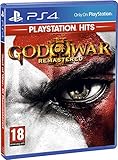
God of War III: Remastered (PS4) | $21.49 | Buy on Amazon |
| 2 |

|
PS4 GOD OF WAR III REMASTERED (US) | $22.97 | Buy on Amazon |
| 3 |

|
God of War 3 Remastered - PlayStation 4 | $21.49 | Buy on Amazon |
| 4 |

|
God of War: Saga - Dual Pack | $54.99 | Buy on Amazon |
| 5 |

|
God of War: Collection - Playstation 3 | $39.99 | Buy on Amazon |
As an Amazon Associate I earn from qualifying purchases.
At a glance
| Question | Answer |
|---|---|
| Can I play it on PS5? | Yes. The official PlayStation Store identifies the game as a PS4 release playable on PS5. The console may require a system-software update, and some PS4 features can be absent. |
| What performance is documented on PS5? | A compatibility record reports one 1080p presentation at a locked 60 FPS with HDR. It does not report a distinct PS5 enhancement over PS4 Pro. |
| Is it backward compatible on Xbox Series X? | No official support is listed. Microsoft’s program covers selected Xbox 360, original Xbox and Xbox One games, not PlayStation 4 software. |
| Can Xbox Series X emulate it? | Only through an unofficial, configuration-dependent approach. No official Xbox workflow or performance benchmark for this game is established. |
| Which edition should I purchase? | The PS4 edition titled God of War III Remastered. It is the version associated with PS5 compatibility. |
What game and edition are we talking about?
God of War III Remastered is the remastered PS4 release of Santa Monica Studio’s action game, published by Sony Interactive Entertainment on July 14, 2015. Its platform identity matters: this is PlayStation 4 software, not an Xbox One or Xbox 360 title that could enter Microsoft’s backward-compatibility catalog.
What’s actually slowing this PC down?
Pick the symptom - the matching free tool is one click away.
Listings can use both “God of War III Remastered” and the informal “God of War 3 Remastered.” Check that the product description says PS4. A similarly named release, a soundtrack, an add-on or a listing for another entry in the series will not provide the same license.
#1 Best Overall
- Beautifully rendered at 1080p and running at 60 frames per second, God of War III Remastered is ready for the next generation
- The brand new photo mode will allow players to freeze the jaw-dropping action to edit, save and share photos.
- God of War III Remastered shows off realistic muscle contours, detailed facial expressions and new heightened levels of brutality and gore
How the PS5 route works
Official compatibility status
The official PlayStation product page states that the PS4 game is playable on PS5. It also warns that the system may need to be updated to the latest system software and that some PS4 features may not be available. That is a platform-holder compatibility statement, rather than an inference from a community emulator or a promise that every PS4-era behavior has been enhanced.
Disc and digital ownership
For a physical copy, buy the PS4 disc edition and use a PS5 model with a disc drive. The disc is the ownership check each time you play, so it must remain available. A PS5 Digital Edition cannot read a PS4 disc; it requires a digital license instead. If you purchase digitally, sign in to the account that owns the game and use the PS5 game library or store page to download the PS4 version. The product title and platform label are the important checks before payment.
Installation steps
- Update the PS5 through Settings > System > System Software > System Software Update and Settings. Restart if the console requests it.
- For a disc copy, insert the God of War III Remastered PS4 disc. For a digital copy, open Game Library > Your Collection and select the title.
- Choose the PS4 game entry, select Download or Copy, and let the installation finish. Keep the console connected to the internet for patches and license checks when prompted.
- Start the game from the PS5 home screen. If the console displays both PS4 and another edition, select the entry explicitly marked for PS4; this is the release covered by the compatibility listing.
What performance is actually established
The available compatibility record describes a single 1080p mode running at a locked 60 FPS with HDR. It does not identify a separate PS5-only resolution, frame-rate or loading upgrade over PS4 Pro. Therefore, the defensible expectation is a stable presentation matching that documented mode, not a claim of a new-generation remaster.
Recommended Free Tools
“Locked 60 FPS” describes the target and observed consistency in that record; it is not a guarantee that every display, cable, receiver or television will show HDR. HDR also depends on an HDR-capable display, correctly configured PS5 video output and the display’s picture mode.
Why Xbox Series X has no native version
The boundary of Xbox backward compatibility
Microsoft’s Xbox Series X|S backward-compatibility program applies to selected games originally released for Xbox 360, the original Xbox and Xbox One. Microsoft has described the feature as letting owners insert a compatible Xbox One, Xbox 360 or original Xbox disc, install the game and play it on Series X. That catalog is curated by Microsoft; it is not a general-purpose mechanism for installing software from another console family.
God of War III Remastered was released for PS4. It therefore falls outside the source platforms covered by that program. No official Xbox Series X release or compatibility listing for this title is established here, and an Xbox disc drive cannot accept a PS4 disc as an Xbox license.
What the Xbox testing claim does and does not mean
Xbox Wire reported more than 500,000 hours of gameplay testing while preparing Series X|S backward compatibility across four Xbox generations. That figure shows the scale of Microsoft’s compatibility work; it does not mean every PlayStation game was tested or that the Xbox can translate PS4 software automatically.
Does Xbox Series X emulate PS4 games?
Backward compatibility and emulation are often used interchangeably, but they are different concepts. Microsoft’s supported feature packages selected Xbox titles with the operating-system, license and compatibility data needed for installation. An unofficial emulator attempts to reproduce another platform’s hardware and software environment. The latter is not an Xbox feature for this game.
Rank #3
- NOW ON THE PS4 SYSTEM - Gameplay is beautifully rendered at 1080p and running at 60fps, God of War III Remastered is ready for the next generation. All previous DLC costumes and content are included.
- PHOTO MODE - God of War III Remastered's photo mode will allow players to freeze, edit, and share photos of all of Kratos' jaw dropping action.
- GROUNDBREAKING DEPTH OF SCALE - From the glittering marble of halls of Mt Olympus to the desolate deserts of Tartarus, Kratos will explore worlds both epic and majestic.
- STYLIZED REALISM - Players will battle in detailed and unique 3D worlds lit by thousands of dynamic lights and textures with quadruple the resolution, now refreshed in stunning detail.
- SIGNATURE GAMEPLAY - Brutal combat, intricate puzzles, exploration of awe-inspiring worlds, and a compelling and satisfying ending to Kratos' epic story.
Why an unofficial route is uncertain
- No documented console workflow: There is no official Xbox menu path, store listing or installation package for this PS4 title.
- Configuration dependence: Unofficial emulation can vary with emulator build, graphics settings, operating-system version and the particular game image. No benchmark for this title on Series X is established, so a 60-FPS result cannot be promised.
- Additional components: Emulation generally needs software and game or system components beyond the retail disc. Their availability, integrity and compatibility are not guaranteed by Xbox.
- Licensing and circumvention concerns: Owning a game does not automatically authorize every method of copying, decrypting or running it. Platform terms can restrict emulation or circumvention, and local law can change the analysis.
- Support and recovery: An unofficial setup can break after an Xbox system update and may have no publisher or console-maker support channel.
Those limits are why an emulator should not be presented as an equivalent to PS5 backward compatibility. The Xbox route is an experiment for technically experienced users who have independently verified the legal position in their jurisdiction, not a supported purchase recommendation.
PS5 versus Xbox Series X for this specific game
| Decision factor | PS5 with the PS4 release | Xbox Series X emulation attempt |
|---|---|---|
| Official support | Explicit PlayStation Store statement that the PS4 game is playable on PS5. | None established; the title is not in the Xbox backward-compatibility catalog. |
| What you need | The PS4 game license (disc or digital), a PS5 and current system software. | Additional unofficial software and game/system components; no standard Xbox workflow. |
| Performance reference | 1080p, locked 60 FPS and HDR are reported in the compatibility record. | Not stated; no game-specific Series X benchmark is available. |
| Setup effort | Insert the disc or download the owned PS4 title, then install. | Configuration varies and can require troubleshooting outside normal Xbox support. |
| Legal and account risk | Uses the platform holder’s supported software path, subject to normal store and license terms. | Terms-of-service and jurisdiction-specific questions remain unresolved. |
| Best use case | Playing the game with the least uncertainty. | Only investigating an unofficial technical possibility after checking local rules. |
Buying the right copy
Physical PS4 edition
Search specifically for God of War III Remastered PS4. Before ordering, verify the platform field, region, disc condition and seller. A used disc that is unreadable, missing or from a listing for a different game will not install correctly. If you intend to use a PS5 Digital Edition, do not buy a disc-only copy.
Digital PS4 edition
Confirm that the store page labels the product as the PS4 game and that the purchase is attached to the account you will use on PS5. Regional storefronts can display different availability, bundles or upgrade language, so read the edition name before completing the transaction.
The Tool Desk
Outbyte Driver Updater FREEFix the driver behind crashes, sound loss and screen glitchesFind Drivers →Outbyte PC Repair FREERepair Windows errors before they cause bigger problemsFix Now →What not to buy for this purpose
- An Xbox One or Xbox 360 product listing: this title was not released as an Xbox game.
- A listing that omits the platform or says only “God of War” without identifying the remastered PS4 edition.
- Unofficial emulator packages, ROMs, BIOS files or keys marketed as a guaranteed way to run the game on Xbox. No endorsed product or lawful universal method is established.
Troubleshooting the supported PS5 installation
The PS5 says the game cannot start
Install the latest PS5 system software, restart the console and check that the disc is clean and inserted correctly. For a digital copy, verify that the purchasing account is signed in and that the game appears in Game Library > Your Collection. A missing license can prevent launch even when the game data is already installed.
Rank #4
- Includes
- God of War collections 1 and 2
- God of War 3
- God of War Collection (Chain of Olympus and Ghost of Sparta)
The disc is not recognized
Confirm that the console has a disc drive and that the disc is the PS4 edition. Clean the disc with a soft, lint-free cloth, retry the installation and test another known-good disc if necessary. A PS5 Digital Edition cannot read any physical PS4 disc.
HDR is not appearing
Check Settings > Screen and Video > Video Output, set HDR to the appropriate automatic option, and verify that the television input and HDMI cable support HDR. The documented game mode includes HDR, but the display chain still has to negotiate it correctly.
The image does not look sharper than expected
The documented mode is 1080p, and the compatibility record does not report a special PS5 enhancement over PS4 Pro. A 4K television may upscale that signal; upscaling is not the same as a native 4K remaster.
Outdated Drivers Are Slowing You Down
One free scan finds every outdated or missing driver and matches the right update for your exact hardware.Free scan · exact hardware matchPC Slower Than It Used to Be?
A free scan shows the junk files, broken settings and background clutter dragging Windows down - then fixes them in one click.Free scan · Windows 10 & 11A PS4 feature is missing
The store warning allows for some PS4 features to be absent on PS5. Record the exact feature, check the game’s current patch and restart after updating. If the missing function is essential, consult the publisher’s current support information rather than assuming that an unofficial Xbox setup will restore it.
Best Value
- The God of War Collection includes: God of War and God of War II on one Blu-ray Disc for play on the PlayStation 3.
- Rediscover two of the most highly praised games ever developed for the PS2 in advance of the upcoming release of God of War III on PS3.
- Remastered in high-definition at a resolution of 720p and including anti-aliased graphics for 60 frames per second gameplay.
- Full PlayStation Network (PSN) Trophies support for each game.
Which console should you choose?
Choose PS5 when the goal is simply to play
PS5 is the clear choice when you want a defined installation path, a known performance target and normal platform support. You can use the PS4 edition you already own, provided the disc or digital license matches the console configuration.
Choose Xbox Series X only for other Xbox games
Series X remains a strong choice for its own supported catalog, including selected Xbox 360, original Xbox and Xbox One titles. It should not, however, be purchased on the assumption that it will run this PlayStation 4 game through native backward compatibility.
Consider unofficial emulation only as a separate technical project
If your interest is experimentation rather than reliable play, treat emulation as an independent project. First determine whether the software, copying method and console modifications comply with the laws and platform terms where you live. Then recognize that no game-specific performance result has been established and that troubleshooting may be entirely your responsibility. Do not confuse a theoretical ability to execute code with a supported, licensed release.
Quick Recap
Bottom line for common searches
- “Can I play God of War 3 Remastered on Xbox Series X?” Not through an official Xbox release or backward-compatibility listing.
- “Does Xbox Series X emulate PS4 games?” It has no supported feature that turns PS4 software into playable Xbox titles; any emulator route is unofficial and uncertain.
- “Is God of War III Remastered backwards compatible on PS5?” Yes. The PS4 release is listed as playable on PS5, subject to the stated system-software and feature caveats.
- “What console runs it at 60 FPS?” The documented compatibility record reports a locked 60-FPS, 1080p HDR mode on PS5.
- “Do I need the PS4 disc on PS5?” You need the PS4 disc if you own the physical edition and are using a PS5 with a disc drive. A PS5 Digital Edition requires a digital license instead.
Product prices and availability are accurate as of the date/time indicated and are subject to change. Any price and availability information displayed on Amazon at the time of purchase will apply.

