In Java Edition, you can get a head showing a player’s skin with a player-head command, or choose a decorative texture from a head database and use its generated command. In Bedrock Edition, those Java commands do not work: custom heads require creating or installing an add-on. The right method depends on your edition, the kind of head you want, and whether you have permission to use commands.
Choose the method that fits your edition
| Edition | Head type | Method | Access or effort |
|---|---|---|---|
| Java | A player’s skin | Use a player-head command with the player’s name or profile data. | Commands must be enabled or permitted in the world. |
| Java | A decorative custom texture | Find a design in a head database and copy a command generated for your game version. | Commands must be enabled or permitted; check the command’s version compatibility. |
| Bedrock | A custom decorative head block | Create or install an add-on with custom block and item definitions. | Creator workflow; Java head commands and texture data are not interchangeable. |
A head database is a third-party discovery and command-generation tool, not a built-in Minecraft feature. The database describes its command workflow for Java and distinguishes it from Bedrock. Minecraft Heads

As an Amazon Associate I earn from qualifying purchases.
Get a custom head in Java Edition
1. Make sure you can use commands
In a single-player world, enable commands when creating the world or later in World Options. On a multiplayer server, you need sufficient permissions; if it belongs to someone else, ask the operator. Mojang’s command guide explains command access and permissions: Minecraft commands.
What’s actually slowing this PC down?
Pick the symptom - the matching free tool is one click away.
2. Choose a player skin or a decorative design
For a head based on a player’s skin, use the player-head command workflow. For a design that does not represent a real player, browse a head database, preview an entry, and copy its generated command. The database lists supported Java command formats and provides texture data for other head tools; check the entry’s stated compatibility before using it. Minecraft Heads
#1 Best Overall

- The Minecraft Mon Head Minis Figure packs are designed to tell a complete story in one box with 2 specially selected character figures and accessories.
- The re-designed, Minecraft Mob Head Mini Steve and Spider action figures are styled with giant heads.
- Moving joints on both figures let Minecraft fans pose them for action and storytelling play!
- A loot chest and healing potion inspire more adventurous fun for kids who love exploration, creativity and survival -the Minecraft way!
- The collectible Minecraft set makes great gift for video-gamers who love adventure, ages 6 years old and up!
3. Use syntax for your installed version
Older tutorials often show a command like /give @p minecraft:player_head{SkullOwner:PlayerNameHere}. That brace-form item syntax is legacy. Java Edition 1.20.5 removed the previous NBT brace syntax from item commands and moved item data to bracketed components. Do not assume an older example or a database command will work unchanged; use a command generated for your version or verify its current syntax against Mojang’s Java Edition 1.20.5 release notes.
Player-head rendering has also changed across versions. Java Edition 1.21.6 introduced a minecraft:player_head item model for loading and rendering player profile textures and removed support for the older profile component on minecraft:head. That makes version-matched commands especially important when following older instructions. Java Edition 1.21.6 release notes
Rank #2

- Minecraft Flippin' Figs can easily transform back and forth into 2 different figures over and over again!
- Lift the panels on the head of each collectible and lock them in place to discover a different figure in seconds!
- Ready to flip? These 3.75-in scale figures are perfect for fidgeting fun at any time!
- The designs of the Flippin' Figs stay true to the unique, pixelated world of Minecraft!
- Makes a great toy for video-game players and fans ages 6 years old and up!
Get a custom head in Bedrock Edition
Do not paste a Java player_head texture command into Bedrock. The Java command workflow described by head databases does not cover Bedrock. The documented route for a custom Bedrock head is an add-on that defines the block and item and includes related pack content; it is a creator task, not a simple survival or chat-command method. See the community tutorial and check its compatibility with your current game version before building from it: Bedrock Wiki custom heads tutorial.
The Tool Desk
Outbyte PC Repair FREERepair Windows errors before they cause bigger problemsFix Now →Outbyte Driver Updater FREEFix the driver behind crashes, sound loss and screen glitchesFind Drivers →The cited tutorial targets format version 1.26.50 and notes a multiplayer limitation: its N-way rotation may be visible to the host but not remote players. If you are making an add-on for other players, account for that issue and test on the versions and network setup you intend to support. Bedrock Wiki custom heads tutorial
Quick Recap
Best Value
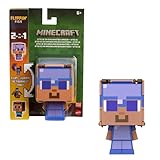
- Minecraft Flippin' Figs action figures deliver twice the gaming excitement with 2 characters in one
- Each Flippin' Figs can easily transform back and forth into 2 different character figures over and over again
- Lift the panels on the head and lock them in place to discover a different figure in seconds
- Ready to flip The 3.75-inch scale flipping figures are perfect for fidgeting fun at any time
- The designs and matchups stay true to the unique, pixelated world of Minecraft for collecting fun
Rank #4

- Mob Head Minis 2022 Complete Set of 8 Micro Figures from HHP58-956B Release
- HPJ79 MINECRAFT MOB HEAD MINIS MINI STEVE Figure
- HPJ80 MINECRAFT MOB HEAD MINIS MINI ALEX igure
- HPJ81 MINECRAFT MOB HEAD MINIS CREEPER Figure
- HPJ82 MINECRAFT MOB HEAD MINIS COW Figure
Why a command or head may not work
- You cannot run the command: commands may be disabled in your single-player world, or you may lack permissions on a server. Enable the relevant world setting where possible or ask the server operator.
- The command has braces around item data: it may be for an older Java version. Java 1.20.5 changed item-command syntax; get a version-matched command rather than pasting the legacy example.
- A Java head command fails in Bedrock: the editions use different workflows. Bedrock custom heads require add-on content in the documented approach.
- A Bedrock add-on behaves differently for other players: the tutorial documents a rotation-visibility issue for remote players. Check its current compatibility and test in multiplayer.
Product prices and availability are accurate as of the date/time indicated and are subject to change. Any price and availability information displayed on Amazon at the time of purchase will apply.




