Farm records are useful when they help answer a real question later—not when they become paperwork for its own sake. Capture observations and completed work while they are fresh, attach them to a field, crop, animal, task, or season, and review them before the next decision. A notebook, spreadsheet, calendar, or farm software can all work; the best choice is the simplest system the people doing the work will keep accurate and current.
Why farm records are worth keeping
Production records reduce reliance on memory and guesswork. They can help identify productive livestock, compare crop practices, and inform decisions about what to plant, treat, feed, or change. Maryland Extension describes records as a basis for decisions rather than memory, while UF/IFAS Extension explains how production information can guide farm management.

The goal is not to record everything. It is to retain enough context to answer questions such as: Which field had this issue? When was it planted or treated? What happened after the change? Did the same problem recur?
Build a practical capture-and-review loop
The following loop is a practical synthesis of Extension guidance, not a formally named or validated method.
#1 Best Overall

- Size: Measures 5.5 x 8.3 inches - compact enough to carry, yet with enough space for writing. The spiral binding allows the notebook to lay flat and makes flipping pages simple.
- Cover Design: The front cover has a clean and modern appearance that fits well in different settings without drawing too much attention.
- Gift Option: A practical choice for anyone who likes writing or organizing. Useful for school, journaling, or keeping track of tasks.
- Everyday Use: Suitable for lists, plans, sketches, or notes - ready for various needs.
- Portable: Lightweight and easy to carry in a bag or backpack, making it convenient for use at a cafe, in class,or while traveling.
- Capture the event promptly. Make a short note when work, an observation, a treatment, or a result happens. A field notebook, calendar, spreadsheet, or phone app can do the job. Maryland Extension recommends short, consistent notes rather than waiting to create perfect records.
- Give the note context. Include the relevant identifier—such as field, crop or variety, animal, date, input, or season—so the note will make sense later. A treatment entry without an animal or field reference, for example, may be difficult to use when reviewing outcomes.
- Keep it findable. Use consistent names and categories. If records are digital, consider whether the system supports structured entries, imports and exports, offline use, and reports that fit the operation.
- Review before a decision. Before planting, treating, rotating pasture, buying inputs, or setting a budget, look at the relevant records for patterns. Use what you find to adjust the plan, then record the result so the next decision has more context.
Wisconsin and Oklahoma State Extension guidance both connect organized records and reports with production and business decisions. The loop only works, however, if the entries are timely enough and consistent enough to trust.
What to record—and what to leave out
Choose records according to the farm’s enterprises and the decisions it needs to make. These are useful categories, not a checklist every farm must complete.
Rank #2
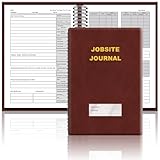
- The Jobsite Journal: this offering features a single black construction planner ensures you have a streamlined tool for organized recording at the jobsite, allowing you to document ideas, create sketches, and monitor progress in one centralized place. Crafted with quality in mind, this journal is a daily essential for jobsite scheduling, serving as a reliable partner for all your documentation needs
- Portable Design: measuring approximately 7 x 10 inches, the construction notebook fits seamlessly into work bags or briefcases, making it a go-to accessory for architects, engineers, and field professionals. Its ample page space ensures notes and sketches remain comprehensive and legible, while its lightweight design supports mobility during site visits and meetings
- Productive Layout: featuring a clear, efficient layout, the construction daily log book eliminates organizational challenges, enabling effortless documentation of critical details-including jobsite activities, task timelines, and milestone dates. It serves as a trustworthy archive for referencing, verifying, and reviewing site information, essential for project accountability and compliance
- Premium Materials for Durability: constructed with high-quality PU leather and premium paper, this project management notebook is built to endure daily use, while offering a smooth writing experience.The sleek, solid-black cover combines modern style with long-lasting durability, preserving its pristine appearance even after frequent use-all while safeguarding your work records. Designed with a spiral binding, it allows for easy, flat-page access, making note-taking effortless
- Versatile Utility: engineered to meet the demands of anyone requiring systematic and dependable note-taking, drafting, or sketching, this Record Construction Planner adapts to various roles-from architects and engineers to site supervisors. Its thoughtful size and design make it suitable for individual use or collaborative teams, ensuring it caters to diverse needs in field observations, project planning, and progress tracking
Crops and fields
- Field or location, crop and variety, and planting date or rate
- Seed, fertilizer, and other inputs
- Pest or disease observations, pesticide use, and irrigation
- Harvest date, yield, and relevant field history
Livestock
- Animal identification and inventory changes, including births, deaths, sales, and purchases
- Breeding events and outcomes
- Illness, treatment, feed, and pasture rotations or rest periods
- Weights and production performance where relevant
Whole-farm context
- Paid and unpaid labor, when useful for understanding workload or costs
- Significant weather events
- Income and expense records, including receipts, invoices, checks, and bank statements as needed for management and reporting
Choose a recordkeeping method people will use
There is no universal best tool. Wisconsin Extension describes paper, electronic, and outsourced approaches; Illinois Extension likewise notes that no single software program fits every farm. Compare the methods against the work they need to support:
| Method | Useful when | Trade-offs to consider |
|---|---|---|
| Notebook or ledger | You need a straightforward way to capture field observations, or users prefer paper. | Easy to start, but searching, summarizing, and copying entries later can take more work. |
| Spreadsheet | You want flexible categories, sorting, or basic calculations. | It takes setup and ongoing data entry, and someone needs enough familiarity to maintain it accurately. |
| Farm recordkeeping software | Several people need shared records, recurring reports, or crop- or livestock-specific workflows. | Check fit, cost, learning time, connectivity and offline behavior, data export, and whether the farm will use the features. |
| Outsourced bookkeeping | You want professional help organizing financial records. | It costs more; clarify which production records and management reports are included. |
Complexity can lead to mistakes or avoidance, so a modest system that is maintained is often more useful than an elaborate one that is abandoned. Oklahoma State Extension recommends reviewing existing records and evaluating the value of a software system before buying it.
Questions to ask before choosing software
- Can the system represent your real units—fields, crops, animals, tasks, and seasons?
- How much time will routine entry take, and who will be responsible for it?
- Can staff share records, and can they enter information where connectivity is unreliable?
- Can you retrieve useful summaries or reports for the decisions you actually make?
- Can you export your data if you change systems?
- Does the cost and learning time make sense for the operation?
Vendor feature pages can help establish what a product says it offers, but they are not independent evaluations. For example, Agworld Essentials describes recording field activities and observations, including notes, photos, map annotations, and offline access. Farmbrite describes crop, livestock, task, and recordkeeping functions, with mobile, offline, and reporting features. Features may change, so check the vendor’s current details and assess the fit yourself; neither example is an independently tested or universally suitable choice.
Independent reader supportYour contribution helps us test, update, and keep practical guides available for everyone.Make the first version deliberately small
- Pick one recurring question the farm wants to answer, such as where a pest appeared or how a treatment turned out.
- Choose the smallest set of fields needed to answer it—often date, location or animal, action or observation, and outcome.
- Decide where entries will go and who will make them. Keep the process easy to use during or shortly after the work.
- At the next relevant planning point, review the entries and use them to make a decision.
- Keep the categories that helped and adjust those that created work without useful information.
Katie Wantoch, Farm Management Outreach Specialist at the University of Wisconsin–Madison Division of Extension, puts the principle plainly: “Recordkeeping is best kept simple. There is no best recordkeeping system for all situations.”
Quick Recap
Best Value

- EFFICIENT ACCOUNTING MADE SIMPLE: Clever Fox Horizontal Accounting Ledger Book is an effective and easy-to-use tool for tracking payments, deposits, and balances in each of your accounts.
- PERFECT FOR SMALL BUSINESS OR PERSONAL USE: This accounting book ledger is perfect for keeping books on your small business or tracking personal finances. With a clear record of transactions, you can easily spot fraudulent charges or other errors.
- TAKE CONTROL OF YOUR FINANCES & SUCCEED: Using this accounting log book, you will have everything you need to analyze your financial operations, assess your income and spending, and prepare accurate financial statements.
- PREMIUM MATERIALS FOR EXTRA DURABILITY: This columnar book has an eco-leather hardcover, thick 120gsm paper, pen loop, elastic band, lay-flat binding, bookmark, and pocket for loose notes. The personal & business ledger measures 10 by 7 inches.
- 60-DAY MONEY-BACK GUARANTEE: We will exchange or refund your business bookkeeping ledger if you aren’t satisfied with your book keeping log for small business for any reason. Reach out to us via message to refund your accounting journal book.
Rank #4

- Easy To Track Your Finances: HAUTOCO accounting ledger book keeps you on top of your expenses and income! Help you keep your money organized, spend well, and set and achieve financial goals
- Premium Material: The A5 accounting ledger book has a total of 120 pages and 2040 lines of entries. It is made of 100gsm thick paper to reduce ink leakage; it is equipped with a waterproof and sturdy PP cover to protect the inner pages
- Practical Design: Compact 8.3 x 6.2'' expense tracker notebook is easy to carry and features information pages, 2025 calendar, yearly financial goals page, and PVC pocket for storing important tickets and loose items
- Manage Your Finances Effectively: Undated accounting books with number, date, description, account, payment or deposit amount, and total balance. You will be able to easily analyze your financial activities and quickly prepare accurate financial statements
- Ideal For Small Business or Personal Use: An accounting log journal can track your business or personal financial status. With a clear record of transactions, you can find unnecessary expenses or fraudulent charges
Product prices and availability are accurate as of the date/time indicated and are subject to change. Any price and availability information displayed on Amazon at the time of purchase will apply.




