The Tool Desk
Outbyte PC Repair FREERepair Windows errors before they cause bigger problemsFix Now →Outbyte Driver Updater FREEFix the driver behind crashes, sound loss and screen glitchesFind Drivers →For a mostly static, turn-based puzzle board with familiar Flutter controls, custom Flutter widgets are a sensible starting point. Choose Flame when the scene needs regular time-based updates, many independently managed game objects, sustained animation, collision handling, or a game-oriented structure. These are architectural guidelines—not a claim that either approach is faster for every puzzle game.
What separates Flame from custom Flutter widgets?
Custom Flutter widgets build the puzzle with Flutter’s general-purpose UI model: widgets, layout, gestures, and application state. That can suit a board whose pieces change in response to discrete moves and whose surrounding experience looks and behaves like a conventional app.


As an Amazon Associate I earn from qualifying purchases.
Flame is a modular game engine built in Flutter. Its facilities include a game loop, input handling, images, sprites, sprite sheets, animation, collision detection, and the Flame Component System. Flutter’s official Games page describes Flame as a community-built open-source engine for Flutter games that require “a game loop, collision, and maps.” Flame packages can be selected independently; using Flame does not require treating every part of the app as a game scene.
Outdated Drivers Are Slowing You Down
One free scan finds every outdated or missing driver and matches the right update for your exact hardware.Free scan · exact hardware matchPC Slower Than It Used to Be?
A free scan shows the junk files, broken settings and background clutter dragging Windows down - then fixes them in one click.Free scan · Windows 10 & 11When does Flame’s game loop help?
Flame calls update with the elapsed time since the previous update so the game can advance its state; render draws the current state to a canvas. This is useful when objects move or behave over time, or when multiple animations need coordinated, ongoing updates. For a puzzle that changes only after a player makes a move, a continuously advancing game loop may not be necessary.
#1 Best Overall
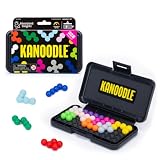
- BRAIN PUZZLE FOR KIDS: Kanoodle is a TikTok-viral line of brain teasers for kids & adults with over nine million games sold; fill in the board with the right arrangement of pieces to solve the puzzle
- 228 PUZZLE CHALLENGES: Put your spatial reasoning, critical thinking, and problem-solving skills to the test with 228 puzzles ranging from beginner to expert in both 2D and 3D configurations
- PORTABLE BRAIN GAME INCLUDES: 12 colorful Kanoodle puzzle pieces, compact case, and guide; case doubles as the game board and fits all pieces, making Kanoodle an ideal travel puzzle toy
- SCREEN-FREE FUN: Keep yourself and your kid or teen entertained without a phone or tablet; single player logic games and mind games help improve critical thinking and problem-solving skills
- GIFTS FOR EVERYONE: Educational Insights brain games are amazing birthday gifts for kids, holiday stocking stuffers, Easter basket toys, and back-to-school presents for teachers & students
Flame organizes game entities as components in a composable tree. Components can hold their own behavior and visuals, and the documented lifecycle includes asynchronous loading, resizing, mounting, updating, rendering, and removal. That structure can help when a scene contains many game objects with separate responsibilities; it also introduces a game-specific model the team must understand and maintain.
See the Flame game loop documentation and component documentation for the current API details. Flame’s documentation warns that version-specific APIs can change, so check the docs for the release used by your project.
Rank #2

- DEVELOPS DEXTERITY, OBSERVATION AND LOGIC: Players use their logic to align the books following the challenge instructions.
- PROGRESSIVE CHALLENGES: Play trough all 40 challenges and solve 4 level of difficulty.
- WOODEN PIECES: Made of chunky wood pieces that are easy to manipulate and develop dexterity at any age! Includes a cute leveler to keep every piece in balance.
- PLAY SOLO OR WITH A FRIEND: Share the challenge with a friend or play as a solo brainteaser
- ANOTHER LOGIC PUZZLE GAME BY FOXMIND: Develop your logic skills even more with our Brainbuilder series that offer more logic puzzles to solve. Starting ages 8 and up!
Which approach fits your puzzle?
| Decision point | Custom Flutter widgets | Flame |
|---|---|---|
| Game state | A reasonable fit when moves happen in discrete turns and board changes are event-driven. | A reasonable fit when objects need regular time-based updates or coordinated behavior. |
| Rendering | A reasonable fit when the board works well as conventional UI elements arranged with Flutter layout. | A reasonable fit when the scene benefits from a canvas, sprites, effects, or a game-oriented component tree. |
| Motion | A reasonable fit when animation is occasional and can live in the app’s UI layer. | A reasonable fit when continuous or numerous gameplay animations are central. |
| Interaction | A reasonable fit when standard buttons, gestures, accessibility semantics, and app navigation dominate. | A reasonable fit when game-object input, collision checks, or world and map behavior matter. |
| App integration | A reasonable fit when the puzzle is mainly an app screen. | A reasonable fit when the game is central but still needs Flutter menus, dialogs, or surrounding screens. |
| Team and maintenance | A reasonable fit when the team prefers familiar Flutter UI patterns and scene complexity remains modest. | A reasonable fit when the team is prepared to build around Flame components and their lifecycle. |
These are selection questions, not thresholds. A board’s object count alone does not establish which framework is appropriate; how those objects behave, animate, and render matters too.
Can you combine Flame with Flutter widgets?
Yes. Flame’s GameWidget wraps a Flame game as a Flutter widget, so it can be used as the app root or placed inside another Flutter layout. Flame calls it “the bridge between Flutter and Flame” in its Game Widget documentation.
Rank #3
This supports a mixed design: use Flame for an animated board or game scene, and Flutter widgets for menus, settings, dialogs, navigation, or controls. The GameWidget documentation also describes loading, error, background, and overlay builders. Its canvas does not automatically clip to the widget’s bounds; apply Flutter clipping if the surrounding layout requires it.
Independent reader supportYour contribution helps us test, update, and keep practical guides available for everyone.How should you decide when performance matters?
The official sources describe capabilities and architecture, not a controlled performance comparison between Flame and custom Flutter widgets for puzzle games. They do not establish a universal winner for frame rate, battery use, or development speed.
- Build a small prototype of the board using the approach that best matches its expected state changes, animation, and interaction.
- Run it on the target devices and platforms, using representative board sizes and gameplay rather than an empty or unusually simple scene.
- Profile the results if responsiveness or resource use is decisive, then compare the measured behavior against your project’s needs.
For learning resources and project starting points, Flutter’s official games page links to Flame documentation, templates, and tutorials.
Quick Recap
Best Value

- Variety puzzles/game books assorted
Product prices and availability are accurate as of the date/time indicated and are subject to change. Any price and availability information displayed on Amazon at the time of purchase will apply.




