What’s actually slowing this PC down?
Pick the symptom - the matching free tool is one click away.
The espresso Display 15 Touch is a thin 15.6-inch portable touchscreen aimed at adding a second screen to a laptop while traveling. The manufacturer’s current US product page calls it “espresso Touch”; “espresso Display 15 Touch” is the name commonly used for the review subject. Its appeal is portability, touch and a flexible magnetic stand—not high refresh, HDR, or unusually high brightness. Whether it is a good fit depends heavily on your laptop’s video output and the touch support available for your operating system.
What does the espresso Display 15 Touch offer?
The current US product page lists a 15.6-inch, 16:9 LCD with 1920×1080 resolution, a 60 Hz refresh rate and a rated brightness of 300 nits. It has two USB-C ports with power passthrough, built-in speakers, factory color calibration and a stated 10–20 ms response time. Those are manufacturer specifications, not independent measurements. The resolution and refresh rate suit everyday laptop tasks such as documents, browsing and reference material; they do not make this a high-refresh gaming screen or an HDR display.
As an Amazon Associate I earn from qualifying purchases.
The manufacturer says the display can draw power from the connected host or an outlet. One USB-C cable is enough in most cases, but some devices may require additional power or an adapter. The official US listing includes the touchscreen display, a 3-foot USB-C-to-USB-C cable, Stand+ and a microfiber cleaning cloth. Bundle contents can differ by retailer, and some retailers may not include a detachable stand.
Quick wins for a faster PC:
Repair Windows errors before they cause bigger problemsFix Now →Fix the driver behind crashes, sound loss and screen glitchesFind Drivers →How does it perform for work and travel?
RTINGS describes its tested Version 2 as portable and suitable for basic office work, with sharp text and strong pre-calibration accuracy. It also identifies meaningful compromises: reflections can distract under strong light, the image is less consistent when viewed from the sides, motion handling is poor, and the 60 Hz panel has no variable refresh rate or HDR. RTINGS also notes limited Adobe RGB coverage, which makes it a less compelling choice for work that depends on a wide-gamut display.
#1 Best Overall

- YOUR SECOND SCREEN, WHEREVER YOU WORK - Add a 15.6" full-size screen to your laptop setup in seconds. Plug and play with one USB-C cable, perfect for side-by-side working, reference docs, video calls, or study. Folds flat and slips into any backpack.
- PLUG AND PLAY WITH ONE CABLE - A single USB-C cable carries both video and power, so there is no wall adapter to carry. The free espressoFlow app lets you fine-tune brightness and display settings in seconds. Plug in and you are working.
- VIVID DISPLAY: 1080p Full HD display, 400 nits, 100% sRGB, 1000:1 contrast: Clear, colour-accurate screen ideal for productivity, web, video calls, and everyday work. Note: this is a 1080p display
- LIGHTWEIGHT AT 1.68LBS - Slim, travel-ready design with 6H hardened glass and a durable uniform bezel. Slips easily into a backpack or carry-on, built for daily movement without compromise.
- DEVICE COMPATIBILITY - Works with MacBooks, iPads, Windows laptops, Chromebooks, and mobile devices: Plug-and-play via USB-C (DisplayPort Alt Mode) with laptops, tablets, and compatible smartphones. Full extended display on macOS and Windows. On iPad, extended display requires iPad Pro M1 or later (iPadOS 16+); mirror mode works on all iPads
In practical terms, it is best considered a compact productivity screen for a laptop bag, desk extension or showing work to someone nearby. It is a weaker choice for a bright room, color-critical wide-gamut work or fast-moving games. The flexible stand is a distinctive part of the product’s proposition, but RTINGS says the stand available now differs from the one on its tested unit; check the exact stand included in the offer you are considering.
Does the espresso Display 15 Touch work with my MacBook or Windows laptop?
It can, provided the laptop’s connection supports video output. A USB-C connector’s shape alone does not prove that it can drive an external display. Before buying, confirm that the specific port supports DisplayPort Alt Mode or Thunderbolt video, then consult the manufacturer’s compatibility guide for model-specific cable, power and touch details.
Rank #2

- 【10-POINT TOUCHSCREEN CONTROL】Enjoy smooth, responsive 10-point multi-touch on this 15.6-inch portable monitor touchscreen. Tap, swipe, drag, and pinch to zoom without relying on a mouse. Compatible with touch-enabled Windows laptops and supported Android phones or tablets, making it ideal for work, study, entertainment, and creative tasks.Plug & play, no drivers required.Important: Touch function is NOT supported on iPhone, iPad, or gaming consoles (PS5/Xbox/Switch)
- 【15.6" LARGE SCREEN, TRAVEL-READY】Enjoy a spacious 15.6-inch FHD display with more room for multitasking, spreadsheets, video calls, gaming, and entertainment. Measuring only 0.23 inches thick and weighing approximately 1.4 lbs, this ultra-slim portable monitor fits easily alongside your laptop in a backpack or luggage. An ideal second screen for business travel, remote work, study, and mobile productivity
- 【PLUG AND PLAY WITH WIDE COMPATIBILITY】Equipped with full-featured USB-C and Mini HDMI ports, this portable computer monitor works with laptops, desktops, MacBook, mini PCs, compatible smartphones, Xbox, and PS4/PS5. A full-featured USB-C connection supports video, power, and touch. When using Mini HDMI, connect an external power source and a USB-A to USB-C cable to enable touch functionality
- 【100% sRGB VIVID COLOR DISPLAY】The 15.6-inch FHD IPS screen delivers 100% sRGB color coverage, a 1000:1 contrast ratio, HDR support, and 350-nit brightness. Rich colors, deeper blacks, brighter highlights, and clear shadow details make this touchscreen monitor suitable for movies, gaming, photo editing, presentations, and everyday productivity
- 【180° STAND, PORTRAIT MODE AND VESA SUPPORT】The built-in 180-degree adjustable stand provides flexible viewing angles for work or entertainment. Easily switch between landscape and portrait mode for documents, coding, browsing, and social media. VESA compatibility also allows the external monitor to be mounted for a cleaner workspace and a more comfortable viewing position
Mac
According to espresso Displays’ setup guidance, Macs made after 2017 connect over the included USB-C cable. Touchscreen use on Mac requires espresso Flow. Older Macs may need a Mini DisplayPort adapter; in that legacy configuration, touch is not supported.
Recommended Free Tools
Windows
Most Windows laptops with USB-C can work when that port supports Thunderbolt or DisplayPort Alt Mode. Windows 10 and Windows 11 support touchscreen use, but the display connection still depends on video-capable hardware and the correct setup.
Rank #3

- Versatile 15" display - Well-suited for retail, hospitality, government, restaurant, and industrial environments
- Single-cable connection with a USB Type-C interface provides touch, video, and power - In case your PC isn't equipped with USB Type-C, you can still use traditional HDMI or VGA to connect to your PC
- Mount with flexibility – Standard VESA mount allows you integrate the Elo touchscreen monitor with ease
- With up to 10 touches enabled, the 02-Series Monitors provide a tablet-like experience
- TouchPro PCAP technology offers wide viewing angles with impeccable image clarity, resolution, and light transmission for accurate touch response and vivid images
Does touch work on Mac and Windows?
espresso Displays’ product FAQ answers, “Sure does! Make sure to download espressoFlow to enable the best touch screen experience on your Mac or Windows device.” That is the manufacturer’s statement. Its compatibility guidance specifies espresso Flow for touch on Mac and touchscreen support on Windows 10 and 11; it should not be read as a promise that touch works identically on every host or connection.
Can I use it with my phone, tablet or Steam Deck?
Compatibility varies beyond laptops, and a picture on the screen does not necessarily mean touch or rotation will work. The manufacturer’s guidance describes these limitations:
Rank #4

- [10-Point Touchscreen Portable Monitor]: Portable screen compatible with Windows and MacOS systems. You can get touch function for your laptop by connecting via single full-featured Type-C interface. 𝐍𝐎𝐓𝐄: For Type-C 3.1 DP ALT-MODE or Thunderbolt 3/4 ports, please use the included USB-C to USB-C cable for power, video and touch. For devices without these ports, please use HDMI+power cable+USB-A to USB-C cable(If not connected, there is no touch functionality)
- [Get a Monitor Protective Sleeve]: The case is tailor-made for your portable laptop monitor, lightweight and durable, easy to carry, a perfect companion for your travel or daily commute, and can be easily put into your backpack. Adopts scratch-resistant and durable material, effectively reducing screen wear and tear and enhancing protection. Built-in 90° adjustable stand, multiple suitable viewing angles can be selected. Monitor arm can be used for more space-saving installation
- [FHD IPS Portable Display]: 15.6 inch 1080P portable screen for laptop adopts a real reliable IPS screen with a viewing angle of 178°. Compared with 1000:1 of other monitors, the contrast ratio is upgraded to 1200:1, combined with HDR technology, providing richer and more vivid colors and images. With low blue light and flicker-free functions, it ensures that you will not be tired when watching for a long time
- [Diverse and Durable Ports]: 2 full-function Type-C ports and 1 standard HDMI port, plug-in and unplug tested thousands of times, with wide compatibility and durability. Suitable for laptops, phones, tablets, PS, Xbox or Nintendo Switch. Brightness and volume can be quickly adjusted by upgraded 4-button or touch. NOTE: Some devices cannot support touch due to system protection. For example, PS3/4/5, Switch, X-box, Steam-Deck, Fire TV stick/cube and iPhone, iPad(It's NOT the monitor's problem)
- [NOTE]: ① If the display brightness or volume is low, please use a 15W or higher power adapter. (Adapter not included in the accessories). ②Provide a 30-day return policy and 18-month warranty (excluding external force damage). ③If you have any concerns, please let us know (shown on the back of the monitor)
- Samsung DeX devices: USB-C compatibility is listed, but additional power may be needed to reach maximum brightness.
- Android mirroring: Touch on the external display and auto-rotation are not supported.
- iPadOS: Mirroring or extension works, but touch actions must be made on the iPad or with a Bluetooth mouse.
- Compatible iPhones: Mirroring is possible, but external-display touch and rotation are not supported. Reduced brightness or an extra power pack may be needed.
- Nintendo Switch and Steam Deck: They can connect by USB-C, but console use does not provide touch or rotation.
- PlayStation and Xbox: Connection requires a separately sold HDMI adapter.
Check the exact device entry in the compatibility guide before relying on a particular cable, brightness level or touch behavior.
How does it compare with other portable monitors?
RTINGS’ comparisons point to different alternatives for different priorities. They are limited comparisons from that reviewer, not a guarantee that current prices, bundles or product availability are the same.
Best Value
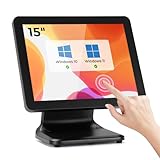
- [Connect & Go] Designed for seamless integration, the MUNBYN touch screen monitor effortlessly connects to a computer host, laptop, or mini PC, ensuring you can incorporate it into your existing setup with ease. Note that this POS screen does not come with a built-in operating system, giving you the flexibility to pair it with your own device.
- [Widely Compatible] The MUNBYN pos monitor touchscreen boasts extensive compatibility, supporting a range of Windows operating systems including Windows 11, Windows 10, Windows 7, and Windows XP. If you are using Windows 7 or XP, please DM us to obtain the upgrade tool APP for firmware upgrade before using it.
- [Sturdy & Stable] Unlike many standard plastic stands on the market that can easily wobble with frequent use, the MUNBYN pos touch screen features a heavy-duty metal base designed to provide maximum stability. This robust construction effectively eliminates the common issue of shaking during touches, ensuring a steady and reliable performance in high-traffic environments.
- [Versatile Connectivity] The MUNBYN POS monitor offers versatile connectivity options, seamlessly integrating with both new and legacy equipment. Whether you need HDMI for devices running on newer systems or VGA for older systems, our monitor ensures effortless compatibility. Enjoy the flexibility and convenience of connecting to a wide range of equipment with ease.
- [No Driver Required] The MUNBYN pos machine boasts a user-friendly plug-and-play setup that requires no driver installation, ensuring a smooth and effortless experience. Simply connect the power cable, use VGA or HDMI to connect compatible devices for display, and connect via USB for touch functionality, and you're ready to go.
| Priority | RTINGS comparison | What the comparison suggests |
|---|---|---|
| Reflection handling and creator tools | ASUS ProArt PA148CTV | RTINGS says it handles reflections better and offers creator tools; it describes the espresso as having the more flexible stand and wider gamut in this comparison. |
| Gaming motion and visibility | ASUS ROG Strix XG16AHPE | RTINGS favors it for higher refresh, VRR, brightness and reflection handling. |
For any alternative, compare the actual stand and bundle as well as the screen. A monitor that looks similar on paper may differ in touch support, required adapters, power needs and how comfortably it sits on your desk or travels in your bag.
What should you check before buying?
- Video from your host: Verify that the particular USB-C port supports display output; connector shape by itself is not enough.
- Touch requirements: Confirm your operating system and device support the touch behavior you need, including any software requirement.
- Power and adapters: Check whether your host can power the screen at your preferred brightness and whether your device needs an adapter.
- Lighting and viewing position: Consider the RTINGS findings on glare and off-axis consistency if you often work under strong light or share the screen from the side.
- Motion and color needs: A 60 Hz panel without VRR or HDR is not the right fit if high-refresh gaming or HDR is a priority; limited Adobe RGB coverage matters for wide-gamut creative work.
- Exact bundle and terms: Confirm the included stand, cables, warranty and return terms with the seller. The official US page lists a two-year warranty and 30-day returns for its storefront; retailer or regional terms may differ.
Who should consider the espresso Display 15 Touch?
It is worth considering if you want a portable second screen, value direct touch input on a supported laptop, and expect to work mainly with text, documents and general office tasks. The flexible stand may also appeal if it suits your travel or desk setup. Look elsewhere if your priority is strong reflection control, consistent viewing from wide angles, high-refresh motion, HDR or broad-gamut creative work. Price and stock are time-sensitive, so check the live offer and compare its contents and terms before deciding.
Quick Recap
Product prices and availability are accurate as of the date/time indicated and are subject to change. Any price and availability information displayed on Amazon at the time of purchase will apply.




