To set up a Dyson V8, connect the wand between the main body and cleaner head, charge the machine fully before its first use, and identify your exact V8 version before relying on a charge-time estimate or buying replacement parts. You can charge it directly or use the wall dock if your package includes one.
What to identify before assembly
Unpack the main body and bin assembly, wand, cleaner head, charger, and any tools supplied with your machine. Bundles can differ, so do not assume a particular head, accessory, or wall dock is included. Dyson’s official assembly guide covers the connections.
| # | Preview | Product | Price | |
|---|---|---|---|---|
| 1 |

|
Dyson V8™ Cordless Vacuum | $389.99 | Buy on Amazon |
| 2 |

|
Dyson Cyclone V10 Origin Cordless Vacuum | $479.99 | Buy on Amazon |
| 3 |
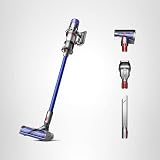
|
Dyson V11 Origin Cordless Vacuum, 185AW, 3 Power Modes, Up to 60 Minutes,² Deep Cleans Hard Floors... | $583.89 | Buy on Amazon |
As an Amazon Associate I earn from qualifying purchases.
Before looking up charging details or ordering a battery, filter, charger, dock, or other replacement, identify the exact V8 version. Dyson provides version-identification support; the filter design is one distinguishing feature. V8 Cyclone (SV55) is a distinct version, so its components and charging information should not automatically be applied to older V8 models.
Free tools Windows power users keep installed
One-click scans. No signup required.
How to assemble the Dyson V8
- Line up the wand with the main body and click the wand into place.
- Line up the other end of the wand with the cleaner head and click it into place. Dyson’s setup guide describes the connection as: “Click the wand into the main body of the machine and into the cleaner head.”
- To use a supplied tool instead of the cleaner head, attach it to the end of the wand or directly to the bin inlet, as appropriate for the task and tool.
How to charge it before first use
Dyson instructs V8 owners to fully charge the machine before its first use. Connect the charger cable to the vacuum’s charging point, then plug the charger into a suitable outlet. You can charge the vacuum on or off the wall dock; Dyson describes the dock as a place to store and charge the machine. The charging indicators are on the battery. For the precise light pattern and charge duration, use the manual for your exact version.
#1 Best Overall
- Lightweight for quick, versatile cordless cleaning.
- Up to 40 minutes of fade-free Dyson power.¹
- Power trigger helps maximize energy efficiency, only using power where you need it.
- Choose between two cleaning modes for the right power where you need it.
- Motorbar cleaner head deep cleans all floor types. De-tangles wrapped long hair and pet hair as you clean.
Charge-time estimates differ by version and documentation. Dyson’s 2022 ANZ-region V8 manual gives approximately five hours for a full charge; that figure belongs to that manual’s model and region context. Dyson’s current V8 Cyclone (SV55) owner page gives four hours. Do not treat either number as universal for every Dyson V8.
Using the optional wall dock
The wall dock is optional: direct charging works without mounting it. If you choose to install a dock, follow the installation guide for the dock supplied with your machine. Dyson’s US V8 support guidance specifies at least 1.2 m between the floor and the lowest screw point. Choose a position within easy reach of an outlet, leaving enough cable slack to connect the vacuum, and check for hidden services before drilling. These placement instructions are from Dyson’s US guidance; consult the instructions applicable to your dock and location.
Rank #2
- Powerful Dyson suction and run time to deep clean your home. Without the cord.
- Up to 60 minutes of fade-free Dyson power.¹
- Power trigger helps maximize energy efficiency, only using power where you need it.
- Choose between three cleaning modes for the right power where you need it.
- Motorbar cleaner head deep cleans all floor types. De-tangles wrapped long hair and pet hair as you clean.
Before your first cleaning session
- Confirm the wand and cleaner head are fully clicked into place, or fit the desired tool to the wand or bin inlet.
- Check the battery indicators and your model’s manual to confirm charging status.
- Remember that Dyson’s US V8 product page states up to 40 minutes of runtime. This is a manufacturer-stated maximum, not a guarantee for every tool or setting.
For setup diagrams, charging indicators, or version-specific guidance, consult the Dyson V8 user manual (ANZ, 2022) and the relevant Dyson US V8 support page.
Quick Recap
Rank #3
- Dyson V11 Cordless Vacuum, Wand, Docking Station, Charger, Mini Soft Dusting Brush, Crevice Tool, Hair Screw Tool, Motorbar Cleaner Head, Lithium Ion Battery (1)
- Versatile and cordless for whole-home deep cleaning.
- 60% more power.¹ Up to 60 minutes of run time.²
- Three power modes. Auto mode for everyday cleaning tasks—the optimal balance of power and run time to preserve the lifespan of your battery. Eco mode for maximum run time. Boost mode for intensive spot cleaning.
- LCD screen shows power modes, maintenance alerts, and remaining run time to the second.
Product prices and availability are accurate as of the date/time indicated and are subject to change. Any price and availability information displayed on Amazon at the time of purchase will apply.




