The Tool Desk
Outbyte PC Repair FREEClear out junk files and repair common Windows errorsFree Scan →Outbyte Driver Updater FREEScan for outdated or missing drivers - takes under a minuteDriver Scan →Usually, no. Wi‑Fi primarily enables a smart washer’s connected features, such as app-based status monitoring, notifications, remote start on compatible models, and extra programs. A washer’s ordinary controls and wash-cycle behavior are model-specific, so the manufacturer material does not support a universal promise that every smart washer will operate normally without Wi‑Fi or an internet connection.
If you need to know whether a particular machine can run local cycles while offline, check that model’s user manual. Treat Wi‑Fi as a requirement for the connected functions documented for your washer, not as a guaranteed requirement for every basic wash.
As an Amazon Associate I earn from qualifying purchases.
What Wi‑Fi does on a smart washing machine
A smart washer is still a washing machine with a physical control panel, motor, pump, drum and safety systems. Its network connection adds a communication layer between the appliance, a manufacturer’s app and your home network. The exact feature set varies by model and country, but the manufacturer guidance used for this question describes four common additions:
- Status monitoring: the app can show where a wash program is in its cycle.
- Notifications: the app can alert you about events such as a completed program, where the model supports them.
- Remote start or control: compatible models can be started from the app after the required local confirmation or setting has been enabled.
- Additional programs: some connected ranges expose programs through the app that are not presented in the same way on the panel.
Those features normally require more than a Wi‑Fi signal. The setup may need a supported washer, a wireless home network with internet access, a smartphone or tablet, the manufacturer’s app, an account and your network credentials. A smart label does not mean that every function is available on every model.
#1 Best Overall

- Exclusive Installation Bundle: Includes 3-Prong and 4-Prong Dryer Power Cords, Washer Hose Set, 8-ft Vent Duct, and 1-Year CPS Protection Plan
- Smart Wi-Fi Enabled: Control washer and dryer remotely via SmartThings app
- 4.7 cu ft capacity Washer with Active WaterJet & vibration reduction tech
- Built-in WaterJet faucet lets you pretreat stains inside the tub
- Self Clean keeps the tub fresh without harsh chemicals
Can you wash clothes when Wi‑Fi is off?
The safest answer is model-dependent. The manufacturer pages cited here explain how to connect appliances and use app functions; they do not establish one rule for every smart washer’s behavior when Wi‑Fi is disabled or the internet is down. Some machines may continue to run locally selected cycles, while another model may restrict a feature until a connection is restored.
Do not infer either extreme: Wi‑Fi is not proven to be necessary for every local wash, and offline operation is not guaranteed across the entire smart-washer category. A manual for the exact model is the authority for questions such as:
- Whether the panel can start a normal cycle without the appliance being registered in an app.
- Whether a cycle already in progress continues after the network drops.
- Whether remote-start mode must be re-enabled after power, door or network changes.
- Which programs and settings remain available locally.
- Whether an error appears when the washer cannot reach the manufacturer’s service.
If a household depends on washing during an outage, read the manual before buying rather than treating “smart” as a guarantee of either online-only or fully offline operation.
Crashes, No Sound, or Screen Glitches?
Random freezes, missing sound and display glitches usually trace back to one bad driver. Find and replace yours safely.Free scan · under a minutePC Slower Than It Used to Be?
A free scan shows the junk files, broken settings and background clutter dragging Windows down - then fixes them in one click.Free scan · Windows 10 & 11Wi‑Fi, internet and the washer’s local controls are different
Three pieces are often confused:
- Local operation: the buttons, dial and display on the appliance. This is where you select and start a cycle directly, subject to the model’s own requirements.
- Home Wi‑Fi: the wireless network that lets the washer communicate with your phone and router.
- Internet service: the connection beyond your router, which may be needed for account setup, cloud notifications, remote access or app services.
A phone can be connected to the same router while the wider internet is unavailable, but that does not prove the app can control the appliance. Conversely, an appliance can retain local controls even when its app cannot reach it. The documentation for the models covered here requires internet access during setup; it does not make a universal statement that every connected feature works indefinitely without internet.
What the manufacturer instructions actually establish
The following comparison separates documented facts from assumptions about other models.
| Manufacturer guidance | Connected functions described | Network and setup details |
|---|---|---|
| Electrolux UK support | Wash-program status, notifications, remote start on compatible models and additional programs | Wireless home network with internet access, smartphone or tablet, app and network credentials; the cited range supports 2.4 GHz Wi‑Fi |
| Whirlpool connected-appliance instructions | Connecting a smart front-load washer to the app and enabling remote start | For the documented setup, the phone and appliance use 2.4 GHz; the page says 5 GHz will not work for that connection method |
| Maytag Connected Appliances | Using home Wi‑Fi and the app to monitor and control supported appliances | Provides preparation and connection steps for supported appliances; exact requirements depend on the appliance |
These are instructions for the products and connection methods described on each page, not a universal specification for every washer sold under a smart or connected label.
Why 2.4 GHz matters during setup
Many appliance radios support 2.4 GHz rather than the 5 GHz band used by some modern routers. Electrolux’s cited range is specified for 2.4 GHz. Whirlpool’s documented connection method says the phone and appliance must use the 2.4 GHz network and that 5 GHz will not work for that method.
Do these 3 things before closing this tab:
1Repair Windows errors before they cause bigger problems2Scan for outdated or missing drivers - takes under a minute3Clear out junk files and repair common Windows errorsRank #2
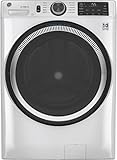
- Large 4.8 Cu. Ft. Capacity : Wash more in fewer loads—perfect for families and busy households with heavy laundry demands.
- UltraFresh Vent System with OdorBlock: Helps eliminate excess moisture after each wash cycle, keeping your washer interior fresh between uses.
- Built-In WiFi with SmartHQ App Integration: Remotely control your washer from your phone—start, stop, monitor, and receive alerts anytime, anywhere.
- Quick Wash Cycle (20 Minutes): Perfect for lightly soiled clothes, this cycle delivers a fast and efficient clean when time is limited.
- Time Saver Mode (35 Minutes): Enjoy a full, deep clean in just 35 minutes—ideal for mixed loads on busy days.
This requirement concerns joining the network; it does not by itself answer whether the washer can run a local cycle offline. If your router combines bands under one network name, setup may fail because the phone or washer is steered to 5 GHz. Use the router’s separate 2.4 GHz network or temporarily follow the router and appliance instructions for selecting that band. Do not assume the same band requirement applies to an unlisted model: verify the manual.
What you need before connecting a smart washer
Prepare the items the relevant manufacturer identifies, then confirm the model-specific prerequisites:
- The washer must be a supported connected model, not merely a machine with a similar product name.
- Your home must have a working wireless network, with internet access where the setup instructions require it.
- You need a compatible smartphone or tablet and the manufacturer’s current app.
- You need the network name and password, plus any account credentials the app requests.
- For the documented Electrolux and Whirlpool procedures, make the 2.4 GHz network available.
- Keep the washer’s manual nearby for registration codes, pairing modes, remote-start rules and model-specific limits.
General connection process
Menus and button names differ, so use the appliance manual for the exact screens. The workflow below describes the decisions common to the cited manufacturer instructions without treating one brand’s labels as universal.
- Confirm support. Check the model number in the manufacturer’s connected-appliance or app documentation. A washer cannot gain app features that its hardware and software do not support.
- Install the official app and create or sign in to an account. The account links the appliance to the manufacturer’s service and is distinct from your router password.
- Put the washer into pairing mode. The manual will identify the control-panel command. Some models require a dedicated Wi‑Fi or remote-start setting before the app can find them.
- Choose the correct home network. For the Electrolux range and Whirlpool method documented above, select 2.4 GHz and enter the wireless password exactly.
- Complete registration in the app. Wait for the appliance to appear as connected, then accept any permissions or account-linking prompts required by the app.
- Test a non-critical function. Check whether status information updates or a notification arrives. Only test remote start when the washer is empty or safely supervised and the manual permits it.
- Record the local fallback. Note how to select and start a cycle from the panel. This is the procedure you will use if the router, internet or app is unavailable.
Remote start is not the same as starting a cycle from the panel
Remote start can have safety and state requirements. A door may need to be closed, a load checked and a remote-start mode deliberately enabled at the washer. The machine may require a physical confirmation before an app command is accepted. Electrolux describes remote start only on compatible models, and Whirlpool’s instructions describe enabling it as part of setup; neither statement means every smart washer can be started from anywhere without touching the appliance first.
Free tools Windows power users keep installed
One-click scans. No signup required.
Read the manual for restrictions involving the door lock, detergent, delayed start, child lock, pause state and what happens after power is restored. Never use an app command as a substitute for checking that the washer is safe to run unattended.
Independent reader supportYour contribution helps us test, update, and keep practical guides available for everyone.Choosing between connected and conventional models
If app control is not useful to you, the available evidence does not justify paying more solely for a Wi‑Fi label. Compare the machine’s practical washing features first, then evaluate connectivity as an optional layer.
1. Compare the local controls
List the cycles, temperature choices, spin settings, delay options and feedback shown on the panel. A connected washer does not automatically have better cleaning performance or more useful local programs.
Rank #3

- High-Efficiency Front-Load Washer – ENERGY STAR certified design delivers powerful cleaning performance while helping reduce annual energy consumption to approximately 105 kWh/year.
- Large 5.0 Cu. Ft. Capacity – Easily handles bulky items like comforters and large laundry loads, reducing the number of cycles needed.
- Depth With Door Open (Maximum 55 inches) – Requires up to 55 in. of clearance with the door fully open (90°) for convenient loading and unloading.
- Smart ThinQ Technology – Wi-Fi enabled washer allows remote monitoring, cycle control, and notifications through the LG ThinQ app.
- Quiet & Durable Inverter Direct Drive Motor – Designed for reduced vibration, quieter operation, and long-term reliability.
2. Identify the app functions you would actually use
Decide whether status monitoring, completion notifications, remote start or additional programs solves a real problem in your home. If you will not open the app, the network hardware may add complexity without a benefit you value.
What’s actually slowing this PC down?
Pick the symptom - the matching free tool is one click away.
3. Check remote-start behavior
Find out whether the model supports remote start, what physical confirmation is required and whether the setting must be repeated after opening the door, changing a program or losing power. “App control” is too broad to answer those questions.
4. Verify network compatibility
Look for the supported Wi‑Fi band, internet requirement, account requirement and phone operating-system support in the exact manual or manufacturer instructions. A 2.4 GHz requirement can matter if your router exposes only a 5 GHz network during setup.
5. Plan for outages
Before purchase, find the manual’s instructions for local cycles and network failures. If reliable offline washing is essential, choose a model whose documentation clearly explains that behavior rather than relying on a generic “smart” feature list.
Troubleshooting a washer that will not connect
The app cannot find the appliance
- Confirm that the washer is a supported connected model and is in its documented pairing mode.
- Check that the phone and washer are using the required 2.4 GHz network for the Electrolux or Whirlpool procedures.
- Re-enter the wireless password and ensure the router has internet access if setup requires it.
- Move the phone and washer closer to the router during pairing, then follow the manufacturer’s reset or retry procedure rather than repeatedly guessing settings.
The washer connected but the app shows stale information
Check whether the appliance, router and phone are still online. A local cycle can continue while status updates fail, but the cited guidance does not establish how every model behaves in that condition. Use the panel and the manual to verify the washer’s actual state.
Remote start is unavailable
Look for a model-specific remote-start enablement step, door or safety condition, and any requirement to press a physical control. Electrolux limits remote start to compatible models, while Whirlpool documents enabling it; neither is a promise that the function is available or continuously enabled on another model.
The internet is down
Do not repeatedly reset the washer or erase its account before checking the manual. Try the local control procedure if it is documented, and treat app notifications and remote commands as unavailable until connectivity returns. Whether a cycle already running will finish is model-specific.
Bottom line for buyers and owners
Smart washing machines generally need Wi‑Fi and, often, internet access for their app-connected features. They do not have a proven universal requirement for Wi‑Fi just to perform a basic wash, nor is offline behavior guaranteed across models. Check the exact manual, verify network-band requirements—2.4 GHz for the Electrolux and Whirlpool procedures cited here—and pay for connectivity only when the supported app functions are worth using.
Quick Recap
Product prices and availability are accurate as of the date/time indicated and are subject to change. Any price and availability information displayed on Amazon at the time of purchase will apply.




