开始部署或维护 Dell EMC PowerEdge R750 前,先用服务标签确认手上的具体配置,并打开对应的 Dell 文档。R750 有多种硬盘托架、背板和电源配置;外观相同的机箱也未必适用相同的硬盘、备件或拆装步骤。本文按识别配置、上架、管理、部署和维护的顺序说明如何着手。
先确认手上的 R750 配置
不要仅凭“PowerEdge R750”型号就购买硬盘、控制器、内存或导轨。先记录服务标签,并在 Dell 的PowerEdge R750 支持页面查找适用于该系统的资料。页面列有 Installation and Service Manual、Technical Specifications、BIOS/UEFI Reference Guide、iDRAC9 User’s Guide 和故障排查资源。拆装时应使用与具体系统和组件相符的手册。
As an Amazon Associate I earn from qualifying purchases.
部署前整理一份配置清单,至少核对以下项目:
Recommended Free Tools
- 机箱及前置硬盘托架布局;
- 处理器型号和数量;
- 内存条数量、容量及插槽占用;
- 存储背板、硬盘接口类型及存储控制器;
- 电源类型、数量及冗余方式;
- 网卡、扩展卡和其他已安装选件。
Dell 文档显示,R750 支持第三代 Intel Xeon Scalable 处理器和 32 个 DDR4 DIMM 插槽。存储配置则有多种选择,包括最多 12 块 3.5 英寸硬盘或 24 块 2.5 英寸硬盘,以及其他组合。它们是可选配置范围,不代表每台机器都具备相同的托架、背板或控制器。请以服务标签对应的系统规格为准。
#1 Best Overall
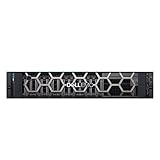
- This Certified Refurbished product is tested and certified to look and work like new. The refurbishing process includes functionality testing, basic cleaning, inspection, and repackaging. The product ships with all relevant accessories,and may arrive in a generic box. Only select sellers who maintain a high performance bar may offer Certified Refurbished products on Amazon.com
- 2x Intel Xeon Silver 4114 2.2GHz 10 Core Processors
- 32GB DDR4 RAM
- Dell PERC H730P Mini Mono RAID Controller w, 2GB NV Cache
比较配置时核对哪些差异
如果要为现有服务器扩容,或比较两台 R750,逐项确认下表中的配置,不要把某一机型的支持能力直接套用到另一台。
| 核对项 | 为什么重要 |
|---|---|
| 机箱和硬盘托架布局 | 决定可用的托架、硬盘尺寸和可安装数量;R750 有多种布局。 |
| SAS、SATA 或 NVMe 支持及存储控制器 | 硬盘、背板和控制器必须相互兼容;实际支持情况取决于系统配置。 |
| 处理器与内存配置 | R750 支持第三代 Intel Xeon Scalable 处理器和 32 个 DDR4 DIMM 插槽,但具体已装部件与插槽占用须按系统核对。 |
| 电源类型与冗余 | 系统可以配置冗余交流电源或混合模式电源;确认实际电源型号和配置后再规划供电。 |
| 管理与自动化需求 | 确认所需功能、授权与集成是否适用于这台服务器,不要假定所有选项均已启用。 |
上架和连接前做好准备
先确认机柜、服务器机箱和导轨之间的兼容性,再订购或安装导轨。R750 rail kit 是相关配件,但不能仅凭服务器型号判断某一导轨套件适用;Dell 的资料未建立通用 SKU。核对系统配置、导轨说明和机柜要求后再下单。
按机箱配置和机柜要求安装服务器并连接电源、网络及外围设备。若使用冗余电源,依据实际电源配置规划连接;不要把“支持冗余”理解为每台设备都已经装有相同数量或类型的电源。
Quick wins for a faster PC:
Repair Windows errors before they cause bigger problemsFix Now →Fix the driver behind crashes, sound loss and screen glitchesFind Drivers →Clear out junk files and repair common Windows errorsFree Scan →Rank #2
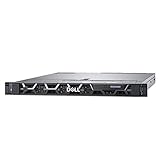
- This Certified Refurbished product is tested and certified to look and work like new. The refurbishing process includes functionality testing, basic cleaning, inspection, and repackaging. The product ships with all relevant accessories, a minimum 90-day warranty, and may arrive in a generic box. Only select sellers who maintain a high performance bar may offer Certified Refurbished products on Amazon.com
- 2x Intel Xeon Gold 6148 2.4GHz 20 Core Processors
- 64GB DDR4 RAM
- Dell PERC H740P RAID Controller w/ 8GB NV Cache
- Dell Broadcom 5720 Quad-Port 1Gb 1000BASE-T PCI-e R Series Daughtercard NIC
配置 iDRAC 并查找固件资料
iDRAC 是服务器内嵌的管理工具。首次部署时,先按该系统适用的 iDRAC9 User’s Guide 配置管理访问和网络设置,再使用 Dell 对应系统的支持资料选择 BIOS、固件和驱动程序。不要从其他配置的服务器推断固件或组件步骤。
- 在 Dell R750 支持页面按服务标签定位系统资料。
- 打开适用的 iDRAC9 User’s Guide,按其说明设置 iDRAC 访问与网络参数。
- 查阅对应的 BIOS/UEFI Reference Guide 和 Technical Specifications,确定适用的固件及系统信息。
- 需要更换或拆装部件时,改用匹配该系统和部件的 Installation and Service Manual。
Dell 支持页面列出的资料会更新:检索时,Technical Specifications 标注更新于 2024 年 10 月 18 日,Installation and Service Manual 标注更新于 2024 年 4 月 26 日,iDRAC9 User’s Guide 标注更新于 2026 年 3 月 16 日,BIOS/UEFI Reference Guide 标注更新于 2026 年 8 月 5 日。固件和手册可能变化,实际操作前应重新查看支持页面上的当前版本。
区分单机管理与机群管理
Dell 将 iDRAC 与 OpenManage Enterprise 分别定位为管理 Dell EMC PowerEdge 服务器的关键工具:前者是嵌入服务器的管理能力,后者是用于集中管理多台设备的控制台。Dell 的《Dell PowerEdge R750 Technical Guide》还提及 RACADM、Redfish API 和 Ansible 模块等自动化方式。
Rank #3
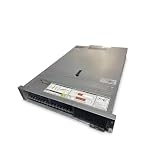
- Renewed server with the highest quality standards
- Ideal for a robust enterprise environment or data center
- All servers include power cords, and other parts detailed in full product description below
- Custom configurations available upon request
具体集成、功能和可用选项可能因服务器及配置而异。部署自动化前,先确认目标系统支持所需接口和功能,并使用对应的 Dell 文档;不要假设某种集成在每台 R750 上都已配置或启用。
安装操作系统并完成验证
操作系统安装步骤和支持矩阵取决于所选操作系统及具体硬件配置。开始安装前,应查阅该操作系统当前的兼容性资料及 Dell 针对本机型的系统文档。仅凭 R750 型号无法确定特定操作系统版本、驱动程序或安装选项适用。
安装完成后,按系统及操作系统文档检查硬件识别、网络连接、存储可见性和管理访问。若设备或组件未按预期出现,先核对实际背板、控制器、网卡及固件,再参照 Dell 的系统专属故障排查资料处理。
Rank #4

- Dell PowerEdge R740xd 24-Bay SFF 2U Server
- 2x Intel Xeon Gold 6152 2.1GHz (3.7GHz Turbo) 22-Core
- 768GB DDR4 RAM – 2x 240GB M.2 B.O.S.S.
- Dell PERC HBA330 12Gb/s Adapter – Rails Included
- 2x 1100W PSU - X540/I350 NIC (2x 10Gb + 2x 1Gb RJ45)
更换部件或扩容前的检查
订购硬盘、内存、电源、控制器或其他替换件之前,按服务标签对应的支持资料核对部件号、外形规格、背板与控制器组合,以及 Dell 支持的配置。硬盘接口、托架尺寸相符并不必然意味着部件适用于当前系统。
- 用服务标签定位这台服务器的 Dell 支持资料。
- 在 Technical Specifications 和适用的 Installation and Service Manual 中核实目标部件及配置。
- 检查部件号、尺寸、接口,以及与现有背板和控制器的匹配关系。
- 依照匹配的手册执行拆装,并使用该系统对应的故障排查资源检查结果。
Dell 也介绍 ProDeploy 和 ProSupport 等部署与支持服务;服务项目是否提供取决于国家或地区,应向当地 Dell 查询适用性。
Windows Errors? Fix Them Before They Spread
Repair common Windows errors and clear accumulated junk for a smoother, more stable PC - no reinstall needed.Free scan · no reinstallOutdated Drivers Are Slowing You Down
One free scan finds every outdated or missing driver and matches the right update for your exact hardware.Free scan · exact hardware matchQuick Recap
Product prices and availability are accurate as of the date/time indicated and are subject to change. Any price and availability information displayed on Amazon at the time of purchase will apply.




