Do these 3 things before closing this tab:
1Repair Windows errors before they cause bigger problems2Fix the driver behind crashes, sound loss and screen glitches3Clear out junk files and repair common Windows errorsA management information system (MIS) is a coordinated set of people, processes, data, and technology that turns an organization’s data into information managers use to plan, monitor, analyze, and make decisions. It is broader than any one software product. The software matters, but so do the people who use it and the procedures for collecting and managing the data.
The definition, in plain terms
Educational sources phrase the definition in slightly different ways, but they agree on the core idea. OpenStax’s Introduction to Business 2e (section 13.3) describes management information systems as users, hardware, and software that support decision-making. It also says: “Information systems collect and store the company’s key data and produce the information managers need for analysis, control, and decision-making.” The Food and Agriculture Organization (FAO) describes an MIS as a system that converts organizational data into management information for the people who make decisions in an organization.


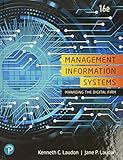


As an Amazon Associate I earn from qualifying purchases.
The working definition used in this article combines those views. It is a synthesis, not a quotation from any one source:
A management information system is a coordinated set of people, processes, data, and technology that transforms organizational data into information used to plan, monitor, analyze, and manage an organization.
#1 Best Overall
What an MIS does
- Collects and stores data. Sales, payments, inventory movements, payroll, and project records all feed it.
- Processes and summarizes that data. Raw records become reports, totals, comparisons, and trends.
- Delivers information to managers. The output supports analysis, control, planning, and decisions.
A typical example is a manager reviewing budget, cash-flow, inventory, or performance reports to see how operations are going and what to change. The reports are the visible output. The MIS is the whole arrangement that produces them reliably.
What an MIS includes
Sources list the components a little differently, so treat the following as common elements, not a fixed checklist. Cengage’s Management Information Systems by Hossein Bidgoli (10th edition, 2021) describes an MIS as integrating hardware and software technologies, data, processes, and human elements for decision-making.
Rank #2
People
Managers and staff who enter data, maintain the system, and read and act on its output.
The Tool Desk
Outbyte PC Repair FREEClear out junk files and repair common Windows errorsFree Scan →Outbyte Driver Updater FREEScan for outdated or missing drivers - takes under a minuteDriver Scan →Hardware and software
The computers, networks, databases, and applications that store and process the data. In modern organizations, a computer-based system is usually central.
Data
The organization’s records. The output is only as useful as the data going in.
Procedures and processes
The rules for how data is collected, checked, managed, and used. This is the part most often forgotten when people equate MIS with software.
Rank #4
What an MIS is not
- Not just software. A reporting application without people and procedures around it is only one piece of an MIS.
- Not the IT department. IT staff may build and run the technology, but the MIS exists to serve managers’ information needs.
- Not one fixed architecture. Organizations implement MIS in many ways, and no particular package is required.
MIS compared with related systems
These terms are often confused. OpenStax’s treatment distinguishes them by emphasis.
| System | Main purpose | Typical emphasis |
|---|---|---|
| Transaction processing system (TPS) | Handle routine day-to-day transactions | Orders, payroll, payments, and operational records |
| Management information system (MIS) | Turn organizational data into information and reports for managers | Summaries for monitoring, control, and managerial decisions |
| Decision-support system (DSS) | Provide interactive tools and information for decision-making | Exploring alternatives or analyzing less routine decisions |
| Enterprise resource planning (ERP) | Integrate information systems and processes across business functions | Shared processes such as finance, HR, and project management |
These categories describe different emphases and are not mutually exclusive. One organization’s ERP platform may include transaction processing, standard management reports, and decision-support features. ERP is a related category, not a synonym for MIS.
A simple way to see the difference
A retail chain records each sale at the register. That is transaction processing. At the end of the week, a regional manager receives a report comparing sales and stock levels by store. That is the MIS function. If the manager then uses an interactive tool to model what happens if she moves stock between stores, that is decision support. Because the same platform may do all three, the boundaries in practice are blurry.
Quick Recap
Product prices and availability are accurate as of the date/time indicated and are subject to change. Any price and availability information displayed on Amazon at the time of purchase will apply.




