ColorOS 17’s AI is a collection of task-specific tools rather than one chatbot. AI Mind Pilot can carry out multi-step jobs across files and photos; AI Photo Agent edits pictures from ordinary-language instructions; Mind Space and Mind Suggest handle saved information and timely reminders; OSee turns the camera into a visual assistant; and AI Live Interpreter and AI Call Guard target conversations and scam detection. Access depends on your OPPO model, country, software build, paired accessories and, for some tools, monthly quotas.
The practical way to use these features is to state an outcome, approve the access the phone requests, inspect what it produces and share only after checking it. ColorOS 17 begins with the Find X10 Series and is rolling out progressively, so a feature described here may not yet appear on every compatible-looking phone.
As an Amazon Associate I earn from qualifying purchases.
What the ColorOS 17 AI tools actually do
Each feature has a different job and input. Agent Mode executes a sequence of actions; Photo Agent changes a still image; Mind Space keeps information for later; Mind Suggest surfaces useful cards without requiring a manual search; OSee starts from the camera view; Live Interpreter translates a conversation; and Call Guard watches for signs of synthetic-voice or face-swap fraud.
Free tools Windows power users keep installed
One-click scans. No signup required.
| Tool | Typical input | Result | Best fit |
|---|---|---|---|
| AI Mind Pilot Agent Mode | A spoken or typed goal | Organized files, photos and a structured output such as an itinerary, webpage or presentation | Multi-step personal projects |
| AI Photo Agent | A natural-language edit request or a reference image | An adjusted still image, including a matched color palette, tone and mood | Creative photo editing without manual sliders |
| AI Mind Space | Saved documents, long-form captures and supported video links | Searchable collections and summaries | Remembering and revisiting information |
| AI Mind Suggest | Context signals such as time, travel and saved information | Briefings, reminders, transport cards and recommendations | Timely prompts |
| OSee | A camera view and the shutter button | Recognition, lookup, nutrition analysis, scanning or translation | Understanding something in front of you |
| AI Live Interpreter | Spoken conversation with supported earbuds connected | Translated speech in the earbuds and the conversation displayed on the phone | In-person multilingual conversations |
| AI Call Guard | An active phone call | A warning when on-device analysis detects possible synthetic-voice or face-swap fraud | Extra caution during suspicious calls |
OPPO describes on-device processing where possible. When a task needs an external upload, the phone asks for authorization; cloud AI is handled through OPPO’s Private Computing Cloud. Treat every generated result as assistance, not proof: verify names, dates, translations, edits and fraud warnings before acting on them.
#1 Best Overall

- 【LHDC 5.0 Hi-Res Audio & Master-Tuned Dynaudio Sound Quality】Certified Hi-Res Audio with LHDC 5.0 , co-engineered with Nordic audio pioneer Dynaudio to craft the exclusive "Dynaudio Featured" sound profile. Experience silky-smooth, true-to-life audio with pristine clarity and natural tonality, transforming your earbuds into a private concert hall.
- 【Dual Dynamic Drivers with Dual DACs】Features 11mm dynamic bass + 6mm planar tweeter drivers, paired with dual high-resolution DACs for lossless audio reproduction, delivering deep bass, crisp highs, and studio-grade sound quality.
- 【55dB Hybrid Active Noise Cancellation】Eliminates up to 55dB of ambient noise across a 5500Hz ultra-wide frequency range, including street sounds, airplane engine rumble, and office chatter, for immersive focus in any environment.
- 【45-Hour Ultra-Long Battery Life】Enjoy 11 hours of playback on a single charge (9 hours with LHDC), extended to 45 hours with the wireless charging case, ensuring uninterrupted music during long trips or heavy usage.
- 【IP55 Dust & Water Resistance – Unfazed by Wind or Rain】With industry-leading IP55 certification, these earbuds resist dust, sweat, and heavy rain, ensuring uninterrupted playback and crystal-clear calls in any weather. Durable enough to keep up with your active lifestyle.
AI Mind Pilot Agent Mode: turn a goal into a workflow
Agent Mode is the broadest ColorOS 17 AI feature. Instead of asking for one answer, you describe an outcome and let the agent search across permitted local files and photos, perform several operations and assemble a useful result. OPPO says it can work on-device and requests permission before an external upload is required.
What it can do
- Find travel documents and photos scattered across the phone.
- Rename files using their content or date.
- Organize items into a coherent set.
- Create a travel itinerary from the material it found.
- Produce a webpage or presentation from the organized information.
- Group trip photos and make a vlog cover.
The important distinction is task scope. Photo editing, a single search or a one-off summary can be handled by narrower tools; Agent Mode is intended for a chain of related actions that ends in a deliverable.
How to use Agent Mode
- Open the AI Mind Pilot entry point on your ColorOS 17 phone and choose Agent Mode.
- State the outcome in ordinary language, for example: “Find my travel documents and trip photos, rename them by date, organize them by destination, and make a seven-day itinerary.”
- When prompted, grant access to the files and photos that the task needs. If the agent says external processing is required, read the request and approve the upload only if you are comfortable with it.
- Review the items it found. Remove unrelated documents or photos before asking it to continue.
- Inspect the generated itinerary, webpage or presentation for incorrect dates, locations, reservations and missing context.
- Save or share the final result only after that review. Keep the originals when renaming or reorganizing important records.
Specific wording helps. Include a date range, destination, preferred order and output format instead of saying only “sort my trip.” For sensitive records, use the narrowest file and photo permissions that still allow the task.
Quick wins for a faster PC:
Scan for outdated or missing drivers - takes under a minuteDriver Scan →Clear out junk files and repair common Windows errorsFree Scan →AI Photo Agent: edit a picture by describing the result
AI Photo Agent accepts a natural-language instruction, recommends adjustments based on the scene and applies the requested change to a static image. OPPO also provides Style Match: supply a reference image and the tool works toward its color palette, tone and mood while attempting to preserve the source image’s natural character.
Three ways to use it
- Describe an edit: ask for a brighter subject, a cleaner background or another specific change in ordinary language.
- Use scene suggestions: accept the adjustments the tool recommends after analyzing the image.
- Match a reference: provide a reference photo and use Style Match for a consistent visual treatment.
Editing steps
- Open the phone’s AI photo-editing entry point and select a still image.
- Describe the change you want, or choose a scene-based recommendation.
- For a consistent look across images, add a reference image and select Style Match.
- Compare the generated version with the original at full size. Check faces, text, edges, colors and any object that should not have changed.
- Save a copy when the result is acceptable; retain the original for later edits.
Rollout is gradual, and monthly usage limits vary by country. A tool that appears in the interface may therefore offer a different quota or may be unavailable in another market. AI Photo Agent is described for static images; do not assume that the same controls edit video.
AI Mind Space: keep information available after you close the app
Mind Space is the memory-oriented part of ColorOS 17. Save documents, long-form captures and supported video links into it, then let Smart Collections or Memory Collections group related material. The goal is to make a set of information retrievable later instead of leaving it buried in separate apps.
Build a useful collection
- Save a document, long-form screen capture or supported video link to Mind Space.
- Allow Smart or Memory Collections to group related items when the option appears.
- Open the resulting collection and check that the title and grouping reflect the subject you intended.
- Use the collection’s search or summary view when you need to revisit the material.
Long-doc Capture and Link Capture have availability exclusions in Europe. Supported links and capture types can also vary with the software build, so a link that works for one account or region may not be accepted on another phone.
Rank #2
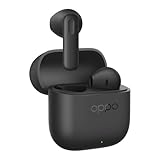
- 【Extended battery life and durable battery】The battery can last up to 48 hours, requiring only one charge per week. Advanced charging technology effectively reduces wear and tear on the earbuds, ensuring the battery remains in good condition even after thousands of charges.
- 【10-minute charge, 3 hours of playback】The earbuds feature exceptional fast-charging capabilities, quickly restoring battery power. A 10-minute fast charge provides up to 4 hours of playback time.
- 【New Bluetooth 5.4】47-millisecond ultra-low audio latency ensures quick and uninterrupted connections every time. Supports dual-device connectivity, enabling seamless audio switching between smartphones and tablets.
- 【Control everything with a touch】Double-tap the touch-sensitive area on the earbuds to take photos with your smartphone. Google AI Assistant is always ready—just double-tap to activate it.
- 【IP55 Dustproof and Water-Resistant & Personalised Touch Controls】 Durable design inside and out. Dustproof and water-resistant, making it ideal for sports activities. Customise touch controls to suit your preferences.
AI Mind Suggest: proactive cards instead of repeated searches
Mind Suggest uses context to surface information when it is likely to be useful. Examples include a morning brief, travel reminders, flight or train information and other recommendations connected to what you are doing. It is designed for glancing at a relevant card rather than opening several apps and searching each one.
Examples of surfaced information
- Morning briefing cards.
- Reminders related to an upcoming trip.
- Flight and train details.
- Context-sensitive recommendations.
- Country-specific cards, such as Spotify recommendations or MakeMyTrip train cards where those integrations are enabled.
Use the card as a starting point and verify the underlying booking, schedule or reminder before relying on it. Country-specific integrations are not a guarantee that the same card will appear elsewhere.
OSee: use the camera as the visual entry point
OSee starts with what the camera can see. Point the phone at an object, scene, menu or paper document, press the shutter, and choose the suggested service. Depending on the subject, OSee can route the image to object recognition, knowledge lookup, nutrition analysis, high-definition scanning or translation.
OSee workflow
- Open OSee and frame the object, text or scene clearly.
- Press the shutter to let the system analyze the view.
- Choose the suggested action that matches your purpose: identify it, look it up, analyze nutrition, scan it at high definition or translate it.
- Read the result and check it against the original object or document, especially when the text is small, damaged or poorly lit.
For a document, keep the phone parallel to the page and capture all edges. For nutrition information, treat the result as an estimate or interpretation of what is visible, not a medical diagnosis or a substitute for the package label.
What’s actually slowing this PC down?
Pick the symptom - the matching free tool is one click away.
AI Live Interpreter: translated speech through supported earbuds
AI Live Interpreter is intended for live, in-person conversations. Pair supported earbuds with a compatible ColorOS 17 phone, start the interpreter and speak normally. Translated speech is delivered through the earbuds while the conversation remains visible on the phone.
Supported hardware named by OPPO
OPPO identifies the Enco X4 and OnePlus Buds Pro 4 as supported earbuds for select phones. Compatibility is not universal across every ColorOS 17 model, so confirm that your exact phone and earbud combination is listed in the device software before planning a conversation around it.
How to start a translated conversation
- Pair the supported earbuds with the ColorOS 17 phone.
- Open AI Live Interpreter and select the conversation languages offered on your device.
- Start the session and speak in a normal rhythm, allowing each person to finish before the next turn.
- Watch the phone’s transcript for names, numbers and phrases that could be misheard.
- Repeat or rephrase anything important before acting on the translation.
Background noise, overlapping speech, accents and specialist terminology can reduce accuracy. For medical, legal, financial or safety-critical conversations, use a qualified human interpreter or confirm the meaning independently.
Rank #3

- 【55dB Active Noise Cancellation with 5000Hz Ultra-Wide Frequency Range】Engineered to neutralize distractions, the OPPO Enco Air5 Pro features 55dB deep active noise cancellation across a 5000Hz ultra-wide frequency range. Real-time dynamic ANC adapts to your ear canal and environment, effectively reducing human voices and ambient chatter. IP55 dust and water resistance protects against sweat and rain, keeping you immersed wherever you go.
- 【Triple-Mic AI Clear Call with Pro-Level Voice Noise Cancellation】A built-in triple-microphone system, paired with an advanced AI clear-call algorithm, precisely captures your voice while suppressing background noise. Enjoy clear conversations even in windy conditions up to 25 km/h or in crowded spaces—every call sounds as natural as face-to-face.
- 【12mm Titanium-Coated Driver with Hi-Res Audio and LHDC 5.0】The 12mm large-amplitude dynamic driver features a PET titanium-plated diaphragm for fast transient response and punchy, authoritative bass. Certified Hi-Res Audio with LHDC 5.0 supports up to 96kHz sampling rate and 1Mbps wireless bitrate for faithful high-resolution playback. OPPO Alive Audio creates a 360° immersive soundstage, with Sound Master EQ for personalized tuning.
- 【Up to 54 Hours of Playback with Dual Connection Across Systems】Enjoy up to 54 hours of total playback with the charging case, freeing you from battery anxiety on long trips. Dual Connection allows simultaneous pairing with two devices across Android, iOS, and Windows—seamlessly switch between work calls and entertainment without missing a beat.
- 【Smart Touch Controls with Bluetooth 6.0 and AI Translate】Bluetooth 6.0 delivers faster, more stable wireless connections. Slide Volume Control lets you adjust audio with a gentle swipe, while Spotify Tap gives instant access to personalized music. AI Translate enables real-time conversation across languages, breaking down communication barriers wherever you travel.
AI Call Guard: a warning layer for suspicious calls
Call Guard uses on-device AI to flag possible synthetic-voice and face-swap fraud during calls. The feature is a warning system, not a determination that a caller is genuine or fraudulent. If an alert appears, end the call or verify the person through a separate trusted channel rather than sharing passwords, one-time codes, money or identity documents.
Windows Errors? Fix Them Before They Spread
Repair common Windows errors and clear accumulated junk for a smoother, more stable PC - no reinstall needed.Free scan · no reinstallOutdated Drivers Are Slowing You Down
One free scan finds every outdated or missing driver and matches the right update for your exact hardware.Free scan · exact hardware matchFor the release covered here, OPPO lists availability in Indonesia, India and Thailand. Other countries may not show the feature, even when the phone runs ColorOS 17.
Compatibility, rollout and regional limits
ColorOS 17 debuts on the Find X10 Series and is rolling out progressively. “ColorOS 17 phone” is therefore not a sufficient compatibility test. The model, software build and country determine which AI entries appear, while paired accessories affect Live Interpreter and local rules affect Call Guard and other services.
Check before you troubleshoot
- Confirm the exact model name, not just the product family.
- Install the latest ColorOS 17 build offered to that model in your country.
- Check whether the feature is enabled for your region.
- For Live Interpreter, verify both the phone and the earbuds.
- For Photo Agent, check the local monthly allowance.
- For Mind Space, confirm that the capture or link type is supported in your market.
If an AI option is missing, that does not necessarily indicate a faulty installation. Progressive rollout, regional exclusions and account-side activation can all change the visible feature set.
Privacy and cloud processing
OPPO says ColorOS 17 uses on-device indexing where possible. When an operation needs an external upload, the system asks for authorization. Cloud AI is handled through OPPO’s Private Computing Cloud, which OPPO describes alongside a transparency report.
Before approving access, consider whether the task needs all selected files, photos or contacts. For Agent Mode, limit the selection to the trip or project being organized. For photo editing, avoid uploading images that contain private documents or people who have not agreed to the processing. After a cloud-assisted task, review what was shared and remove temporary copies if the phone provides that control.
Performance claims: what OPPO measured
OPPO Lab published the following ColorOS 17 figures in 2026. They are company test claims, not independent benchmarks or guaranteed results on every phone.
Rank #4

- 【Real-Time Adaptive Noise Cancellation for Semi-In-Ear Comfort】Powered by OPPO’s advanced adaptive ANC algorithm, Enco Air5s continuously analyzes your ear shape, wearing fit, and surroundings to dynamically optimize noise cancellation. Designed specifically for semi-in-ear earbuds, it effectively reduces everyday distractions while maintaining natural comfort.
- 【Tailored Voice-Canceling System and Triple-Mic AI Clear Calls】A custom-engineered voice-canceling acoustic structure works alongside a triple-microphone AI call system to reduce surrounding conversations and ambient noise. Whether you’re commuting, working, or taking calls outdoors, your voice remains clear and natural.
- 【Airy 3.9g Fit with Ergonomic Semi-In-Ear Design】Each earbud weighs less than 3.9g and features an ergonomically refined semi-in-ear shape developed through extensive ear-fit research. The lightweight design minimizes pressure and provides lasting comfort throughout the day.
- 【12mm Dynamic Driver, OPPO Alive Audio and 10-Band EQ】A customized 12mm dynamic driver with a titanium-coated diaphragm delivers powerful bass, rich vocals, and detailed highs. OPPO Alive Audio creates an immersive spatial sound experience, while a professional 10-band EQ and Sound Master presets allow personalized tuning.
- 【Up to 48 Hours Playback, IP55 Protection and Smart Connectivity】Enjoy up to 48 hours of listening with the charging case. Bluetooth 6.0, Dual Connection, Smart Bluetooth, Quick Pair, Spotify Tap, and AI Translate provide seamless convenience across Android, iOS, and Windows devices. IP55 dust and water resistance helps protect against sweat and rain for worry-free daily use.
| Claim | Qualification |
|---|---|
| Up to 55% more stable app launches | OPPO Lab figure, 2026; “up to” describes the reported maximum, not a universal result. |
| Up to 50% faster Gallery/photo loading on first launch | OPPO Lab figure, 2026; actual loading depends on device, library size and conditions. |
| Over 90% of initial smoothness retained after simulated six years of use at 90% storage capacity | OPPO Lab simulation, 2026; it is not a guarantee of identical long-term behavior for an individual phone. |
These figures describe system performance, not the accuracy or availability of the AI tools. A phone can meet a performance claim and still lack a regional feature, a monthly quota or a compatible earbud.
Independent reader supportYour contribution helps us test, update, and keep practical guides available for everyone.Choosing the right ColorOS 17 AI feature
When you need a finished project
Choose Agent Mode when the request involves finding material, changing names or structure and producing an output. Give it a defined destination, date range and format, then inspect every generated fact.
When you need a visual change
Choose Photo Agent for a still image. Describe the desired result for a one-off edit, use scene suggestions for quick correction, or add a reference image through Style Match for a consistent look.
When you need to remember something
Save it to Mind Space. Collections are better for information you expect to revisit; Mind Suggest is better when you want the phone to surface a relevant card at the appropriate time.
When the answer is in front of you
Use OSee for an object, menu, paper or scene. The shutter starts the analysis, after which you select recognition, lookup, nutrition, scanning or translation.
When another person speaks a different language
Use Live Interpreter only with a supported phone-and-earbud combination, and confirm important translations on the phone display.
Do these 3 things before closing this tab:
1Repair Windows errors before they cause bigger problems2Scan for outdated or missing drivers - takes under a minute3Clear out junk files and repair common Windows errorsWhen a caller pressures you
Leave Call Guard active where it is offered, but treat an alert as a prompt to verify independently rather than as a final verdict.
Best Value
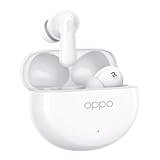
- 【32dB Active Noise Cancellation】Effectively eliminates up to 32dB of distracting noises, street traffic sounds and background music, keeping you away from the hustle and bustle.
- 【Ultra Durable Battery 】OPPO's first TÜV Rheinland battery health certified headphones with advanced battery technology to reduce wear and tear battery life, can accompany you for years.
- 【Latest Bluetooth 5.4 Technology & 47ms Ultra-low Latency Connection 】Let you enjoy a faster, more stable, longer-lasting and lower latency connection experience.
- 【Ultra-long battery life 】Up to 43 hours of battery life - 12 hours of battery life for single headphones, and up to 43 hours with the charging case for uninterrupted listening.
- 【IP55 PROTECTION】Durable inside and out, waterproof, heat and impact resistant, ideal for sports.
Common problems and practical fixes
The feature is not listed
Check the model, region and ColorOS build first. Progressive activation and country exclusions can hide a feature that another user can see.
Agent Mode finds the wrong files
Withdraw broad access, grant only the relevant folders or photos, and restate the task with dates, destinations and file types. Review the found set before allowing renaming or output creation.
The generated photo looks unnatural
Compare it with the original, reduce the scope of the instruction and try a more specific request. Keep the original copy; AI Photo Agent is intended to assist an edit, not replace your judgment.
Recommended Free Tools
Mind Space will not save a link
The link or capture type may not be supported, or the feature may be excluded in your country. Try a supported document or long-form capture and check again after updating the software.
Interpreter output is confusing
Reduce background noise, take turns, speak in shorter phrases and read the transcript on the phone. Confirm names, numbers and critical instructions independently.
Call Guard raises a warning
Do not disclose sensitive information. End the call and contact the person or organization through a number or channel you already trust.
Quick Recap
Product prices and availability are accurate as of the date/time indicated and are subject to change. Any price and availability information displayed on Amazon at the time of purchase will apply.

