Yes—OneStream Live describes a playlist feature that queues multiple videos in a specific sequence. Repeating that sequence continuously is a separate question: OneStream says its 24/7 streaming feature loops videos infinitely, but its Help Center says that feature is YouTube-only and requires an Enterprise plan. A playlist playing in a YouTube viewer is different from videos being broadcast as a live stream.
What “loop a playlist” can mean
There are two separate controls to distinguish: the broadcaster can arrange pre-recorded videos for a live broadcast, or a YouTube viewer can repeat content in the YouTube player. OneStream Live’s playlist description establishes sequential playback, while its documentation describes continuous looping through a distinct 24/7 feature.

As an Amazon Associate I earn from qualifying purchases.
| Goal | Relevant feature | What the documentation establishes |
|---|---|---|
| Broadcast several pre-recorded videos in a chosen order | OneStream Live playlist | Its Help Center says the feature queues multiple videos “in a specific sequence.” It does not describe all playlist editing controls. OneStream Live: What Are the Ways to Go Live? |
| Keep a YouTube live channel running continuously | OneStream Live 24/7 streaming | OneStream describes infinitely looping videos. Its setup page says this feature is YouTube-only and requires an Enterprise plan. OneStream Live: How to Start 24/7 Live Streaming? |
| Repeat one uploaded video during a broadcast | OneStream Live pre-recorded stream loop setting | The documented workflow allows up to 60 loops for a video. OneStream Live: How to Loop a Pre-recorded Stream? |
| Repeat a playlist while watching YouTube | YouTube player Loop control | This is a viewer playback control, not a livestream broadcast setting. YouTube Help: Loop videos or playlists on YouTube |
| Run a broadcast again on a schedule | OneStream Live recurring schedule | Recurring scheduling sets a frequency, interval in days or weeks, and occurrence count; it is not by itself proof that a playlist repeats within one continuous live broadcast. OneStream Live: How to Set Up Recurring Streams or Webinars? |
Does the sequence repeat automatically?
OneStream Live documents ordered playlists and, separately, a 24/7 YouTube feature that loops videos. Its overview does not spell out whether a particular ordered playlist is replayed intact in the same sequence each time, nor does it explain playlist editing controls. If the exact requirement is “play these videos in this order, then start that same playlist again,” confirm that workflow with OneStream before relying on it.
PC Slower Than It Used to Be?
A free scan shows the junk files, broken settings and background clutter dragging Windows down - then fixes them in one click.Free scan · Windows 10 & 11Crashes, No Sound, or Screen Glitches?
Random freezes, missing sound and display glitches usually trace back to one bad driver. Find and replace yours safely.Free scan · under a minuteDo not confuse a recurring broadcast schedule with an in-broadcast loop: a schedule launches broadcasts at intervals, while looping repeats content during a broadcast. OneStream’s overview says pre-recorded streams can be scheduled up to 60 days in advance; that does not establish that the playlist repeats within each scheduled broadcast. OneStream Live’s overview
#1 Best Overall

- Raspberry Pi 5 with 8GB RAM: Model SC1112 featuring a quad-core ARM Cortex-A76 processor running at 2.4GHz. Enhanced Connectivity: Includes dual 4K micro HDMI ports, USB-C power input, and high-speed USB 3.0 ports. PCIe Expansion Support: FPC connector enables M.2 NVMe SSDs when using compatible adapters. Fast Storage Options: Works with microSD cards for booting, or optional NVMe storage for advanced projects. Built for Projects & Learning: Ideal for programming, home labs, DIY electronics, automation, and Linux-based development.
What to check before setting it up
- Choose the intended behavior. For a one-time sequence, the playlist feature is the relevant documented option. For an ongoing YouTube live channel, check the separate 24/7 feature and its plan requirement.
- Confirm the playlist workflow. The feature overview confirms sequential video queuing but does not provide enough detail to state the exact interface steps or editing controls.
- Do not assume URL import. The reviewed OneStream materials do not establish that pasting an existing YouTube playlist URL imports it into OneStream. Ask OneStream whether that is supported if URL import matters to your setup.
- Check current plan details. The stated Enterprise requirement applies to OneStream’s 24/7 streaming feature, not necessarily to every sequential playlist broadcast. OneStream’s current plan listing also describes Free plan playlist limitations, so verify eligibility for your account and intended workflow at OneStream Live pricing.
Do not mistake scheduled repeats for a continuous loop
OneStream Live’s recurring-stream setup lets a broadcaster configure a repeat frequency, choose an interval measured in days or weeks, and set the number of occurrences. That repeats scheduled broadcasts on a timetable. It is different from having video content continue around the clock in one ongoing YouTube live stream, and different again from looping a single video within a broadcast.
Independent reader supportYour contribution helps us test, update, and keep practical guides available for everyone.Or let it run in the cloud
If your goal is simply to keep a YouTube channel live with pre-recorded videos, StreamNeo is another option: upload your video or build a playlist, add your YouTube stream key, and go live. It runs from the cloud, so nothing has to stay on at home; uploads stream as made up to 4K 60fps at one flat price per slot, with automatic recovery if YouTube drops the stream. The first day is free with no card. Monthly service is $9.99 per month. See StreamNeo or start the free day.
Quick Recap
Best Value

- 3-in-1 Functional Design - Combines 1 Ethernet port and 2 USB ports in a lightweight, compact adapter. Enjoy stable wired network connectivity while connecting USB devices like flash drives, keyboards, or mice.
- Stable and Fast Connectivity - Built-in high-performance Realtek chipset delivers reliable Ethernet speeds up to 100Mbps and USB 2.0 data transfer rates of up to 480Mbps, ensuring lag-free streaming and smooth device connections.
- Compact and Portable - Ultra-compact design fits anywhere without clutter, making it ideal for travel or small spaces. Perfect for users who need convenient and efficient network solutions on the go.
- Wide Device Compatibility - Compatible with Fire TV Stick, Raspberry Pi Zero, Chromecast (1/2/3/Ultra/Audio), Google Home Mini and TiVo Stream 4K. Easily connects to devices for areas with poor Wi-Fi.
- Easy Plug-and-Play Setup - No drivers or software required. Simply plug it into your device to enjoy a stable wired network and expand your connectivity options instantly.
Rank #4

- Broadcom BCM2711, quad-core Cortex-A72 (ARM v8) 64-bit SoC @ 1. 5GHz
- 2. 4 GHz and 5. 0 GHz IEEE 802. 11b/g/n/ac wireless LAN, Bluetooth 5. 0, BLE
- 2 × USB 3. 0 ports, 2 x USB 2. 0 Ports
- 2 × micro HDMI ports supproting up to 4Kp60 video resolution
- Micro SD card slot for loading operating system and data storage
Rank #3
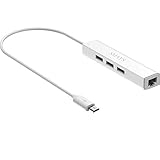
- Micro usb to usb hub rj45 adaptor -- Adds 3-Port OTG USB extension; Adds 10/100 Mbps wired internet connectivity
- Driver-less design for Windows 8.1 / 10 (32/64 bit) or up, Mac OS 10.9 or up, and Android 6.0 or up operating systems, Chrome OS
- Compatible with Raspberry Pi Zero, Raspberry Pi Zero W, Raspberry Pi Zero WH, Raspberry Pi Zero 2 W, Raspberry Pi Zero 2 WH, Raspberry Pi Zero 2 WHC
- Built-in DC power port, supports 5V power adapter, a power cable included; It only powers HUB and NOT the host; It charges the added USB device such as keyboard & mouse
- It has limited Android compatibility. Android users, before you buy, be sure to look if the device has a (grayed out) "Ethernet" menu in Settings under WIRELESS & NETWORKS. Most probably it will just work then
Product prices and availability are accurate as of the date/time indicated and are subject to change. Any price and availability information displayed on Amazon at the time of purchase will apply.




