A mileage reading typed at the fuel pump can help a fleet schedule servicing, but it is an input—not an independently verified measurement. The IRS describes a fleet-card procedure that asks employees for the current odometer reading and says accuracy matters for billing and maintenance. It does not describe a check against the vehicle’s actual odometer or another validation control. A fleet using pump entries for maintenance should therefore keep readings tied to individual vehicles and review anomalies before they trigger service decisions.
What the fuel-pump entry does—and does not—establish
The Internal Revenue Service’s fleet-card instructions say that, when buying fuel at the pump, employees are prompted to enter the current odometer reading along with a PIN. The manual says an accurate reading is important for billing and maintenance purposes. This establishes that pump-entry workflow in an IRS procedure; it is not a universal requirement, nor does it establish that the lorry fleet in the headline used it. IRS Internal Revenue Manual, section 4.24.14.
As an Amazon Associate I earn from qualifying purchases.
A keyed reading is useful because it can add a mileage point to a fuel transaction. But collecting a number is not the same as validating it. The cited IRS instructions do not describe a comparison with vehicle telemetry, an allowed-range check, or a review of exceptions. Without those controls, an incorrect entry could distort a vehicle’s apparent maintenance interval.
How to make pump readings safer to use for maintenance
- Keep a record for each vehicle. Attach each fuel transaction and odometer entry to the vehicle it belongs to. A driver may operate more than one vehicle, so a driver-level total is not a substitute for vehicle-specific mileage.
- Check readings against the previous entry. Flag a reading lower than the last recorded odometer value, or one that implies an implausible distance for the time elapsed. Treat the flag as an exception to investigate, not automatic proof of misconduct or a mechanical fault.
- Reconcile flagged entries. Check the vehicle’s displayed odometer, service paperwork, or a suitable automatically captured reading. Correct the record with an audit trail rather than silently replacing the original entry.
- Use a consistent maintenance source of truth. Decide which verified record drives service intervals, and document how fuel-card readings are accepted, corrected, or excluded. This prevents a one-off bad entry from resetting a maintenance schedule.
These are practical controls, not requirements stated by the IRS. The right review thresholds depend on the fleet’s vehicles, routes, and maintenance rules; the available sources do not establish a universal mileage tolerance.
#1 Best Overall

- A new merchant account with SwyftPAY is needed prior to the device shipping
- Mobile-friendly compact design
- Contactless payments
- Surcharge compatible
- PCI P2PE compliant
When an ELD can provide a cross-check
The Federal Motor Carrier Safety Administration says an electronic logging device automatically records date, time, location, engine hours, vehicle miles, and identifying information for the driver, authenticated user, vehicle, and motor carrier at specified intervals. That information can help a fleet compare a manually entered reading with another record, provided the ELD and its workflow cover the vehicle and expose data in a usable form. FMCSA ELD Functions FAQs.
An ELD should not be treated as a universal mileage ledger. FMCSA specifically says that mileage tracking for tax reporting is not part of the ELD data established under 49 CFR Part 395, although a manufacturer may offer such a service in a broader fleet-management package. The intended use matters: hours-of-service records, maintenance intervals, fuel billing, and tax reporting are different needs.
Rank #2

- MSR90 is a USB emulation keyboard interface that not need any driver or software,USB simply plug and play
- Reads up to 3 tracks of information,can reads ISO7811, AAMVA, CA DMV and most other card data formats
- Threaded inserts for mounting. LED indicator, green light is on when connecting,green light blinks when cards swiped
- Bi-directional swipe reading, superior reading of high jitter, scratched, and worn magstripe cards, reliable for over 1,000,000 card swipes
- Configuration software makes configuration changes easy,works with: Windows OS and Mac OS
Vehicle attribution also matters. FMCSA says mileage and odometer information in an ELD header should reflect the current commercial motor vehicle, not all vehicles a driver operated during the day. A cross-check is only useful if the fleet can connect the reading to the correct vehicle and time period. FMCSA guidance on miles in the ELD header.
Free tools Windows power users keep installed
One-click scans. No signup required.
What telematics can add
Telematics can collect odometer and diagnostic data from a vehicle and send it to fleet software, reducing reliance on a driver typing a number at each fuel purchase. California’s Department of General Services describes telematics as hardware and software that gather and store geographic and onboard diagnostic information—including current odometer, maintenance needs, and fuel consumption—and transmit it to a centralized platform. Its policy also lists odometer or hour-meter readings as a reportable item. This is an example of a state fleet policy and capability, not evidence that every commercial system provides the same data or accuracy. California DGS telematics policy.
Rank #3

- Provide convenient remote mounting and a single access point for 2 SD card slots for mapping with our Garmin Card Reader
- Waterproof
- Two SD card slots
Before relying on a telematics feed, confirm that it reports an odometer reading—not only distance travelled over a trip or reporting period—and that the reading is associated with the right vehicle. Check compatibility across the fleet’s makes, model years, and powertrains, whether exceptions can be reviewed, whether corrections leave an audit trail, and whether the data integrates with the maintenance system. The cited sources do not rate products or establish that any particular system will meet these needs.
Choosing between manual entry and automatic capture
| Control | What it can provide | What to verify |
|---|---|---|
| Fuel-pump entry | A mileage value associated with a fuel purchase, when the workflow captures it. The IRS procedure says accuracy matters for billing and maintenance. | Whether entries are tied to individual vehicles, checked against prior readings, and reviewed when they are inconsistent. |
| ELD data | Automatically recorded vehicle miles and other specified information, according to FMCSA. | Whether the data serves the intended maintenance use, represents the current vehicle, and is available in the necessary format. FMCSA says tax mileage tracking is not part of the ELD data established under Part 395. |
| Telematics | Potentially current odometer, maintenance, and fuel-consumption information sent to centralized software; California DGS describes this capability for its fleet policy. | Actual odometer reporting, vehicle compatibility, exception history, and integration with maintenance records. Capabilities vary by system and are not established fleet-wide by the policy example. |
Manual entry may remain useful as a transaction-level data point, even where automated capture exists. The strongest control is not simply choosing automation: it is ensuring each reading belongs to the correct vehicle, checking it against a credible record, and investigating exceptions before maintenance decisions rely on it.
Rank #4
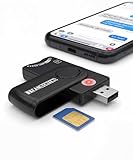
- Includes Multi-Media Reader, SIM Adapter Kit, SIM Editing Software, and SIM Analysis and Recovery Software
- SIM Card Slot - Reads SIM Cards Using the Included Apps (Note, most smart phones do not store user data to SIM cards and no photos can be stored on SIMs)
- SD Card Slot - Reads SD, SDHC, SDXC, Extreme SD, Ultra SD, SD Pro, HS MMC, and RS MMC Storage Devices
- Micro SD Card Slot - Reads Micro SD, Micro SDHC, and Micro SDXC Storage Devices
- Smart Card Slot - Reads Smart Card Data (Smart Card Software Not Included)
Keep mileage reporting regular and vehicle-specific
Archived Canadian federal fleet guidance recommends regular odometer reporting—at least monthly—to keep fleet information current, and describes using a separate electronic fleet card for each vehicle. That guidance is archived and applies to Canadian federal fleet management, so it is historical context rather than current general advice. Its vehicle-specific principle nevertheless aligns with the core control problem: mileage is only useful for maintaining a particular lorry when the record can be attributed to that lorry. Treasury Board of Canada Secretariat, archived fleet-management guidance.
Quick Recap
Best Value

- DOD Military CAC USB Smart Card Reader for Government ID, National ID, ActivClient, AKO, OWA, DKO, JKO, NKO, BOL, GKO, Marinenet, AF Portal, Pure Edge Viewer, ApproveIt, DCO, DTS, LPS, Disa Enterprise Email etc. CAC Cards
- Compatible with windows (32/64bit) XP/Vista/ 7/8/10, Mac OS X
- Sleek Ergonomic Design -Gloss Black Finish. EMS ready.ISO7816 Class A,B and C.
- What You Get: Saicoo CAC Smart Card Reader, 18-month warranty and lifetime technical support.
Product prices and availability are accurate as of the date/time indicated and are subject to change. Any price and availability information displayed on Amazon at the time of purchase will apply.




