Usually, no. An Amazon Fire tablet is documented as a playback device, not as a turntable audio input. Its headphone jack is intended for listening, and Amazon’s published Fire specifications do not list a phono or line-level input. An RCA-to-3.5 mm cable therefore cannot make a turntable play through the tablet.
You may be able to use a Fire tablet in a USB recording setup, but only when the exact tablet, Fire OS version, USB-C adapter, audio interface and recording app support USB Audio Class input. For simply hearing records, a Bluetooth speaker, headphones or another compatible receiver is the dependable destination.
As an Amazon Associate I earn from qualifying purchases.
What signal does your turntable produce?
The correct connection depends first on the output mode of the turntable. Vinyl players commonly provide one or more of these:
Recommended Free Tools
| Turntable output | What it means | What it can feed |
|---|---|---|
| PHONO RCA | A very low-level cartridge signal that also needs the correct phono equalization. | A dedicated PHONO input or an external phono preamp. |
| LINE RCA | The turntable’s built-in preamp has boosted and equalized the signal to normal line level. | AUX, line-in, stereo receiver, powered speakers or a suitable audio interface. |
| Bluetooth transmit | The turntable sends audio wirelessly to a paired receiving device. | A compatible Bluetooth speaker, headphones or receiver. |
| USB output | Digital audio intended for a computer or other supported USB host. | A compatible computer or, conditionally, a USB audio interface and host device. |
A PHONO output is not merely a quieter LINE output. It requires preamplification and equalization. Fluance describes a preamp as the device that raises the turntable signal to line level. A turntable with a switch marked PHONO/LINE normally uses its internal preamp when set to LINE.
#1 Best Overall

- Converts phono signals: a turntable preamp that converts phono signals to line level signals. This state-of-the-art circuitry phono preamp can accommodate magnetic pickups with an input sensitivity of 3mV at 50K ohms
- Low noise operation: offers outstanding performance with it’s low-noise Audio operational amplifiers. The output is 2V max (p-p) at 10K ohms. It’s better to position the preamp close to the source to reduce unwanted noise and interference
- Connects to turntables: connect any Turntable to modern sound equipment without specialized phono input for amplifying music. For the receiver, This can be connected to speakers, computers, laptops and more
- Simple plug & play: This mini preamp has stereo RCA inputs and stereo RCA outputs. Connect the Turntable to the RCA inputs and ground. Then, connect the amplifier Receiver to the RCA outputs
Audio-Technica’s AT-LP60BT manual gives the practical rule: “If your stereo system does not have a PHONO input, set the pre-amplifier selector switch to the ‘LINE’ position and connect the turntable’s output cables to the AUX or other high-level input on your stereo system.” That instruction applies to a stereo high-level input; it does not document a Fire tablet as an equivalent input device.
Why an RCA-to-headphone cable does not work
The 3.5 mm jack on a Fire tablet is documented and commonly used as an output for headphones or powered speakers. Amazon’s Fire specifications do not identify an analog audio input, phono input or line-in jack. A passive cable only changes the connector shape. It cannot change an output circuit into an input.
There is a second problem with a PHONO-only turntable: even if the tablet had a normal line input, the raw cartridge signal would be too low and would have the wrong frequency balance without a phono preamp. This is why a setup can sound extremely quiet, thin or distorted when someone connects a PHONO output through a simple adapter.
A phono preamp solves the signal-level and equalization problem. It does not create an audio input in the Fire tablet. The preamp must feed equipment that is actually designed to accept line-level audio.
Rank #2

- Tube MM Phono Preamplifier: This Fosi Audio phono preamplifier removes low-frequency noise and ensures clear sound quality by converting phono signals to line-level signals using high-quality components and low-noise integrated circuits. It is designed to safeguard your turntable thanks to its grounding post
- 3 Switchable Gain Modes: You can switch between 3 modes: 39, 42, or 45 dB. High compatibility and customizable control are provided by the adjustable gain levels. Also, it has very good circuitry and entry-level, high-end analog sound
- Tube Preamplifier: With a 3.5mm AUX input, it's also a tube preamp. Fosi Audio used high-quality component parts for the design and assemblage of this phono preamplifier. You can enjoy a very warm and smooth sound
- Applicable Vacuum Tube Model: The compatible vacuum tube models are 6K4, 6J1, 6J4, GE5654, 6AK5, 66, etc. To make changes to your stereo system yourself, simply swap out the vacuum tubes. Consider that distinct tubes produce various sounds
- Package Content: You will get 1 x Box X2 phono preamp, 2 x vacuum tubes, 1 x RCA cable, 1 x power adaptor, and 1 x user manual
Connection options, from dependable to experimental
1. RCA directly into the Fire tablet
This is not a supported direct path. Do not connect the turntable’s RCA plugs to a 3.5 mm cable and expect the tablet’s headphone socket to record or play the signal. The jack’s documented role is listening output, and no Fire specification supplied for this topic identifies it as an analog input.
If the turntable has a PHONO/LINE switch, selecting LINE still does not change the tablet’s jack into an input. It only makes the turntable suitable for a normal line-level receiver or capture device.
2. Bluetooth turntable to the Fire tablet
Bluetooth turntables transmit audio, and their manuals document pairing with a Bluetooth receiver. Fire tablets include Bluetooth radios, but the presence of Bluetooth does not establish that a particular Fire model can operate as a Bluetooth audio receiver for a turntable. Fire documentation does not guarantee that receiver role.
What’s actually slowing this PC down?
Pick the symptom - the matching free tool is one click away.
Use the turntable’s Bluetooth output with a device explicitly designed to receive it: Bluetooth headphones, a speaker or a standalone receiver. Treat direct turntable-to-Fire pairing as unverified unless the exact tablet model and software documentation state that Bluetooth audio reception is supported.
Rank #3
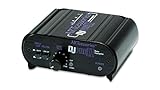
- RCA-type input R/L
- RCA-type output R/L
- Ground terminal
- Power Adapter Included
3. LINE output to a USB audio interface, then the tablet
This is the only plausible wired capture route, but it is conditional rather than guaranteed. The turntable must provide LINE output, or a separate phono preamp must be placed between a PHONO-only output and the interface. The interface then converts the stereo analog signal to USB audio.
You also need the correct USB-C connection. A USB-C OTG adapter may be required to let the tablet act as the host, and the recording application must recognize a class-compliant USB Audio device. Compatibility can vary with the exact Fire model, Fire OS release, adapter and app. Audio-Technica documents USB turntable output for direct connection to a computer; that is not a promise that Fire OS will accept the same device.
Amazon support has also stated that the Fire HD 8 does not support digital audio output over USB-C. That statement concerns output, not proof that every form of USB input is impossible, but it is a reminder that Fire USB audio behavior is not equivalent to a computer’s audio port.
4. USB turntable directly to the Fire tablet
Do not assume that a USB turntable made for computer recording will work when plugged into a Fire tablet. The turntable may require computer drivers, power or software that Fire OS does not provide. The AT-LP60-USB manual specifies direct connection to a computer, while Amazon does not guarantee USB audio input for Fire tablets.
Rank #4

- Convert Phono Signal: The turntable preamp converts phono signals to line level for better sounding audio and volume.This state-of-the-art circuitry phono preamp can accommodate magnetic pickups with an input sensitivity of 3mV at 50K Ohms Please make sure that the turntable you are connecting to use does not have a built-in preamp, if it does then using this phono preamp may result in bad noise.
- Low Noise Operation: The phono preamp offers outstanding performance with it’s Low-Noise Audio Operational Amplifiers.The output is 2V max (P-P) at 10K Ohms. It’s better to position the preamp close to the source to reduce unwanted noise and interferenceMake your vinyl records deliver sound exactly as it's read from your turntable's needle.
- RCA Input & RCA Output: This mini preamp has stereo RCA inputs and stereo RCA outputs. Connect the turntable to the RCA inputs and ground Then, connect the amplifier receiver to the RCA outputs(DC 12V Adapter is included).
- Simple Plug & Play: Connect any phono turntable preamps to modern sound equipment without specialized phono input for amplifying music.Simply hook up the preamp to both turntable and audio device so you can enjoy vinyl in no time.For the receiver, this can be connected to speakers, computers, laptops and more
- 1 Year Warrranty: We guarantee this electric phono preamplifier with both a 30-day, no hassle money back return policy and a 1 year manufacturer’s guarantee.
What adapters and accessories actually do
| Accessory | What it can do | What it cannot do |
|---|---|---|
| RCA-to-3.5 mm cable | Connect compatible line-level equipment that already has a real 3.5 mm input. | Turn the Fire headphone output into an input or preamplify a PHONO signal. |
| External phono preamp | Applies phono equalization and raises PHONO output to LINE level. | Add an audio-input circuit to the Fire tablet. |
| USB-C OTG adapter | Provides the physical host connection needed by some USB peripherals. | Guarantee that a Fire model, Fire OS or app supports USB audio capture. |
| USB audio interface | Converts a suitable line-level stereo signal to USB audio for a compatible host. | Fix a PHONO signal unless it includes a phono preamp, or bypass Fire OS compatibility limits. |
| Bluetooth receiver | Receives a turntable’s Bluetooth transmission and sends it to speakers, headphones or another output. | Make the Fire tablet a Bluetooth receiver unless that tablet explicitly supports the role. |
How to choose a workable setup
If your goal is only to listen to records
- Check whether the turntable has Bluetooth transmission.
- Put the turntable in its documented Bluetooth transmit mode.
- Pair it with a compatible Bluetooth speaker, headphones or receiver.
- Keep the Fire tablet out of the audio path unless its exact documentation specifically identifies it as a Bluetooth receiver.
This avoids the tablet’s undocumented analog-input limitation and uses a receiver designed for the job.
If you want to record or monitor on the tablet
- Read the turntable label or manual and identify PHONO, LINE, Bluetooth or USB output.
- If the output is PHONO-only, connect it to a phono preamp. If it has a PHONO/LINE switch, select LINE rather than adding a second phono preamp.
- Feed the line-level stereo output to a USB audio interface with the required analog inputs.
- Connect the interface to the exact Fire tablet through a suitable USB-C OTG adapter.
- Install or open a recording app that explicitly supports USB Audio Class input on that Fire OS version.
- Test the interface before buying permanent accessories. Confirm that the app shows an external stereo input and that both channels receive signal.
There is no universal adapter that makes this chain work. Model, operating-system, adapter and app support all have to line up.
PHONO versus LINE: avoid the common mistakes
- PHONO into a line input: The result is generally very quiet and tonally incorrect because preamplification and equalization are missing.
- LINE into a PHONO input: The signal is over-amplified and equalized twice, producing excessive level and incorrect sound.
- Two phono preamps in series: If the turntable is already set to LINE, do not send it through another phono stage.
- Charging cable mistaken for an audio cable: A USB-C charging cable does not create analog or digital audio-input support.
- Passive adapter mistaken for a converter: Connector compatibility is not signal compatibility. A cable cannot supply gain, equalization, analog-to-digital conversion or missing software support.
Troubleshooting by symptom
No sound from an RCA-to-3.5 mm connection
This is expected when the cable is connected to the tablet’s headphone output. Move the turntable to a powered speaker, receiver or audio interface with a documented input. If the turntable is PHONO-only, add a phono preamp before that input.
PC Slower Than It Used to Be?
A free scan shows the junk files, broken settings and background clutter dragging Windows down - then fixes them in one click.Free scan · Windows 10 & 11Outdated Drivers Are Slowing You Down
One free scan finds every outdated or missing driver and matches the right update for your exact hardware.Free scan · exact hardware matchSound is extremely quiet
Check the turntable’s output selector. A PHONO signal needs a phono preamp; setting a built-in preamp to LINE can provide the required level for an interface or receiver. Do not compensate by turning the tablet volume to maximum when the input itself is unsupported.
Best Value

- CONVERTS PHONO SIGNALS: A turntable preamp that converts phono signals to Line Level Signals. This state-of-the-art circuitry phono preamp can accommodate magnetic pickups with an input sensitivity of 3mV at 50K Ohms
- LOW NOISE OPERATION: Offers outstanding performance with it’s Low-Noise Audio Operational Amplifiers. The output is 2V max (P-P) at 10K Ohms. It’s better to position the preamp close to the source to reduce unwanted noise and interference.
- CONNECTS TO TURNTABLES: Connect any turntable to modern sound equipment without specialized phono input for amplifying music. For the receiver, this can be connected to speakers, computers, laptops and more.
- SIMPLE PLUG & PLAY: This mini preamp has stereo RCA inputs and stereo RCA outputs. Connect the turntable to the RCA inputs and ground. Then, connect the amplifier receiver to the RCA outputs. It also comes with a 12DC adaptor
- 1 YEAR WARRANTY: We guarantee this electric phono preamplifier with both a 30 day no hassle money back return policy and a 1 year manufacturer’s guarantee.
Sound is distorted or boomy
Look for an incorrect PHONO/LINE combination or two active phono stages. LINE output belongs on an AUX or line-level input, not a PHONO input.
The USB interface powers on but the app records silence
Verify every link: the turntable is delivering LINE level, the interface input is selected, the OTG adapter supports host operation, and the recording app recognizes USB Audio Class input. A powered interface alone does not prove that Fire OS has exposed it to the app.
The Bluetooth turntable pairs but audio does not play through the tablet
Pairing capability is not the same as Bluetooth receiver capability. Use a Bluetooth speaker, headphones or dedicated receiver, or confirm in the exact Fire model’s documentation that it accepts Bluetooth audio streams.
Quick wins for a faster PC:
Clear out junk files and repair common Windows errorsFree Scan →Scan for outdated or missing drivers - takes under a minuteDriver Scan →Which endpoint should you use?
| Your objective | Recommended endpoint | Confidence level |
|---|---|---|
| Hear records with minimal setup | Bluetooth speaker, headphones or receiver paired to a Bluetooth turntable. | Dependable when the receiving device supports the turntable’s Bluetooth profile. |
| Play a line-level turntable through a traditional system | AUX or other high-level input on a stereo receiver or powered speaker. | Documented behavior for line-level equipment. |
| Capture vinyl on a Fire tablet | LINE output (or phono preamp) into a compatible USB audio interface and supported recording app. | Model-, OS-, adapter- and app-dependent; test first. |
| Use a USB turntable with no additional hardware | Only if the exact Fire tablet and app document support for that USB audio device. | Not guaranteed by computer-oriented USB turntable manuals. |
Bottom line for Fire-tablet owners
A Fire tablet should be treated as a playback endpoint, not as a turntable input. Its published specifications do not document phono or line-level input, and a headphone jack or passive cable cannot add one. A phono preamp is essential for a PHONO-only output but is not, by itself, a tablet adapter.
For ordinary listening, send a Bluetooth turntable to a compatible Bluetooth receiver, speaker or headphones. For recording, use LINE output and a USB audio interface only after verifying support for the exact Fire model, Fire OS version, OTG adapter and app. That distinction prevents the two most expensive mistakes: buying a cable that cannot change the tablet’s hardware role, and buying a USB device on the assumption that Fire OS behaves like a desktop computer.
Quick Recap
Product prices and availability are accurate as of the date/time indicated and are subject to change. Any price and availability information displayed on Amazon at the time of purchase will apply.

