I wanted a conference badge that made it easy for people to find me online. My setup uses Pimoroni’s Badgeware Badger 2350 to show a QR code linking to either my LinkedIn profile or personal site. It’s a small, focused use for a programmable e-paper screen—not a claim that an electronic badge will improve networking for everyone.
Why I chose an e-ink badge
I attend conferences regularly and had wanted a badge that could help people find me online. I had previously made a Raspberry Pi-powered badge for DEF CON, but this time I wanted something more turnkey. The Badger 2350 gave me a programmable display I could configure around one clear purpose: showing a QR route to my LinkedIn profile or personal site.
As an Amazon Associate I earn from qualifying purchases.
As I put it, “Since my use case is to just have my socials via QR I chose the e-ink version as it made the most sense.” The screen turns the badge from a name display into a practical link people can scan.
What the Badger 2350 offers
The featured device is Pimoroni’s Badgeware Badger 2350, not the older Badger 2040. Pimoroni lists a 2.7-inch, 264 × 176-pixel, four-level grayscale e-paper display and an RP2350A processor. The board also has Wi-Fi and Bluetooth, a built-in LiPo battery, five front buttons, USB-C for charging and programming, and MicroPython support. It is supplied assembled with a lanyard. Pimoroni’s product page provides the current product details; Adafruit’s listing also identifies the Badger 2350 and its core specifications.
#1 Best Overall

- 📲 【Smart Digital Badge with High-Res IPS Screen】This digital badge pin features a 1.70-inch IPS screen (283 PPI pixel density) with 360x360 resolution, delivering crisp, clear image display. The pixel badge provides sharp, vibrant visuals for photos, GIFs, and videos, ensuring your content looks professional and eye-catching. Perfect for Christmas, birthdays, or anime conventions.
- 💕 【Wireless Bluetooth Connection 】This electronic badge connect seamlessly via Bluetooth to upload images, videos (20s), and GIFs directly from your smartphone, plus direct content transfer between badges - and a cheer light of 7-color . The Bluetooth badge allows quick, easy content updates without cables, making it perfect for real-time customization at events, conventions, or personal use.
- 🔋 【Large Memory & Long-Lasting Battery Performance】This digital anime pin with 32MB of built-in storage, it holds numerous designs. Store up to ~50 images or 10 GIFs to always have your favorite anime characters or moments on display. The multiple electronic badge pin equipped with a 600mAh rechargeable battery, provides up to 30 hours of continuous display on a single charge. Enjoy extended usage at conferences, concerts, or conventions without worrying about frequent recharging, perfect for all-day conventions or school days.
- 🧲 【Versatile Magnetic Attachment & Accessories】The smart badge pin includes a strong magnetic clip for secure, comfortable wear on clothing. It also comes with a pin, offering multiple wearing options for different occasions and outfits. This funny badge pin weighs only 27g, lightweight & stylish wearability, easily to backpacks, hats, clothes, or bags. Blending retro pin charm with modern digital tech, it’s a stylish accessory for daily wear, cosplay, or fan events.
- 👍 【Easy Content Upload & Customization】 Simply download the companion app, connect via Bluetooth, and upload your favorite photos, GIF animations, or short videos in seconds. This digital badge supports multiple file formats, letting you personalize your display instantly for any event or mood. An ideal gift for anime fans, events, or daily self-expression.
Those specifications make the device suitable for a compact, custom display, but they do not establish a particular battery runtime or guarantee how well a QR code will scan in every lighting condition. The project’s point is narrower: I use the screen to make one useful action—finding my online profiles—easy to understand.
How I set up and deploy the badge
My repository documents a macOS workflow using Git, uv, and a data-capable USB-C cable. The documented steps are specific to this project; they are not an independently validated setup guide.
Rank #2

- 【Custom Digital Display】Show your favorite photos, GIFs, and short videos on a wearable electronic pin badge. The 1.7in IPS screen lets you personalize backpacks, hats, clothes, jackets, and everyday outfits with a fun digital look
- 【Bluetooth App Control】Connect the digital pin badge through Bluetooth and upload up to 55 static photos, GIF animations, or videos under 8MB each. Choose from single image, slideshow, GIF animation, or video mode to match your mood, event, or style
- 【Sound-Enabled Video Playback】The electronic badge supports video playback with original audio, and the sound level can be adjusted as needed. A built-in share button also allows peer-to-peer photo transfer with friends who use the same electronic fun badge
- 【2-in-1 Pin or Necklace Design】Wear it as a pin badge on backpacks, hats, coats, and clothes, or use the included lanyard as a necklace. Instead of carrying multiple regular pins, you can refresh your display anytime with different photos and animations
- 【Touchscreen, Lights & Long Battery Life】Adjust sleep mode and 6 brightness levels directly on the touchscreen. Seven built-in light effects with steady and flashing modes help your design stand out at parties, concerts, proms, graduations, fan events, and casual outings. Battery life reaches up to 18 hours at the lowest brightness setting
- Preview the app: From the project directory, run
make simto preview the application in the local simulator. - Mount the badge: Connect the Badger 2350 to the computer with a data-capable USB-C cable, then double-tap RESET. The device should mount as a drive named
BADGER. - Deploy: Run
make deploy. The project instructions say this validates the app, copies Python and image files to/apps/badge, safely ejects the drive, and lets the badge reboot.
A cable that supports data is important for this workflow; a charge-only cable will not provide the USB connection needed to access the mounted drive. Pimoroni lists USB-C for programming and charging, and says a lanyard is included.
The Tool Desk
Outbyte PC Repair FREERepair Windows errors before they cause bigger problemsFix Now →Outbyte Driver Updater FREEFix the driver behind crashes, sound loss and screen glitchesFind Drivers →Badger 2350 and Badger 2040 are different devices
The similar names can cause confusion. Badger 2350 is the model used for this project. The older Badger 2040 instead uses an RP2040 and a 2.9-inch monochrome e-ink display. Raspberry Pi Official Magazine describes its setup as mounting the board with the BOOT button and copying a UF2 file—a different device and workflow from the 2350 project. See Raspberry Pi Official Magazine’s Badger 2040 overview.
Rank #3

- 【102-Language AI Translator】This ZNP Z01 device functions as a professional AI translation machine, providing fast and seamless translation across 102 languages. Designed for international business negotiations, travel, conferences, language learning, and daily cross-language communication, it helps users communicate naturally and confidently. Please note: Translation requires an internet connection.
- 【Wearable AI Companion Badge】The ZNP is designed as a wearable AI companion e-badge, offering unparalleled portability. It maintains a constant, low-energy connection to your smartphone via Bluetooth, completely bypassing the need for Wi-Fi networks. Its compact, durable form factor ensures your intelligent assistant is always accessible, whether in transit, outdoors, or in areas with poor internet infrastructure.
- 【Privacy-by-Design Security】 Your conversations stay private. All processing happens on the device with no cloud uploads. Your personal data, queries, and secrets are securely stored locally, ensuring complete peace of mind. More than translation, it's your pocket encyclopedia. Get recipe guidance, outdoor survival tips, personal reminders, and expert answers for cooking, business, and daily tasks—anytime, anywhere.
- 【Portable & Personalized AI E-Badge】Experience the fusion of cutting-edge technology and personal expression with our sleek, pocket-sized AI e-badge. Designed for ultimate portability, its compact and agile form factor allows for versatile carrying—easily placed in your pocket, attached to a lanyard for neck wear, or discreetly fastened to clothing. The innovative magnetic touchscreen interface offers intuitive control and enables deep personalization: simply upload your own photos through the app to create unique, custom wallpapers, transforming the device into a stylish digital accessory that reflects your individuality.
- 【Built-In AI Assistant 】Download the “BagiBagi” App to activate your full AI companion. Ask, “Hi Saymi, what attractions are nearby?” or “Where’s the best restaurant here?” and receive instant, practical answers—making every journey smoother and more informed. This wearable device blends style with smart functionality, ensuring your personal AI is always ready and truly yours.
| Feature | Badger 2350 | Badger 2040 |
|---|---|---|
| Processor | RP2350A, according to Pimoroni | RP2040, according to Raspberry Pi Official Magazine |
| Display | 2.7-inch, 264 × 176, four-level grayscale e-paper, according to Pimoroni | 2.9-inch monochrome e-ink, according to Raspberry Pi Official Magazine |
| Documented setup detail | For this project: double-tap RESET to mount BADGER, then use make deploy, as described in the project post |
Raspberry Pi Official Magazine describes using BOOT to mount the board and copying a UF2 file |
What this badge is—and isn’t—for
For me, the Badger 2350 is a way to put a scannable link on a wearable badge without making the badge’s purpose complicated. If you are choosing between devices, compare the screen, processing platform, wireless features, power arrangement, and programming workflow against what you want to build. The Badger 2040’s smaller feature set in some areas or its distinct workflow does not make it automatically better or worse; the right choice depends on the project.
The QR/social screen is my configuration, not a built-in feature that automatically routes to a profile. The device is programmable, and its display can show QR codes, but you need to provide the code and destination you want people to scan.
Quick Recap
Best Value
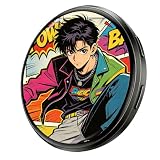
- 【1.7-inch HD Touchscreen】This digital badge features a 1.7-inch touchscreen (overall size 1.97 inches) with a 360*360 resolution. Simply swipe left or right to quickly switch between uploaded content, providing a smooth interactive experience. Swipe down from the top to access the "Menu" page for more functions.
- 【Large Memory, Instant Sharing】This digital badge pin has 64MB of built-in memory, making it portable and supporting 3-15 second videos/GIFs/multiple image displays/custom text content. Easily switch between customized content as needed. Wirelessly upload photos and videos from your phone in just seconds. Quick image sharing between badges is supported – share with your friends!
- 【Long Battery Life】Our digital pin badges have a built-in reliable 600mAh rechargeable battery, providing up to 18 hours of continuous display on a single charge (battery life depends on brightness settings, please adjust accordingly). This is sufficient for campus events, concerts, or parties without the need for a power bank.
- 【Easy to Use and Fully Customizable】Bluetooth 6.0 provides faster transmission speeds and a more stable connection. Use the app to upload photos, GIFs, and videos to your digital badge. Compatible with iOS 12.0+ and Android 5.0+, the intuitive companion app lets you personalize your display in seconds.
- 【Personalized style, everyday wear】This digital badge weighs only 27 grams, featuring a slim and lightweight design for comfortable wear. It can be clipped to your bag, hat, shirt, or backpack. A perfect blend of retro charm and modern technology, this unique everyday accessory is the perfect choice to express your individuality at school, parties, concerts, or cosplay events.
Rank #4

- WIDE COMPATIBILITY: Easily connects via Bluetooth to both iOS and Android devices; works with iPhone and most Android smartphones. For pairing instructions, please refer to the product images on this page
- DIY ANY PHOTO, INSTANTLY: Turn your favorite selfies, pet pics, or group shots into a moving LED badge in seconds. No design skills needed-just upload and wear. Swap between your own photos, funny memes, or custom art with a simple tap. Make every outfit a conversation starter
- ANIMATE YOUR MOMENTS: Bring still photos to life with subtle motion effects or turn short video clips into wearable mini movies. Pure eye candy for any event
- CUSTOMIZABLE DESIGN OPTIONS: Load it with your favorite pics-memes, art, selfies, whatever-and switch designs instantly with a simple swipe. The 128MB storage holds up to 200 images, so you'll never run out of ways to express yourself. Rock it at festivals, level up your cosplay, or just make everyday outfits pop. It's the easiest way to stand out without changing your clothes
- MAGNETIC CHARGING AND ATTACHMENT: Features convenient magnetic charging system and magnetic attachment mechanism for easy wearing. Provides up to 8 hours of display time on a full charge with no app subscription required
Product prices and availability are accurate as of the date/time indicated and are subject to change. Any price and availability information displayed on Amazon at the time of purchase will apply.
Recommended Free Tools




