Freedom251 › Session Replay Software

Zipy
What Zipy is
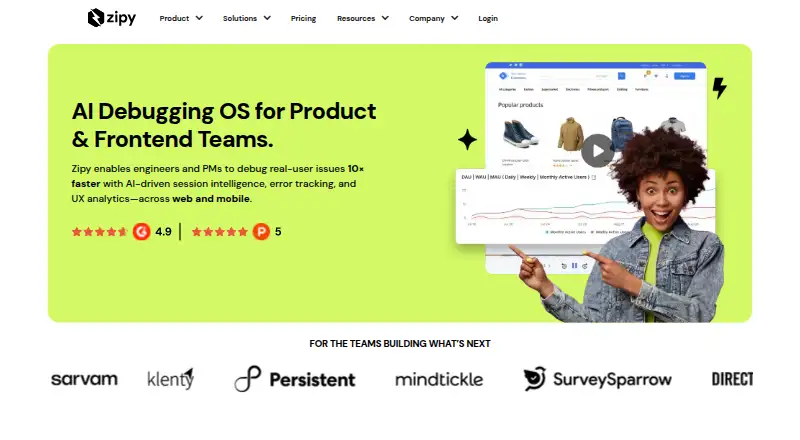
Zipy is an AI debugging platform for product and frontend teams that brings together session intelligence, error tracking, and UX analytics. Session Replay pairs user interactions with DOM replay, console and network logs, and custom logs. Error Tracking covers JavaScript and API errors, stack traces, console output, and network logs. Product analytics includes user journeys, clickstream data, and DAU, WAU, and MAU measures. Oopsie AI Agent monitors sessions and errors to surface issues, prioritize fixes, and point out problems affecting users. Customers can configure recorded and stored data, including excluding information they consider sensitive. The Free plan includes 1,000 sessions per month, mobile replays, 15 days of retention, up to two projects, and email support in 72 hours. The 14-day trial provides unrestricted feature access; afterward, users can continue on the free plan. Growth starts at $25 a month with annual billing or $30 a month billed monthly. The Chrome extension has a separate recording limit: recordings stop after five minutes or when the same tab moves to another domain.
Who it suits
Zipy suits engineering, product, and marketing teams working with product or frontend issues and analytics. Developers and product managers may use its debugging and user-journey tools.
What it does well
- Combines session replay, error tracking, and analytics.
- Oopsie monitors sessions and errors for issues.
- Customers can configure recorded data exclusions.
- Trial offers 14 days of unrestricted feature access.
- Free plan includes 1,000 sessions per month.
What to know first
- Free plan retains data for 15 days.
- Free plan is limited to two projects.
- Chrome extension recordings stop after five minutes.
- Growth starts at $25 a month annually.
Limits
The Free plan includes 1,000 sessions per month, up to two projects, and 15 days of data retention. Growth includes one month of data retention and up to 10 projects. The Chrome extension limits recordings to five minutes and stops them when the same tab navigates to another domain.
Plans
| Plan | Billed and limits | Price |
|---|---|---|
| Growth (annual billing) | Starts from $25/month; Bill Annually · 1 month of data retention · Up to 10 projects · Email support in 24 hours · Error monitoring · Heatmaps · API performance · Page performance · Mobile error monitoring and crash reporting · Oopsie | $25 a month |
| Growth (monthly billing) | Starts from $30/month; Bill Monthly · 1 month of data retention · Up to 10 projects · Email support in 24 hours · Error monitoring · Heatmaps · API performance · Page performance · Mobile error monitoring and crash reporting · Oopsie | $30 a month |
| Free Plan | $0/month · 1,000 sessions/month · Mobile replays · 15 days of data retention · Up to 2 projects · Email support in 72 hours | On request |
| Enterprise | Let’s talk · Any volume of error sessions and errors · Custom number of projects · Custom data retention · Priority email and chat support | On request |
As zipy.ai lists them, read 30 Sept 2026. The maker's own page has the final word.
Getting started
- Visit the Zipy website.
- Start the 14-day trial for unrestricted feature access, or choose the Free plan.
- Connect your product and configure what data is recorded and stored, including any data to exclude.
- Use Session Replay, Error Tracking, or product analytics to review sessions, errors, and user activity.
- Add any needed integrations from the listed services, such as Sentry, Segment, or Amplitude.
Zipy combines session intelligence, error monitoring, and product analytics for teams responsible for frontend and product quality. It is best suited to developers, product managers, and cross-functional engineering, product, and marketing groups that need behavioral context around technical problems. The platform is strongest when replay, diagnostics, and usage metrics need to live together, but volume limits and extension constraints matter for larger or browser-focused programs.
Overview
Zipy positions itself as an AI debugging platform rather than a replay-only product. Its Oopsie AI Agent watches sessions and errors, surfaces issues, helps prioritize fixes, and points to problems affecting users. That combination can shorten the path from discovering a poor experience to understanding its likely cause, especially for teams already dividing this work among separate analytics and error tools.
Security and data handling are practical considerations. Customers can configure what Zipy records and stores, including excluding sensitive data. Production infrastructure and customer data are hosted on Google Cloud; data travels over HTTPS and stored data uses Google-managed encryption keys. The developer console requires authenticated users and supports JWT email authentication and single sign-on.
Key features
Replay with technical context
Session Replay reconstructs interactions through the DOM and includes console, network, and custom logs. Error Tracking adds JavaScript and API errors, stack traces, console logs, and network logs. In practice, teams can inspect what a user did alongside the technical signals surrounding that session, making Zipy more useful for diagnosis than a recording without engineering context.
Analytics and automated triage
Product analytics covers user journeys, clickstream data, and DAU, WAU, and MAU measures. Oopsie provides automated issue surfacing and prioritization across sessions and errors. This breadth favors teams wanting one workflow for UX investigation and debugging; a company that only needs basic traffic or replay analysis may be paying for scope it will not use.
Integrations and controls
Zipy lists integrations with Sentry, Segment, Rollbar, Raygun, Pendo, Mixpanel, Intercom, Honeybadger, Help Scout, Heap, Errorception, Amplitude, and RB2B. The integration set can fit an existing observability or product stack instead of requiring a complete replacement. Advanced privacy controls are important for products handling sensitive user inputs, although teams still need to decide carefully what to exclude.
Pricing
Zipy uses a freemium model. The Free Plan costs $0/month and allows 1,000 sessions per month, mobile replays, 15 days of data retention, up to two projects, and email support within 72 hours. It is a sensible starting point for a small product or evaluation, but the session and project ceilings make it unsuitable for broad multi-product coverage.
Growth costs $25 a month with annual billing (billed annually) or $30 a month with monthly billing. Both versions include one month of data retention, up to 10 projects, email support within 24 hours, error monitoring, heatmaps, API and page performance, mobile error monitoring and crash reporting, and Oopsie. Annual billing lowers the monthly rate but commits the reader to that billing term; monthly billing costs more while preserving shorter commitment. Growth is the practical tier for teams that need performance and mobile monitoring beyond the free allowance.
Enterprise uses custom pricing and supports any volume of error sessions and errors, a custom number of projects, custom data retention, and priority email and chat support. It is aimed at organizations whose volume, retention, or support requirements exceed Growth rather than teams seeking a fixed-cost entry plan.
A 14-day trial provides unrestricted feature access. After it ends, an account can continue on the Free Plan with 1,000 sessions. That makes the trial useful for validating the full workflow, but teams should plan around the lower ongoing quota if they do not convert.
Platforms
Zipy supports Android, iOS, web, and a browser extension. The Chrome extension records for up to five minutes and stops when navigation moves to a different domain in the same tab. That limit is manageable for short, single-domain investigations but weak for long workflows or journeys crossing domains. Zipy states 30-day recording and replay retention in its product limits, while plan-specific retention is 15 days on Free and one month on Growth.
Who it's for
Developers can use replay, logs, stack traces, and network details to investigate frontend and API failures. Product managers gain journeys, clickstreams, and lifecycle metrics, while marketing and product teams can use the same behavioral evidence when assessing user-impacting issues. It is a good fit for organizations that want shared visibility across these roles. It is less compelling for a narrowly focused analytics buyer or a browser-extension workflow that routinely exceeds five minutes or crosses domains.
Pros and cons
- Pros: Replay includes DOM, console, network, and custom logs, providing unusually rich debugging context.
- Pros: Error tracking, product analytics, and Oopsie connect diagnosis with user impact in one service.
- Pros: Advanced recording controls and Google Cloud hosting with HTTPS and encryption support privacy-conscious deployments.
- Cons: The Free Plan stops at 1,000 sessions per month and two projects, so growing teams may upgrade quickly.
- Cons: Chrome recordings stop after five minutes or on same-tab domain changes, limiting long or cross-domain capture.
- Cons: Enterprise pricing is custom, making larger deployments harder to budget in advance.
Alternatives
Choose Rejourney instead if 5,000 free session replays per month, seven-day evidence retention, and self-hosted or macOS coverage matter more than Zipy’s error-diagnostics scope.
FullSession is a better fit when a 1,000-session free web tier with 30-day retention, two seats, and one domain matches your starting needs.
Pick Fullstory for its free allowance of 30,000 sessions, 10 user seats, and long replay and analytics retention.
OpenReplay suits teams wanting an open-source, self-managed deployment with control over storage and retention.
UXCam is an alternative for mobile-focused teams starting with 3,000 sessions per month and two app keys.
Vexo may fit teams prioritizing a free 500,000-event allowance, 1,000 replays, heatmaps, and two seats.
Zoho PageSense is an option for simpler experimentation and analytics with 5,000 tracked users, one project, and five goals on its free tier.
Crazy Egg is a straightforward choice for web analytics, heatmaps, conversion analytics, and surveys.
For dedicated replay comparisons, see Session Replay Software and Session Recording Software.
Verdict
Choose Zipy if your engineering and product teams need replay, error context, analytics, and automated issue prioritization in one platform, with a free tier and 14-day full-feature trial to start. Look elsewhere if you need a higher free-session allowance, longer extension recordings, or predictable enterprise pricing.
Verdict
Zipy brings replay, error context, analytics, and automated issue surfacing into one platform. The free plan and trial provide entry points, while Growth pricing and the Chrome extension's recording limits are worth noting.
Questions
Does Zipy have a free plan?
Yes. It includes 1,000 sessions per month, mobile replays, 15 days of data retention, up to two projects, and email support in 72 hours.
How much does Growth cost?
Growth costs $25 a month with annual billing or $30 a month with monthly billing.
How long is the trial?
The trial lasts 14 days and provides unrestricted access to features. Afterward, users can continue on the Free plan.
Which platforms does Zipy support?
Listed platforms are Android, iOS, web, and extension.
Which integrations are available?
The integrations page lists RB2B, Sentry, Segment, Rollbar, Raygun, Pendo, Mixpanel, Intercom, Honeybadger, Help Scout, Heap, Errorception, and Amplitude.
Can customers control what data Zipy records?
Yes. Customers can configure what data is recorded and stored, including excluding data they consider sensitive.
Facts from Zipy's own pages
- AI agent
- Oopsie AI Agent monitors sessions and errors to surface issues, prioritize fixes, and highlight problems affecting users. · zipy.ai, 30 Sept 2026
- Analytics
- Product analytics includes user journeys, clickstream data, and DAU, WAU, and MAU metrics. · zipy.ai, 30 Sept 2026
- Browser extension limit
- The Chrome extension documentation says recordings are limited to five minutes and stop when navigating to a different domain in the same tab. · docs.zipy.ai, 30 Sept 2026
- Data controls
- Zipy’s security overview says customers can configure what data is recorded and stored, including excluding data they consider sensitive. · docs.zipy.ai, 30 Sept 2026
- Error tracking
- Error Tracking covers JavaScript errors, API errors, console logs, stack traces, and network logs. · zipy.ai, 30 Sept 2026
- Integrations
- The integrations page lists RB2B, Sentry, Segment, Rollbar, Raygun, Pendo, Mixpanel, Intercom, Honeybadger, Help Scout, Heap, Errorception, and Amplitude. · zipy.ai, 30 Sept 2026
- Intended teams
- The homepage describes Zipy as serving engineering, product, and marketing teams; it also identifies developers and product managers as users of its debugging and analytics tools. · zipy.ai, 30 Sept 2026
- Login
- The security overview says the developer console requires authenticated users and supports JWT email authentication and SSO. · docs.zipy.ai, 30 Sept 2026
- Product
- Zipy describes itself as an AI debugging platform for product and frontend teams, combining session intelligence, error tracking, and UX analytics. · zipy.ai, 30 Sept 2026
- Security
- The security overview says production servers and customer data are hosted on Google Cloud, data is transmitted over HTTPS, and stored data is encrypted with Google-managed keys. · docs.zipy.ai, 30 Sept 2026
- Session replay
- Session Replay shows user interactions with DOM replay, console logs, network logs, and custom logs. · zipy.ai, 30 Sept 2026
- Support
- The Free plan lists email support in 72 hours, Growth lists email support in 24 hours, and Enterprise lists priority email and chat support. · zipy.ai, 30 Sept 2026
- Trial
- The pricing FAQ describes a 14-day trial with unrestricted access to features, after which users can continue on the free plan with 1,000 sessions. · zipy.ai, 30 Sept 2026
Where Zipy stands on Freedom251
- Session Replay Software#16 of 26
- Session Recording Software#19 of 30