Freedom251 › Lawn Care Software
Yardbook
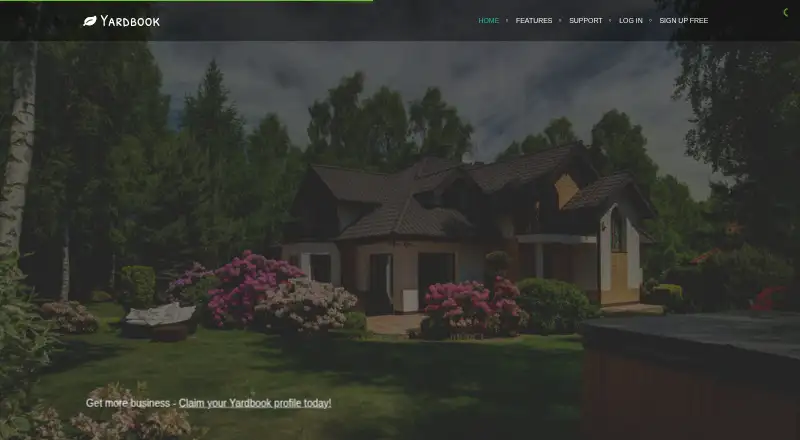
What Yardbook is
Yardbook is a business application focused on landscaping companies. It supports promoting services, managing customer data, preparing estimates, scheduling jobs and handling billing. Operational tools include routing, timesheets, GPS tracking and equipment maintenance; finance and records features include invoices, payments, expenses, credit cards, chemical tracking and a pricing catalog. Yardbook Profiles let landscapers present services and work, define service areas and manage incoming homeowner leads. The Starter plan costs nothing and includes customer management, jobs and scheduling, estimates, invoices, routing, expenses, reports, lot measurement, employee access, credit card payments, snow removal and a product catalog. Business costs $34.99 a month and adds features including bulk texts with Twilio integration and GPS tracking. Enterprise costs $49.99 a month and adds Quickbooks Sync and a branded company portal. The responsive mobile web app provides the full feature set. Android and iOS apps are offered; the iOS app is in beta and requires contacting support for an install link.
Who it suits
Yardbook is intended for landscapers who want online tools for customer relationships and business operations. Its plans cover basic scheduling and billing through additional messaging, tracking and company portal features.
What it does well
- Starter plan costs nothing.
- Tools cover estimates, scheduling, routing and billing.
- Profiles showcase services and manage homeowner leads.
- Responsive mobile web app offers the full feature set.
- Business and Enterprise plans add listed features.
What to know first
- Free and trial accounts incur a 1% online payment processing fee.
- iOS app is in beta.
- iOS installation requires contacting support.
- Quickbooks Sync is listed for Enterprise.
Limits
Starter is free and does not include the listed Business additions such as bulk messaging, GPS tracking, automatic backups, or waived processing fees. Non-premium accounts, including free trial accounts, incur a 1% Yardbook processing fee on each customer online payment.
Plans
| Plan | Billed and limits | Price |
|---|---|---|
| Starter | Customer Management · Jobs & Scheduling · Estimates · Invoices · Routing · Expenses · Reports · Lot Measurement · Employee Access · Credit Card Payments · Snow Removal · Product Catalog | Free |
| Business | $34.99/month · All Starter features · Bulk Emails · Bulk Text Messages (Twilio Integration) · GPS Tracking · Automatic Backup · Automatic Invoice Reminders · Multi-step Chemical Program · Customized Lead Capture · Yardbook Processing Fee Waived | $34.99 a month |
| Enterprise | $49.99/month · All Business features · Quickbooks Sync · Branded Company Portal | $49.99 a month |
As yardbook.com lists them, read 4 Oct 2026. The maker's own page has the final word.
Getting started
- Visit https://www.yardbook.com/.
- Choose the free Starter plan or review Business at $34.99 a month and Enterprise at $49.99 a month.
- Start with the free plan or use the free trial.
- Use the responsive mobile web app in a mobile browser, or get the Android app.
- For the beta iOS app, contact Yardbook support by email to request an install link.
Yardbook is a business platform built for landscaping operations, bringing customer, job, estimate and billing workflows into one place. It suits solo landscapers and growing crews that want to start with core tools at no cost. The main trade-offs are a 1% fee on online customer payments for non-premium accounts and beta status for its iOS app and QuickBooks sync.
Overview
Yardbook supports the administrative and field work of a landscaping business: promoting services, managing customer records, preparing estimates, scheduling jobs and handling billing. Routing, timesheets, GPS tracking and equipment maintenance extend its scope beyond customer management and invoicing. That combination is useful for operators who want one system for office coordination and recurring field jobs, though not every capability is included in the free tier.
Yardbook Profiles give landscapers a way to showcase services and work, define service areas, attract homeowners and manage incoming leads. For businesses trying to build visibility as well as organize existing clients, that broadens the platform’s role beyond back-office administration.
Key features
Jobs and field operations
Job scheduling, recurring jobs, routing and route optimization address the practical demands of repeat service work. Timesheets and equipment maintenance support crew and asset administration, while GPS tracking adds field visibility on Business and Enterprise. Starter includes scheduling and routing, but teams that need GPS tracking must move to a paid tier.
Estimates, billing and records
Estimates and proposals connect with invoicing and payments, while expense records, credit cards, chemical tracking and a product catalog support broader business administration. Starter includes estimates, invoices, expenses and a product catalog, making it a substantial starting tier. Online payments are processed by Stripe; non-premium accounts, including trial accounts, incur a 1% Yardbook processing fee on each customer online payment. Business and Enterprise waive that fee, which may matter to businesses collecting payments frequently.
Communication and integrations
Business adds bulk emails, bulk text messages through Twilio, automatic invoice reminders and customized lead capture. These tools are aimed at businesses that need to communicate with customers at scale rather than only manage individual jobs. Enterprise adds QuickBooks sync and a branded company portal. Yardbook’s CONNECT sync sends invoices and payments to QuickBooks Online, but the feature is identified as beta, so businesses relying on accounting synchronization should weigh that qualification.
Pricing
Yardbook uses a freemium model, with a free trial also offered. The paid plans are presented as monthly prices; no separate annual billing term is stated.
- Starter — free. Includes customer management, jobs and scheduling, estimates, invoices, routing, expenses, reports, lot measurement, employee access, credit card payments, snow removal and a product catalog. It is a credible option for businesses that need core customer and job administration without paid messaging or GPS tracking. Non-premium online payments carry the 1% Yardbook fee.
- Business — $34.99 a month (billed $34.99/month). Includes all Starter features, bulk emails and texts, GPS tracking, automatic backup, automatic invoice reminders, a multi-step chemical program, customized lead capture and a waived Yardbook processing fee. It fits teams that need customer outreach, field visibility or regular online payments enough to justify a recurring charge.
- Enterprise — $49.99 a month (billed $49.99/month). Includes all Business features plus QuickBooks sync and a branded company portal. It is the relevant tier for businesses that want those additions, though the sync’s beta status deserves consideration.
The key price distinction is not simply more features: Business removes the per-payment Yardbook fee, while Starter keeps the ongoing cost at zero. Businesses with few online payments may prefer Starter; those taking frequent payments should compare the fee against Business’s monthly charge.
Platforms
Yardbook supports web, Android, iOS, Linux, macOS and Windows. Its responsive mobile web app provides the full feature set through a mobile browser, a useful option for crews that need phone access without relying on a native app. The Android app is offered, while the iOS app is in beta and requires contacting support by email for an install link.
Yardbook says personal information is kept on controlled, secure servers and sensitive browser-to-service traffic is protected with SSL encryption. Uploaded photos and files are stored on Amazon AWS servers, accessed over HTTPS and can be deleted from user accounts.
Who it's for
Yardbook is best suited to landscaping businesses that want customer management, scheduling, estimates, billing and field operations together, with a free entry point and paid communication and tracking tools as needs grow. Starter can serve smaller operators whose payment volume is modest and who do not need GPS tracking. Businesses with active outreach, larger crews or frequent online collections have a clearer case for Business; those needing QuickBooks synchronization or a branded portal may consider Enterprise.
It is less compelling for a business that requires a mature iOS app or treats QuickBooks synchronization as a must-have without beta qualifications. The mobile browser provides an alternative route to the full feature set, but iOS app installation involves a support request.
Pros and cons
- Pro: Starter includes customer management, estimates, scheduling, invoices, routing and expenses, so a landscaping business can cover many routine workflows without a subscription.
- Pro: Business combines GPS tracking, automated invoice reminders and bulk messaging, while waiving Yardbook’s online-payment fee.
- Pro: Responsive mobile web access covers the full feature set across mobile browsers.
- Con: Free and trial accounts pay a 1% Yardbook fee on each customer online payment, which can make the free tier less attractive for payment-heavy businesses.
- Con: The iOS app is beta and requires an email request for an install link, adding friction for iPhone users.
- Con: QuickBooks sync is an Enterprise feature and is identified as beta, limiting its appeal to businesses that need dependable accounting integration.
Alternatives
Landscaping Software is a useful starting point for comparing options across the category.
- Plannit is another freemium option with a free-forever tier that includes two users, job requests and customers, scheduling, job tracking and work orders, quotes and invoicing. Pick it if those listed free-plan capabilities better match your starting needs.
- Lawn Buddy offers a free, single-user Lite plan, but charges 4.8% plus $.30 on all credit-card payments, with the card processing fee passable to the purchaser. It may suit a solo operator willing to pass that fee along; Yardbook’s free-account Yardbook fee is lower by percentage, though Stripe processing terms also apply.
- LawnPro has a free Solo tier limited to one user and up to 25 customers, plus a Startup plan billed at $29 /month and $348/yr annually. Consider it if those user and customer limits or the annual billing option suit your operation better.
- MowProHQ has a free plan for up to two team members with CRM, scheduling, quotes, agreements, invoicing, a customer portal and website editor; its NMI standard rate is 4% + $0.30. Choose it if that team limit and included portal and website tools are a better fit.
- TurfHop offers a Truck plan at $49 a month for two users plus unlimited employees and 25 Orbit AI Credits, without Headquarters features. It is an alternative for buyers considering that stated plan and its limits.
- Grass Go is another freemium landscaping option for web, iOS and Android.
- LawnBook is another freemium option for iOS, macOS and Android.
- RealGreen is a paid alternative for web, iOS and Android.
Verdict
Choose Yardbook if you run a landscaping business and want a free foundation for customer records, estimates, scheduling and billing, with paid options for tracking and customer outreach as the business grows. Its breadth across office and field workflows is the strongest reason to choose it. Look elsewhere if an established iOS app or non-beta QuickBooks sync is essential, and factor the 1% online-payment fee into the cost of staying on Starter.
Verdict
Yardbook covers customer management, job operations and billing for landscaping businesses, with a free Starter plan and paid tiers for additional features. Note the online payment fee on non-premium accounts and the support-request requirement for the beta iOS app.
Questions
Does Yardbook have a free plan?
Yes. Starter costs nothing.
How much do the paid plans cost?
Business costs $34.99 a month, and Enterprise costs $49.99 a month.
Which platforms does Yardbook support?
The listed platforms are Android, iOS, Linux, macOS, web, and Windows. The iOS app is in beta and requires contacting support for an install link; the mobile web app provides the full feature set through a browser.
Does Yardbook connect to QuickBooks?
The Enterprise plan includes Quickbooks Sync. Yardbook's CONNECT integration syncs invoices and payments to QuickBooks Online, and its tutorial identifies the feature as beta.
Does Yardbook charge a payment processing fee?
Non-premium accounts, including free trial accounts, incur a 1% Yardbook processing fee on each customer online payment. The fee is waived for Business and Enterprise accounts.
Who makes Yardbook?
Yardbook describes itself as a vertical business application focused on landscaping. Its headquarters are in San Mateo, California, United States.
Facts from Yardbook's own pages
- Audience
- Yardbook says its online tools are intended for landscapers to help grow their businesses and build lasting customer relationships. · yardbook.com, 4 Oct 2026
- Business profiles
- Yardbook Profiles let landscapers showcase work and services, define service areas, attract homeowners, and manage inbound leads. · yardbook.com, 4 Oct 2026
- Core workflow
- The homepage says Yardbook helps landscaping businesses promote services, manage customer data, generate estimates, schedule jobs, and manage billing. · yardbook.com, 4 Oct 2026
- File storage
- Yardbook says uploaded user photos and files are stored on Amazon AWS servers and accessed using HTTPS, and users can delete them from their accounts. · yardbook.com, 4 Oct 2026
- Finance
- Listed finance and records features include invoices and payments, expenses, credit cards, chemical tracking, and a pricing catalog. · yardbook.com, 4 Oct 2026
- Free-account payment fee
- Yardbook's terms state that non-premium accounts, including free trial accounts, incur a 1% Yardbook processing fee on each customer online payment; the fee is waived for Business and Enterprise accounts. · yardbook.com, 4 Oct 2026
- Headquarters
- San Mateo, California, United States · yardbook.com, 28 Sept 2026
- Mobile access
- The mobile web app is responsive and provides access to the full feature set through a mobile browser. · support.yardbook.com, 4 Oct 2026
- Mobile apps
- Yardbook says it offers an Android app and an iOS app; the iOS app is in beta and requires contacting support for an install link. · support.yardbook.com, 4 Oct 2026
- Operations
- Listed operations features include job scheduling, routing, timesheets, GPS tracking, and equipment maintenance. · yardbook.com, 4 Oct 2026
- Payment processing
- Yardbook's terms say payment processing services are provided by Stripe and are subject to Stripe's Connected Account Agreement. · yardbook.com, 4 Oct 2026
- Purpose
- Yardbook describes itself as a vertical business application focused on the landscaping industry. · yardbook.com, 4 Oct 2026
- QuickBooks integration
- Yardbook's CONNECT integration syncs invoices and payments from Yardbook to QuickBooks Online, and its tutorial identifies the feature as beta. · support.yardbook.com, 4 Oct 2026
- Security
- Yardbook says personal information is stored on controlled, secure servers and sensitive information transmitted between the service and browser is protected with SSL encryption. · yardbook.com, 4 Oct 2026
- Support
- The iOS app page directs users to contact Yardbook support by email to request an install link. · support.yardbook.com, 4 Oct 2026
- Text messaging integration
- The Business plan lists bulk text messages with Twilio integration. · yardbook.com, 4 Oct 2026
Where Yardbook stands on Freedom251
- Lawn Care Software#4 of 18
- Landscaping Software#9 of 31