Freedom251 › Lawn Care Software
OneWork Field Service
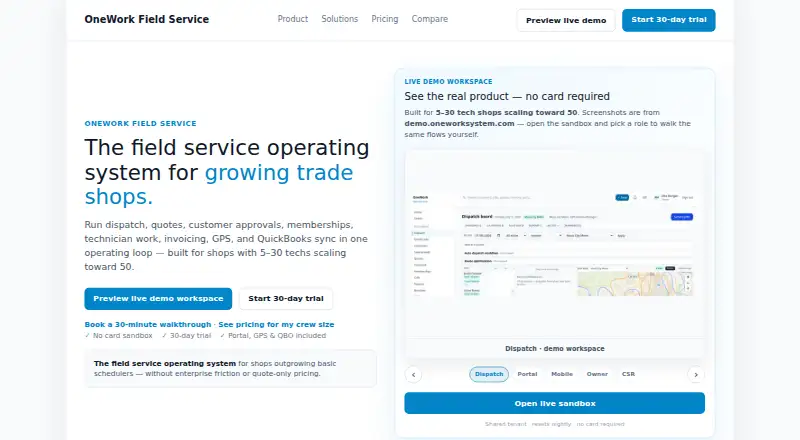
What OneWork Field Service is
OneWork Field Service organizes key field service work in a connected workflow, from quotes and customer approvals to dispatch, technician jobs, invoicing, GPS, and QuickBooks Online. Its tools include a customer portal, dispatch board, mobile technician app, memberships, and owner reporting. QuickBooks Online connects through OAuth, allowing invoices and payments to sync with field work. The customer portal, live GPS, QuickBooks Online sync, and mobile technician app are included on every tier.
The product supports Android, iOS, web, and API access, with dispatch and scheduling, work orders, invoicing and payments, and appliance history. It is aimed at growing US trades businesses, typically those with 5–30 technicians and plans to scale toward 50. Listed trades include HVAC, plumbing, electrical, pest control, fire protection, refrigeration, landscaping, and pool service. Teams can import customer, technician, and service catalog data, and export customer, job, invoice, and other records. OneWork describes encryption in transit, isolated customer workspaces, role-based access, and audit logs for job changes. Setup support includes a guided 30-minute walkthrough, launch help, and trade-specific assistance by email.
Who it suits
OneWork suits growing US trades businesses that need dispatch, technician work, invoicing, and customer approvals connected in one workflow. Its typical audience is teams with 5–30 technicians scaling toward 50, across trades such as HVAC, plumbing, electrical, and pest control.
What it does well
- Includes a customer portal, live GPS, QuickBooks sync, and mobile app on every tier.
- Connects QuickBooks Online through OAuth for invoice and payment sync.
- Supports dispatch, work orders, technician mobile work, and invoicing.
- Teams can import operational data and export customer, job, and invoice records.
- Offers role-based access and audit logs for job changes.
What to know first
- No free plan is available.
- Crew is limited to up to 8 users.
- The Crew plan is listed at $149 a month.
Limits
The Crew plan supports up to 8 users. Pro supports up to 30 users at a single location, while Scale covers 31–100 users; Enterprise is listed for 200 users.
Plans
| Plan | Billed and limits | Price |
|---|---|---|
| Crew | Up to 8 users · portal · live GPS · QuickBooks sync · mobile app | $149 a month |
| Enterprise | 200 users | $1,499 a month |
| Pro | Up to 30 users · single location · dispatch board · memberships · branch reporting | $269 a month |
| Scale | 31–100 users · multi-location · API access · custom reports · field compliance logs | $749 a month |
As oneworksystem.com lists them, read 7 Oct 2026. The maker's own page has the final word.
Getting started
- Visit the OneWork website.
- Choose a paid tier; the pricing note says from $199/mo and includes a 30-day trial.
- Import customer, technician, and service catalog data into your workspace.
- Use the guided walkthrough, launch help, or trade-specific setup assistance by email.
- Access the service on Android, iOS, web, or through its API.
Verdict
Choose OneWork if your trades business wants quotes, approvals, dispatch, technician work, and QuickBooks syncing in a single workflow. Look elsewhere if you need a free plan; businesses needing more than 100 users, SSO, or a multi-entity rollout are directed to contact sales about Enterprise.
Questions
Is there a free plan?
No. OneWork is a paid service and offers a 30-day trial.
How much does OneWork cost?
The pricing note says from $199/mo. Listed plans are Crew at $149 a month, Pro at $269 a month, Scale at $749 a month, and Enterprise at $1,499 a month.
Which platforms does it support?
OneWork supports Android, iOS, web, and API access.
Does it integrate with QuickBooks?
QuickBooks Online connects through OAuth, and invoices and payments sync with field work.
What does Crew include?
Crew is $149 a month for up to 8 users and includes the portal, live GPS, QuickBooks sync, and mobile app.
Facts from OneWork Field Service's own pages
- Access controls
- OneWork describes isolated customer workspaces, role-based access for owner, CSR, dispatch, technician, and finance roles, and audit logs for job changes. · oneworksystem.com, 7 Oct 2026
- Data portability
- Customers can export their customer, job, invoice, and other records. · oneworksystem.com, 7 Oct 2026
- Enterprise needs
- The site directs businesses needing more than 100 users, SSO, or a multi-entity rollout to contact sales about Enterprise. · oneworksystem.com, 7 Oct 2026
- Features
- The workflow includes a customer portal for approvals, a dispatch board, mobile technician work, invoicing, memberships, and owner reporting. · oneworksystem.com, 7 Oct 2026
- Imports
- Customers can import customer, technician, and service catalog data into their workspace. · oneworksystem.com, 7 Oct 2026
- Included features
- Customer portal, live GPS, QuickBooks Online sync, and the mobile tech app are included on every tier. · oneworksystem.com, 7 Oct 2026
- Integrations
- QuickBooks Online connects through OAuth, and invoices and payments sync with the field work. · oneworksystem.com, 7 Oct 2026
- Intended users
- OneWork targets growing US trades businesses, typically with 5–30 technicians and scaling toward 50. · oneworksystem.com, 7 Oct 2026
- Product
- OneWork connects quotes, customer approvals, dispatch, technician work, invoicing, GPS, and QuickBooks sync in one field service workflow. · oneworksystem.com, 7 Oct 2026
- Security
- The privacy policy says the service uses encryption in transit, access controls, and tenant isolation. · oneworksystem.com, 7 Oct 2026
- Support
- OneWork offers a guided 30-minute walkthrough, launch help, and trade-specific setup assistance by email. · oneworksystem.com, 7 Oct 2026
- Trade coverage
- The product lists HVAC, plumbing, electrical, pest control, fire protection, refrigeration, landscaping, pool service, and related trades among its target markets. · oneworksystem.com, 7 Oct 2026
Where OneWork Field Service stands on Freedom251
- Lawn Care Software#6 of 18
- Appliance Repair Software#13 of 31
- Garage Door Software#11 of 25