Freedom251 › Landscaping Software
Grass Go
What Grass Go is
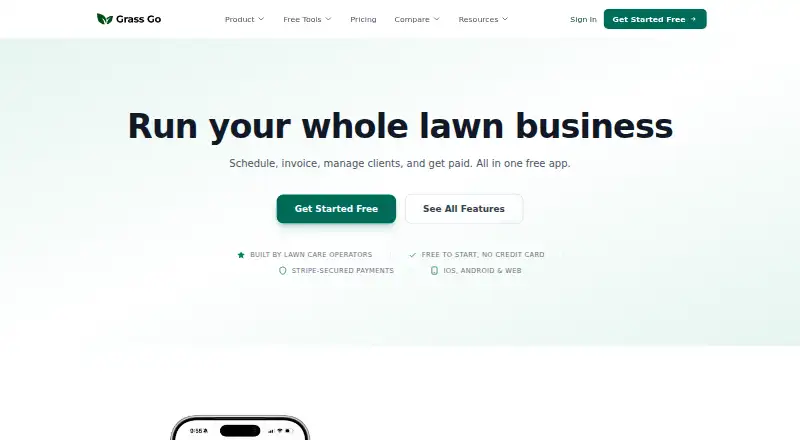
Grass Go is an operations app for lawn care and landscaping businesses managing recurring weekly work, properties, and per-visit billing. Its schedule engine provides a recurring timeline, future planning, automatic rescheduling, and billing from the schedule. A route builder orders stops for a drive route, while map view shows properties and can navigate to job sites. Users can create estimates with line items and photos, get AI help drafting them, and turn approved estimates into invoices or service plans. Invoices can be sent by email, SMS, or print; saved cards can be charged automatically after service through Stripe. A beta AI assistant can organize data from CSVs, photos, and screenshots, draft estimates, and accept voice input, with users reviewing proposed changes before they apply. The optional phone system offers calling, two-way texting, call recording and history, and a beta AI receptionist. Grass Go is available on Android, iOS, and the web. Its free plan includes core app features; online card payments have a 0.7% Grass Go fee plus Stripe processing, while offline payments are free.
Who it suits
Grass Go is designed for lawn care and landscaping operators managing recurring services, properties, and per-visit billing. It may suit businesses that want scheduling, routes, estimates, client communication, and payment tools in one app.
What it does well
- Schedule supports recurring work and future planning.
- Route builder orders stops into a drive route.
- Estimates can include line items and photos.
- Free plan includes core app features.
What to know first
- No free trial is offered.
- Online card payments incur a 0.7% Grass Go fee plus Stripe processing.
- AI assistant and receptionist are in beta.
- Phone system costs $24.99 a month.
Limits
The free plan includes core app features but charges a 0.7% Grass Go fee plus Stripe processing on online card payments; offline payments are free. The phone system plan costs $24.99 per month and includes 100 call minutes and 100 SMS; texting from the business name requires carrier verification.
Plans
| Plan | Billed and limits | Price |
|---|---|---|
| Grass Go | Free; no credit card required · Core app features included · 0.7% Grass Go fee plus Stripe processing on online card payments · Offline payments are free | Free |
| Business Phone System | $24.99/ month · 100 call minutes and 100 SMS included · AI receptionist (beta) included · Two-way texting from your business name requires carrier verification | $24.99 a month |
| Business Website | $5/ month · Free to build and preview · Published site hosted on a Grass Go address · Unlimited edits and republishing | $5 a month |
As grassgo.com lists them, read 5 Oct 2026. The maker's own page has the final word.
Getting started
- Open the Grass Go website or use the Android or iOS app.
- Start with the free plan; no credit card is required.
- Set up recurring work and plan jobs using the schedule.
- Create estimates and convert approved ones into invoices or service plans.
- Add the paid phone system if you need its calling and texting features.
Grass Go is an operations platform for lawn-care and landscaping companies whose work repeats across the same properties. It suits solo operators and small crews that want scheduling, routing, estimates, billing, and customer contact connected in one workflow. The free core makes it approachable, but card-payment fees and paid communications add costs as operations expand.
Overview
Grass Go is organized around recurring weekly service rather than occasional jobs. Its timeline plans future visits, reschedules work automatically, and can generate billing from the schedule. That is a strong match for maintenance businesses charging per visit; companies handling mostly one-off projects will find less benefit in the app's central model.
Estimates hold line items and photos, and approved estimates can become invoices or service plans. Property records, route planning, maps, client messaging, and payment collection keep the process connected from booking through payment.
Key features
Scheduling and routing
The recurring timeline gives operators a persistent view of weekly obligations, while automatic rescheduling reduces manual cleanup when visits move. Billing from the schedule links completed service to charges. The route builder orders stops into a driving sequence, and map view displays properties and provides navigation to job sites. Together, these tools are most useful for businesses fitting many repeat stops into each day.
Estimates and payment collection
Line items and photos make proposals more concrete for property owners. AI-assisted drafting can accelerate estimate preparation, and an approved estimate can flow into an invoice or ongoing service plan instead of being re-entered. Invoices can be delivered by email, SMS, or print. With Stripe, saved cards can be charged automatically after service, while offline payments do not incur Grass Go's fee.
AI assistant and phone system
The beta AI assistant can import and organize CSV data, photos, and screenshots, draft estimates, and accept voice input. It presents changes for review before applying them, an important safeguard when imported records affect customers or billing. The optional phone system adds calling, two-way texting, call history and recording, plus a beta AI receptionist. Two-way texting from the business name requires carrier verification, so it is not an instant branding solution for every operator.
Privacy and security
Stripe stores sensitive card and bank credentials directly rather than Grass Go's servers. Grass Go says it uses TLS/SSL in transit, Firebase Security Rules, server-side Cloud Functions validation, and password re-authentication before account deletion. It says personal information is not sold or rented for third-party marketing, and deleting an account removes business data subject to legal and operational retention exceptions.
Pricing
| Plan | Price | What you get |
|---|---|---|
| Grass Go | free | Core app features; no credit card required. Online card payments add a 0.7% Grass Go fee plus Stripe processing; offline payments are free. |
| Business Website | $5 a month | Free to build and preview, then a published site hosted on a Grass Go address, with unlimited edits and republishing. |
| Business Phone System | $24.99 a month | 100 call minutes, 100 SMS, and a beta AI receptionist; carrier verification is required for two-way texting from your business name. |
The free plan is the sensible starting point for a solo operator needing the core workflow and willing to account for online-payment charges. The website plan is for businesses that want a simple hosted presence without paying to create or revise it. The phone plan fits operators who need a dedicated calling and texting layer; its included minute and message quotas make usage limits relevant before subscribing. There is no free trial, so testing is limited to the permanently free core plan.
Platforms
Grass Go runs on Android, iOS, and the web, supporting office planning and mobile work in the field.
Who it's for
Choose Grass Go if you run recurring lawn or landscaping services, maintain property-based schedules, and bill per visit. It is particularly well suited to small operators who want estimates, routes, invoices, messaging, and card collection in one system. Businesses needing mostly project-based workflows, larger published team controls, or communications beyond the phone plan's quotas should compare alternatives.
Pros and cons
- Pro: Recurring scheduling, auto-rescheduling, and schedule-based billing directly support weekly maintenance operations.
- Pro: Estimates can carry photos and become invoices or service plans, reducing duplicate entry.
- Pro: The core app is free, and offline payments avoid Grass Go's additional transaction fee.
- Con: Online card payments still incur a 0.7% Grass Go fee plus Stripe processing.
- Con: The phone system costs $24.99 a month and includes only 100 minutes and 100 SMS.
- Con: AI features and the receptionist are beta tools, so they should supplement rather than replace review.
Alternatives
Yardbook is a better fit if you want a free plan with customer management, jobs and scheduling, estimates, invoices, routing, expenses, reports, and lot measurement across a wider range of platforms, plus a free trial.
Plannit suits teams that need a free-forever plan for two users with job requests, customers, scheduling, work orders, quotes, and invoicing, and prefer a free trial before upgrading.
Lawn Buddy is worth considering for a single user who accepts a 4.8% plus $.30 charge on all card payments in exchange for its free Lite plan.
LawnBook fits operators capped at 15 clients who want free invoicing, estimates, scheduling, expenses, and time and mileage tracking, with a free trial.
LawnPro is the stronger comparison for a solo user limited to 25 customers on its free Solo plan, or a three-employee team considering its Startup tier.
MowProHQ is an alternative for up to two team members seeking a free CRM, scheduling, quotes, agreements, invoicing, customer portal, and website editor.
SoloOp is a free lawn-care option for operators who want a product from a lawn-care business founder in Australia.
RealGreen is the alternative to examine when you operate three crews or more and need usage- or user-based plans designed for larger businesses.
See more options in Landscaping Software.
Verdict
Grass Go is a strong choice for lawn and landscaping operators whose business is built on recurring visits, property routes, and per-visit billing. Its free core combines the workflow essentials, while estimate conversion and schedule-driven invoicing can save repeated administration. Look elsewhere if you need a broader project-service model, larger included communication quotas, or a trial period before committing to paid add-ons.
Verdict
Grass Go covers recurring work, routing, estimates, invoicing, and payments for lawn care and landscaping businesses. Its free plan includes core app features, while the optional phone system is $24.99 a month.
Questions
Is Grass Go free?
Yes. Its free plan includes core app features and does not require a credit card. Online card payments have a 0.7% Grass Go fee plus Stripe processing; offline payments are free.
What does Grass Go cost?
The core Grass Go plan is free. The Business Website plan is $5 per month, and the Business Phone System plan is $24.99 per month.
Which platforms support Grass Go?
Grass Go is available on Android, iOS, and the web.
What does the phone system include?
The optional plan includes 100 call minutes and 100 SMS, along with a beta AI receptionist. Two-way texting from the business name requires carrier verification.
How does Grass Go handle payment card details?
Grass Go says sensitive card and bank credentials are stored directly by Stripe and are not stored on Grass Go servers.
Who founded Grass Go?
Its About page identifies Nate Clark, owner of Belle and Brothers Lawn Service in Macomb, Illinois, as the founder.
Facts from Grass Go's own pages
- AI assistant
- The beta AI assistant can import and organize data from CSVs, photos, and screenshots, draft estimates, and accept voice input; users review changes before they apply. · grassgo.com, 5 Oct 2026
- Data use
- Grass Go says it does not sell or rent personal information for third-party marketing purposes and account deletion removes business data, subject to stated legal and operational retention exceptions. · grassgo.com, 5 Oct 2026
- Estimates
- Users can create estimates with line items and photos, use AI-assisted drafting, and convert approved estimates into invoices or service plans. · grassgo.com, 5 Oct 2026
- Integrations
- The privacy policy names Firebase, Stripe, Twilio, Google Maps/Places, Google Gemini, Vapi, and Lob as service providers supporting app features. · grassgo.com, 5 Oct 2026
- Intended user
- Grass Go says it is designed for lawn care and landscaping operators managing recurring services, properties, and per-visit billing. · grassgo.com, 5 Oct 2026
- Maker
- The About page identifies Nate Clark, owner of Belle and Brothers Lawn Service in Macomb, Illinois, as Grass Go’s founder. · grassgo.com, 5 Oct 2026
- Payments
- Invoices can be sent by email, SMS, or print, and saved cards can be charged automatically after service through Stripe. · grassgo.com, 5 Oct 2026
- Payment security
- The privacy policy says sensitive card and bank credentials are stored directly by Stripe and are not stored on Grass Go servers. · grassgo.com, 5 Oct 2026
- Phone system
- The optional phone system provides calling, two-way texting, call recording and history, and an AI receptionist in beta. · grassgo.com, 5 Oct 2026
- Purpose
- Grass Go is an operations app for lawn care and landscaping businesses built around recurring weekly work. · grassgo.com, 5 Oct 2026
- Routes and maps
- The route builder orders stops into a drive route, while map view shows properties and can navigate to job sites. · grassgo.com, 5 Oct 2026
- Scheduling
- Its schedule engine provides a recurring timeline, auto-rescheduling, future planning, and billing from the schedule. · grassgo.com, 5 Oct 2026
- Security measures
- Grass Go says it uses TLS/SSL in transit, Firebase Security Rules, server-side validation through Cloud Functions, and password re-authentication before account deletion. · grassgo.com, 5 Oct 2026
- Support
- The contact page invites product questions, help requests, and feature requests by form or phone at (309) 318-9207. · grassgo.com, 5 Oct 2026
Where Grass Go stands on Freedom251
- Landscaping Software#1 of 31
- Lawn Care Software#1 of 18