Freedom251 › Video Production Management Software

Wrapshoot
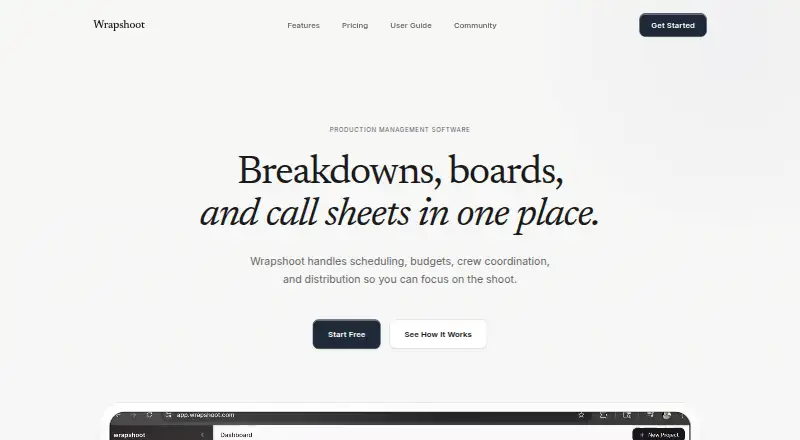
What Wrapshoot is
Wrapshoot is web-based production management software for scheduling, budgets, crew coordination, and distribution. Upload a PDF script for analysis that identifies scenes, locations, characters, and production elements, with suggestions scored for confidence. Scene breakdowns cover props, wardrobe, vehicles, visual effects, sound effects, and more than 20 other categories. A drag-and-drop stripboard provides grid, timeline, and list views; scene arrangements and day-out-of-days tracking stay in sync.
Budget tools include customizable categories and templates, expense logging, receipt OCR, and equipment tracking by department. Shooting-day information can be used to generate call sheets, export them as PDFs, and distribute them to crew. Teams can collaborate in real time with role-based permissions and synchronized changes. Wrapshoot requires an internet connection and saves data continuously, so brief disconnections should not lose work. The free plan has no time limit and allows one project and up to three team members. Pro costs $49/month and adds unlimited projects, full script analysis, unlimited team members, budget tracking, call sheet generation, and priority support. The Studio plan has custom pricing and adds advanced analytics, custom integrations, a dedicated account manager, and white-label options.
Who it suits
Wrapshoot is aimed at assistant directors, coordinators, line producers, unit production managers, department heads, production managers, and independent filmmakers. It suits crews that want script breakdowns, scheduling, budget tools, and call sheets in a shared web workspace.
What it does well
- PDF script analysis identifies scenes, locations, characters, and production elements.
- Breakdowns cover more than 20 production categories.
- Stripboard offers grid, timeline, and list views.
- Budget tools include expense logging and receipt OCR.
- Teams can collaborate with role-based permissions and synchronized changes.
What to know first
- The free plan is limited to one project and three team members.
- Pro costs $49/month.
- An internet connection is required.
- AI analysis suggestions may be imperfect and need review.
Limits
The free plan has no time limit but is limited to one project, basic scene management, and up to three team members. Pro costs $49/month and includes unlimited projects and team members; Studio pricing is custom.
Plans
| Plan | Billed and limits | Price |
|---|---|---|
| Free | No time limit · 1 project · Basic scene management · Up to 3 team members · Community support | Free |
| Pro | $49/month · Unlimited projects · Full script analysis · Unlimited team members · Budget tracking · Call sheet generation · Priority support | $49 a month |
| Studio | Custom · Everything in Pro · Advanced analytics · Custom integrations · Dedicated account manager · White-label options | On request |
As wrapshoot.com lists them, read 30 Sept 2026. The maker's own page has the final word.
Getting started
- Open Wrapshoot on the web and choose the Free plan or Pro plan.
- Upload a PDF script for analysis.
- Review the analysis suggestions and scene breakdowns.
- Arrange scenes on the stripboard and track day-outs.
- Add budget and shooting-day details to prepare reports and call sheets.
Wrapshoot is web-based production management software that brings script breakdowns, scheduling, budgeting, crew coordination, and call sheets into one workspace. It is aimed at assistant directors, coordinators, line producers, UPMs, department heads, production managers, and independent filmmakers. Its strongest case is a connected workflow from PDF script to shooting days and reports, while its always-online requirement and limited free tier narrow the fit.
Overview
Upload a PDF script and Wrapshoot analyzes scenes, locations, characters, and production elements, attaching confidence-scored suggestions to the results. That can accelerate the first pass of a breakdown, but the suggestions still need human review, particularly when a PDF is poorly formatted. Clean, well-structured scripts produce the best starting point.
The product keeps core production information connected rather than scattering it across separate files. Breakdown data feeds scheduling, shooting-day information feeds call sheets, and budget activity can be tracked alongside department equipment. Data is encrypted in transit and at rest, with secure cloud infrastructure and industry-standard security practices. Work saves continuously, so a brief interruption should not discard recent changes, but an internet connection is required.
Key features
Script breakdowns and scheduling
Breakdowns cover props, wardrobe, vehicles, visual effects, special effects, and more than 20 additional categories. The drag-and-drop stripboard supports grid, timeline, and list views; scene arrangement and day-out-of-days tracking stay synchronized across those views. This suits teams that need to move scenes around while preserving a shared production picture.
Budgets and call sheets
Budgeting includes customizable categories and templates, expense logging, receipt OCR, and department equipment tracking. Receipt OCR can reduce manual entry, while customizable structures are useful when departments or productions use different cost groupings. Call sheets are generated from shooting-day data, exported as PDFs, and distributed to crew. Budget reports also export to PDF; additional export formats are expected soon.
Collaboration and imports
Role-based permissions and real-time collaboration let production personnel work in the same system while controlling access by role. PDF script import with AI analysis is supported now. CSV cast and crew import is planned, while custom integrations are included with Studio rather than the lower tiers.
Pricing
| Plan | Price | What you get |
|---|---|---|
| Free | 0.00 USD, no time limit | One project, basic scene management, up to three team members, community support |
| Pro | $49 a month | Unlimited projects and team members, full script analysis, budget tracking, call sheet generation, priority support |
| Studio | Custom pricing | Everything in Pro, advanced analytics, custom integrations, dedicated account manager, white-label options |
Free is a useful small-project or evaluation tier, but one project and three seats make it unsuitable for a continuing or larger production operation. Pro removes both caps and adds the features most teams need for a complete workflow, making the $49/month step the practical choice once several projects or collaborators are involved. Studio is for organizations that need analytics, tailored connections, dedicated assistance, or branded delivery; its price requires a custom quote.
Platforms
Wrapshoot runs on the web. There is no mobile app platform, and productions must plan for internet access even though continuous saving is designed to protect work during brief disconnections.
Who it's for
Assistant directors and coordinators can use the linked breakdown, stripboard, day-out-of-days, and call-sheet workflow. Line producers and UPMs get structured budgets, expense and receipt handling, and equipment tracking. Department heads benefit from categorized breakdowns and role-based collaboration. Independent filmmakers can start with the no-cost tier, provided their project and team stay within its caps.
Pros and cons
- Pro: PDF analysis identifies production elements quickly, with confidence scores that focus review on uncertain suggestions.
- Pro: Grid, timeline, and list stripboard views keep scene planning and day-out-of-days data aligned.
- Pro: Budgets, receipt OCR, equipment tracking, and PDF call sheets cover practical production administration in one product.
- Pro: Real-time collaboration and role permissions support multi-department work.
- Con: The free plan is capped at one project and three team members, so it is mainly for small pilots.
- Con: An internet connection is required, ruling it out for offline-first workflows.
- Con: AI breakdowns can be imperfect and require review; more export choices are not yet available.
Alternatives
For a broader directory of options, see Video Production Management Software.
- Celtx is the better choice when you need Android, iOS, macOS, Windows, browser, or extension access, plus a free studio with one project, cloud script editors, and real-time collaboration.
- Gorilla Scheduling suits teams that prefer a paid scheduling product on macOS, Windows, or the web; its free edition limits features, reports/exports, fringes, and integrated Ratebook.
- Production Slate fits a smaller mobile-and-web operation whose free plan allows two projects, 50 budget items, 15 crew, five shoot days, and limited call-sheet sending.
- Talymo is an alternative for asset and checklist-oriented production work, with a free Personal Workspace and a €49/month Basic Workspace.
- Shamel Studio is worth considering for web editing with a one-project free plan and a separate Call Sheets & Production Reports add-on priced at $12.
- InteScene offers web production tools with a free one-project plan, 25 AI credits per month, 500 MB storage, and call sheets emailed to 10 people monthly.
- ScenePaper is a free web/API option with every tool and every seat included without a credit card.
- ShowBook HQ is another web-based production option with a free plan.
Verdict
Choose Wrapshoot if you want one online system to turn scripts into breakdowns, schedules, budgets, and crew-ready call sheets, especially once your team needs unlimited projects and members through Pro. Look elsewhere if offline operation, native mobile apps, or broader export flexibility is essential, or if your production cannot justify moving beyond the free plan’s one-project, three-person limit.
Verdict
Choose Wrapshoot if your production team wants script breakdowns, scheduling, budgeting, and call sheets in one web product. The free plan is limited to one project and three team members; Pro is the relevant step up for unlimited projects and team members. Look elsewhere if you need to work without an internet connection.
Questions
Does Wrapshoot have a free plan?
Yes. The Free plan has no time limit and includes one project, basic scene management, up to three team members, and community support.
How much does Pro cost?
Pro costs $49/month. It includes unlimited projects and team members, full script analysis, budget tracking, call sheet generation, and priority support.
What platforms does it support?
Wrapshoot is web-based and requires an internet connection. No mobile app platform is listed.
Can Wrapshoot analyze a script?
Yes. It analyzes uploaded PDF scripts to identify scenes, locations, characters, and production elements, with confidence-scored suggestions.
What integrations are available?
PDF script import with AI analysis is supported. Custom integrations are included in the Studio plan; CSV cast and crew import is planned.
What does Studio cost?
Studio has custom pricing. Its listed features include advanced analytics, custom integrations, a dedicated account manager, and white-label options.
Facts from Wrapshoot's own pages
- AI limitation
- The guide advises reviewing AI analysis suggestions because they may be imperfect and says clean, well-formatted PDFs work best. · wrapshoot.com, 30 Sept 2026
- Audience
- The maker describes the product as built for assistant directors and coordinators, line producers and UPMs, department heads, production managers, and independent filmmakers. · wrapshoot.com, 30 Sept 2026
- Breakdowns
- Scene breakdowns cover props, wardrobe, vehicles, VFX, SFX, and more than 20 other categories. · wrapshoot.com, 30 Sept 2026
- Budgeting
- Budget tools include customizable categories and templates, expense logging, receipt OCR, and department equipment tracking. · wrapshoot.com, 30 Sept 2026
- Call sheets
- Call sheets are generated from shooting-day information and can be exported as PDFs and distributed to crew. · wrapshoot.com, 30 Sept 2026
- Collaboration
- The product supports role-based permissions and real-time collaboration, with changes syncing across team members. · wrapshoot.com, 30 Sept 2026
- Exports
- The guide lists call sheets and budget reports as PDF exports and says more export options are coming soon. · wrapshoot.com, 30 Sept 2026
- Integrations and imports
- The guide says PDF script import with AI analysis is currently supported and CSV cast/crew import is planned; the Studio plan lists custom integrations. · wrapshoot.com, 30 Sept 2026
- Internet access
- Wrapshoot requires an internet connection and says data saves continuously so brief disconnections should not lose work. · wrapshoot.com, 30 Sept 2026
- Product
- Wrapshoot is production management software for scheduling, budgets, crew coordination, and distribution. · wrapshoot.com, 30 Sept 2026
- Scheduling
- Its drag-and-drop stripboard offers grid, timeline, and list views, with scene arrangement and day-out-of-days tracking kept in sync. · wrapshoot.com, 30 Sept 2026
- Script analysis
- It analyzes uploaded PDF scripts to identify scenes, locations, characters, and production elements, with confidence-scored suggestions. · wrapshoot.com, 30 Sept 2026
- Security
- Wrapshoot says data is encrypted in transit and at rest and uses industry-standard security practices and secure cloud infrastructure. · wrapshoot.com, 30 Sept 2026
- Support
- The guide lists in-app Help and feedback, support by email at [email protected], and community forums. · wrapshoot.com, 30 Sept 2026
Where Wrapshoot stands on Freedom251
- Video Production Management Software#14 of 29