Freedom251 › Video Production Management Software

Shamel Studio
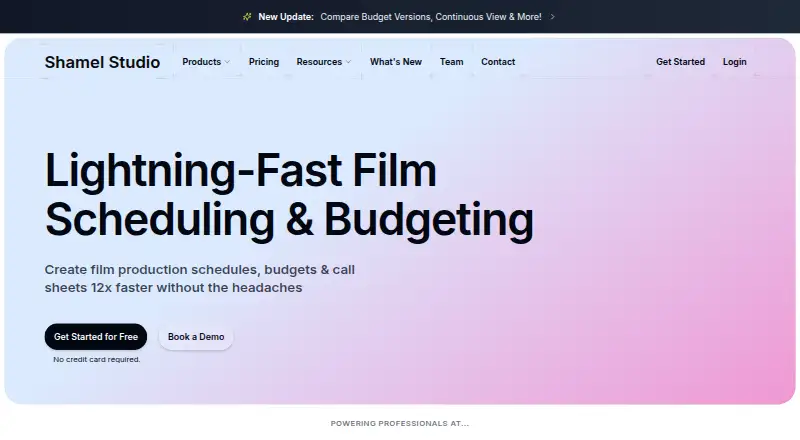
What Shamel Studio is
Shamel Studio is web software for planning film and television productions, with tools for scheduling, budgeting, call sheets, and production reports. Upload a PDF script and the scheduling tool produces an initial breakdown in under 20 seconds. It also includes a stripboard, scene breakdowns, Day Out of Days reports, and scheduling conflict alerts; schedules can be exported as PDF or Movie Magic Scheduling 6 and 10 files. Budgeting can pull shoot days, cast, locations, and other elements from a schedule, then fill in union and guild rates and fringes. Call sheets import schedule details and support weather forecasts, cast and crew call times, department notes, and PDF distribution. Production reports use call sheet data and offer custom sections, fields, templates, time tracking, and PDF export. The site says properly formatted scripts in several Latin-alphabet languages, including Spanish and French, can be processed. PDF is currently the supported script format; other formats such as FDX are in development. A free plan permits one project; Scheduling and Budgeting each cost $23/user/mo (annual).
Who it suits
It suits film and TV teams that need scheduling, budgeting, call sheets, and production reports in one web tool. It may also suit teams working with properly formatted Latin-alphabet scripts, including Spanish or French.
What it does well
- Initial script breakdown in under 20 seconds
- Exports schedules to PDF and Movie Magic formats
- Budgets can draw elements from schedules
- Call sheets support weather and call times
- Scripts are encrypted and remain user-owned
What to know first
- Currently supports PDF scripts only
- Free plan allows one project
- Scheduling costs $23/user/mo (annual)
- Call Sheets & Production Reports add-on costs $12/month billed yearly
Limits
The Free Plan is limited to one project. Scheduling and Budgeting each allow up to 20 projects; Enterprise lists unlimited projects. The site currently supports PDF scripts, and says support for other file types such as FDX is in progress.
Plans
| Plan | Billed and limits | Price |
|---|---|---|
| Free Plan | Per month/user (billed yearly) · 1 Project (Limited) · Full Access to Editing Tools · Community Support | Free |
| Call Sheets & Production Reports add-on | billed yearly · Optional add-on for Scheduling or Scheduling + Budgeting | $12 a month |
| Scheduling | Per month/user (billed yearly) · 20 Projects · Instant Script Breakdown · Automatic Element Detection · Interactive Stripboard & DOODs · Export to MMS & PDF · Priority Email Support | $23 a month |
| Budgeting | Per month/user (billed yearly) · 20 Projects · Budget Generation from Schedule · Auto Detection of Guild/Union Tiers · Auto Population of Rates and Fringes · State Specific Credits · Export PDF Reports · Priority Email Support | $23 a month |
| Scheduling + Budgeting | Per month/user (billed yearly) · Everything in Scheduling & Budgeting · Build Budget from Schedule · Early Access to New Features | $45 a month |
| Enterprise | Custom · Unlimited Projects · Collaboration Tooling · 1-hour support response time · Custom reporting tools · Custom Features | On request |
As shamelstudio.com lists them, read 3 Oct 2026. The maker's own page has the final word.
Getting started
- Open the Shamel Studio website.
- Start with the Free Plan or choose a paid Scheduling or Budgeting plan.
- Upload a PDF script to begin a breakdown.
- Use schedule details for budgeting and call sheets.
- Add the Call Sheets & Production Reports add-on to Scheduling or Scheduling + Budgeting if needed.
Shamel Studio is a web-based production toolkit for film and television, aimed at productions that need planning documents to stay connected. It is strongest for teams moving from script breakdown through scheduling, budgeting, and on-set paperwork; teams dependent on non-PDF scripts should look elsewhere for now.
Overview
Upload a script and Shamel Studio generates an initial breakdown in under 20 seconds. Its scheduling tools include scene breakdowns, an interactive stripboard, Day Out of Days reports, and conflict alerts. Schedules can be exported as PDF or in Movie Magic Scheduling 6 and 10 formats, which gives productions options for sharing or carrying schedule data into those formats.
The practical advantage is continuity between tasks. A schedule can supply shoot days, cast, locations, and other elements to a budget; call sheets then draw on schedule details, and production reports use call-sheet data. That should reduce repeated entry across related documents. It is a broader package than a production seeking only one standalone function may need.
Key features
Scheduling and script handling
The breakdown, stripboard, DOOD reports, and conflict alerts address core scheduling work, while export to PDF and Movie Magic Scheduling 6 or 10 supports handoffs. Script input is currently PDF-only, with support for formats such as FDX in development. Properly formatted scripts in several Latin-alphabet languages, including Spanish and French, can be processed. The file restriction is a real constraint for teams whose scripts are maintained in other formats.
Budgets and production paperwork
Budgeting imports schedule elements and can automatically populate union and guild rates and fringes; the plan also includes state-specific credits and PDF report export. This is useful when estimates need to follow production plans rather than be rebuilt separately. Call sheets include weather forecasts, cast and crew call times, department notes, and PDF distribution. Reports add custom sections, fields, templates, time tracking, and PDF export, supporting teams that need structured records after the call sheet is issued.
Privacy and support
Shamel says scripts are encrypted in transit and at rest, are not used to train AI models, remain user-owned, and can be deleted. Its Trust Center provides SOC 2 status, security controls, policies, and subprocessors, with reports and documentation available by request. Free users receive community support; paid Scheduling and Budgeting plans include priority email support, while Enterprise states a one-hour response time.
Pricing
The free plan costs nothing, billed per month/user (billed yearly). It includes one limited project, full access to editing tools, and community support. That cap makes it suitable for a small trial or a single production, but not a slate of concurrent projects.
Scheduling costs $23 a month, billed per month/user (billed yearly), and allows 20 projects. It includes instant script breakdown, automatic element detection, interactive stripboard and DOODs, MMS and PDF export, and priority email support. Budgeting is also $23 a month on the same billing basis, with 20 projects, budget generation from a schedule, automatic guild and union tier detection, rate and fringe population, state-specific credits, PDF reports, and priority email support. These separate plans make sense for teams buying one workflow; each leaves the other principal function out.
Scheduling + Budgeting costs $45 a month, billed per month/user (billed yearly). It combines both plan feature sets, budget building from schedules, and early access to new features. For teams using both functions, it is the direct bundled option. Call Sheets & Production Reports is an optional add-on for Scheduling or Scheduling + Budgeting at $12 a month, billed yearly; it adds those paperwork tools rather than including them in the base scheduling price.
Enterprise has custom pricing and includes unlimited projects, collaboration tooling, custom reporting and features, and a one-hour support response time. Its project capacity and tailored tools suit larger or more specialized operations, while the cost needs to be established with the provider. The Professional Plan FAQ allowance is up to 20 projects; the free tier remains limited to one.
Platforms
Shamel Studio is available on the web. Productions needing a native mobile or desktop app should account for that platform scope.
Who it's for
Shamel Studio is a strong fit for film and TV teams that want schedules to feed budgets and call sheets to feed production reports, especially when PDF scripts and a web workflow fit their process. Its one-project free tier provides a way to work with the editing tools before moving to paid plans. It is less suitable for teams that need more than one free project, rely on unsupported script formats, or want only a narrow standalone tool.
Pros and cons
- Connected production workflow: Schedule data carries into budgeting and call sheets, and reports build on call-sheet data, reducing duplicate entry across documents.
- Useful scheduling exports: PDF and Movie Magic Scheduling 6 and 10 exports support common handoffs named by the product.
- Script limitations: Current PDF-only support rules out direct use of scripts in other formats, although support for FDX and other types is being developed.
- Free-plan ceiling: One project can suit a single production but falls short for users managing several projects.
- Paid costs scale by seat: Scheduling and Budgeting are priced per user per month on annual billing, so teams should account for seats as they compare plans.
Alternatives
Celtx is another freemium option, with a free studio limited to one project and cloud-based script editors and real-time collaboration; choose it when that script-editing and collaboration combination is the priority.
Gorilla Scheduling offers a free tier, while collaboration, certain reports and exports, fringes, and its integrated Ratebook require a paid plan; consider it when evaluating a scheduling-focused alternative and those paid capabilities.
Production Slate has a free plan capped at two projects, 50 budget items, 15 crew, and five shoot days, with limits on call-sheet recipients and sends; it may suit a small production that can work within those quotas.
Talymo offers a free Personal Workspace with 10 asset items, three bundles, and five checklist templates, plus a Basic Workspace at €49 a month; consider it if those workspace tools and limits match your needs.
Wrapshoot has a free plan with one project, basic scene management, and up to three team members, and a Pro plan at $49 a month; it is an option for teams comparing a small free project allowance with a paid unlimited-project plan.
InteScene offers a free plan with one project, 25 AI credits per month, 500 MB storage, and call sheets emailed to 10 people per month, as well as an Indie plan at £10 a month; it is worth considering when those quotas and GBP pricing fit the production.
ScenePaper is a free web and API option with every tool and seat included and no credit card required; consider it if a free offering is the deciding factor.
ShowBook HQ is another web-based production option to compare.
For broader discovery, browse Video Production Management Software or Film Production Scheduling Software.
Verdict
Choose Shamel Studio if your film or TV production wants scheduling, budgeting, call sheets, and reports to work from shared production data, and PDF scripts suit your process. The connected workflow is its clearest reason to choose it; look elsewhere if your scripts are not PDFs, the free one-project cap is too restrictive, or your team needs a platform beyond the web.
Verdict
Shamel Studio connects scheduling, budgeting, call sheets, and production reports around a production schedule. Check the PDF-only script support and project limits against your workflow before choosing a plan.
Questions
Is Shamel Studio free?
Yes. The Free Plan costs nothing, billed per month per user (billed yearly). It includes one limited project, full access to editing tools, and community support.
What do the paid plans cost?
Scheduling costs $23 a month per user, billed yearly, and Budgeting costs the same. Scheduling + Budgeting costs $45 a month per user, billed yearly. The call sheets and production reports add-on is $12 a month, billed yearly.
Which platforms does it support?
Shamel Studio is available on the web.
What script files can I upload?
The site currently supports PDF scripts. It says support for other file types such as FDX is in progress.
How are scripts handled?
Scripts are encrypted in transit and at rest, remain owned by the user, are not used to train AI models, and can be deleted from the system.
What support is included?
The Free Plan includes community support. Paid Scheduling and Budgeting plans include priority email support; Enterprise lists a one-hour support response time.
Facts from Shamel Studio's own pages
- Budgeting
- Budgeting can import shoot days, cast, locations, and other elements from a schedule and automatically populate union and guild rates and fringes. · shamelstudio.com, 3 Oct 2026
- Call sheets
- Call sheets import schedule details and support weather forecasts, cast and crew call times, department notes, and PDF distribution. · shamelstudio.com, 3 Oct 2026
- Exports
- Scheduling data can be exported as PDF or Movie Magic Scheduling 6 and 10 formats. · shamelstudio.com, 3 Oct 2026
- Headquarters
- 2222 South Figueroa Street, Los Angeles, CA 90007, United States · shamelstudio.com, 28 Sept 2026
- Privacy
- The site says scripts are encrypted in transit and at rest, are not used to train AI models, remain owned by the user, and can be deleted from the system. · shamelstudio.com, 3 Oct 2026
- Production reports
- Production reports use call sheet data and support custom sections, fields, templates, time tracking, and PDF export. · shamelstudio.com, 3 Oct 2026
- Project limits
- The FAQ states that the free tier allows one project and the Professional Plan allows up to 20 projects. · shamelstudio.com, 3 Oct 2026
- Purpose
- Shamel Studio provides film and TV production scheduling, budgeting, call sheet, and production report tools. · shamelstudio.com, 3 Oct 2026
- Scheduling features
- The scheduling tool includes a stripboard, scene breakdown, Day Out of Days reports, and scheduling conflict alerts. · shamelstudio.com, 3 Oct 2026
- Script breakdown
- The scheduling tool uploads a script and generates an initial breakdown in under 20 seconds. · shamelstudio.com, 3 Oct 2026
- Script file support
- The site says it currently supports PDF scripts and is working on support for other file types such as FDX. · shamelstudio.com, 3 Oct 2026
- Script language support
- Scripts in several languages using the Latin alphabet, including Spanish and French, can be processed if properly formatted. · shamelstudio.com, 3 Oct 2026
- Security documentation
- The security page says its Trust Center provides SOC 2 status, security controls, policies, and subprocessors, with reports and documentation available by request. · shamelstudio.com, 3 Oct 2026
- Support
- The free plan includes community support, paid Scheduling and Budgeting plans include priority email support, and Enterprise lists a one-hour support response time. · shamelstudio.com, 3 Oct 2026
Where Shamel Studio stands on Freedom251
- Video Production Management Software#10 of 29
- Film Production Scheduling Software#13 of 24