Freedom251 › Video Production Management Software
StudioBinder
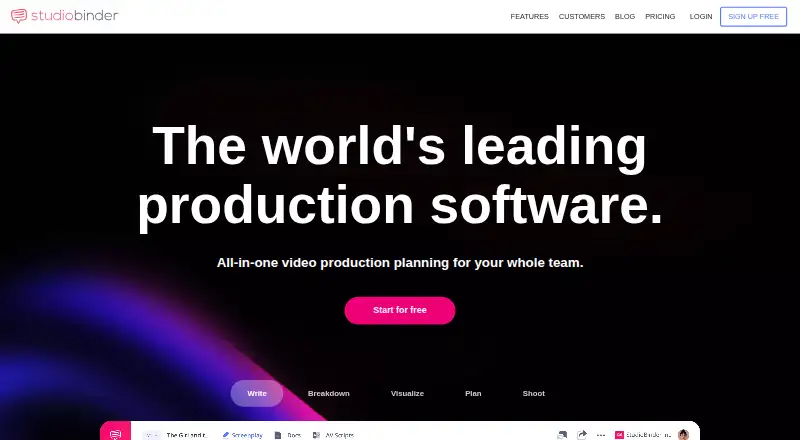
What StudioBinder is
StudioBinder is a web-based production management platform for studios, production companies, brands, and marketing agencies coordinating work from scripting through production. Its writing tools support industry-format screenplays, two-column AV scripts, and documents. Teams can break down scripts, build shooting schedules, generate script sides, and create production reports. For visual planning, the platform includes customizable mood boards, shot lists, and storyboards. Collaboration tools include contacts, production calendars, task boards, and a shared media library.
Call sheets can be populated with details such as weather, location, cast, and the nearest hospital, then sent by email or text with delivery tracking. Listed integrations and formats include Fountain, Google Maps, Final Draft, PDF, CSV, and Slack. StudioBinder says project data and files are encrypted in transit and at rest and hosted in the US on AWS. Projects and files are private by default; users can invite collaborators, choose view, comment, or edit access, and revoke it. StudioBinder says its privacy policies adhere to GDPR and its hosting environment has data-center certifications including ISO 27001, PCI, and SOC reports. The free plan is limited to one project and sample call sheets sent only to the account holder. There is no dedicated iOS or Android app, though recipients can view call sheets on mobile.
Who it suits
StudioBinder suits production teams that need writing, scheduling, script breakdown, visual planning, call sheets, and collaboration in one web platform. Its stated audience spans features, shorts, commercials, documentaries, episodics, music videos, industrials, and online brand videos.
What it does well
- Supports screenplays, two-column AV scripts, and other documents.
- Creates shooting schedules, script sides, and production reports.
- Call sheets include delivery tracking when sent by email or text.
- Provides collaborator access controls that can be revoked.
- Lists integrations including Final Draft, Google Maps, and Slack.
What to know first
- The free plan allows only one project.
- Free-plan sample call sheets can only be sent to the account holder.
- There is no dedicated iOS or Android app.
- Prices for Starter, Indie, and Professional are not included.
Limits
The free plan allows one project, 10 contacts, and one screenplay. It caps shots, storyboards, lookbooks, scenes, tasks, and breakdown elements at 10 each; sample call sheets can only be sent to the account holder.
Plans
| Plan | Billed and limits | Price |
|---|---|---|
| Free | 1 project · 10 contacts · 5 locations · 10 shots/storyboards/moodboards/tasks · 50% screenplay import · 1 screenplay · 10 docs | Free |
| Agency | per month · multi-project screenwriting · advanced scheduling · reporting · studio-level tasks | $199 a month |
| Starter | per user/month · 1 complimentary user · 10 projects · 50GB storage | $29 a month |
| Studio | per month · studio-scale production tools · workflow automation · advanced collaboration · enterprise support | $299 a month |
| Indie | per month · 2 complimentary users · 25 projects · 75GB storage · call-sheet analytics | $49 a month |
| Professional | per month · 4 complimentary users · unlimited projects · 100GB storage · additional users $25/user/month | $99 a month |
| Enterprise | custom pricing · custom workflows · advanced security · dedicated support · custom integrations | On request |
As studiobinder.com lists them, read 15 Oct 2026. The maker's own page has the final word.
Getting started
- Open the StudioBinder website.
- Start with the free plan or review the Starter, Indie, and Professional plans.
- Create a project and use the writing tools for a screenplay, AV script, or document.
- Add planning materials such as schedules, shot lists, or storyboards.
- Invite collaborators and set their view, comment, or edit access.
Verdict
Choose StudioBinder if your production team wants scriptwriting, planning, visualization, and tracked call-sheet delivery in a web platform. Its free plan can cover a small project, but the one-project cap and account-holder-only sample call sheets limit that tier. Teams needing a dedicated mobile app should look elsewhere.
Questions
Does StudioBinder have a free plan?
Yes. The Free plan costs nothing and allows one project, 10 contacts, and one screenplay, among other limits.
What platforms does StudioBinder support?
StudioBinder is available on the web. It has no dedicated iOS or Android app, though call sheets are mobile-responsive for recipients.
What does the free plan include?
It includes one project, 10 contacts, sample call sheets sent only to the account holder, up to 10 items in several planning categories, and one screenplay.
Which integrations and formats are listed?
StudioBinder lists Fountain, Google Maps, Final Draft, PDF, CSV, and Slack.
What are the prices of its paid plans?
Prices are not included for Starter, Indie, or Professional. The listed plan details include project, user, storage, and feature allowances.
Facts from StudioBinder's own pages
- API availability
- FindPM states that StudioBinder does not offer an API and instead uses Google APIs for information retrieval. · findpmsoftware.com, 15 Oct 2026
- Audience
- StudioBinder says it serves productions including features, shorts, commercials, documentaries, episodics, music videos, industrials, and online brand videos. · studiobinder.com, 9 Oct 2026
- AV scripts
- The product supports two-column AV scripts for narrations, commercials, documentaries, instructionals and music videos. · studiobinder.com, 15 Oct 2026
- Breakdowns
- Script breakdowns let users tag cast, props, costumes, equipment, VFX and other scene elements and generate reports. · studiobinder.com, 15 Oct 2026
- Call sheets
- Call sheets can auto-fill weather, location, cast and nearby hospital details, then be sent by email or SMS with delivery tracking. · studiobinder.com, 15 Oct 2026
- Company headquarters
- LinkedIn lists headquarters in Santa Monica, California. · linkedin.com, 15 Oct 2026
- Company legal name
- LinkedIn identifies the privately held company as StudioBinder Inc. · linkedin.com, 15 Oct 2026
- Company size
- LinkedIn lists 11–50 employees. · linkedin.com, 15 Oct 2026
- Compliance
- StudioBinder says its privacy policies adhere to GDPR and that its hosting environment has data center certifications including ISO 27001, PCI, and SOC reports. · support.studiobinder.com, 9 Oct 2026
- Documentation
- The help center lists 124 Write articles, 148 Breakdown articles, 112 Visualize articles, 84 Plan articles, 109 Shoot articles and 143 Account articles. · support.studiobinder.com, 15 Oct 2026
- Founded
- 2016 · studiobinder.com, 28 Sept 2026
- Founded year
- LinkedIn lists StudioBinder as founded in 2014. · linkedin.com, 15 Oct 2026
- Free tier limits
- The free plan limits accounts to one project and sample call sheets that can only be sent to the account holder. · support.studiobinder.com, 9 Oct 2026
- Import formats
- Screenplay import accepts PDF, SBX, FDX and Fountain files; free accounts import only half of a screenplay. · support.studiobinder.com, 15 Oct 2026
- Integrations
- The homepage lists Fountain, Google Maps, Final Draft, PDF, CSV and Slack integrations or export paths. · studiobinder.com, 15 Oct 2026
- Licence
- The terms grant a limited, non-exclusive personal licence, prohibit reverse engineering and resale, and identify StudioBinder Inc. as owning the service IP. · studiobinder.com, 15 Oct 2026
- Limit: editing reliability
- Reviewers report missing undo/redo, occasional interface errors, lag and screenplay-import or parsing problems. · g2.com, 15 Oct 2026
- Limit: feature gaps
- Independent comparison material identifies no native budgeting, no public API, limited third-party integrations and an English-only interface. · filmustage.com, 15 Oct 2026
- Limit: pricing
- Reviewers repeatedly describe paid tiers as expensive or difficult to understand for small companies and independent filmmakers. · trustpilot.com, 15 Oct 2026
- Mobile limitation
- StudioBinder says it has no dedicated iOS or Android app, though call sheets are mobile-responsive for recipients. · support.studiobinder.com, 9 Oct 2026
- Mobile support
- StudioBinder states that it has no dedicated iOS or Android app and recommends desktop or laptop use for full project management. · support.studiobinder.com, 15 Oct 2026
- Planning tools
- Contacts, production calendars, task boards and a shared media library organize crews, timelines, tasks and files. · studiobinder.com, 15 Oct 2026
- Praise: usability
- Independent reviewers describe the interface as intuitive and the production workflow as organized and easy to follow. · capterra.com, 15 Oct 2026
- Praise: workflow
- G2 reviewers repeatedly praise the all-in-one combination of script breakdowns, shot lists, storyboards, schedules and call sheets. · g2.com, 15 Oct 2026
Where StudioBinder stands on Freedom251
- Video Production Management Software#13 of 29
- Creative Project Management Software#19 of 36
- Film Production Scheduling Software#14 of 24