Freedom251 › Church Facility Management Software
Work Order Desk
What Work Order Desk is
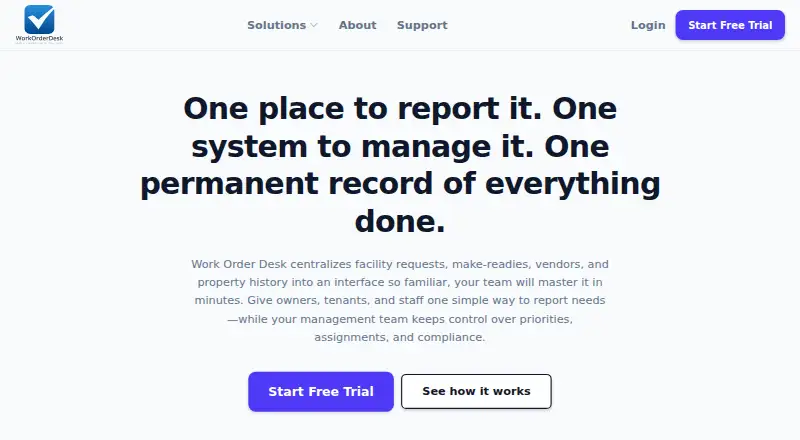
Work Order Desk centralizes facility requests, work orders, vendors, make-readies, and property history for property and facilities teams. Each request can have an owner, priority, status, and documented outcome. Contractors can receive jobs through text or email links and respond in a mobile browser without installing an app. Property workflows include make-ready visibility, vendor dispatch, and repair and inspection records. For schools and other organizations, facilities tools include multi-site triage, dedicated environments, role-based access, and audit logs. Planning Center sign-in uses OAuth, and Church Center maintenance form submissions can create work orders through a secure webhook. Managers and supervisors can generate reports; the web version is recommended for sortable tables and exports to Excel, CSV, or PDF. The Starter Plan costs $49 a month, and a 14-day trial is available. Work Order Desk has web, Android, and iOS platforms, with mobile access through a browser. User accounts can submit and track their own requests, but cannot access the triage queue, inventory, vendor list, calendar, or team directory.
Who it suits
It suits property operators, facility managers, school staff, vendors, and teams coordinating maintenance across sites. Users who only need to submit and track their own requests may not need the broader management tools.
What it does well
- Requests include owners, priorities, statuses, and outcomes.
- Contractors can respond through mobile browser links.
- Supports multi-site triage and audit logs.
- Reports can export to Excel, CSV, or PDF.
- A 14-day trial is available.
What to know first
- No free plan is listed.
- Starter Plan costs $49 a month.
- User accounts cannot access the triage queue or inventory.
- Mobile access is through a browser.
Limits
The Starter Plan is $49 a month and provides core ticketing; some advanced features require Pro or Enterprise. User accounts can submit and track their own requests but cannot use the triage queue, inventory, vendor list, calendar, or team directory.
Plans
| Plan | Billed and limits | Price |
|---|---|---|
| Starter Plan | $49/mo · Core Ticketing · some advanced features require Pro or Enterprise | $49 a month |
As workorderdesk.com lists them, read 3 Oct 2026. The maker's own page has the final word.
Getting started
- Open https://workorderdesk.com/
- Choose the Starter Plan or another available plan
- Start the 14-day trial
- Use the web, Android, or iOS platform
- Connect Planning Center with OAuth if needed
- Configure requests, vendors, properties, or sites
Verdict
Work Order Desk combines request tracking, vendor dispatch, and property or facilities workflows. Its $49.00 USD monthly Starter Plan includes core ticketing, while some advanced features require Pro or Enterprise.
Questions
How much does Work Order Desk cost?
The Starter Plan costs $49 a month. A 14-day trial is available, and there is no free plan.
Which platforms are supported?
Work Order Desk is available on web, Android, and iOS. Mobile access is provided through a browser.
Can contractors use it without installing an app?
Yes. Contractors can receive jobs through text or email links and respond from a mobile browser.
Does it integrate with Planning Center?
Planning Center sign-in uses OAuth. Church Center maintenance form submissions can create work orders through a secure webhook.
What reports can managers export?
Managers and supervisors can generate reports. The web interface supports sortable tables and exports to Excel, CSV, or PDF.
What data does its privacy policy cover?
The policy lists identity, contact, technical, and usage data among information it may collect, use, store, and transfer.
Facts from Work Order Desk's own pages
- Facilities workflows
- For schools and organizations, it offers multi-site triage, dedicated campus or organization environments, role-based access, and audit logs. · workorderdesk.com, 3 Oct 2026
- Intended users
- The product is described for property operators, facility managers, school staff, vendors, and property or facilities teams. · workorderdesk.com, 3 Oct 2026
- Notable limitation
- User accounts can submit and track their own requests but do not have the triage queue, inventory, vendor list, calendar, or team directory. · workorderdesk.com, 3 Oct 2026
- Planning Center integration
- Planning Center sign-in uses OAuth, and Church Center maintenance form submissions can create work orders through a secure webhook. · workorderdesk.com, 3 Oct 2026
- Privacy data collected
- The privacy policy lists identity, contact, technical, and usage data among the data it may collect, use, store, and transfer. · workorderdesk.com, 3 Oct 2026
- Property workflows
- Property management features include make-ready visibility, vendor dispatch, and compliance-ready repair and inspection records. · workorderdesk.com, 3 Oct 2026
- Purpose
- Work Order Desk centralizes facility requests, make-readies, vendors, and property history for property and facilities teams. · workorderdesk.com, 3 Oct 2026
- Reporting
- Managers and supervisors can generate reports, with web recommended for sortable tables and Excel, CSV, or PDF exports. · workorderdesk.com, 3 Oct 2026
- Security
- The maker says it uses role-based access and audit logs, and its privacy policy says access to personal data is limited to people with a business need to know. · workorderdesk.com, 3 Oct 2026
- Support
- The help center provides tutorials, a glossary, FAQs, and support for onboarding, technical issues, and account questions. · workorderdesk.com, 3 Oct 2026
- Vendor dispatch
- Contractors can receive jobs through text or email links and respond from a mobile browser without downloading an app. · workorderdesk.com, 3 Oct 2026
- Work order tracking
- Each request can have an owner, priority, status, and documented outcome. · workorderdesk.com, 3 Oct 2026
Where Work Order Desk stands on Freedom251
- Church Facility Management Software#23 of 26