Freedom251 › Dictation software
Wizkey
What Wizkey is
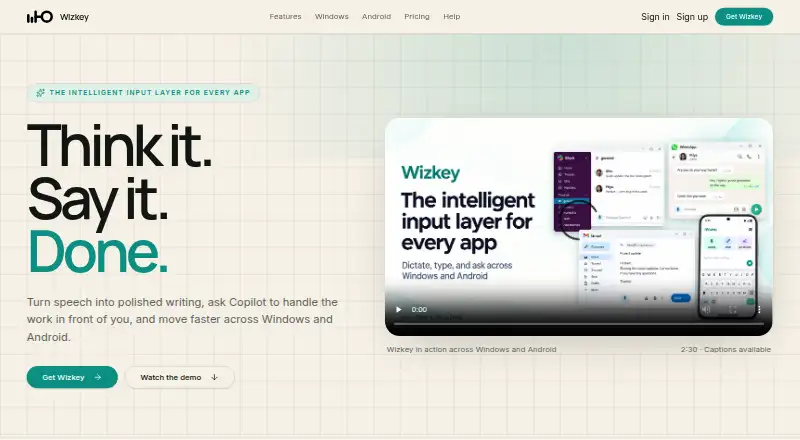
Wizkey is a speech-to-writing app for Windows and Android. It turns natural speech into text by removing filler words and adding punctuation, so the result is ready to use in email, chats, documents, and prompts. Its Copilot can reply, rewrite, summarize, explain, or take another step using context you choose. A supported local model enables unlimited offline dictation without a word cap. On Windows, Wizkey also offers meeting transcription, private local history, and personal writing preferences. Its Android keyboard includes typing, glide input, prediction, themes, clipboard, dictation, and Copilot.
Wizkey describes its privacy model as hybrid. It says recordings, transcripts, and Copilot messages stay in local history rather than a cloud account, and are not used to train models. When a cloud feature processes a request, the content needed for it is sent to Wizkey and its service providers; Wizkey says it does not keep a cloud archive afterward. The service collects account and subscription information and may collect operational details such as usage counts, request status, timing, model, and errors. The free plan includes 10,000 cloud dictation words and 50 Copilot uses per month. Pro costs $9 a month and includes 300 cloud meeting minutes per month.
Who it suits
Wizkey suits people who want to dictate text on Windows or Android, including offline dictation with a supported local model. It may also suit users who want Copilot writing help or Windows meeting transcription alongside dictation.
What it does well
- Unlimited offline dictation with a supported local model.
- Dictation removes filler and adds punctuation.
- Copilot can reply, rewrite, summarize, and explain.
- Android keyboard includes glide input, prediction, themes, and clipboard.
- Windows offers meeting transcription and personal writing preferences.
What to know first
- Cloud dictation on Free is capped at 10,000 words monthly.
- Free Copilot use is capped at 50 per month.
- Windows requires a 64-bit computer and microphone permission for dictation and meetings.
- Android requires version 8.0 or newer and keyboard setup.
Limits
Free includes 10,000 cloud dictation words and 50 Copilot uses per month, with 0 cloud meeting minutes. Pro costs $9 a month and includes unlimited cloud dictation words, 1,000 Copilot uses, and 300 cloud meeting minutes per month; local dictation is unlimited with a supported model on both plans.
Plans
| Plan | Billed and limits | Price |
|---|---|---|
| Free | Local dictation: unlimited with a supported model · Cloud dictation: 10,000 words/month · Copilot: 50/month · Cloud meetings: 0 min/month · Windows + Android | Free |
| Pro | Monthly in advance unless stated otherwise at checkout · Local dictation: unlimited with a supported model · Cloud dictation: unlimited words/month · Copilot: 1,000/month · Cloud meetings: 300 min/month · Windows + Android | $9 a month |
As wizkey.ai lists them, read 7 Oct 2026. The maker's own page has the final word.
Getting started
- Visit https://wizkey.ai/.
- Choose Windows or Android, which Wizkey lists as available platforms.
- On Windows, use a 64-bit computer and allow microphone access for dictation and meetings.
- On Android, use Android 8.0 or newer and enable Wizkey as an on-screen keyboard.
- Choose the Free plan or Pro at $9 a month.
- Use local dictation with a supported model for offline use, or use cloud features within the plan allowance.
Verdict
Choose Wizkey if you want speech-to-text with offline dictation and writing assistance across Windows and Android. Look elsewhere if you need a platform beyond those two, or if the free monthly cloud dictation and Copilot allowances do not fit your use.
Questions
Is there a free plan?
Yes. Free includes unlimited local dictation with a supported model, 10,000 cloud dictation words per month, and 50 Copilot uses per month.
How much does Pro cost?
Pro is $9 a month, billed monthly in advance unless stated otherwise at checkout.
Which platforms does Wizkey support?
Wizkey lists Windows and Android as available. The Windows app requires a 64-bit computer; Android requires version 8.0 or newer and setup as an on-screen keyboard.
Can I dictate offline?
Yes. A supported local model enables unlimited offline dictation without word caps.
How does Wizkey handle dictation and Copilot content?
Wizkey says recordings, transcripts, and Copilot messages stay in local history and are not stored in a cloud account or used to train models. Cloud features send the content needed for the request to Wizkey and its service providers; Wizkey says it does not keep a cloud archive after processing.
Does Wizkey list named third-party integrations?
No named third-party integrations are listed in the provided product facts. Wizkey works from Windows text surfaces and Android text fields.
Facts from Wizkey's own pages
- Account data
- Wizkey collects account and subscription information and may collect operational details such as usage counts, request status, timing, model, and errors. · wizkey.ai, 7 Oct 2026
- Android features
- The Android keyboard includes typing, glide, prediction, themes, clipboard, dictation, and Copilot. · wizkey.ai, 7 Oct 2026
- Android requirements
- The Android app requires Android 8.0 or newer and must be enabled as an on-screen keyboard. · wizkey.ai, 7 Oct 2026
- Availability
- The maker lists Windows and Android as available and says Mac and iPhone are coming soon. · wizkey.ai, 7 Oct 2026
- Cloud processing
- When a cloud feature is used, the content needed for the request is sent to Wizkey and its service providers, and Wizkey says it does not keep a cloud archive after processing. · wizkey.ai, 7 Oct 2026
- Copilot
- Copilot can reply, rewrite, summarize, explain, or take a next step using context the user chooses. · wizkey.ai, 7 Oct 2026
- Custom vocabulary
- Yes · wizkey.ai, 22 Sept 2026
- Dictation
- Dictation removes filler and adds punctuation to turn natural speech into text ready for email, chat, documents, and prompts. · wizkey.ai, 7 Oct 2026
- Free plan
- Yes · wizkey.ai, 22 Sept 2026
- Integrations
- Wizkey works from Windows text surfaces and Android text fields; the maker does not list named third-party integrations on the pages reviewed. · wizkey.ai, 7 Oct 2026
- Offline dictation
- Yes · wizkey.ai, 22 Sept 2026
- Offline use
- A supported local model enables unlimited offline dictation without word caps. · wizkey.ai, 7 Oct 2026
- Privacy
- The maker says recordings, transcripts, and Copilot messages stay in local history and are not stored in a cloud account or used to train models. · wizkey.ai, 7 Oct 2026
- Privacy model
- hybrid · wizkey.ai, 22 Sept 2026
- Paid from
- 9 · wizkey.ai, 22 Sept 2026
- Support
- The help page directs users to email [email protected] and asks them not to include dictated private content in support requests. · wizkey.ai, 7 Oct 2026
- Supported platforms
- Windows,Android · wizkey.ai, 22 Sept 2026
- What it does
- Wizkey turns speech into polished writing and provides AI-assisted writing tools, including Copilot. · wizkey.ai, 7 Oct 2026
- Windows features
- The Windows app offers meeting transcription, private local history, and personal writing preferences. · wizkey.ai, 7 Oct 2026
- Windows requirements
- The Windows app requires a 64-bit Windows computer and microphone permission for dictation and meetings. · wizkey.ai, 7 Oct 2026
Where Wizkey stands on Freedom251
- Dictation software#18 of 27