Freedom251 › Dictation software
TalkTastic
What TalkTastic is
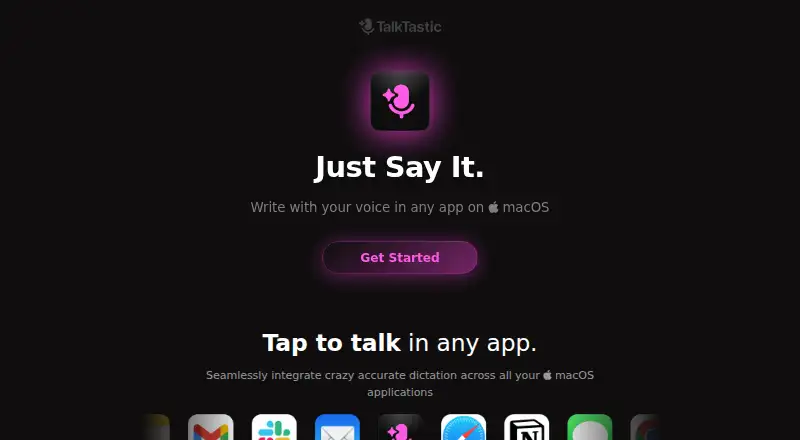
TalkTastic is a voice keyboard for entering text in macOS apps. It transcribes speech and can use context from the app on screen to format or rewrite the text. Recording can begin through a keyboard shortcut, a cursor shortcut, or the menu bar. The app can paste a result into the active text field automatically, or let the user select text for insertion. It works in macOS apps where text can be typed or pasted, and supports custom vocabulary. TalkTastic's free Beta plan costs nothing and requires macOS 13.1 or later; its installation guide says it performs best on an Apple chip. It is currently available only in English. The app requires microphone, speech recognition, screen recording, and accessibility permissions for its described functions. The maker says snapshots are taken on command, can be disabled, and can be set to auto-delete after processing. It also says user data is not used to train other companies' AI models; end-to-end encryption is in development. Help messages and in-app feedback are available for contacting the team.
Who it suits
TalkTastic may suit people who prefer speaking to type in macOS apps, including remote workers, freelancers, non-native English speakers, older people, and neurodivergent users.
What it does well
- Works in macOS apps that accept typed or pasted text.
- Offers three ways to start recording.
- Supports custom vocabulary.
- Snapshots can be disabled or set to auto-delete.
- Free Beta plan.
What to know first
- Currently available only in English.
- Requires macOS 13.1 or later.
- Requires microphone, speech recognition, screen recording, and accessibility permissions.
- End-to-end encryption is still in development.
Limits
The free Beta plan requires macOS 13.1 or later. TalkTastic is currently available only in English.
Plans
| Plan | Billed and limits | Price |
|---|---|---|
| Beta | macOS 13.1 or later | Free |
As talktastic.com lists them, read 9 Oct 2026. The maker's own page has the final word.
Getting started
- Visit https://talktastic.com/.
- Install the Beta on macOS 13.1 or later.
- Grant microphone, speech recognition, screen recording, and accessibility permissions for the described features.
- Start recording with a keyboard shortcut, cursor shortcut, or the menu bar.
- Choose automatic pasting or select a transcription result to insert.
Verdict
TalkTastic turns speech into text across macOS apps and can use on-screen context to adjust it. Check the language and permission requirements before choosing it.
Questions
How much does TalkTastic cost?
The Beta plan is listed as free.
Which platforms does it support?
TalkTastic is for macOS and requires macOS 13.1 or later.
Which languages are available?
It is currently available only in English.
Does TalkTastic use app context?
It can use context from the app on screen to format or rewrite transcribed speech.
What permissions does it require?
Its described features require microphone, speech recognition, screen recording, and accessibility permissions.
How are snapshots and user data handled?
Snapshots can be turned off or set to auto-delete after processing. The maker says user data is not used to train other companies’ AI models; end-to-end encryption is in development.
Facts from TalkTastic's own pages
- AI training
- The site says user data is not used to train other companies’ AI models. · talktastic.com, 9 Oct 2026
- App compatibility
- TalkTastic works in macOS apps where you can type or paste text. · help.talktastic.com, 9 Oct 2026
- Custom vocabulary
- Yes · talktastic.com, 20 Sept 2026
- Encryption
- The site says end-to-end data encryption is in development. · talktastic.com, 9 Oct 2026
- Free plan
- Yes · talktastic.com, 20 Sept 2026
- Input methods
- You can start recording with a keyboard shortcut, a cursor shortcut, or the menu bar. · help.talktastic.com, 9 Oct 2026
- Intended users
- The maker highlights remote workers, freelancers, non-native English speakers, older people, and neurodivergent users as groups who may benefit. · help.talktastic.com, 9 Oct 2026
- Language support
- A help article says TalkTastic is currently available only in English. · help.talktastic.com, 9 Oct 2026
- Permissions
- TalkTastic requires microphone, speech recognition, screen recording, and accessibility permissions for its described features. · help.talktastic.com, 9 Oct 2026
- Privacy controls
- The site says snapshots are taken on command, can be turned off, and can be set to auto-delete after processing. · talktastic.com, 9 Oct 2026
- Privacy model
- hybrid · talktastic.com, 20 Sept 2026
- Product
- TalkTastic is a voice keyboard for writing in macOS apps. · help.talktastic.com, 9 Oct 2026
- Support
- Users can contact the team through Help messages or send feedback from the app. · help.talktastic.com, 9 Oct 2026
- Supported platforms
- macOS · talktastic.com, 20 Sept 2026
- System requirement
- The installation guide specifies macOS 13.1 or later and says the app performs best on an Apple chip. · help.talktastic.com, 9 Oct 2026
- Text insertion
- TalkTastic can automatically paste text into the active text field, or let you choose a result to insert manually. · help.talktastic.com, 9 Oct 2026
- Transcription
- It transcribes speech and can use context from the app on screen to format or rewrite text. · talktastic.com, 9 Oct 2026
Where TalkTastic stands on Freedom251
- Dictation software#20 of 27