Freedom251 › Dictation software
Kviskr
by Kviskr
What Kviskr is
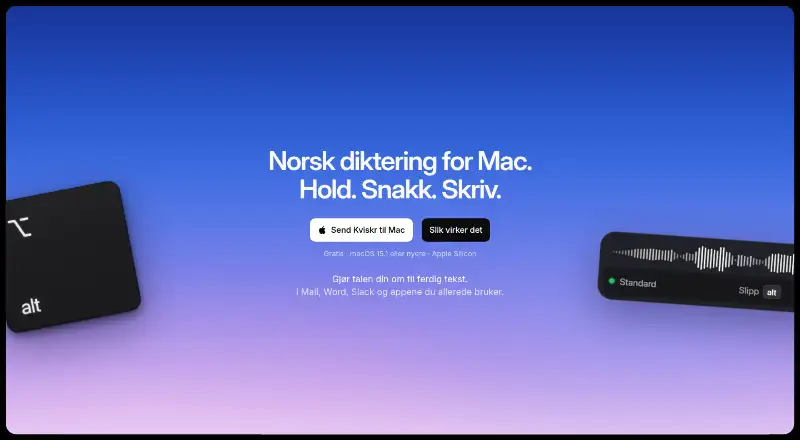
Kviskr turns speech into text on a Mac using speech recognition that runs locally. Its push-to-talk workflow lets you hold a shortcut while speaking, then release it to place the text at the cursor. The included Standard model works offline, and users can choose Bokmål or Nynorsk; the app also offers a Whisper model described as supporting nearly 100 languages. Other models include Maks kvalitet and Ordrett rask, and all run on the Mac. Users can also drop an audio recording or interview into the app for transcription, and add custom vocabulary. Optional AI modes can reshape dictated text into formats such as an email; they are off until enabled. If enabled, transcribed text can be sent to Anthropic or OpenAI, while recordings remain on the Mac. Audio and transcripts are stored locally, with history deletion set to 30 days by default. Kviskr is free during early access and requires no account, but needs Apple silicon (M1 or newer) and macOS 15.1 or newer.
Who it suits
Kviskr suits Mac users who want local, offline dictation, Norwegian language choices, or custom vocabulary. It is not an option for Intel Macs or systems below macOS 15.1.
What it does well
- Standard speech recognition works offline.
- Audio and transcripts are stored locally.
- Supports Bokmål, Nynorsk, and custom vocabulary.
- Can transcribe recordings dropped into the app.
- Free during early access with no account required.
What to know first
- Requires Apple silicon (M1 or newer).
- Requires macOS 15.1 or newer.
- AI modes can send transcribed text to Anthropic or OpenAI when enabled.
- Local history relies on Mac account and disk encryption, not SQLite encryption.
Limits
The early-access plan is free, but it requires Apple silicon and macOS 15.1 or newer. Intel Macs cannot use the app.
Plans
| Plan | Billed and limits | Price |
|---|---|---|
| Early access | Free during early access; a future pricing model has not been decided. · Free during early access · No account required | Free |
| Gratis i tidlig tilgang | Ingen konto eller betaling nå · Mac med Apple silicon (M1 eller nyere) · macOS 15.1 eller nyere | Free |
As kviskr.no lists them, read 23 Sept 2026. The maker's own page has the final word.
Getting started
- Open https://kviskr.no/
- Install Kviskr on an Apple silicon Mac
- Ensure macOS 15.1 or newer is installed
- Choose Bokmål, Nynorsk, or another available model
- Hold the shortcut while speaking, then release to insert text
- Drag an audio recording into Kviskr to transcribe it
Verdict
Kviskr offers offline, on-device dictation with transcription and optional writing modes. Its system requirements exclude Intel Macs, and enabling AI modes changes where transcribed text may be sent.
Questions
Is Kviskr free?
Yes. Early access is listed as free, with no account required.
Which computers can run Kviskr?
It requires a Mac with Apple silicon, M1 or newer, and macOS 15.1 or newer. Intel Macs are unsupported.
Does dictation work without internet?
Yes. The included standard model performs speech recognition locally, so dictation works offline.
What languages are supported?
Users can choose Norwegian Bokmål or Nynorsk. The Whisper model is described as supporting nearly 100 languages.
Where is data stored?
Audio and transcripts are stored locally. History deletes after 30 days by default, with options for seven or 90 days or retention.
Can Kviskr use external AI services?
Optional AI modes can send transcribed text to Anthropic or OpenAI when enabled; the recording stays on the Mac.
Facts from Kviskr's own pages
- AI providers
- When enabled, AI modes can send transcribed text to Anthropic or OpenAI; the recording stays on the Mac. · kviskr.no, 8 Oct 2026
- App compatibility
- The site says Kviskr works in apps including Word, Slack, Mail, Safari, Notion, Messages, Notes, and Claude. · kviskr.no, 8 Oct 2026
- Audio transcription
- Users can drag an audio recording or interview into Kviskr to transcribe it on the Mac. · kviskr.no, 8 Oct 2026
- Custom vocabulary
- Yes · kviskr.no, 23 Sept 2026
- Data handling
- Audio and transcripts are stored locally, with history set to delete after 30 days by default and options for 7 or 90 days or retention. · kviskr.no, 8 Oct 2026
- Dictation workflow
- Kviskr uses push-to-talk: hold a shortcut while speaking, then release to insert the text where the cursor is. · kviskr.no, 8 Oct 2026
- Free plan
- Yes · kviskr.no, 23 Sept 2026
- Headquarters
- Oslo, Norway · kviskr.no, 19 Oct 2026
- Languages
- Users can choose Bokmål or Nynorsk, and the site also describes a Whisper model supporting nearly 100 languages. · kviskr.no, 8 Oct 2026
- Maker and location
- Kviskr is developed in Oslo by founder and developer Andreas Arntsen. · kviskr.no, 8 Oct 2026
- Offline dictation
- Yes · kviskr.no, 23 Sept 2026
- Offline use
- The included standard model performs speech recognition locally, so dictation works without internet access. · kviskr.no, 8 Oct 2026
- Privacy model
- on-device · kviskr.no, 23 Sept 2026
- Purpose
- Kviskr turns Norwegian speech into text on Mac using local speech recognition. · kviskr.no, 8 Oct 2026
- Security limits
- Kviskr says it does not use its own SQLite encryption and relies on the Mac user account and disk encryption to protect local history. · kviskr.no, 8 Oct 2026
- Speech models
- The app offers models including Standard, Maks kvalitet, Ordrett rask, and Whisper, and says all run on the Mac. · kviskr.no, 8 Oct 2026
- Support
- The help page directs users to email, a contact form, or GitHub issues for support and bug reports. · kviskr.no, 8 Oct 2026
- Supported platforms
- macOS · kviskr.no, 23 Sept 2026
- System requirements
- Kviskr requires Apple silicon (M1 or newer) and macOS 15.1 or newer; Intel Macs are unsupported. · kviskr.no, 8 Oct 2026
- Writing modes
- Optional AI modes can turn dictated content into formats such as an email, and are off until enabled. · kviskr.no, 8 Oct 2026
Where Kviskr stands on Freedom251
- Dictation software#21 of 27