WebProof
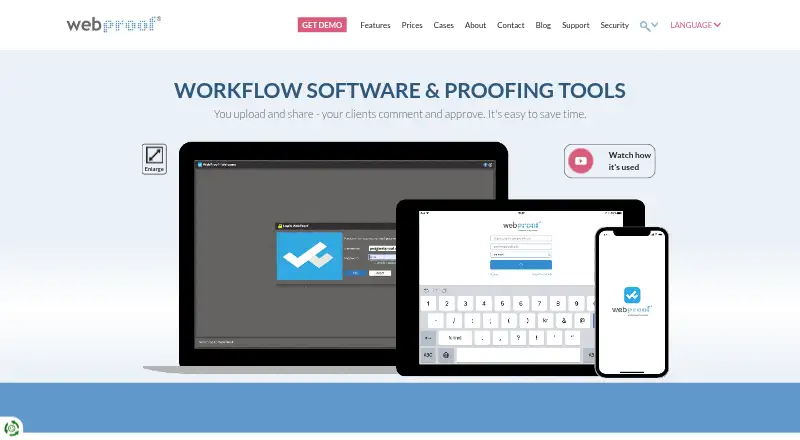
What WebProof is
WebProof is an online proofing and collaboration platform for teams reviewing documents or artwork. Reviewers can add sticky-note comments, mark areas, highlight text, attach files, and track revision history. A colour-coded project overview displays correction, proofing, and approval statuses to help teams spot work needing attention. Projects can be shared with people outside WebProof through an email link, allowing them to comment on pages. InDesign and Illustrator plugins send work into WebProof, while the Platinum plan adds direct correction in InDesign files and WebFlow automation for moving and renaming files among WebProof, a front-end MIS, and back-end printing systems. The iOS app supports project navigation, previews, comments, highlighting, status changes, and notifications on iPhone and iPad. WebProof supports PDF files and selected-text translation into over 60 languages. The maker says its software and cloud hosting are ISO 27001:2022 certified, and guarantees 99.9% availability measured over three months. A free plan is available; paid plans start at €199/mo.
Who it suits
WebProof suits agencies, publishers, retailers, printers, translation teams, and other groups that need document or artwork reviews and approvals. Its free plan may suit small teams, while its higher plans include expanded storage, support, and workflow options.
What it does well
- Reviewers can comment, mark, highlight, and attach files.
- External reviewers can comment through email links.
- Colour-coded statuses show project progress.
- iOS app supports comments and status changes.
- Free plan includes unlimited projects.
What to know first
- Free plan is limited to four users.
- Basic plan has no phone support.
- WebProof supports PDF file types.
- Some advanced workflow features are Platinum-only.
Limits
The Free plan is limited to 4 users, 4 sharing users, 1 GB storage, 3 status codes, and 2 user roles. Basic allows 10 users, 5 GB storage, 3 status codes, 2 user roles, and 250 projects; it has no phone support.
Plans
| Plan | Billed and limits | Price |
|---|---|---|
| Free | Free forever, no credit card needed · 4 users · 4 sharing users · 1 GB storage · 3 status codes · 2 user roles · 100,000 page flips · unlimited projects · email support | Free |
| Enterprise | 10 GB storage · unlimited status codes and user roles · 1,000,000 page flips · unlimited projects · email, chat and phone support · tailored onboarding · 12/5 technical support | On request |
| Basic | 10 users · 5 GB storage · 3 status codes · 2 user roles · 500,000 page flips · email and text sharing · 250 projects · email and chat support; no phone support | On request |
| Platinum | 20 GB storage · unlimited status codes and user roles · 1,000,000 page flips · unlimited projects · WebFlow automation · InDesign direct correction · 24/7 technical support · SLA | On request |
As webproof.com lists them, read 30 Sept 2026. The maker's own page has the final word.
Getting started
- Visit https://www.webproof.com/.
- Start with the Free plan, which is free forever and does not need a credit card, or review the paid plan options.
- Use WebProof on the web or its iOS app.
- Upload PDF files for review and invite reviewers, including external reviewers by email link.
Overview
WebProof is an online proofing and collaboration platform for teams reviewing PDF documents and artwork. It is best suited to creative and production teams that need structured approvals, feedback from occasional external reviewers, or connections to print workflows. Its review and version tools are broad, but the free plan is sharply limited in users and storage.
Key features
Reviewers can leave sticky notes, mark areas, highlight text, attach files, and follow revision history. These tools keep feedback anchored to a proof, while approval workflows and colour-coded correction, proofing, and approval statuses help teams see what needs attention. That structure is useful when a job passes through several review rounds; it is more than a lightweight file-sharing setup.
Email links let people outside WebProof comment on project pages without becoming platform users, a practical fit for clients or other occasional reviewers. InDesign and Illustrator plugins send work into WebProof. Platinum goes further with direct correction in InDesign files and WebFlow automation, which can move and rename files between WebProof, a front-end MIS, and back-end printing systems. Those additions make Platinum more relevant to print operations than to teams that only need online annotation.
The iOS app supports project navigation, page previews, comments, text highlighting, status changes, and notifications on iPhone and iPad. Selected text can be translated into over 60 languages, including Arabic, Chinese, Greek, and Russian, which may help teams handling multilingual reviews.
WebProof says its software and cloud hosting are ISO 27001:2022 certified, and that customer files are hosted with Amazon Web Services in Ireland under EU data protection requirements. Its security controls include role-based permissions, activity logging, quarterly third-party penetration scans, and multi-factor authentication for staff access. It also states a 99.9% uptime guarantee measured over three months, with a refund for any shortfall.
Pricing
WebProof is freemium, with a free plan and paid plans from €199/mo. The free tier costs nothing, is free forever, and needs no credit card. It allows four users and four sharing users, 1 GB storage, three status codes, two user roles, and 100,000 page flips. Unlimited projects and email support are generous at the entry level, but the user and storage caps make it better for a small team or a limited trial workflow than a large review operation.
Basic has custom pricing and is suited to teams that need a defined allowance rather than unlimited projects: it includes 10 users, 5 GB storage, three status codes, two user roles, 500,000 page flips, email and text sharing, and 250 projects. Email and chat support are included, but not phone support. Enterprise also has custom pricing; it raises storage to 10 GB, provides unlimited status codes and roles, 1,000,000 page flips, and unlimited projects, plus tailored onboarding and email, chat, and phone support with 12/5 technical coverage.
Platinum has custom pricing and includes 20 GB storage, unlimited status codes and user roles, 1,000,000 page flips, and unlimited projects. WebFlow automation, direct InDesign correction, 24/7 technical support, and an SLA distinguish it from the lower tiers. It is the clearest fit for print workflows that need those integrations and support commitments; teams without them may find Basic or Enterprise a closer match. Compare the page-flip, storage, project, and support allowances with expected use before choosing a tier.
Platforms
WebProof is available on the web and iOS. Its iPhone and iPad app covers project review and status work, while the core workflow is also accessible on the web. Supported files are PDFs.
Who it's for
WebProof describes audiences including agencies, newspapers, magazines, retailers, corporations, printers, full-service providers, translation teams, and medical businesses. Its guest-review links and annotation tools suit teams that collect comments from people outside the organisation; the higher tiers make more sense where project volumes, print integrations, or support coverage justify them.
Pros and cons
- Pros: Anchored comments, revision history, and approval statuses give teams a structured way to manage repeated proof rounds.
- Pros: External reviewers can comment through email links, reducing the need to provision platform users for occasional input.
- Pros: Platinum connects review to print production with InDesign correction and WebFlow file automation.
- Cons: The free plan's four-user and 1 GB storage limits constrain larger teams, even though it permits unlimited projects.
- Cons: Basic caps projects at 250 and has no phone support; teams needing unlimited projects or phone assistance must consider higher tiers.
- Cons: Paid-plan pricing is custom, so teams must weigh plan limits and support needs before they can compare a specific price.
Alternatives
Design Proofing Software is the broader category to explore when comparing proofing tools.
Choose Ziflow if you want a free plan with unlimited proofs and reviewers, 2 GB storage, and 60 days of review history; its free tier is limited to two users and one workflow stage. Choose Artwork Flow if Android access or support for more than 20 file formats matters alongside unlimited guest reviewers on its free plan.
Ashore is another freemium proofing option. QuickReviewer is another freemium option with a free tier that allows unlimited files, proofs, and free reviewers, but only one team member and 100 MB storage. Cage offers a free tier with one project, one user, 2 GB storage, and unlimited reviewers.
Filestage is worth comparing if its free allowance of 10 team members, two reviewer groups, and one active project fits your workflow. Flatproof is another freemium option. Priflow is a free, self-hosted alternative with unlimited users, proofs, reviewers, and teams.
Verdict
Choose WebProof if your team needs proof-specific comments and approvals, external reviewer input, and a clear path into print production workflows. Its strongest case is the combination of review controls with Platinum's InDesign correction and file automation. Look elsewhere if you need ample free storage or users, or if custom pricing makes it difficult to evaluate a paid plan before committing.
Verdict
WebProof brings page review, version tracking, and approval statuses into a shared workflow, including input from external reviewers. Compare plan limits and support options against the needs of your team.
Questions
Is WebProof free?
Yes. The Free plan is free forever and does not require a credit card. It includes 4 users, 4 sharing users, 1 GB storage, and unlimited projects.
How much do paid plans cost?
The pricing note says paid plans start at €199/mo. Prices are not provided for the listed Basic, Enterprise, or Platinum plans.
Which platforms does WebProof support?
WebProof is available on the web and iOS. Its iOS app supports iPhone and iPad.
What file type does WebProof support?
The listed supported file type is PDF.
Can people without WebProof accounts review projects?
Yes. Users can share projects by email link so external reviewers can comment on pages.
What does Platinum add?
Platinum includes WebFlow automation, direct correction in InDesign files, 24/7 technical support, and an SLA.
Facts from WebProof's own pages
- Availability
- WebProof states a 99.9% uptime guarantee measured over a three-month period, with a refund for any shortfall. · webproof.com, 30 Sept 2026
- Creative app integrations
- WebProof provides InDesign and Illustrator plugins for sending work into WebProof, and Platinum includes direct correction in InDesign files. · webproof.com, 30 Sept 2026
- External reviewers
- Users can share projects with non-WebProof users by email link so those users can comment on pages. · webproof.com, 30 Sept 2026
- Founded
- 1998 · webproof.com, 28 Sept 2026
- Headquarters
- Copenhagen, Denmark · webproof.com, 28 Sept 2026
- Hosting
- WebProof says it hosts customer files with Amazon Web Services in Ireland and cites EU data protection requirements. · webproof.com, 30 Sept 2026
- Intended users
- WebProof describes its audiences as including agencies, newspapers, magazines, retailers, corporations, printers, full-service providers, translation teams, and medical businesses. · webproof.com, 30 Sept 2026
- Mobile app
- The iOS app supports project navigation, page previews, comments, text highlighting, status changes, and notifications on iPhone and iPad. · webproof.com, 30 Sept 2026
- Project overview
- The project overview uses colour-coded correction, proofing, and approval statuses to show which projects need attention. · webproof.com, 30 Sept 2026
- Purpose
- WebProof is an online proofing and collaboration platform where teams upload and share documents or artwork for comments and approval. · webproof.com, 30 Sept 2026
- Review tools
- Reviewers can add sticky-note comments, draw or mark areas, highlight text, attach files, and track revision history. · webproof.com, 30 Sept 2026
- Security certification
- WebProof says its software and cloud hosting are ISO 27001:2022 certified. · webproof.com, 30 Sept 2026
- Security controls
- The security page describes role-based permissions, quarterly third-party penetration scans, activity logging, and multi-factor authentication for staff access. · webproof.com, 30 Sept 2026
- Support limits
- The pricing page says the Pageflip plan offers email and chat support but no phone support; Enterprise includes 12/5 technical support and Platinum 24/7 support. · webproof.com, 30 Sept 2026
- Translation
- The maker says selected text can be translated into over 60 languages, including Arabic, Chinese, Greek, and Russian. · webproof.com, 30 Sept 2026
- Workflow integration
- Platinum's WebFlow automation can move and rename files between WebProof, a front-end MIS, and back-end printing systems. · webproof.com, 30 Sept 2026
Where WebProof stands on Freedom251
- Markup Software#13 of 26
- Design Proofing Software#16 of 29