
VSCodium
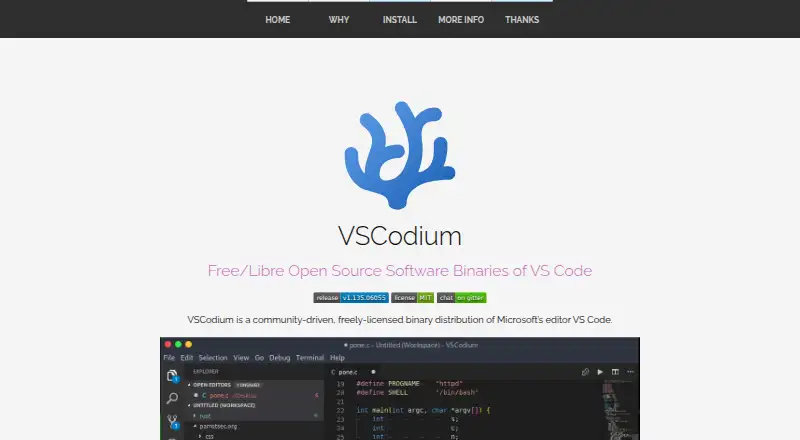
What VSCodium is
VSCodium is a free, community-driven desktop distribution of Microsoft's VS Code editor for Windows, macOS, and Linux. Its binaries use the MIT license, and telemetry is disabled. The project aims to make the latest MIT-licensed VS Code version easier to obtain; users can also build from Microsoft's vscode repository. Special scripts clone that repository, build binaries, and upload them to GitHub releases. VSCodium supports extensions, a built-in debugger, remote development, and language servers. Installation routes differ by platform. macOS users can use the Homebrew cask, while Windows options include Windows Package Manager, Chocolatey, and Scoop. Linux packages or repositories are documented for Debian, Ubuntu, Fedora, RHEL, Arch, Gentoo, and other distributions. It is also available through Snap as Codium, Flatpak via Flathub, and Nixpkgs, and comes pre-installed in Parrot OS. The project notes that issues with package managers should be reported to the relevant repository.
Who it suits
VSCodium suits desktop users on Windows, macOS, or Linux who want a community-driven VS Code distribution with extensions, debugging, and remote development support.
What it does well
- Free binaries are licensed under the MIT license.
- Telemetry is disabled.
- Supports extensions, a built-in debugger, and remote development.
- Available for Windows, macOS, and Linux.
- Offers several package-manager installation routes.
What to know first
- Package-manager issues should go to the related repository.
- The project aims to provide the latest MIT-licensed VS Code version.
Plans
| Plan | Billed and limits | Price |
|---|---|---|
| VSCodium Free | — | On request |
As vscodium.com lists them, read 28 Sept 2026. The maker's own page has the final word.
Getting started
- Open the VSCodium website.
- Choose an installation route for Windows, macOS, or Linux.
- On macOS, install through the Homebrew cask; on Windows, use Windows Package Manager, Chocolatey, or Scoop.
- On Linux, use a documented package or repository, Snap, Flatpak, or Nixpkgs.
- Alternatively, build from Microsoft's vscode repository using the project's build scripts.
VSCodium is a free, community-built desktop code editor for developers who want VS Code’s core development tools with telemetry disabled. It is a strong fit across Windows, macOS, and Linux; its main trade-off is that package-manager problems are handled by the relevant repository.
Overview
VSCodium is a community-driven binary distribution built from Microsoft’s VS Code repository. Its scripts clone the repository, build the binaries, and publish them to GitHub releases, with the aim of making the latest MIT-licensed VS Code version easier to obtain. The binaries are MIT-licensed, and users who want to manage the build themselves can build from the repository.
Telemetry is disabled, which makes VSCodium a sensible option for developers who want this editor workflow without telemetry. It remains a distribution of Microsoft’s editor rather than a separate editor project, so the clearest reasons to choose it are that preference and its free availability—not a different feature set.
Key features
Development tools
Extension support and language-server support let developers extend the editor and use language tooling. The built-in debugger and remote-development support make it useful for more than local file editing. These capabilities suit a range of development workflows, though the facts do not establish compatibility with particular extensions, languages, or remote environments.
Installation options
VSCodium supports Windows, macOS, and Linux. On macOS, it is available through Homebrew’s vscodium cask; Windows users can install it through Windows Package Manager, Chocolatey, or Scoop. Linux packages or repositories are documented for Debian, Ubuntu, Fedora, RHEL, Arch, Gentoo, and other distributions. It is also available through the Snap Store as Codium, Flathub, Nixpkgs, and the Arch User Repository, and comes pre-installed in Parrot OS.
That range gives users several ways to get the editor through their operating system’s package ecosystem. The boundary is support: package-manager issues should be reported to the related repository, not treated as central VSCodium support. Windows binaries have free code signing from SignPath.io with a SignPath Foundation certificate; a macOS certificate was provided by @daiyam.
Pricing
VSCodium is free. The VSCodium Free plan is a fit for anyone who wants the editor without a subscription or paid tier; there are no stated seat, quota, or trial terms to weigh. No paid plans are stated.
Platforms
VSCodium is a desktop editor for Windows, macOS, and Linux. Its documented installation routes span package managers, distribution repositories, Snap, and Flatpak, giving desktop users a choice of installation method. There is no stated web or mobile version.
Who it's for
Choose VSCodium if you want a free, MIT-licensed distribution of VS Code with telemetry disabled and support for extensions, debugging, remote development, and language servers. It is especially suitable for developers comfortable installing through their platform’s package ecosystem or building from the source repository. Look elsewhere if you need package-manager troubleshooting from a single project support channel.
Pros and cons
- Pros: Telemetry is disabled. This is a clear reason to favor VSCodium if that is a priority.
- Pros: Broad development support. Extensions, a built-in debugger, remote development, and language servers cover more than basic text editing.
- Pros: Multiple installation routes. Support across three desktop operating systems and several package ecosystems gives users flexibility in how they install it.
- Cons: Package-manager support is decentralized. Users must take installation issues to the relevant repository.
- Cons: It is a community-built distribution of Microsoft’s editor. Choose it for the distribution’s telemetry and licensing choices, not for a distinct editor workflow.
Alternatives
Visual Studio Code is the direct alternative to consider if you prefer Microsoft’s own free editor distribution; it supports Windows, macOS, Linux, and the web, while VSCodium’s stated platforms are desktop only.
Zed may suit developers looking for a free personal code editor plan that also offers 2,000 accepted edit predictions and support for external agents or API keys.
Neovim is a free alternative to consider if Android or self-hosting support matters, alongside Linux, macOS, and Windows.
Vim is another free option for users who want an editor distributed freely with donations requested to support the Kuwasha charity.
Kate is a free text editor for Linux, Windows, and macOS if that is the kind of editor you want instead.
Pulsar is a free, community-led text editor for the same three desktop operating systems.
Notepad++ is a free Windows-only text and source-code editor that supports several programming and natural languages.
CudaText is a free, open-source alternative for Linux, macOS, and Windows that may also be used for business.
Browse more code editors or Go IDEs.
Verdict
VSCodium is a sound choice for developers who want a free desktop distribution of VS Code with telemetry disabled and a broad set of development capabilities. Its decisive advantage is that combination; its main drawback is that package installation support depends on the relevant repository. Choose it if those terms fit your workflow, and look elsewhere if centralized package-manager troubleshooting is important.
Verdict
VSCodium provides a free desktop editor distribution with telemetry disabled and support for extensions, debugging, and remote development. Installation choices span the three listed operating systems, though package-manager troubleshooting belongs with the relevant repository.
Questions
Is VSCodium free?
Yes. VSCodium has a free plan.
Which operating systems does it support?
VSCodium is available for Windows, macOS, and Linux.
Is VSCodium open source?
Its binaries are licensed under the MIT license. Users can also build from Microsoft's vscode repository.
Does VSCodium include developer tools?
It supports extensions, a built-in debugger, remote development, and language servers.
How can I install VSCodium?
Options include Homebrew on macOS, Windows Package Manager, Chocolatey, or Scoop on Windows, and documented packages or repositories for Linux distributions. Snap, Flatpak, and Nixpkgs are also available.
Is telemetry enabled?
Telemetry is disabled.
Facts from VSCodium's own pages
- Arch Support
- Available through the Arch User Repository. · vscodium.com, 28 Sept 2026
- Build Automation
- Special scripts clone the repository, build binaries, and upload them to GitHub releases. · vscodium.com, 28 Sept 2026
- Built-in debugger
- Yes · vscodium.com, 20 Sept 2026
- Editor type
- desktop · vscodium.com, 20 Sept 2026
- Extension support
- Yes · vscodium.com, 20 Sept 2026
- Flatpak Support
- Available as a Flatpak app through Flathub. · vscodium.com, 28 Sept 2026
- Free plan
- Yes · vscodium.com, 20 Sept 2026
- Installation Support Boundary
- Package-manager issues should be reported to the related repository. · vscodium.com, 28 Sept 2026
- Language server support
- Yes · vscodium.com, 20 Sept 2026
- Latest Version Goal
- The project aims to make the latest MIT-licensed VS Code version easier to obtain. · vscodium.com, 28 Sept 2026
- Linux Distribution Support
- Packages or repositories are documented for Debian, Ubuntu, Fedora, RHEL, Arch, Gentoo, and others. · vscodium.com, 28 Sept 2026
- macOS Certificate
- A macOS certificate was provided by @daiyam. · vscodium.com, 28 Sept 2026
- macOS Installation
- Homebrew installation is supported with the vscodium cask. · vscodium.com, 28 Sept 2026
- Nix Support
- Available in Nixpkgs. · vscodium.com, 28 Sept 2026
- Open Source License
- Binaries are licensed under the MIT license. · vscodium.com, 28 Sept 2026
- Parrot OS Support
- Pre-installed in Parrot OS and available from its official repository. · vscodium.com, 28 Sept 2026
- Supported platforms
- Windows,macOS,Linux · vscodium.com, 20 Sept 2026
- Product Type
- A community-driven binary distribution of Microsoft's VS Code editor. · vscodium.com, 28 Sept 2026
- Remote development
- Yes · vscodium.com, 20 Sept 2026
- Snap Store Support
- Available in the Snap Store as Codium. · vscodium.com, 28 Sept 2026
- Source Build Alternative
- Users can build from Microsoft's vscode repository themselves. · vscodium.com, 28 Sept 2026
- Supported Platforms
- Available for Windows, Mac OS, and Linux. · vscodium.com, 28 Sept 2026
- Telemetry Status
- Telemetry is disabled. · vscodium.com, 28 Sept 2026
- Windows Code Signing
- Free Windows code signing is provided by SignPath.io, with a SignPath Foundation certificate. · vscodium.com, 28 Sept 2026
Where VSCodium stands on Freedom251
- Code editors#7 of 45
- Editor Software#23 of 32
- Go IDEs#19 of 24