Freedom251 › Screenshot Annotation Software
Tuji
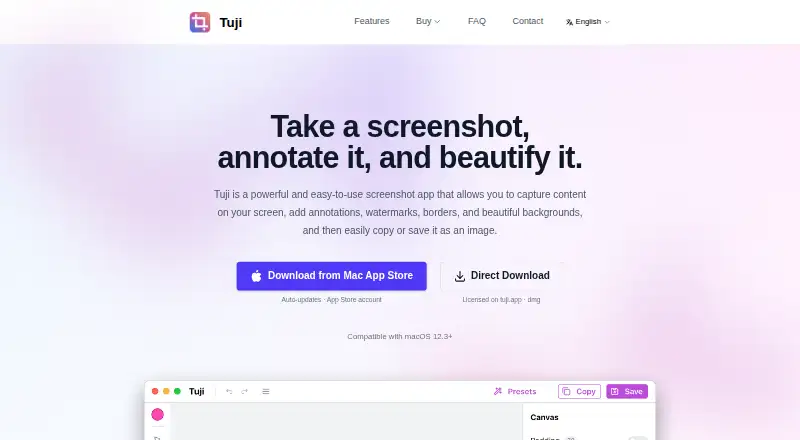
What Tuji is
Tuji is a macOS screenshot app for capturing, annotating, and styling images. It can capture an entire screen, a window, or a selected area, with customizable global shortcuts. Markup tools include shapes, arrows, text, callouts, counters, mosaic, spotlight, QR codes, and a magnifier. For presentation, you can add backgrounds, set padding, corner radius, and shadows, choose an aspect ratio, and save combinations as presets. Tuji uses macOS text recognition to extract words from images; available languages depend on your macOS version. Exports are available in PNG, JPEG, and WebP. The privacy policy says screenshots, editing, and text recognition are processed on-device and are not automatically uploaded. The app still makes update-check requests that cannot be disabled, and server logs may receive IP addresses. The website uses self-hosted Umami analytics, stores visit data in China, and deletes it periodically. Tuji requires macOS 12.3 or later.
Who it suits
Tuji suits Mac users who need screenshot capture, detailed annotation, image styling, and text extraction. It also fits users who prefer local processing for screenshot content.
What it does well
- Captures screens, windows, or selected regions
- Includes extensive annotation tools
- Saves styling combinations as presets
- Exports PNG, JPEG, and WebP
- Processes screenshots on-device
What to know first
- Runs only on macOS 12.3 or later
- Free plan has limited features
- Update checks cannot be disabled
- App Store and direct-download purchases do not transfer
Plans
| Plan | Billed and limits | Price |
|---|---|---|
| Free | Capture and annotate · dark theme and accent colors · local images · 2 presets · 3 history records | Free |
| Pro | One-time purchase · Unlimited presets and history · clipboard images · custom backgrounds and wallpapers · website license for up to 3 Macs | $12.99, paid once |
As tuji.app lists them, read 11 Oct 2026. The maker's own page has the final word.
Verdict
Tuji combines screenshot capture, markup, styling, and text recognition in one Mac app. Its local processing is useful, but update requests, analytics handling, and channel-specific purchases are worth noting.
Facts from Tuji's own pages
- Annotation
- Its annotation tools include shapes, arrows, text, callouts, counters, mosaic, spotlight, QR codes, and a magnifier. · tuji.app, 11 Oct 2026
- Capture
- It can capture the whole screen, a window, or a selected region, and supports customizable global shortcuts. · tuji.app, 11 Oct 2026
- Editions
- The App Store and direct-download editions share features, but purchases between the two channels are not interchangeable. · tuji.app, 11 Oct 2026
- Export formats
- The app can export images as PNG, JPEG, or WebP. · tuji.app, 11 Oct 2026
- Free plan
- Yes · tuji.app, 24 Sept 2026
- Integrations
- The maker’s pages describe local image and clipboard workflows but do not list third-party product integrations. · tuji.app, 11 Oct 2026
- Local processing
- The privacy policy says screenshots, image editing, and text recognition happen on-device and that the app does not automatically upload this content. · tuji.app, 11 Oct 2026
- Privacy and network requests
- Tuji checks for updates through requests that cannot be disabled in the app; its policy says server logs may receive users’ IP addresses. · tuji.app, 11 Oct 2026
- Redaction tools
- Yes · tuji.app, 24 Sept 2026
- Screenshot styling
- Users can add backgrounds, adjust padding, corner radius and shadow, choose aspect ratios, and save looks as presets. · tuji.app, 11 Oct 2026
- Support
- The maker lists [email protected] for questions and support requests. · tuji.app, 11 Oct 2026
- System requirement
- Tuji runs on macOS 12.3 or later. · tuji.app, 11 Oct 2026
- Text recognition
- Tuji extracts text from images using macOS text recognition, with languages dependent on the macOS version. · tuji.app, 11 Oct 2026
- Website analytics
- Tuji.app uses a self-hosted Umami instance for website visit analytics, stores that data in China, and deletes it periodically. · tuji.app, 11 Oct 2026
- What it does
- Tuji is a macOS screenshot app for capturing, annotating, and beautifying images. · tuji.app, 11 Oct 2026
Where Tuji stands on Freedom251
- Screenshot Annotation Software#51 of 76