Freedom251 › Screenshot Annotation Software
WinkShot
What WinkShot is
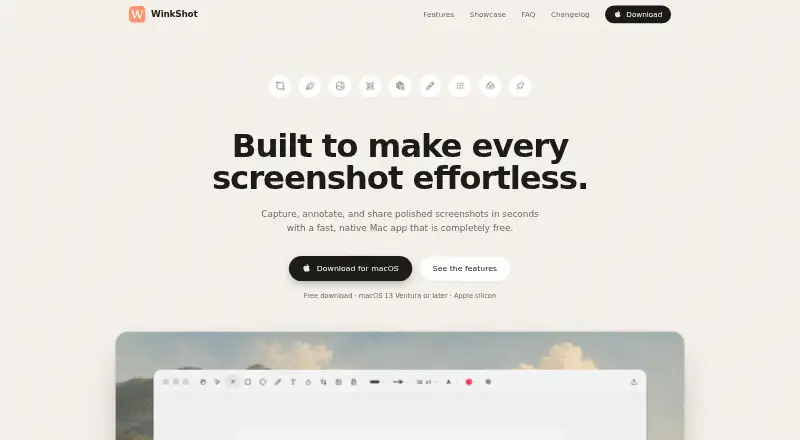
WinkShot is a native Mac app for capturing, editing, and sharing screenshots. It can capture regions, windows, the full screen, scrolling content, text, and colors. OCR copies selected on-screen text to the clipboard. The editor includes arrows, shapes, text, blur, and undo, while styling options add padding, gradients, or a user’s wallpaper. WinkShot can recognize a time shown in an image and display it in the viewer’s time zone. Captures may stay pinned above other windows, copy to the clipboard, or save as PNG in a chosen folder. Sharing can create a short-lived link or send the image to Slack, Mail, or Figma by drag and drop. The app runs from the menu bar, supports keyboard shortcuts, and allows custom shortcuts in Preferences. It requires macOS 13 Ventura or later and is described as Apple silicon compatible. The site says it costs 0.00 USD, requires no account or subscription, and is free during its early release period. WinkShot is credited to Edwin Encomienda.
Who it suits
It suits Mac users who need screenshot capture, annotation, OCR, and quick sharing. It is particularly relevant for people using Slack, Mail, or Figma and those on macOS 13 or later.
What it does well
- Captures scrolling content, text, and colors
- OCR copies selected screen text
- Annotations include blur, shapes, and arrows
- Short-lived links and direct app sharing
- No account or subscription required
What to know first
- Requires macOS 13 Ventura or later
- Free status is limited to early release
- No team collaboration tools
- No measurement tools or browser extension
Plans
| Plan | Billed and limits | Price |
|---|---|---|
| Free | Free during early release period · no account · no subscription | Free |
As trywinkshot.com lists them, read 11 Oct 2026. The maker's own page has the final word.
Verdict
WinkShot combines broad Mac capture options with OCR, annotation, styling, pinning, and quick sharing at no listed cost. Users should note the macOS requirement and that its free availability is described as an early-release period.
Facts from WinkShot's own pages
- Account and subscription
- The site says WinkShot costs $0 and requires no account or subscription. · trywinkshot.com, 11 Oct 2026
- Annotations
- The editor supports arrows, shapes, text, blur, and undo. · trywinkshot.com, 11 Oct 2026
- Backgrounds
- Captures can be styled with padding, gradients, or a user's wallpaper. · trywinkshot.com, 11 Oct 2026
- Browser extension
- No · trywinkshot.com, 24 Sept 2026
- Capture
- It supports region, window, full-screen, scrolling, text, and color captures. · trywinkshot.com, 11 Oct 2026
- Export
- Captures can be copied to the clipboard or saved as PNG in a chosen folder. · trywinkshot.com, 11 Oct 2026
- Free period
- The FAQ says WinkShot is free to download and use during its early release period. · trywinkshot.com, 11 Oct 2026
- Free plan
- Yes · trywinkshot.com, 24 Sept 2026
- Maker
- The site credits Edwin Encomienda as the maker; his site describes him as an engineer from the Philippines. · trywinkshot.com, 11 Oct 2026
- Measurement tools
- No · trywinkshot.com, 24 Sept 2026
- OCR
- Text recognition copies selected on-screen text to the clipboard. · trywinkshot.com, 11 Oct 2026
- Pinned captures
- Captures can float above other windows for quick reference. · trywinkshot.com, 11 Oct 2026
- Purpose
- WinkShot is a native Mac app for capturing, annotating, and sharing screenshots. · trywinkshot.com, 11 Oct 2026
- Redaction tools
- Yes · trywinkshot.com, 24 Sept 2026
- Requirements
- WinkShot requires macOS 13 Ventura or later and the site describes it as Apple silicon compatible. · trywinkshot.com, 11 Oct 2026
- Sharing
- Users can upload a capture to create a short-lived share link or drag it into Slack, Mail, or Figma. · trywinkshot.com, 11 Oct 2026
- Shortcuts
- WinkShot lives in the menu bar, supports keyboard shortcuts, and lets users set their own in Preferences. · trywinkshot.com, 11 Oct 2026
- Team collaboration
- No · trywinkshot.com, 24 Sept 2026
- Time zones
- WinkShot can identify a time in a screenshot and show it in the user's time zone. · trywinkshot.com, 11 Oct 2026
Where WinkShot stands on Freedom251
- Screenshot Annotation Software#50 of 76