Freedom251 › Online whiteboards

tldraw
What tldraw is
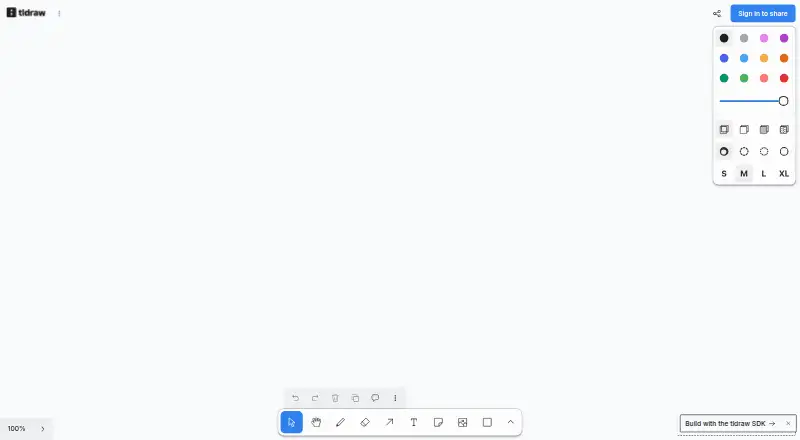
tldraw is a React SDK for developers building infinite-canvas products such as whiteboards, diagrams, and visual workflows. Its editor includes drawing, shapes, text, arrows, zooming, panning, image and video support, copy and paste, and undo and redo. Developers can modify the default shapes, tools, and interface, or create custom shapes, interactions, themes, and styles. A JavaScript API provides programmatic control over canvas content and behavior. The sync library supports simultaneous editing, live cursors, viewport following, and cursor chat. For production, sync can be hosted on Cloudflare or connected to a JavaScript backend with WebSocket support; other real-time data backends such as Liveblocks are also supported. AI integrations can use language models to read a canvas and create shapes. The SDK sanitizes pasted or dropped SVGs using an allowlist-based method. Default license terms allow development use; production requires an active trial, commercial, or hobby license key. The 100-day trial costs nothing and is for evaluation, with one trial per commercial unit.
Who it suits
tldraw is aimed at teams building their own canvas-based products, including whiteboards, diagrams, and custom tools. It may suit developers who need canvas customization or simultaneous editing features.
What it does well
- Editor supports drawing, text, shapes, images, and video.
- Developers can create custom interactions and styles.
- Sync supports live cursors and simultaneous editing.
- JavaScript API controls canvas content and behavior.
- Pasted or dropped SVGs are sanitized.
What to know first
- Production use requires an active license key.
- The free trial is limited to one per commercial unit.
- Hobby license requires discretionary approval and a watermark.
Limits
The 100-day trial is for evaluation, allows one trial per commercial unit, and requires a license key for production. The free hobby license is for non-commercial projects, requires discretionary approval, and requires a “made with tldraw” watermark.
Plans
| Plan | Billed and limits | Price |
|---|---|---|
| 100-day trial license | Evaluation · one trial per commercial unit · license key required for production | Free |
| Hobby license | Non-commercial projects · discretionary approval · “made with tldraw” watermark required | Free |
| Commercial license | Production use for commercial projects · value-based pricing · multiplayer sync included · host anywhere | On request |
As tldraw.com lists them, read 9 Oct 2026. The maker's own page has the final word.
Getting started
- Open the tldraw website.
- Use the SDK in a React canvas application.
- Use the 100-day trial license for evaluation; production use requires a valid, active license key.
- For production sync, host on Cloudflare or integrate a JavaScript backend that supports WebSockets.
- Choose a hobby license for eligible non-commercial use or a commercial license for commercial production.
Verdict
tldraw offers a customizable canvas SDK with collaboration, runtime control, and multiple sync hosting options. Its default license terms allow development only, so production projects need an active trial, hobby, or commercial license key.
Questions
How much does tldraw cost?
The 100-day trial and hobby license each cost nothing. Commercial pricing is value-based and not stated.
Is there a free plan?
Yes. The 100-day evaluation trial costs nothing. The hobby license also costs nothing and is for non-commercial projects, with discretionary approval and a required watermark.
What platforms does tldraw support?
The listed platforms are API, self-hosted, and web.
Can tldraw be self-hosted?
Yes. Production sync can be hosted on Cloudflare or integrated into a JavaScript backend that supports WebSockets.
Does tldraw support collaboration and integrations?
Its sync library supports simultaneous editing, live cursors, viewport following, and cursor chat. The SDK can use other real-time backends, with Liveblocks named as an example.
What license is needed for production use?
Production use requires a valid, active trial, commercial, or hobby license key. The default license terms permit development use only.
Facts from tldraw's own pages
- AI
- The AI integration docs describe using language models to read the canvas and create shapes on it. · tldraw.dev, 9 Oct 2026
- Canvas tools
- The SDK includes drawing, shapes, text, arrows, zooming, panning, image and video support, copy and paste, and undo and redo. · tldraw.dev, 9 Oct 2026
- Collaboration
- The sync library supports simultaneous editing, live cursors, viewport following, and cursor chat. · tldraw.dev, 9 Oct 2026
- Customization
- Developers can customize the default shapes, tools, and user interface or create custom shapes, interactions, themes, and styles. · tldraw.dev, 9 Oct 2026
- Data collection
- Under commercial or hobby licenses, no information is sent to tldraw; during production use under a trial license, a hash of the license key is sent, and the page says no user data, canvas contents, or personally identifiable information is sent or saved. · tldraw.dev, 9 Oct 2026
- Founded
- 2022 · tldraw.com, 28 Sept 2026
- Headquarters
- London, United Kingdom · tldraw.com, 28 Sept 2026
- Integrations
- The SDK can use other real-time data backends; the docs name Liveblocks as one example. · tldraw.dev, 9 Oct 2026
- Intended users
- The SDK is presented for teams building their own canvas products, including whiteboards, visual workflows, and custom canvas tools. · try.tldraw.com, 9 Oct 2026
- License limit
- The SDK license’s default terms permit development use only; production use requires a valid, active trial, commercial, or hobby license key. · tldraw.dev, 9 Oct 2026
- Product
- tldraw is a React SDK for building infinite-canvas apps such as whiteboards, diagrams, and canvas tools. · tldraw.dev, 9 Oct 2026
- Runtime API
- The editor provides a JavaScript API for programmatic control of canvas contents and behavior. · tldraw.dev, 9 Oct 2026
- Security
- The SDK sanitizes SVG files pasted or dropped into the canvas using an allowlist-based sanitizer. · tldraw.dev, 9 Oct 2026
- Self-hosting
- For production, tldraw sync can be hosted on Cloudflare or integrated into a JavaScript backend that supports WebSockets. · tldraw.dev, 9 Oct 2026
- Support
- The pricing page says support is available, and the company directs developers to its Discord community for help. · tldraw.dev, 9 Oct 2026
Where tldraw stands on Freedom251
- Online whiteboards#15 of 58
- Collaborative Whiteboard Software#19 of 29
- Online Whiteboard Tools#37 of 56
- Design Collaboration Software#21 of 28