Freedom251 › Online whiteboards

NoteBookCast
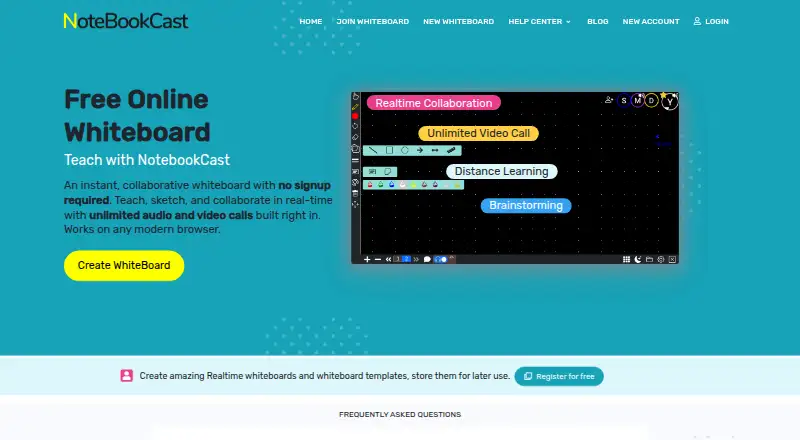
What NoteBookCast is
NoteBookCast is a browser-based collaborative whiteboard for teaching, sketching, and working together in real time. People can use it in a modern browser without registering, and registered free accounts can save boards to a dashboard. Multiple users can draw at once, with their changes synchronized live. Board tools include chat, shapes, text, sticky notes, and a laser pointer. Users can create reusable templates and make as many boards from them as needed. The service also supports audio notes and lists screen sharing with drawing and annotation, image uploads, webcam image capture, and a PDF whiteboard generator with tables and image backgrounds. Its homepage describes audio and video calls without a time limit, while the new-board page states that audio conferences currently support two people. Audio compatibility is listed for Windows, Linux, Mac, Android, and iPad, with limited Safari compatibility on iPad. The free whiteboard plan costs nothing. The latest listed changelog version is 8.5.0, dated December 28, 2024.
Who it suits
NoteBookCast suits teachers, sketchers, and groups that want to work on a shared board through a browser. It may also suit people who want to start without registering or save boards through a free account.
What it does well
- Works in a modern browser without registration
- Multiple users can draw together in real time
- Reusable templates support unlimited whiteboards
- Free whiteboard plan costs nothing
What to know first
- Audio conferences currently support two people
- Safari compatibility on iPad is limited
- Terms put responsibility for uploaded content on users
Plans
| Plan | Billed and limits | Price |
|---|---|---|
| Free whiteboard | Whiteboards can be created without an account · registered free accounts save whiteboards to a dashboard | Free |
As notebookcast.com lists them, read 5 Oct 2026. The maker's own page has the final word.
Getting started
- Open the NoteBookCast website in a modern browser.
- Create a whiteboard without registering, or register for a free account to save boards to a dashboard.
- Invite collaborators to draw on the board in real time.
- Use the board tools, templates, calls or other listed collaboration features.
Verdict
NoteBookCast combines shared drawing, reusable boards, and built-in communication tools in a browser-based service. Check its two-person audio-conference limit and iPad Safari compatibility if those matter to your setup.
Questions
Is NoteBookCast free?
Yes. Its free whiteboard plan is listed as free.
Do I need an account to use it?
No. Whiteboards can be created without an account. Registered free accounts can save boards to a dashboard.
Which platforms are listed?
Android, iOS, Linux, macOS, web and Windows are listed. The service works in a modern browser.
How many people can join an audio conference?
The new-board page says audio conferences currently support two people. The homepage describes audio and video calls as time-unlimited.
Can people collaborate on the same board?
Yes. Multiple users can draw at the same time, and changes synchronize in real time.
Who is responsible for uploaded content?
The terms say users are responsible for content they upload or process. They describe the service as provided “as is” and “as available.”
Facts from NoteBookCast's own pages
- Audio and video
- The homepage describes built-in, time-unlimited audio and video calls; the new-board page says audio conferences currently support two people. · notebookcast.com, 5 Oct 2026
- Audio notes
- Users can add audio notes to a whiteboard. · notebookcast.com, 5 Oct 2026
- Browser access
- The service works in any modern browser and can be used without registering. · notebookcast.com, 5 Oct 2026
- Device support
- Audio compatibility is listed for Windows, Linux, Mac, Android, and iPad, with limited Safari compatibility on iPad. · notebookcast.com, 5 Oct 2026
- Export and images
- The changelog says the PDF whiteboard generator includes tables and image-type backgrounds, and lists image upload and webcam image capture. · notebookcast.com, 5 Oct 2026
- Live collaboration
- Multiple users can draw at the same time, with changes synchronized in real time. · notebookcast.com, 5 Oct 2026
- Product
- NoteBookCast is an online collaborative whiteboard for teaching, sketching, and real-time collaboration. · notebookcast.com, 5 Oct 2026
- Recent changelog entry
- The latest listed changelog version is 8.5.0, dated December 28, 2024. · notebookcast.com, 5 Oct 2026
- Screen sharing
- The changelog lists screen sharing with drawing and annotation over the shared screen. · notebookcast.com, 5 Oct 2026
- Support
- The maker offers a support form and lists [email protected]. · notebookcast.com, 5 Oct 2026
- Templates
- Users can create reusable whiteboard templates and make as many whiteboards from them as needed. · notebookcast.com, 5 Oct 2026
- Terms and content
- The terms say users are responsible for content they upload or process and describe the service as provided “as is” and “as available.” · notebookcast.com, 5 Oct 2026
- Whiteboard tools
- Built-in tools include chat, shapes, text, sticky notes, and a laser pointer. · notebookcast.com, 5 Oct 2026
Where NoteBookCast stands on Freedom251
- Online whiteboards#13 of 58
- Online Whiteboard Tools#21 of 56