Freedom251 › Online Whiteboard Tools
cnvs.app
What cnvs.app is
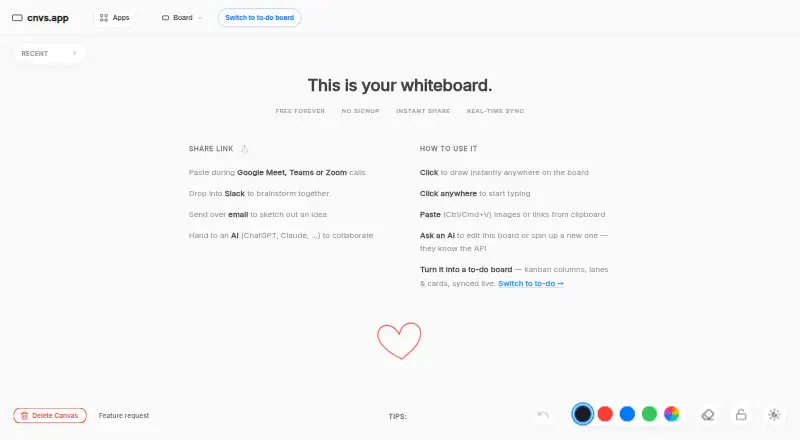
cnvs.app is a free collaborative whiteboard for people and AI agents, accessed in a browser or as an installable Progressive Web App. Anyone with a board URL can collaborate live without signing up, and edits sync over WebSockets. On the canvas, users can draw freehand, add Markdown text and sticky notes, build diagrams with boxes and connectors, paste images or URLs, and pan and zoom. Mermaid diagrams—including flowcharts, sequence diagrams, ER diagrams, Gantt charts, and mindmaps—render from text in a canvas node. An empty board can be switched to kanban mode, with columns, lanes, and cards that hold descriptions, due dates, priorities, and assignees. MCP-capable clients and REST API clients can read and edit the same live boards without an API key. Boards can be printed or exported as PDFs; board JSON and task CSV export options are also available. The app works on Android, iOS, and the web, and cached boards can be viewed offline in read-only mode. Traffic is TLS-encrypted, and access keys can restrict writing or both reading and writing. The free plan costs nothing, billed forever, and includes unlimited boards and collaborators; boards are removed after 30 days of inactivity.
Who it suits
cnvs.app suits groups that want a shared canvas for sketches, text, diagrams, or kanban tasks, including collaborators who do not want to sign up. It also suits teams using MCP-capable or REST API clients to work with live boards, and people who need a browser-based app on phones or tablets.
What it does well
- Live collaboration through a board URL without signup
- Markdown, drawing, sticky notes, connectors, and image pasting
- Mermaid diagrams render from text in canvas nodes
- Kanban cards support due dates, priorities, and assignees
- MCP and REST API clients can edit boards without an API key
- Free plan includes unlimited boards and collaborators
What to know first
- Boards are purged after 30 days without activity
- Per-board caps include 500 text nodes and 2,000 strokes
- Offline access to cached boards is read-only
- No voting tools or workshop templates
Limits
The free plan is billed forever and includes unlimited boards and collaborators, but boards are purged after 30 days of inactivity with no user-facing recycle bin or individual-board recovery. Per board, developer documentation lists limits of 500 text nodes, 50 images totaling up to 10 MB, and 2,000 strokes.
Plans
| Plan | Billed and limits | Price |
|---|---|---|
| Free | forever · Unlimited boards · unlimited collaborators · 30-day inactivity retention | Free |
As cnvs.app lists them, read 9 Oct 2026. The maker's own page has the final word.
Getting started
- Open https://cnvs.app/ in a browser
- Create or open a board and share its URL with collaborators
- Install the Progressive Web App on a phone or tablet if desired
- Use an MCP-capable client or REST API client to access live boards without an API key
- Set an access key to restrict writing or reading and writing
Verdict
Choose cnvs.app if you want a free shared whiteboard that combines diagramming, kanban, guest collaboration, and access for AI or REST API clients. Look elsewhere if your work needs voting or workshop templates, or if boards must remain available beyond the 30-day inactivity retention period.
Questions
How much does cnvs.app cost?
The Free plan costs nothing, billed forever.
Can people collaborate without signing up?
Yes. Anyone with a board URL can collaborate live without signing up.
Which platforms does it support?
It supports Android, iOS, and web, and is an installable Progressive Web App.
Can I use AI or API clients with a board?
MCP-capable clients and REST API clients can read and edit live boards without an API key.
Can boards be exported?
The product supports printing and PDF export; the app page also lists board JSON and task CSV export options.
How are boards protected and retained?
Traffic is TLS-encrypted, and access keys can restrict writing or both reading and writing. Boards are purged after 30 days of inactivity.
Facts from cnvs.app's own pages
- AI integrations
- MCP-capable clients and REST API clients can read and edit the same live boards without an API key. · cnvs.app, 9 Oct 2026
- Canvas tools
- The canvas supports freehand drawing, text with Markdown, sticky notes, diagram boxes, connectors, image and URL pasting, and pan and zoom. · cnvs.app, 9 Oct 2026
- Diagrams
- Mermaid diagrams, including flowcharts, sequence diagrams, ER diagrams, Gantt charts, and mindmaps, render from text in a canvas node. · cnvs.app, 9 Oct 2026
- Exports
- The product supports printing and PDF export, and the app page also lists board JSON and task CSV export options. · cnvs.app, 9 Oct 2026
- Kanban mode
- An empty board can be switched to a kanban task board with columns, lanes, and cards carrying descriptions, due dates, priorities, and assignees. · cnvs.app, 9 Oct 2026
- Maker
- The about page identifies CODER AI as the maker of cnvs.app. · cnvs.app, 9 Oct 2026
- Mobile and offline
- It is an installable Progressive Web App that works on phones and tablets and provides read-only access to previously cached boards offline. · cnvs.app, 9 Oct 2026
- Privacy
- The maker says board content is excluded from AI training and analytics; its privacy policy says Google Analytics may collect page and coarse usage data on tagged pages. · cnvs.app, 9 Oct 2026
- Retention limit
- Boards are purged from the live service after 30 days of inactivity, and there is no user-facing recycle bin or individual-board recovery. · cnvs.app, 9 Oct 2026
- Security
- Traffic is TLS-encrypted, and boards can be locked with an access key for write access or both reading and writing. · cnvs.app, 9 Oct 2026
- Sharing and sync
- Anyone with a board URL can collaborate live without signing up, and edits sync over WebSockets. · cnvs.app, 9 Oct 2026
- Support
- The privacy policy directs privacy questions to [email protected] and says users can submit information through the feedback form or support email. · cnvs.app, 9 Oct 2026
- Usage limits
- Developer documentation lists per-board limits of 500 text nodes, 50 images totaling up to 10 MB, and 2,000 strokes. · cnvs.app, 9 Oct 2026
- What it does
- cnvs.app is a free, browser-based collaborative whiteboard for people and AI agents. · cnvs.app, 9 Oct 2026
Where cnvs.app stands on Freedom251
- Online Whiteboard Tools#7 of 56
- AI Whiteboard Software#5 of 27
- Online whiteboards#16 of 58