Freedom251 › Content Management Systems

Tiki Wiki CMS Groupware
What Tiki Wiki CMS Groupware is
Tiki Wiki CMS Groupware is a free, open-source web application that combines wiki, content management, and groupware features for individuals, groups, and organizations. Wiki pages support wiki syntax, HTML, a WYSIWYG editor, and Markdown, with revision history, categories, tags, page structures, and fine-grained permissions. The system also includes articles, blogs, forums, file galleries, trackers, newsletters, surveys, calendars, and chat.
Trackers collect structured data through forms and can use it to create reports and other displays. File galleries support sharing, previous versions, WebDAV access, and search within files. Tiki lists editorial workflows, custom roles and content types, multilingual content, SEO tools, and a media library. Its interface has translations for 54 languages, with varying levels of completeness. Tiki is self-hosted on Linux, macOS, or Windows, with release archives and third-party installation methods; managed hosting is offered through TikiHosting.com. BigBlueButton integration requires an accessible server and shared secret. Free support includes documentation, forums, mailing lists, FAQs, live chat, and monthly roundtable meetings; paid help is also available.
Who it suits
Tiki suits individuals, groups, and organizations seeking a self-hosted system for content management and online collaboration. It may fit teams that need structured data, permissions, and several kinds of groupware features in one web application.
What it does well
- Combines wiki, CMS, and groupware features.
- Supports several page formats and revision history.
- Trackers collect structured data and generate reports.
- Free support resources include forums and documentation.
What to know first
- BigBlueButton integration requires a server and shared secret.
- Self-hosting requires managing an installation.
- Language translations vary in completeness.
Plans
| Plan | Billed and limits | Price |
|---|---|---|
| Tiki Wiki CMS Groupware | Free / Libre Open Source software; self-hosted installation | Free |
As tiki.org lists them, read 8 Oct 2026. The maker's own page has the final word.
Getting started
- Visit https://tiki.org/.
- Download a release archive or obtain Tiki through a third-party installation method.
- Install it on a supported Linux, macOS, or Windows environment, or choose managed hosting through TikiHosting.com.
- Configure users, groups, and permissions for the content and activities you plan to manage.
Tiki Wiki CMS Groupware is a free, open-source web application that unifies wiki, CMS, and collaboration tools for self-hosted deployment. It fits groups and organizations that need structured records, publishing, and detailed access control in one system. The trade-off is operational responsibility: your team handles installation, upgrades, permissions, and backups.
Overview
Tiki brings wiki pages, articles, blogs, forums, file galleries, trackers, newsletters, surveys, calendars, and chat into one web-based workspace. That breadth can replace a collection of specialist tools when a project needs several content types working together. It is less suitable when you want a narrowly focused wiki with minimal administration.
Pages support wiki syntax, HTML, a WYSIWYG editor, and Markdown. Revision history, structures, categories, and tags help organize changing knowledge. About 180 access and action permissions can be assigned to groups, from site-wide controls down to individual objects. This is a strong fit for departments, communities, or partners with different visibility rules, but permissions need careful design and testing.
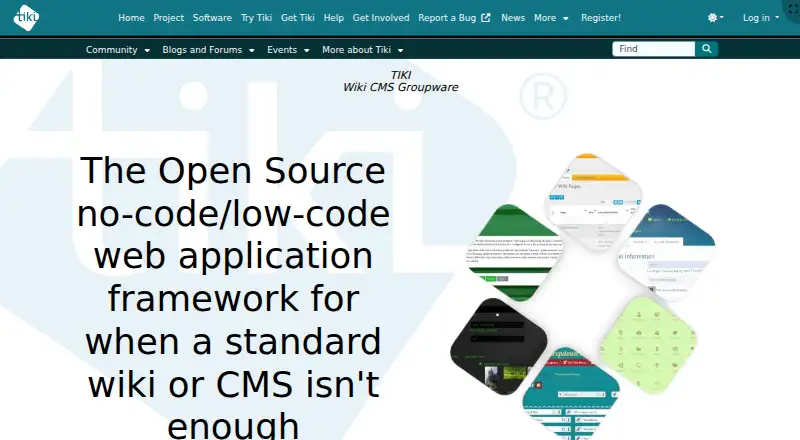
Tiki has been developed since 2002 and reports more than 300 source-code contributors. It positions itself as a no-code/low-code framework for cases where an ordinary wiki or CMS is not enough, giving administrators room to model more specialized collaboration spaces.
Key features
Trackers collect structured information through forms, then use that data in reports and other displays. They are useful for registers, requests, and workflow-oriented records that do not fit ordinary pages. Custom content types, editorial workflows, custom user roles, multilingual content, SEO tools, and a media library extend Tiki beyond basic documentation.
File galleries store and share files, retain previous versions, support WebDAV, and provide search within files. That combination suits teams managing document sets alongside their written knowledge. Responsive Bootstrap layouts adapt the same content to different screen sizes, while interface translations are available in 54 languages at varying levels of completeness.
Security options include HTML Purifier, uploaded-file validation, HTTPS session protection, configurable security headers, common-password checks, confirmation for some sensitive administrator actions, remote HTTPS certificate verification, CAPTCHA, and moderation. The security guidance also emphasizes updates, strong passwords, permission checks, and backups; self-hosting therefore demands an ongoing maintenance routine.
Tiki documents BigBlueButton integration for conferencing, plus external authentication such as LDAP and LinkedIn. BigBlueButton use depends on an accessible BigBlueButton server and its shared secret, so the integration is not a conferencing service by itself.
Pricing
| Plan | Price | What it includes |
|---|---|---|
| Tiki Wiki CMS Groupware | free | Free and libre open-source software with self-hosted installation |
There are no paid seats or usage quotas in the published plan. The cost advantage is greatest for organizations able to provide their own hosting and administration. Tiki can be downloaded as a release archive, installed through third-party one-click methods, or run with managed hosting from TikiHosting.com; managed hosting may suit teams that want less infrastructure work, while paid assistance is also available from Tiki Service Providers.
Platforms
Tiki runs as a self-hosted web application on Linux, macOS, or Windows environments. Its web delivery and responsive layouts let users access the same content across screen sizes. Deployment choice remains with the organization, from a downloaded archive to a third-party installer or managed hosting.
Who it's for
Tiki is aimed at individuals, groups, and organizations that collaborate online and need more than page-based documentation. Choose it for a knowledge or community hub that combines publishing, structured forms, files, calendars, discussion, and granular permissions. It is a poor match for teams unwilling to maintain a server, plan access rules, or keep the installation current.
Pros and cons
Pros
- Broad integrated scope: Wikis, CMS content, forums, trackers, files, calendars, and chat can live in one system.
- Fine-grained governance: Around 180 permissions, custom roles, workflows, and object-level controls support complex organizations.
- Structured data tools: Trackers turn form submissions into reports and content displays.
- No license fee: The software is free and open source, with no published seat or quota charges.
- Deployment flexibility: Archive downloads, one-click methods, and managed hosting cover different operational preferences.
Cons
- Self-hosting workload: Installation, updates, backups, and permission testing remain your responsibility unless you buy help or hosting.
- Conferencing dependency: BigBlueButton integration still requires your own accessible server and shared secret.
- Feature breadth adds administration: Organizations must configure and govern a large set of capabilities rather than adopt a tightly scoped tool.
- Translation completeness varies: The 54-language interface coverage is not uniform.
Alternatives
For a broader comparison, see Knowledge Management Software, Wiki Software, Content Management Systems, Knowledge base software, and Community Platforms.
- Lark is a freemium, multi-platform alternative with a Starter plan for 20 users, 100 GB storage, 18 months of message history, and 1,000 automations per month.
- Nuclino suits smaller, cloud-oriented knowledge spaces; its free plan allows up to 50 items, three canvases, and 2 GB total storage.
- ProProfs Knowledge Base offers a free tier capped at one author and 25 pages.
- TiddlyWiki is another free, open-source option for users wanting a focused self-hosted wiki project.
- Confluence provides a free plan for 10 users with 2 GB file storage and three active whiteboards per user.
- Foswiki is a community-supported, self-hosted free option.
- MediaWiki is free GPL software for self-hosted wiki deployments.
- Scribe is a freemium documentation tool that works with any web app and supports shareable links and embeds on its Basic plan.
Verdict
Choose Tiki when you want a free, self-hosted collaboration platform that combines wiki publishing with structured data, files, discussions, and precise permissions. Its main advantage is the ability to shape one system around varied organizational workflows. Look elsewhere if you want a managed product with little infrastructure work or built-in conferencing without a separate server.
Verdict
Tiki provides a broad set of content and collaboration features in a self-hosted system. Consider its installation requirements and, for conferencing, the separate BigBlueButton server requirement.
Questions
Is Tiki Wiki CMS Groupware free?
Yes. It is free and open source software, with a listed plan of 0.00 USD for a self-hosted installation.
Which platforms does it support?
Tiki lists Linux, macOS, Windows, web, and self-hosted platforms.
What kinds of content and collaboration tools are included?
It combines wiki pages, articles, forums, blogs, file galleries, trackers, newsletters, surveys, calendars, and chat.
Can Tiki use BigBlueButton?
Yes. The integration requires an accessible BigBlueButton server and its shared secret.
Who makes Tiki, and when was it founded?
The maker is Tiki Wiki CMS Groupware. The project dates to 2002, and its first public release was in October of that year.
How can Tiki be hosted or installed?
It can be downloaded as a release archive or obtained through third-party methods, including one-click installers. Managed hosting is also offered through TikiHosting.com.
Facts from Tiki Wiki CMS Groupware's own pages
- All-in-one features
- Tiki combines wiki pages, trackers, file galleries, articles, blogs, forums, and calendars in an integrated system. · tiki.org, 8 Oct 2026
- BigBlueButton requirement
- Using Tiki's BigBlueButton integration requires an accessible BigBlueButton server and its shared secret. · doc.tiki.org, 8 Oct 2026
- Built-in features
- Tiki includes features such as articles, forums, blogs, file galleries, trackers, newsletters, surveys, calendars, and chat. · tiki.org, 8 Oct 2026
- Content management
- Tiki combines wiki, CMS, and groupware features in one web-based system. · tiki.org, 8 Oct 2026
- Custom content types
- Yes · tiki.org, 22 Sept 2026
- Custom user roles
- Yes · tiki.org, 22 Sept 2026
- Deployment
- Tiki can be downloaded as a release archive or obtained through third-party methods, including one-click installers; managed hosting is also offered through TikiHosting.com. · tiki.org, 8 Oct 2026
- Editorial workflows
- Yes · tiki.org, 22 Sept 2026
- File management
- File galleries store and share files, retain previous versions, and support WebDAV access and search within files. · tiki.org, 8 Oct 2026
- Founded
- 2002 · tiki.org, 28 Sept 2026
- Free plan
- Yes · tiki.org, 22 Sept 2026
- History
- Tiki's history page says its first public release was in October 2002 by Luis Argerich. · tiki.org, 8 Oct 2026
- Integrations
- The feature overview describes social network integration for Facebook, Twitter, and LinkedIn, plus a wiki plugin for BigBlueButton. · tiki.org, 8 Oct 2026
- Intended users
- Tiki's stated mission emphasizes individuals, groups, and organizations that benefit from online collaboration. · tiki.org, 8 Oct 2026
- Languages
- Tiki says its interface has translations, at varying levels of completeness, for 54 languages. · tiki.org, 8 Oct 2026
- Media library
- Yes · tiki.org, 22 Sept 2026
- Multilingual content
- Yes · tiki.org, 22 Sept 2026
- Page editing
- Wiki pages support wiki syntax, HTML, a WYSIWYG editor, and Markdown, with revision history and fine-grained permissions. · tiki.org, 8 Oct 2026
- Permissions
- Tiki says it has around 180 access and action permissions assignable to groups, with scope from the whole site down to individual objects. · tiki.org, 8 Oct 2026
- Platforms
- Tiki states that it runs wherever PHP runs, including Linux, Mac, and Windows. · doc.tiki.org, 8 Oct 2026
- Platform type
- self_hosted · tiki.org, 22 Sept 2026
- Product
- Tiki describes itself as an open source no-code/low-code web application framework for cases where a standard wiki or CMS is not enough. · tiki.org, 8 Oct 2026
- Project history
- Tiki has been actively developed since 2002 and reports more than 300 source-code contributors. · tiki.org, 8 Oct 2026
- Purpose
- Tiki is free and open source groupware intended to support online collaboration by individuals, groups, and organizations. · tiki.org, 8 Oct 2026
Where Tiki Wiki CMS Groupware stands on Freedom251
- Content Management Systems#17 of 165
- Knowledge base software#24 of 138
- Community Platforms#39 of 126
- Knowledge Management Software#16 of 37
- Wiki Software#18 of 33