Freedom251 › Knowledge Management Software
Foswiki
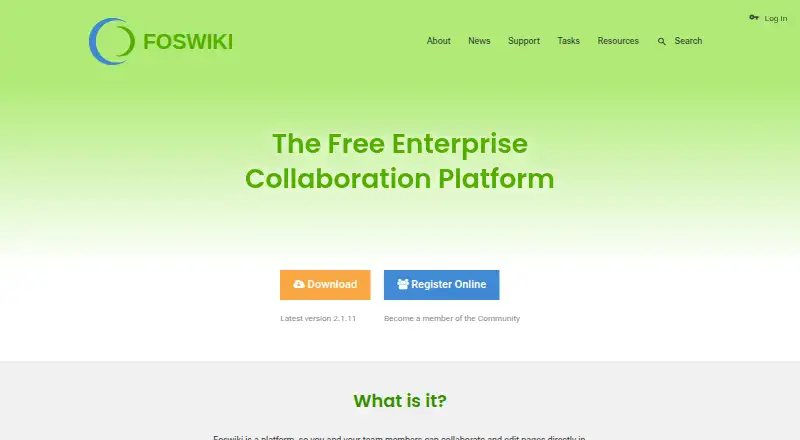
What Foswiki is
Foswiki is an open source collaboration platform for teams that share knowledge, edit pages, and build custom wiki applications. Teams can use it as a document repository, a collaborative authoring space, a content or project management system, a blog, or a tracking tool. It can also support applications such as status boards, to-do lists, inventory systems, employee handbooks, and bug trackers.
Pages can hold structured data that users retrieve with advanced search. Editing options include a WYSIWYG editor, topic markup, and HTML. Foswiki retains revision history for pages and attachments, and flexible access controls can restrict pages. It supports enterprise LDAP and can connect with web APIs such as Google Maps. Hundreds of extensions are available through its open plugin architecture.
Foswiki is free under the GNU/GPL and offered as a community-supported, self-hosted plan at no cost. It supports Linux, Mac OS X, and Windows, as well as web and API use. It can also run from a USB stick or as an appliance for VMware or VirtualBox. Interfaces are localized in 20 languages, and the feature page identifies protection against Cross-Site Request Forgery.
Who it suits
Foswiki suits teams that need a self-hosted place to share knowledge, collaboratively edit documents, and maintain page history with access controls. It also fits organizations looking to build custom wiki applications and connect them to LDAP or web APIs.
What it does well
- Free GNU/GPL software with community support.
- Pages support structured data and advanced search.
- Revision history covers pages and attachments.
- Flexible access controls can protect pages.
- Hundreds of extensions support added features and integrations.
- Interfaces are localized in 20 languages.
What to know first
- Manual installation assumes basic server administration knowledge.
- Installation requires Perl and required Perl modules.
- Extension dependencies may need manual installation.
Limits
The free Foswiki plan is community supported and self-hosted. Manual installation requires server administration knowledge and Perl prerequisites, while external dependencies for extensions may need to be installed separately.
Plans
| Plan | Billed and limits | Price |
|---|---|---|
| Foswiki | Community supported · Self-hosted | Free |
As foswiki.org lists them, read 7 Oct 2026. The maker's own page has the final word.
Getting started
- Visit the Foswiki website.
- Choose a supported deployment: Linux, Mac OS X, Windows, a USB stick, or a VMware or VirtualBox appliance.
- Install Foswiki manually, with basic server administration knowledge and the required Perl prerequisites.
- Set up access controls and connect enterprise LDAP or web APIs as needed.
- Add extensions, installing external package dependencies manually when required.
Foswiki is a self-hosted workspace for collaborative authoring and custom wiki applications, aimed at teams that want to shape their own knowledge tools. Its structured pages, revision history, and flexible permissions make it a capable foundation; manual setup and extension upkeep make it a poor fit for teams seeking a managed service.
Overview
Foswiki can serve as a document repository, content management system, project workspace, blog, or tracking tool. Teams can also build status boards, to-do lists, inventory systems, employee handbooks, and bug trackers. That range is useful when information and workflows need to fit a team’s own structure, but it calls for more configuration than a fixed-purpose collaboration product.
Structured data stored in pages can be retrieved with advanced search, so the wiki can organize records as well as prose. The software is Free Software under the GNU/GPL and runs as a self-hosted installation; the team remains responsible for operating its server.
Key features
Authoring and structured pages
Contributors can edit with a WYSIWYG editor, topic markup, or HTML. The choice lets teams balance visual editing with direct control over page content, although the markup and HTML options will suit technically confident contributors better than users who want a uniform visual workflow. Structured fields and advanced search make custom applications possible without limiting the workspace to ordinary documents.
History and access control
Foswiki keeps revision history for pages and attachments, helping teams follow changes to both their documents and supporting files. Flexible access controls let administrators protect pages, while granular permissions and single sign-on support are included. Those controls suit shared knowledge repositories where access needs to vary by content.
Extensions and integrations
An open plugin architecture supports hundreds of extensions for added features and third-party application integration. Foswiki also supports enterprise LDAP and can work with web APIs such as Google Maps. The extensibility broadens what teams can build, but external package dependencies for extensions may need to be installed manually; plugin choice can therefore add administration work.
Security and localization
The feature set identifies protection against Cross-Site Request Forgery, and localized interfaces are available in 20 languages. These capabilities help support deployments with security requirements and users in multiple language communities.
Pricing
Foswiki’s Community supported plan costs nothing and is self-hosted. The free GNU/GPL software avoids a subscription charge, making it suitable for teams that can supply and administer their own server. Its cost in practice includes the staff time needed to install, maintain, and extend the system.
Foswiki’s installation guide assumes basic server administration knowledge. Installation requires Perl and required Perl modules, and extension dependencies from CPAN or other external packages are not resolved automatically. Teams without someone able to manage those prerequisites may find the free plan costly in setup effort.
Platforms
Foswiki supports Linux, Mac OS X, and Windows and is available through the web as self-hosted software. It can run standalone from a USB stick, and software appliances are available for VMware or VirtualBox. The platform listing also includes API support. Online support resources and an IRC channel provide community help, which is a practical option for administrators comfortable seeking assistance through project channels.
Who it's for
Foswiki is a strong fit for organizations that want an enterprise collaboration platform they can adapt for knowledge sharing, structured information, and custom wiki applications. It is especially suited to teams with server administration skills and a clear reason to manage their own installation, such as the need for flexible page permissions, revision history, or tailored tracking tools.
Teams looking for a hosted workspace with minimal setup, or those without capacity to maintain Perl and extension dependencies, should look elsewhere. Foswiki’s flexibility is most valuable when someone can configure and care for it.
Pros and cons
- Pro: Structured page data and advanced search support custom applications such as inventories and bug trackers, extending the wiki beyond document sharing.
- Pro: Page and attachment history, granular permissions, and single sign-on support give administrators useful control over shared content.
- Pro: The free, self-hosted GNU/GPL plan avoids a software subscription and supports deployment on Linux, Mac OS X, or Windows.
- Con: Manual installation requires server administration knowledge and Perl prerequisites, putting it out of reach for teams expecting a ready-to-use service.
- Con: Extension dependencies may require manual package installation, which adds ongoing work when customizing the platform.
Alternatives
For a different wiki approach, TiddlyWiki is also free and open source, with platform support that includes Android and iOS as well as desktop and web options.
Confluence is worth considering for teams that want a free hosted starting point: its free plan lasts forever for up to 10 users and includes 2 GB of file storage and three active whiteboards per user.
ikiwiki is another free, self-hosted wiki for Linux and macOS environments. MediaWiki is a free, self-hosted option under GNU GPL version 2 or later, with API support and Linux, macOS, and Windows platforms.
MoinMoin is free software under the GNU GPL, while PmWiki is free, self-hosted software that requires PHP. Tiki Wiki CMS Groupware is a free, self-hosted installation. TWiki is free GPL software whose source, templates, and documentation are available at no charge.
Browse Wiki Software, Knowledge Management Software, and Knowledge base software for more options.
Verdict
Choose Foswiki if your team wants a free, programmable collaboration platform with structured pages, revision history, and fine-grained access controls—and has the technical capacity to run it. Its strongest reason to choose it is the ability to build a knowledge workspace around your own data and applications. Look elsewhere if manual installation and extension maintenance would outweigh that flexibility.
Verdict
Choose Foswiki if you want a free, self-hosted collaboration platform with structured pages, revision history, and flexible permissions. It is best suited to teams comfortable with manual installation and server administration; extension dependencies may also require extra setup.
Questions
How much does Foswiki cost?
The Foswiki plan is free. The pricing model is free.
Is Foswiki open source?
Yes. Foswiki is Free Software under the GNU/GPL.
Where can Foswiki run?
It supports Linux, Mac OS X, and Windows, and is available for web, API, and self-hosted use. It can also run from a USB stick or as an appliance for VMware or VirtualBox.
Does Foswiki support single sign-on?
Yes. Foswiki supports SSO and enterprise LDAP.
What can teams build with Foswiki?
Teams can create applications such as status boards, to-do lists, inventory systems, employee handbooks, and bug trackers.
How is Foswiki supported?
The plan is community supported. Project documentation points users to online support resources and an IRC channel.
Facts from Foswiki's own pages
- Access and history
- The product supports flexible access controls and revision history for documents and attachments. · foswiki.appx.com, 7 Oct 2026
- Access controls
- Pages can be protected with flexible access controls. · foswiki.appx.com, 7 Oct 2026
- Applications
- Foswiki can be used to create applications such as status boards, to-do lists, inventory systems, employee handbooks, and bug trackers. · foswiki.appx.com, 7 Oct 2026
- Deployment
- The feature page says Foswiki is available as a software appliance for VMware or VirtualBox. · foswiki.appx.com, 7 Oct 2026
- Deployment requirements
- The installation guide describes manual installation and assumes basic server administration knowledge; Foswiki requires server prerequisites including Perl and required Perl modules. · foswiki.appx.com, 7 Oct 2026
- Editing
- Pages can be edited with a WYSIWYG editor, topic markup, or HTML. · foswiki.appx.com, 7 Oct 2026
- Editing and languages
- The feature page lists a WYSIWYG text editor and localized interfaces in 20 languages. · foswiki.appx.com, 7 Oct 2026
- Extension limitation
- Foswiki documentation says CPAN and other external package dependencies for extensions are not resolved automatically and may need to be installed manually. · foswiki.appx.com, 7 Oct 2026
- Extensions
- Foswiki has an open plugin architecture, with hundreds of extensions described as supporting additional features and third-party application integration. · foswiki.appx.com, 7 Oct 2026
- Free plan
- Yes · github.com, 19 Sept 2026
- History
- Foswiki keeps revision history for pages and attachments. · foswiki.appx.com, 7 Oct 2026
- Integrations
- Foswiki supports enterprise LDAP and can combine with web APIs such as Google Maps. · foswiki.appx.com, 7 Oct 2026
- Intended uses
- The introduction lists document repositories, collaborative authoring, content management, project management, blogs, and tracking tools among Foswiki's uses. · foswiki.appx.com, 7 Oct 2026
- License
- Foswiki is developed as Free Software under the GNU/GPL. · astrowiki.physics.ox.ac.uk, 7 Oct 2026
- Localization
- The feature page says Foswiki has localized interfaces in 20 languages. · foswiki.appx.com, 7 Oct 2026
- Platforms
- The feature page says Foswiki runs on Linux, Mac OS X, and Windows, including standalone use from a USB stick, and can be deployed as a VMware or VirtualBox appliance. · foswiki.appx.com, 7 Oct 2026
- Product
- Foswiki is an open source collaboration platform where teams can edit pages in a web browser. · github.com, 7 Oct 2026
- Purpose
- Foswiki is an open, programmable collaboration platform for sharing knowledge and editing pages collaboratively. · foswiki.appx.com, 7 Oct 2026
- Security
- The feature page identifies protection against Cross-Site Request Forgery as a security feature. · foswiki.appx.com, 7 Oct 2026
- SSO support
- Yes · github.com, 19 Sept 2026
- Structured data
- Users can store data in pages and use advanced search to extract it. · foswiki.appx.com, 7 Oct 2026
- Support
- The project documentation points users to online support resources and an IRC channel for help. · foswiki.appx.com, 7 Oct 2026
- Supported operating systems
- The feature page says Foswiki runs on Linux, Mac OS X, and Windows, and can run standalone from a USB stick. · foswiki.appx.com, 7 Oct 2026
- Version history
- Yes · github.com, 19 Sept 2026
Where Foswiki stands on Freedom251
- Knowledge Management Software#3 of 37
- Wiki Software#6 of 33
- Knowledge base software#30 of 138