ikiwiki
What ikiwiki is
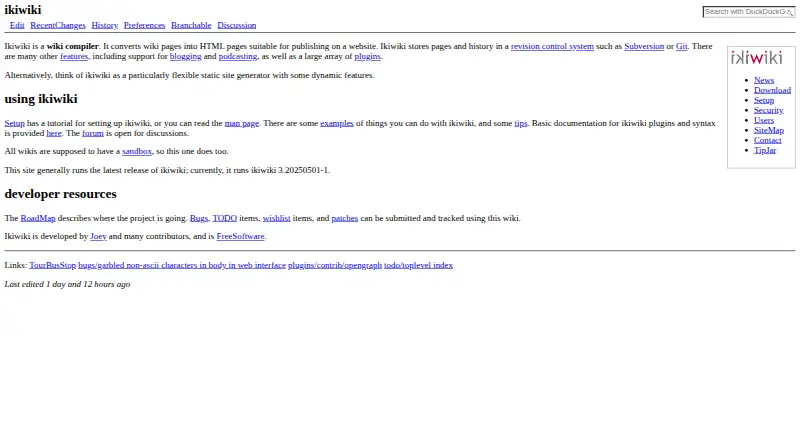
ikiwiki is a free, open-source wiki compiler that turns wiki pages into HTML for publication as a website. It creates a static site and rebuilds pages when their source changes. Page history can be kept in a revision-control system such as Git or Subversion, though ikiwiki can also run without one. Markdown is the default markup, while plugins can add formats such as WikiText, HTML, reStructuredText, and Textile. Any page can serve as a blog, with RSS or Atom feeds. Plugins also provide many other features, including directives, revision-control backends, and CGI functionality. Site owners can adjust generated pages with templates, CSS, and themes; optional web editing supports registration, authentication choices, and configurable page edit controls. Xapian can provide full-text search. The setup guide describes creating a working wiki with one command, while noting that advanced users may prefer manual setup. Packages are listed for several Linux distributions, BSD, Homebrew, and Guix. The software supports Linux, macOS, self-hosting, custom domains, SSO, and version history, and is licensed under GNU GPL version 2 or later.
Who it suits
ikiwiki suits people who want to publish a wiki or blog as a static website and are comfortable configuring a self-hosted tool. Advanced users may prefer its manual setup options; others can follow the one-command tutorial.
What it does well
- Builds static pages from wiki sources.
- Can keep history with Git or Subversion.
- Any page can have RSS or Atom feeds.
- Plugins extend markup and other features.
- One-command setup is described in the tutorial.
What to know first
- Allowing others to edit introduces security issues.
- Production builds disable Perl taint checking.
- Advanced users may prefer manual setup.
Plans
| Plan | Billed and limits | Price |
|---|---|---|
| ikiwiki | Free software; no paid plans stated | Free |
As ikiwiki.info lists them, read 9 Oct 2026. The maker's own page has the final word.
Getting started
- Visit the ikiwiki website and follow its setup tutorial.
- Install a package for a listed platform, or use a listed package source such as Homebrew or Guix.
- Create a wiki using the tutorial’s one-command setup, or choose manual setup.
- Choose web-based editing or revision-control-based editing.
- Configure markup, plugins, templates, CSS, or themes as needed.
ikiwiki is a self-hosted wiki compiler for people who want to publish editable pages as a website rather than manage a hosted collaboration workspace. Its static output and flexible editing options are compelling, but opening a wiki to contributors means taking its security guidance seriously.
Overview
ikiwiki converts wiki pages into HTML and updates the generated site when source pages change. Page history can live in Git or Subversion, but revision control is optional. That makes it a good fit for personal publishing and sites where owners want control over the publishing setup; it is less suited to teams looking for a managed service.
The setup tutorial describes creating a working wiki with one command, while advanced users can configure a manual setup. Installation packages cover Debian or Ubuntu, Fedora, BSD, openSUSE, Arch Linux, Homebrew, and Guix. The project is developed by Joey and other contributors, with a forum, bug tracker, TODO list, and discussion pages for support.
Key features
Markdown is the default markup, and plugins can add WikiText, HTML, reStructuredText, or Textile. Plugins also extend directives, revision-control backends, and CGI functionality. That modularity lets owners shape a wiki around their workflow, but it also means the capabilities depend on the plugins and configuration they choose.
Any page can function as a blog and generate RSS or Atom feeds. Templates, CSS, and themes control the appearance of the generated pages, while Xapian can add full-text search. These options make ikiwiki useful for publishing varied site content, although configuring the desired mix is part of the owner's work.
Optional web editing supports registration, OpenID and HTTP Basic authentication, and configurable page edit controls. Owners can also choose revision-control-based editing. This is useful when contributors need browser access or a repository workflow, but the security guidance warns that allowing others to edit introduces risks, including around configuration and uploaded content. It notes that Perl taint checking is disabled in production builds because of a Perl bug, so public editing deserves particular care.
Pricing
ikiwiki is free software under the GNU GPL version 2 or later. The ikiwiki plan costs nothing, and there is no free trial because the software is free to use. There are no paid plans to weigh against the free version; the trade-off is that this is self-hosted software rather than a priced hosted service.
Platforms
ikiwiki supports Linux, macOS, self-hosting, and web access. It supports custom domains, single sign-on, and version history. Its installation packages span several Linux distributions, BSD, Homebrew, and Guix, giving technically capable owners multiple routes to a self-hosted installation.
Who it's for
Choose ikiwiki if you want a free, extensible publishing system and are comfortable owning the setup, appearance, and editing controls. It suits personal wikis, blogs, and sites whose maintainers want static HTML output with optional revision-control history. Look elsewhere if you need a hosted workspace or want to allow public contributions without taking responsibility for security configuration.
Pros and cons
- Static HTML publishing: Pages are generated as a website and updated when their source changes, a practical fit for owners focused on publishing.
- Flexible editing and history: Web editing and revision control are optional, so maintainers can choose the contribution model that suits the site.
- Extensible content tools: Plugins add markup formats, directives, backends, and CGI functionality; themes and templates shape the output.
- Security overhead for contributors: Enabling editing or uploads introduces risks that owners must mitigate, and production builds disable Perl taint checking.
- Self-hosting responsibility: Free software avoids plan costs, but setup and ongoing site administration remain with the owner.
Alternatives
TiddlyWiki is another free and open-source choice for readers who want support across Android, iOS, Windows, and other listed platforms. Confluence is worth considering for a team that wants a free hosted option with a stated limit of 10 users, 2 GB of file storage, and three active whiteboards per user.
Foswiki, MediaWiki, MoinMoin, PmWiki, Tiki Wiki CMS Groupware, and TWiki are other free, self-hosted wiki options. PmWiki requires PHP; TWiki requires web server administration.
Browse more options in Wiki Software or Knowledge base software.
Verdict
ikiwiki is a strong choice for technically capable site owners who want free wiki publishing with static output, optional history, and plugins to shape the workflow. Its main reason to choose it is that flexibility; its main reason to look elsewhere is the responsibility for self-hosting and securing contributor access.
Verdict
ikiwiki offers wiki publishing with static output, optional revision control, and an extensible plugin system. Review its security guidance before allowing other people to edit or upload content.
Questions
Is ikiwiki free and open source?
Yes. ikiwiki is free software licensed under GNU GPL version 2 or later, and no paid plans are stated.
What does ikiwiki do?
It compiles wiki pages into HTML pages for a website, generating a static site and updating pages when their source changes.
Which platforms does it support?
The listed platforms are Linux, macOS, self-hosted, and web. Packages are listed for Debian or Ubuntu, Fedora, BSD ports, openSUSE, Arch Linux, Homebrew, and Guix.
Can ikiwiki keep page history?
Yes. It can store page history in revision control systems such as Git or Subversion, and it can also run without one.
Can I edit pages through the web?
Optional web editing supports user registration, authentication methods including OpenID and HTTP basic authentication, and configurable page edit controls.
What security considerations does ikiwiki document?
The project warns that allowing other people to edit a wiki brings security issues and documents risks and mitigations for configuration and uploaded content. Its security page also says Perl taint checking is disabled for production builds because of a Perl bug.
Facts from ikiwiki's own pages
- Blogging and feeds
- Pages can be used as blogs with RSS or Atom feeds, and ikiwiki can aggregate external blogs. · ikiwiki.info, 9 Oct 2026
- Custom domain
- Yes · ikiwiki.info, 20 Sept 2026
- Customization
- Templates, CSS, and themes can be used to change the appearance and layout of generated pages. · ikiwiki.info, 8 Oct 2026
- Editing and access
- Optional CGI features include browser-based editing and registration, with configurable authentication and edit controls. · ikiwiki.info, 9 Oct 2026
- Installation
- The project offers source downloads and packages for Debian/Ubuntu, Fedora, BSD systems, openSUSE, Arch Linux, Homebrew, and Guix. · ikiwiki.info, 9 Oct 2026
- Intended users
- Its setup guide describes creating a wiki or blog and notes that advanced users may prefer a manual setup. · ikiwiki.info, 9 Oct 2026
- Known security caveat
- The security page says Perl taint checking is disabled for production builds because of a Perl bug. · ikiwiki.info, 9 Oct 2026
- License
- The project describes ikiwiki as Free Software. · ikiwiki.info, 9 Oct 2026
- Markup
- Markdown is the default markup, and plugins add support for formats including HTML, reStructuredText, Textile, and WikiText. · ikiwiki.info, 9 Oct 2026
- Plugins
- Plugins can add markup languages, directives, revision control backends, CGI behavior, and other features; plugins may be written in Perl or as external programs in any language using XML-RPC. · ikiwiki.info, 9 Oct 2026
- Project contributors
- The homepage says ikiwiki is developed by Joey and many contributors. · ikiwiki.info, 8 Oct 2026
- Purpose
- ikiwiki converts wiki pages into HTML pages for publishing on a website. · ikiwiki.info, 9 Oct 2026
- Revision control
- It stores pages and history in revision control systems such as Git or Subversion, and can also run without revision control. · ikiwiki.info, 9 Oct 2026
- Search
- Full-text search can be added using the Xapian search engine. · ikiwiki.info, 9 Oct 2026
- Security
- The project advises that public or multi-user editing requires attention to security risks, and provides configuration-specific security guidance. · ikiwiki.info, 9 Oct 2026
- Setup
- The setup tutorial says a fully functional wiki can be created with one command and describes web-based and revision-control-based editing. · ikiwiki.info, 8 Oct 2026
- SSO support
- Yes · ikiwiki.info, 20 Sept 2026
- Static site generation
- It builds a static wiki website and updates pages when their source changes. · ikiwiki.info, 9 Oct 2026
- Support
- The project provides a forum, bug tracker, TODO list, and discussion pages, and says developers monitor RecentChanges and respond in a timely fashion. · ikiwiki.info, 9 Oct 2026
- Version history
- Yes · ikiwiki.info, 20 Sept 2026
- What it does
- ikiwiki is a wiki compiler that turns wiki pages into HTML pages for publishing on a website. · ikiwiki.info, 8 Oct 2026
Where ikiwiki stands on Freedom251
- Wiki Software#7 of 33
- Knowledge base software#39 of 138