Termix
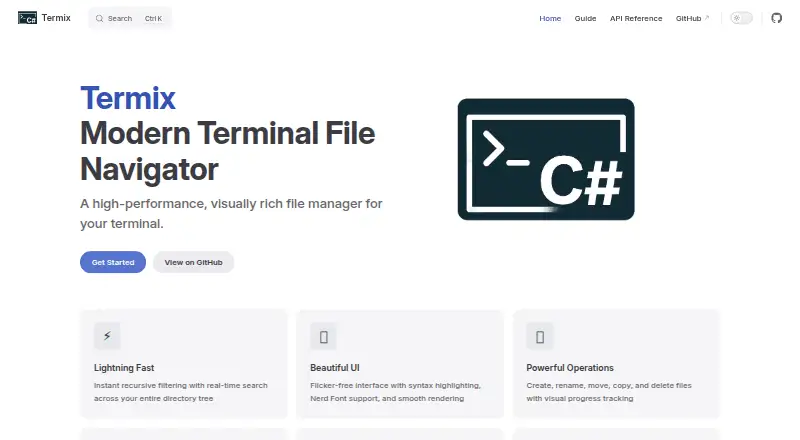
What Termix is
Termix is a free, MIT-licensed terminal file manager for Linux, macOS, and Windows. It navigates, searches, and manages files and directories from a terminal interface. Recursive search filters results in real time and respects .gitignore patterns. Separate modes organize navigation, search, bookmarks, and file operations, with Vim-style keyboard controls and shortcuts. Users can create, rename, move, copy, and delete files and directories with visual progress feedback. Delete actions require confirmation, while paste conflicts offer skip, replace, or cancel choices. Named directory bookmarks appear in a live-filterable menu. A preview pane shows code with syntax highlighting and supports image and archive previews. Termix includes archive support but does not provide a dual-pane layout. Recommended install scripts deliver a self-contained version without the .NET SDK. Installing version 3 or newer as a .NET tool requires the .NET 10 SDK or later. Nerd Fonts are recommended for icons, with ASCII fallback. The project currently exposes no public API and supports no plugins.
Who it suits
It suits keyboard-oriented users who want one terminal tool for file navigation, search, operations, bookmarks, and previews. It supports Linux, macOS, and Windows installations.
What it does well
- Real-time recursive search honors .gitignore
- Vim-style navigation and operation modes
- Code, image, and archive previews
- Confirmed deletes and paste conflict choices
- Self-contained install scripts available
What to know first
- No dual-pane layout
- No public API
- No plugin support
- .NET tool install needs .NET 10 SDK
Limits
Termix has no plugins or public API. The .NET tool installation requires the .NET 10 SDK or later, while the recommended self-contained scripts do not require the SDK.
Getting started
- Open the Termix website
- Choose the installation guide for Linux, macOS, or Windows
- Use the recommended script to download the self-contained version
- Install Nerd Fonts if you want icon glyphs
- Alternatively install Termix v3 or newer as a .NET tool with the .NET 10 SDK or later
Verdict
Termix provides broad file-management and preview functions in a terminal interface across three desktop platforms. Users seeking dual-pane workflows, plugins, or an API will find those options unavailable.
Questions
Is Termix free?
Yes. Termix is free and open source under the MIT License.
Which platforms does Termix support?
The installation guide lists Windows, macOS, and Linux.
Does Termix have previews?
Yes. It previews code with syntax highlighting and supports image and archive previews.
Does Termix support plugins or an API?
No. Its documentation says there is no public API and no current plugin support.
How are delete and paste conflicts handled?
Delete operations require confirmation. Paste conflicts let you skip, replace, or cancel.
Facts from Termix's own pages
- API and extensions
- The documentation says Termix does not expose public APIs and does not currently support plugins. · termix.pages.dev, 8 Oct 2026
- API and plugins
- The API documentation says Termix does not expose public APIs and does not currently support plugins. · termix.pages.dev, 7 Oct 2026
- Archive support
- Yes · github.com, 21 Sept 2026
- Bookmarks
- Users can save named directory bookmarks and find them through a live filterable menu. · termix.pages.dev, 7 Oct 2026
- Dual-pane layout
- No · github.com, 21 Sept 2026
- File operations
- It can create, rename, copy, move, and delete files and directories, with batch selection and progress feedback. · termix.pages.dev, 8 Oct 2026
- File previews
- It previews code with syntax highlighting and supports image and archive previews. · github.com, 8 Oct 2026
- Installation
- Install scripts provide native self-contained versions that do not require the .NET SDK; the .NET tool method for v3.0.0 and later requires .NET 10 or later. · termix.pages.dev, 8 Oct 2026
- Integrations
- The documented technology and preview dependencies include Spectre.Console, ImageSharp, and SharpCompress; icons use Nerd Fonts. · github.com, 8 Oct 2026
- License
- Termix is open-source software released under the MIT License. · termix.pages.dev, 8 Oct 2026
- Linux support
- Yes · github.com, 21 Sept 2026
- macOS support
- Yes · github.com, 21 Sept 2026
- Navigation
- It provides Vim-style and arrow-key navigation, directory bookmarks, and a two-pane listing and preview layout. · termix.pages.dev, 8 Oct 2026
- Platforms
- Termix supports Windows, macOS, and Linux. · termix.pages.dev, 8 Oct 2026
- Platform support
- The installation guide lists Windows, macOS, and Linux as supported platforms. · termix.pages.dev, 7 Oct 2026
- Preview pane
- Yes · github.com, 21 Sept 2026
- Previews
- It provides syntax highlighted previews for code files and supports image and archive previews. · github.com, 7 Oct 2026
- Purpose
- Termix is a terminal-based file manager for navigating, searching, and managing files and directories. · termix.pages.dev, 8 Oct 2026
- Runtime requirement
- Installing Termix v3 or newer as a .NET tool requires the .NET 10 SDK or later. · termix.pages.dev, 7 Oct 2026
- Safety
- Delete operations require confirmation, and paste conflicts prompt the user to skip, replace, or cancel. · termix.pages.dev, 8 Oct 2026
- Search
- It filters files recursively in real time and respects .gitignore patterns. · termix.pages.dev, 8 Oct 2026
- Support
- The project directs users to GitHub Issues for bug reports and feature requests and GitHub Discussions for community conversation. · termix.pages.dev, 8 Oct 2026
- Terminal fonts
- Nerd Fonts are optional but recommended for icons, and Termix falls back to ASCII if one is unavailable. · termix.pages.dev, 8 Oct 2026
- What it does
- Termix is a terminal based file manager for navigating, searching, and managing files and directories. · termix.pages.dev, 7 Oct 2026
Where Termix stands on Freedom251
- File managers#25 of 29
- Remote Connection Manager Software#25 of 29
- Terminal File Managers#27 of 29