Freedom251 › Terminal File Managers
Dynamic File Manager
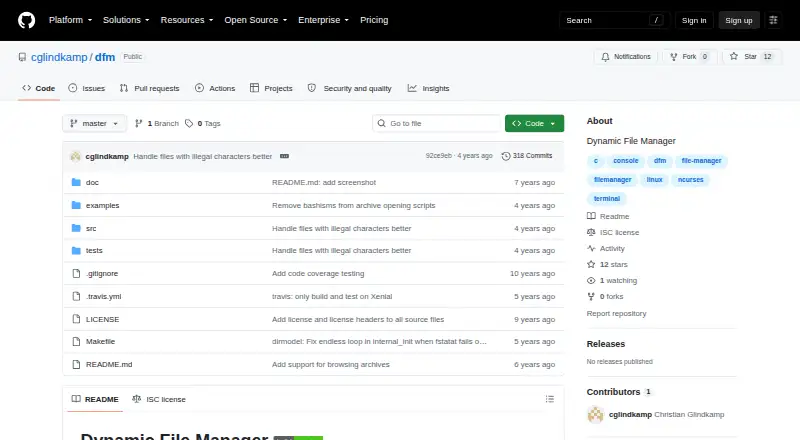
What Dynamic File Manager is
Dynamic File Manager (dfm) is a free, open-source file manager for Linux with a text-based ncurses interface. Inspired by ranger, it is intended to keep the interface simple and resource use low. It uses inotify to update the current directory view and remembers the last selected file in each directory. A regular-expression filter can show selected file types or exclude dot-files. Opening, copying, moving, and deleting files are delegated to external scripts; the default handlers use see (run-mailcap), cp, mv, and rm. Users can customize those handlers, shell behavior, and key bindings, with configuration available globally or per user. Multiple running instances can share a clipboard if DFM_CLIPBOARD_DIR points to a writable directory. Archive browsing uses FUSE to mount archives temporarily while another dfm instance runs from the mount point. That feature requires archivemount and rar2fs, along with the file utility to identify .rar files. Building dfm requires wide-character-enabled ncurses. The project identifies its license as ISC, and its GitHub releases page lists no releases.
Who it suits
dfm may suit Linux users who prefer a lightweight, keyboard-configurable terminal file manager and are comfortable building from source. Archive browsing is for users able to install its required dependencies.
What it does well
- Free and open source under the ISC license.
- Uses inotify to update the current directory view.
- Filters file listings with regular expressions.
- Key bindings and file handlers are customizable.
What to know first
- Linux only.
- Building requires wide-character-enabled ncurses.
- Archive browsing requires several dependencies.
- No releases are listed on GitHub.
Limits
Archive browsing requires archivemount and rar2fs, with the file utility needed to distinguish .rar files. Building dfm requires wide-character-enabled ncurses.
Plans
| Plan | Billed and limits | Price |
|---|---|---|
| Dynamic File Manager | No paid plans stated; build from source | Free |
As github.com lists them, read 11 Oct 2026. The maker's own page has the final word.
Getting started
- Visit the Dynamic File Manager GitHub page.
- Build dfm from source with wide-character-enabled ncurses.
- Configure key bindings globally in /etc/xdg/dfm/rc or per user in ~/.config/dfm/rc.
- Customize handler scripts if needed.
- Install archivemount, rar2fs and the file utility to use archive browsing.
Verdict
dfm offers a focused terminal-based file management workflow with configurable handlers and filters. Archive browsing and building require additional tools or dependencies.
Questions
Is Dynamic File Manager free?
Yes. The listed plan is free, and the project identifies its license as ISC.
Which platform does dfm support?
It supports Linux.
How do I get started?
The listed plan says to build from source. Building requires wide-character-enabled ncurses.
Does it support archives?
Yes. Archive browsing uses FUSE to mount archives temporarily and requires archivemount and rar2fs; the file utility is needed to distinguish .rar files.
Can I customize how files are handled?
Yes. Open, copy, move, delete and shell behavior can be customized through handler scripts, and key bindings can be configured globally or per user.
Facts from Dynamic File Manager's own pages
- Archive browsing
- Archive browsing uses FUSE and temporarily mounts archives while another dfm instance runs in the mount point. · github.com, 11 Oct 2026
- Archive dependencies
- Archive support requires archivemount and rar2fs, and the file utility is needed to distinguish .rar files from other archives. · github.com, 11 Oct 2026
- Archive support
- Yes · github.com, 21 Sept 2026
- Build requirement
- Building dfm requires wide-char enabled ncurses. · github.com, 11 Oct 2026
- Clipboard
- Multiple instances can share a clipboard when DFM_CLIPBOARD_DIR is set to a writable directory. · github.com, 11 Oct 2026
- Configuration
- Key bindings can be configured globally in /etc/xdg/dfm/rc or per user in ~/.config/dfm/rc. · github.com, 11 Oct 2026
- Customization
- Open, copy, move, delete, and shell behavior can be customized through handler scripts. · github.com, 11 Oct 2026
- Design goal
- The project aims for a simpler user interface and low memory footprint and CPU usage. · github.com, 11 Oct 2026
- Directory updates
- It uses inotify to keep the current directory view accurate. · github.com, 11 Oct 2026
- File actions
- Open, copy, move, and delete actions are delegated to external scripts; the default scripts use see (run-mailcap), cp, mv, and rm. · github.com, 11 Oct 2026
- Filtering
- A regular-expression filtered view can show selected file types or exclude dot-files. · github.com, 11 Oct 2026
- License
- The repository identifies its license as ISC. · github.com, 11 Oct 2026
- Linux support
- Yes · github.com, 21 Sept 2026
- Maintainer location
- The GitHub profile for Christian Glindkamp lists Berlin, Germany. · github.com, 11 Oct 2026
- Navigation
- The program remembers the last selected file in each directory to help users return to previously visited paths. · github.com, 11 Oct 2026
- Product
- Dynamic File Manager (dfm) is a simple ncurses based file manager inspired by ranger. · github.com, 11 Oct 2026
- Release availability
- The GitHub releases page states that there are no releases listed. · github.com, 11 Oct 2026
- Shared clipboard
- Multiple instances can share a clipboard when DFM_CLIPBOARD_DIR points to a writable directory. · github.com, 11 Oct 2026
Where Dynamic File Manager stands on Freedom251
- Terminal File Managers#13 of 29
- File managers#26 of 29