Freedom251 › File Manager Software
Joshuto
What Joshuto is
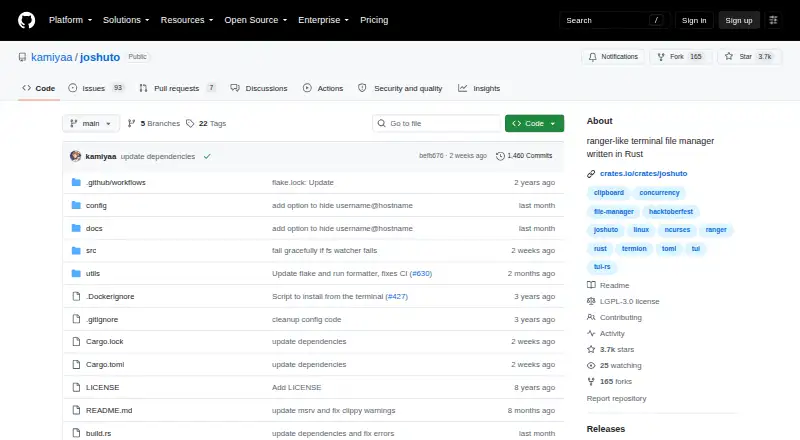
Joshuto is a free terminal file manager written in Rust for Linux and macOS. Its ranger-like interface has tabbed navigation, a preview pane, and file previews that can include images. Fuzzy search is available through fzf, an optional dependency. File operations include bulk renaming, trash, and asynchronous cut, copy, and paste. TOML configuration files let users adjust colors and themes, keybindings, file associations, and bookmarks. Clipboard support is optional and uses xsel, xclip, or wl-clipboard; Zoxide is another optional dependency for directory integration. The project documents installation through Cargo, precompiled binaries, Fedora COPR, Arch AUR, Gentoo, NixOS, MacPorts, and Homebrew. Its documentation covers command-line arguments, configuration, image previews, and other usage. The repository lists the LGPL-3.0 license and directs bug reports and feature requests to GitHub issues. One caveat: the built-in command line is mostly working but described as janky, and tab autocomplete is still in progress.
Who it suits
Joshuto suits Linux or macOS users who want a terminal-based file manager with configurable navigation and file operations. It may also fit users comfortable with optional dependencies for fuzzy search or clipboard support.
What it does well
- Runs on Linux and macOS.
- Includes tabs and image-capable file previews.
- Supports bulk rename, trash, and asynchronous file operations.
- Configuration covers themes, keybindings, and bookmarks.
What to know first
- Fuzzy search requires optional fzf.
- Clipboard support requires an optional utility.
- The command line is described as janky.
- Tab autocomplete is still in progress.
Limits
The built-in command line is mostly working, but its implementation is described as janky. Tab autocomplete is in progress.
Plans
| Plan | Billed and limits | Price |
|---|---|---|
| Free | Open-source terminal file manager | Free |
As github.com lists them, read 8 Oct 2026. The maker's own page has the final word.
Getting started
- Open the project website at https://github.com/kamiyaa/joshuto.
- Choose an installation route documented by the project, such as Cargo, a precompiled binary, or a platform package manager.
- Configure colors, keybindings, file associations, and bookmarks through TOML files.
- Add optional dependencies such as fzf or a clipboard tool if you want those integrations.
Verdict
Joshuto provides a configurable terminal file manager with previews and several file operations at no charge. Some functions rely on optional dependencies, and its built-in command line has a noted rough edge.
Questions
How much does Joshuto cost?
The listed plan is Free.
Which operating systems does it support?
Joshuto is listed for Linux and macOS.
Does it support image previews?
Yes. File previews, including image previews, are listed as features.
Is Joshuto open source?
The repository identifies its license as LGPL-3.0.
How can I install it?
Documented routes include Cargo, precompiled binaries, Fedora COPR, Arch AUR, Gentoo, NixOS, MacPorts, and Homebrew.
How do users report bugs or request features?
The README directs users to create a GitHub issue.
Facts from Joshuto's own pages
- Clipboard
- Clipboard support is optional and uses xsel, xclip, or wl-clipboard. · github.com, 8 Oct 2026
- Customization
- Users can customize colors and themes, keybindings, file associations, and bookmarks through TOML configuration files. · github.com, 8 Oct 2026
- Directory integration
- Zoxide is listed as an optional dependency. · github.com, 8 Oct 2026
- Documentation
- Project documentation covers command-line arguments, configuration, image previews, miscellaneous usage, and contributing. · github.com, 8 Oct 2026
- File operations
- Joshuto supports bulk rename, trash, and asynchronous file I/O for cut, copy, and paste. · github.com, 8 Oct 2026
- File previews
- The project lists file previews, including image previews, as features. · github.com, 8 Oct 2026
- Free plan
- Yes · github.com, 21 Sept 2026
- Installation
- The README documents installation through Cargo, precompiled binaries, Fedora COPR, Arch AUR, Gentoo, NixOS, MacPorts, and Homebrew. · github.com, 8 Oct 2026
- Known limitation
- The README says the built-in command line is mostly working but its implementation is currently janky; tab autocomplete is in progress. · github.com, 8 Oct 2026
- License
- The repository identifies its license as LGPL-3.0. · github.com, 8 Oct 2026
- Linux support
- Yes · github.com, 21 Sept 2026
- macOS and Linux
- The README lists Homebrew installation for macOS and Linux, and MacPorts for macOS. · github.com, 8 Oct 2026
- macOS support
- Yes · github.com, 21 Sept 2026
- Maintainer profile
- The maintainer profile describes kamiyaa as a software engineer who builds and contributes to open-source projects and lists Toronto. · github.com, 8 Oct 2026
- Preview pane
- Yes · github.com, 21 Sept 2026
- Purpose
- Joshuto is a ranger-like terminal file manager written in Rust. · github.com, 8 Oct 2026
- Search
- Fuzzy search is available through fzf, which is listed as an optional dependency. · github.com, 8 Oct 2026
- Support
- The README directs users to create a GitHub issue for bugs or feature requests. · github.com, 8 Oct 2026
- Tabs
- The feature list includes tabbed navigation. · github.com, 8 Oct 2026
Where Joshuto stands on Freedom251
- File Manager Software#47 of 100
- Terminal File Managers#14 of 29
- File managers#20 of 29