Freedom251 › File Manager Software
Harbor
What Harbor is
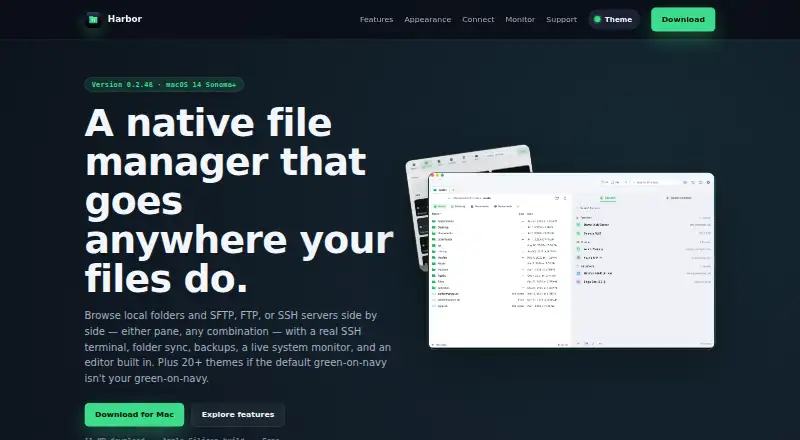
Harbor is a free native file manager for Apple Silicon Macs running macOS 14 Sonoma or later. It places local folders and remote servers in dual panes, with transfer actions beside the file list. Connections include SFTP, FTP, SSH, and FTPS. A full SSH terminal can stay docked beside files or open separately, with colors, vim, and tab completion. Harbor can keep a folder or server location current on a schedule, or synchronize local and server folders while handling conflicts. Built-in editing and comparison tools let you modify files and compare versions without another application. Its system monitor reports CPU, memory, disk, network, battery, processes, and connections, including a connected remote machine. Saved servers can be grouped into Favorites and Clients, searched, or opened with Quick Connect. More than 20 themes are included. Exported configurations omit passwords and keys, while remote diagnostics are disabled by default and require approval for read-only checks.
Who it suits
Harbor suits Mac users who manage local files alongside remote servers, especially those needing terminal access, synchronization, editing, and monitoring in one application.
What it does well
- Dual-pane local and remote browsing
- SFTP, FTP, SSH, and FTPS connections
- Built-in terminal, editor, and diff tools
- Scheduled copies and conflict-aware synchronization
- Free Apple Silicon Mac download
What to know first
- Requires macOS 14 Sonoma or later
- Apple Silicon build is listed
- Remote diagnostics are read-only and approval-based
Plans
| Plan | Billed and limits | Price |
|---|---|---|
| Harbor | Free download · 11 MB · Apple Silicon build · macOS 14 Sonoma or later | Free |
As harborutility.com lists them, read 12 Oct 2026. The maker's own page has the final word.
Verdict
Harbor combines file management, server connections, terminal work, synchronization, editing, and monitoring in one Mac application. Its free plan and security-conscious configuration handling may suit compatible Apple Silicon users.
Facts from Harbor's own pages
- Backups and sync
- It can keep a copy of a folder or server location current on a schedule and sync a local folder with a server folder with conflict handling. · harborutility.com, 12 Oct 2026
- Credential handling
- Server passwords and keys are excluded from exported configuration files. · harborutility.com, 12 Oct 2026
- Diagnostics
- Remote diagnostics are off by default and limited to read-only checks that the user approves. · harborutility.com, 12 Oct 2026
- Dual-pane view
- Yes · harborutility.com, 20 Sept 2026
- Dual-pane browsing
- Local and remote panes can be displayed side by side, with file transfer actions next to the file list. · harborutility.com, 12 Oct 2026
- Editor and diff
- Harbor includes tools to edit files and compare two versions without exporting them to another app. · harborutility.com, 12 Oct 2026
- Free plan
- Yes · harborutility.com, 20 Sept 2026
- Platform requirement
- The download page lists macOS 14 Sonoma or later and an Apple Silicon build. · harborutility.com, 12 Oct 2026
- Supported platforms
- macos · harborutility.com, 20 Sept 2026
- Purpose
- Harbor is a native Mac file manager for browsing local folders and remote servers side by side. · harborutility.com, 12 Oct 2026
- Remote connections
- It supports SFTP, FTP, and SSH connections, with FTPS also shown in its server list. · harborutility.com, 12 Oct 2026
- Server organization
- Users can group saved servers into Favorites and Clients, search saved servers, or use Quick Connect. · harborutility.com, 12 Oct 2026
- SSH terminal
- Harbor includes a full SSH terminal with colors, vim, and tab completion, docked beside files or in a separate window. · harborutility.com, 12 Oct 2026
- Support
- The site links to support, bug reporting, and contact pages. · harborutility.com, 12 Oct 2026
- System monitor
- Its monitor displays CPU, memory, disk, network, battery, processes, and connections, and can show data for a connected remote machine. · harborutility.com, 12 Oct 2026
- Themes
- Harbor includes more than 20 built-in themes for the app and terminal. · harborutility.com, 12 Oct 2026
Where Harbor stands on Freedom251
- File Manager Software#43 of 100