Freedom251 › Terminal File Managers
Middle Manager
What Middle Manager is
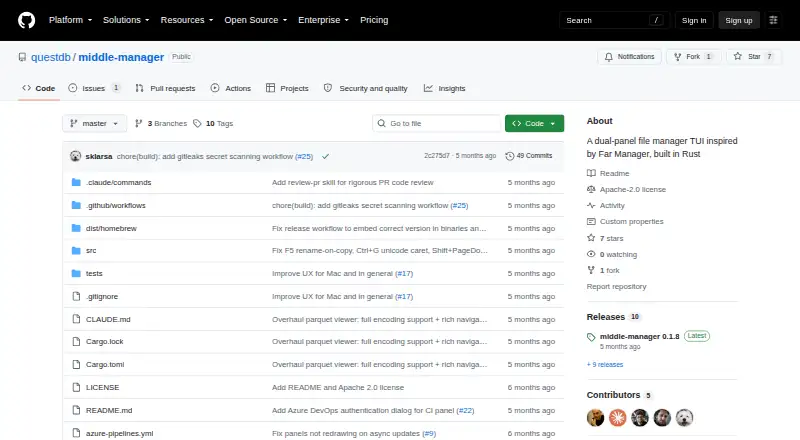
Middle Manager is a terminal file manager with a dual-pane layout, built in Rust for Linux, macOS, and self-hosted use. It handles copying, moving, renaming, directory creation, deletion, archiving, multi-file selection, and directory-size calculation. Fuzzy recursive search finds files, while ripgrep-based content search supports filters and regular expressions. Hex and text editors use sliding buffers and lazy scanning; the README says a 10 GB log file opens instantly. Git views show per-file status, branch details, ahead or behind information, and GitHub pull-request status with CI indicators. A CI panel covers GitHub Actions and Azure DevOps, including check details, step logs, and failure reports. Experimental remote connections include SSH, SFTP, SMB, WebDAV, S3-compatible storage, GCS, Azure Blob Storage, and NFS. Other tools include shell and Claude Code panels, a Parquet viewer, and optional tmux session persistence. The project is free, Apache-licensed, and described as early development.
Who it suits
It suits terminal users on Linux or macOS who need local, Git-aware, and experimental remote file management. Self-hosted setups and users handling large logs may also find its editors useful.
What it does well
- Dual-pane terminal file management
- Fuzzy and ripgrep content search
- Git and CI status panels
- Editors designed for large files
- Multiple experimental remote protocols
What to know first
- Project is described as early development
- Remote connectivity is experimental
Verdict
Middle Manager combines orthodox file operations with search, Git, CI, editor, and Parquet tools in a terminal interface. Its early-development status and experimental remote features are important considerations.
Facts from Middle Manager's own pages
- Archive support
- No · github.com, 21 Sept 2026
- Authentication security
- For Azure DevOps, the README says a pasted personal access token is securely stored in macOS Keychain or Linux keyring; it also documents browser OAuth and an environment-variable option. · github.com, 9 Oct 2026
- Availability and maturity
- The README describes the project as being in early development and invites users to report bugs or request features through GitHub issues. · github.com, 9 Oct 2026
- Azure credentials
- Azure DevOps authentication supports a personal access token stored in the macOS Keychain or Linux keyring, browser OAuth, or an environment variable for CI and headless use. · github.com, 8 Oct 2026
- Built-in tools
- It includes a shell panel, a Claude Code panel, a hex editor, a text editor, and a Parquet viewer. · github.com, 8 Oct 2026
- CI integrations
- The CI panel supports GitHub Actions and Azure DevOps, including check status, step logs, and failure extraction. · github.com, 9 Oct 2026
- Cloud compatibility
- The README names MinIO, Backblaze B2, Cloudflare R2, and DigitalOcean Spaces as S3-compatible options. · github.com, 9 Oct 2026
- Dual-pane layout
- Yes · github.com, 21 Sept 2026
- Editor
- The built-in text editor provides Tree-sitter syntax highlighting for Rust, Java, Python, JavaScript and TypeScript, JSON, Go, C, Bash, and TOML. · github.com, 9 Oct 2026
- File operations
- The file manager supports copy, move, rename, create directory, delete, archive, fuzzy file search, and content search. · github.com, 9 Oct 2026
- Founded
- 2019 · github.com, 28 Sept 2026
- Git integration
- Git integration displays file status, branch name, remote ahead and behind counts, and GitHub pull request status. · github.com, 9 Oct 2026
- Headquarters
- London and New York · github.com, 28 Sept 2026
- Installation
- The README documents Homebrew installation on macOS and a shell installer plus Debian and Fedora packages on Linux. · github.com, 9 Oct 2026
- Install platforms
- The README gives Homebrew installation instructions for macOS and a shell installer plus Debian and Fedora package instructions for Linux; it also links to releases for platform packages and tarballs. · github.com, 8 Oct 2026
- Large files
- Its hex and text editors use sliding buffers and lazy scanning, and the project says opening a 10 GB log file is instant. · github.com, 9 Oct 2026
- License
- The project is licensed under the Apache License 2.0. · github.com, 9 Oct 2026
- License and development
- The project is licensed under Apache License 2.0, and its README describes it as being in early development. · github.com, 8 Oct 2026
- Linux support
- Yes · github.com, 21 Sept 2026
- macOS support
- Yes · github.com, 21 Sept 2026
- Parquet
- The Parquet viewer displays file metadata, schema, row groups, column statistics, and a lazy-loaded table view. · github.com, 9 Oct 2026
- Remote file access
- Yes · github.com, 21 Sept 2026
- Remote storage
- Experimental connectivity supports SSH, SFTP, SMB, WebDAV, S3-compatible storage, GCS, Azure Blob Storage, and NFS. · github.com, 9 Oct 2026
- Search
- It offers fuzzy recursive file search and ripgrep-powered file-content search with filters and regex support. · github.com, 8 Oct 2026
Where Middle Manager stands on Freedom251
- Terminal File Managers#20 of 29
- File managers#23 of 29