Freedom251 › Minecraft World Map Viewers
Tectonicus
What Tectonicus is
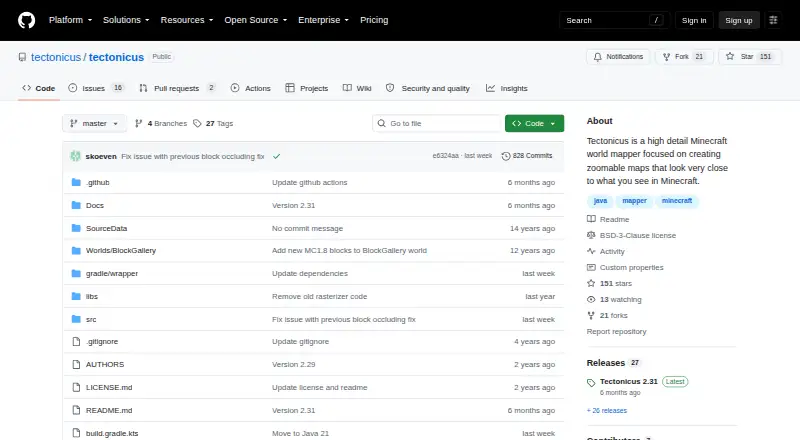
Tectonicus turns a Minecraft Java world into a detailed, zoomable map by first generating a 3D model. Its maps aim to resemble the view players see in Minecraft. It runs with Java from the command line: download a release, create an XML configuration file, and launch the program. Tectonicus supports Linux, macOS, and Windows, and can map dimensions, markers, and waypoints. Maps can be viewed offline or served from a web server. After an initial run, later runs with the same options are significantly quicker because only changed tiles are rendered. By default, every player-placed sign appears; a filter can restrict signs. Signs marked with #view can add first-person map views, with configurable height, angle, field of view, and nighttime rendering. Release 2.31 supports Minecraft 1.21 through 1.21.11, but not Minecraft 26.1. It adds rectangular world subsets and arm64 LWJGL natives for M-series Macs and possibly other ARM platforms. Generated images may use gigabytes of disk space depending on world size; WebP or JPG and closestZoomSize can reduce storage use. Copper golem statues do not work currently, and shelves render only partially.
Who it suits
Tectonicus suits Minecraft Java players who want detailed world maps they can view offline or serve online. It requires running Java from the command line and preparing an XML configuration file.
What it does well
- Renders maps with dimensions, markers, and waypoints.
- Later runs render only changed tiles.
- Can add configurable first-person views from signs.
- Supports offline viewing and web-server maps.
What to know first
- Image output can use gigabytes of disk space.
- Minecraft 26.1 is not yet supported.
- Copper golem statues do not work, and shelves render partly.
Limits
The free plan has no stated quota, but generated map images can use gigabytes of disk space depending on world size. Minecraft 26.1 is not supported yet; copper golem statues do not work and shelves render only partially.
Plans
| Plan | Billed and limits | Price |
|---|---|---|
| Tectonicus | No price stated · generates large amounts of image data that may use gigabytes of disk space | Free |
As github.com lists them, read 7 Oct 2026. The maker's own page has the final word.
Getting started
- Open the Tectonicus website on GitHub.
- Download a release for Linux, macOS or Windows.
- Create an XML configuration file.
- Run Tectonicus from the command line with Java.
Overview
Tectonicus turns Minecraft Java worlds into detailed, zoomable maps designed to resemble the world as players see it. It suits Java players who want a configurable, offline-capable map and are comfortable running a Java command-line tool; its free price is appealing, but large worlds can produce very large image sets.
Setup involves downloading a release, creating an XML configuration file and launching the program with Java. That gives technically minded users control over map generation, though it is less approachable than a hosted, click-through service.
Key features
Maps are rendered from a 3D model of the world, with a visual style focused on familiar Minecraft appearance. Tectonicus can map dimensions and add markers and waypoints. It supports offline viewing and server maps, but does not provide live map updates, so a changing world requires another render to bring its map up to date.
Sign-based options add useful detail for server communities. By default, every player-placed sign appears; a filter can narrow which signs are shown. Signs marked with #view can also place first-person views on the map, with adjustable height, angle, field of view and nighttime rendering.
Rendering becomes significantly quicker after the initial run when the options stay the same, because subsequent runs redraw only changed tiles. That makes recurring updates more practical, but does not eliminate the first render or the storage footprint: image output can use gigabytes depending on world size. WebP or JPG output and the closestZoomSize setting can reduce that burden.
Release 2.31 supports Minecraft 1.21 through 1.21.11, but not Minecraft 26.1. It adds rectangular world subsets alongside circular ones, and arm64 LWJGL natives for M-series Macs and potentially other ARM systems. Some blocks remain imperfectly represented: copper golem statues do not work, and shelves render only partially. Chest inventory tooltips work when the map is served from a web server, or when browser CORS is disabled.
Pricing
Tectonicus is free: the Tectonicus plan costs nothing. There is no paid tier to compare; the main practical cost is disk space for generated images, which may reach gigabytes for large worlds. The project is BSD 3-Clause licensed.
Platforms
Tectonicus supports Linux, macOS and Windows. Running it requires Java and command-line use. The arm64 native libraries added in release 2.31 are particularly relevant to M-series Mac users.
Who it's for
Choose Tectonicus if you want a free map generator for a Minecraft Java world, need offline viewing or server maps, and value map controls such as sign filtering, first-person viewpoints and subset selection. It is a weaker fit if you want live updates, a graphical setup process, support for Minecraft 26.1, or a map that avoids a substantial image-storage footprint.
Pros and cons
- Pros: Free software with offline viewing, server maps, dimension maps, markers and waypoints, and configurable sign-based viewpoints.
- Pros: Later renders can be much quicker when only some tiles change, helping with repeat map updates.
- Cons: Command-line execution and XML configuration put setup beyond the comfort of users seeking a simple hosted workflow.
- Cons: Large worlds can consume gigabytes of disk space, even though image format and zoom settings can reduce output size.
- Cons: No live updates, no Minecraft 26.1 support yet, and some blocks do not render correctly.
Alternatives
For a broader comparison, see Minecraft World Map Viewers.
Choose BedrockMap instead if you want a freemium option with mobile and web platforms, or a hosted free plan capped at one world upload, a 1500x1500-block render area, two renders a day and three zoom levels. The Explorer's Friend is a free, MIT-licensed server-side Minecraft map mod or plugin for users who prefer that approach.
Bedrock Viz is the more relevant free option for Minecraft Bedrock Edition worlds. Mapcrafter is another free choice if its GPL license, Anvil world format requirement and Minecraft 1.6 resource-pack requirement suit your setup. mcmap is a free GPL-3.0 alternative for Linux, macOS and Windows.
mcview is a free GPLv3 alternative for iOS, macOS and Windows. Pl3xMap is a free, MIT-licensed option available through Modrinth for users looking for a self-hosted web map. uNmINeD is free for personal use and runs on Linux, macOS and Windows.
Verdict
Tectonicus is a strong choice for Minecraft Java players who want a free, detailed map with offline access and fine-grained control over signs and viewpoints. Its incremental rendering helps with repeat updates, but command-line setup, heavy image storage, the lack of live updates and gaps in current version support make it a poor fit for users who need a low-maintenance, always-current map.
Verdict
Tectonicus offers configurable, zoomable maps from Minecraft Java worlds, with later renders speeding up when only some tiles change. Check Minecraft version support and storage needs before generating a map.
Questions
How much does Tectonicus cost?
Tectonicus is free. Its plan is listed as free.
Which operating systems does it support?
It supports Linux, macOS and Windows. Release 2.31 adds arm64 LWJGL libraries for M-series Macs and possibly other ARM platforms.
Which Minecraft versions are supported?
Release 2.31 lists compatibility with Minecraft 1.21 through 1.21.11. Minecraft 26.1 is not yet supported.
Can maps be viewed offline or hosted online?
Yes. Maps can be viewed offline or served from a web server.
What license does Tectonicus use, and who makes it?
The repository provides it under the BSD 3-Clause license. Its copyright notice names John Campbell and Tectonicus contributors.
How do I run it?
Download a release, create an XML configuration file and run Tectonicus from the command line with Java.
Facts from Tectonicus's own pages
- Architecture support
- Release 2.31 adds arm64 LWJGL natives for M-series Macs and possibly other ARM platforms. · github.com, 7 Oct 2026
- First-person views
- Signs marked with #view can create first-person views in the map, with configurable height, angle, field of view, and nighttime rendering. · github.com, 7 Oct 2026
- How to run
- The README instructs users to download a release, create an XML configuration file, and run Tectonicus from the command line with Java. · github.com, 7 Oct 2026
- Incremental rendering
- After the first run, subsequent runs with the same options are significantly quicker because only changed tiles are rendered. · github.com, 7 Oct 2026
- License
- The repository provides Tectonicus under the BSD 3-Clause license. · github.com, 7 Oct 2026
- Mac support
- Release 2.31 added arm64 LWJGL native libraries for M-series Macs and possibly other ARM platforms. · github.com, 7 Oct 2026
- Maker
- The repository copyright notice names John Campbell and Tectonicus contributors. · github.com, 7 Oct 2026
- Map appearance
- The project describes its focus as maps that look very close to what players see in Minecraft. · github.com, 7 Oct 2026
- Map subsets
- Release 2.31 adds rectangular world subsets alongside circular subsets. · github.com, 7 Oct 2026
- Map views
- It can generate first-person views from sign locations and insert them into the map, with configurable height, angle, field of view, and nighttime rendering. · github.com, 7 Oct 2026
- Minecraft compatibility
- The 2.31 release states compatibility with Minecraft 1.21 through 1.21.11 and says Minecraft 26.1 is not yet supported. · github.com, 7 Oct 2026
- Minecraft support
- The latest release notes list compatibility with Minecraft 1.21 through 1.21.11 and say Minecraft 26.1 is not supported yet. · github.com, 7 Oct 2026
- Purpose
- Tectonicus generates a 3D model of a Minecraft Java world and uses it to create detailed, zoomable maps. · github.com, 7 Oct 2026
- Rendering limits
- Release notes say copper golem statues are currently not working and shelves only partially render. · github.com, 7 Oct 2026
- Sign filtering
- By default, Tectonicus displays every sign players place, and a special filter can restrict which signs appear. · github.com, 7 Oct 2026
- Storage requirements
- Generated images can use gigabytes of disk space depending on world size; the README says WebP or JPG and closestZoomSize can reduce this. · github.com, 7 Oct 2026
- Storage use
- Map image output can use gigabytes of disk space depending on world size; the README suggests WebP or JPG and closestZoomSize to reduce it. · github.com, 7 Oct 2026
- Web map behavior
- Release 2.30 says chest inventory tooltips work when the map is served from a web server or when browser CORS is disabled. · github.com, 7 Oct 2026
Where Tectonicus stands on Freedom251
- Minecraft World Map Viewers#14 of 22