Freedom251 › Minecraft World Map Viewers
MapRend
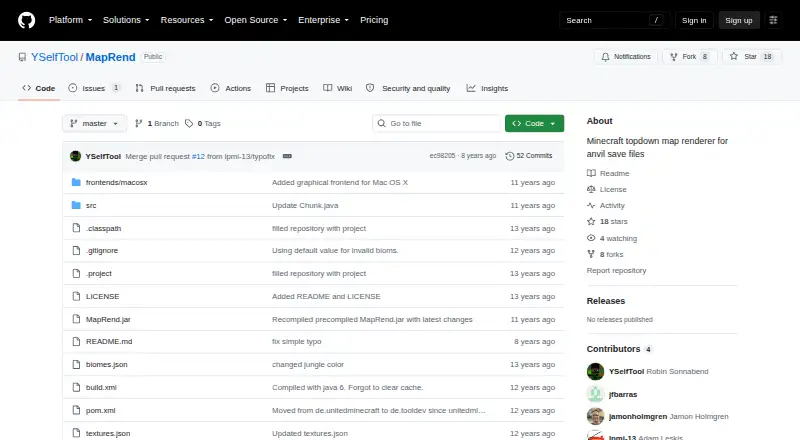
What MapRend is
MapRend is a free Java program that turns saved Minecraft worlds in MCAnvil format into top-down map images. It can render day or night views and display biomes, height, and height beneath oceans. To create a map, provide a Minecraft world folder and a resource folder; an output directory for the image is optional. You can set a map radius or request a rectangular map. MapRend can use resource packs and generate block colors from a pack. Rendering requires colors.json, which describes block colors and visibility, and biomes.json, which supplies modifiers for leaves, grass, and other blocks. The project documents these files as part of its customization options. MapRend supports macOS and Windows and works offline with saved worlds. Its documented scope does not include server maps or live map updates. On macOS, setup instructions use Git and Ant, and a graphical frontend is distributed as MapRend.app.zip. The repository includes an Ant build file. Windows users are directed to repository issue #1 for installation and usage instructions. The README also identifies code used for reading NBT and JSON files.
Who it suits
MapRend suits Minecraft players who want offline, top-down images of saved MCAnvil worlds, with options to inspect biomes and terrain height. It also fits users who want to customize map colors or produce night, radius-based, or rectangular maps.
What it does well
- Free to use.
- Renders day and night views.
- Shows biomes, height, and height beneath oceans.
- Supports resource packs and generated block colors.
- Offers radius and rectangular map options.
- Includes a graphical frontend for Mac OS X.
What to know first
- Works with saved worlds rather than server maps.
- Does not provide live map updates.
- Windows setup instructions are directed to repository issue #1.
- Rendering requires colors.json and biomes.json.
Limits
MapRend handles saved worlds; it does not support server maps or live map updates. Rendering requires colors.json and biomes.json.
Getting started
- Open the MapRend repository.
- On macOS, follow the terminal setup instructions using Git and Ant, or use the MapRend.app.zip graphical frontend.
- On Windows, follow the installation and usage instructions in repository issue #1.
- Provide a Minecraft world folder and a resource folder.
- Ensure colors.json and biomes.json are available, then choose any output directory and map options.
Verdict
Choose MapRend if you want free, offline top-down maps from saved MCAnvil worlds and value its terrain views and map-shape options. Look elsewhere if you need server maps or live updates.
Questions
What does MapRend do?
It renders top-down maps of Minecraft worlds saved in MCAnvil format, including day or night views and displays of biomes and height.
How much does MapRend cost?
It is free.
Which platforms does it support?
The listed platforms are macOS and Windows.
Can I use it offline?
Yes. It supports offline viewing of maps rendered from saved worlds.
Does it support server maps or live updates?
No. Server map support and live map updates are not supported.
How do I get started on macOS or Windows?
For macOS, the README provides terminal instructions using Git and Ant, and the repository includes a graphical frontend. Windows users are directed to issue #1 for installation and usage instructions.
Facts from MapRend's own pages
- Customization
- The README says MapRend is easy to update and customize. · github.com, 8 Oct 2026
- Dependencies
- The README credits Mojang code for reading NBT files and Douglas Crockford code for reading and writing JSON files. · github.com, 8 Oct 2026
- Inputs and output
- The maintainer's usage instructions accept a Minecraft world folder and resource folder, with an optional output directory for the generated map image. · github.com, 7 Oct 2026
- Mac frontend
- The repository includes a graphical frontend for Mac OS X distributed as MapRend.app.zip. · github.com, 7 Oct 2026
- Mac graphical frontend
- The repository describes a graphical MapRend frontend for Mac OS X, distributed as MapRend.app.zip in frontends/macosx. · github.com, 8 Oct 2026
- Mac setup
- The README provides macOS command-line setup instructions using Git and Ant. · github.com, 7 Oct 2026
- Mac use
- The README gives Mac OS X terminal instructions and says Ant can be installed with Homebrew. · github.com, 8 Oct 2026
- Map options
- The maintainer documents options for night maps, setting a map radius, and creating rectangular maps. · github.com, 7 Oct 2026
- Map views
- It can render day and night maps and show biomes, height, and height under oceans. · github.com, 8 Oct 2026
- Purpose
- MapRend renders top-down maps of Minecraft worlds saved in MCAnvil format. · github.com, 8 Oct 2026
- Required files
- Rendering requires colors.json and biomes.json; colors.json describes block colors and visibility, while biomes.json contains biome modifiers for leaves, grass, and other blocks. · github.com, 8 Oct 2026
- Resource packs
- It can use resource packs and generate a set of block colors from a resource pack. · github.com, 8 Oct 2026
- Support
- The maintainer invites users with questions to ask in the project's GitHub issue thread. · github.com, 8 Oct 2026
- Technology
- MapRend is written in Java, and its repository includes an Ant build file for compiling it. · github.com, 8 Oct 2026
- Usage options
- The maintainer's issue instructions describe generating night maps and setting a map radius or rectangular map output. · github.com, 8 Oct 2026
- Windows setup
- The README directs Windows users to issue #1 for installation and usage instructions. · github.com, 7 Oct 2026
- Windows use
- The README points Windows users to issue #1 for installation and usage instructions. · github.com, 8 Oct 2026
Where MapRend stands on Freedom251
- Minecraft World Map Viewers#15 of 22