Freedom251 › Minecraft World Map Viewers
MCA Saenk
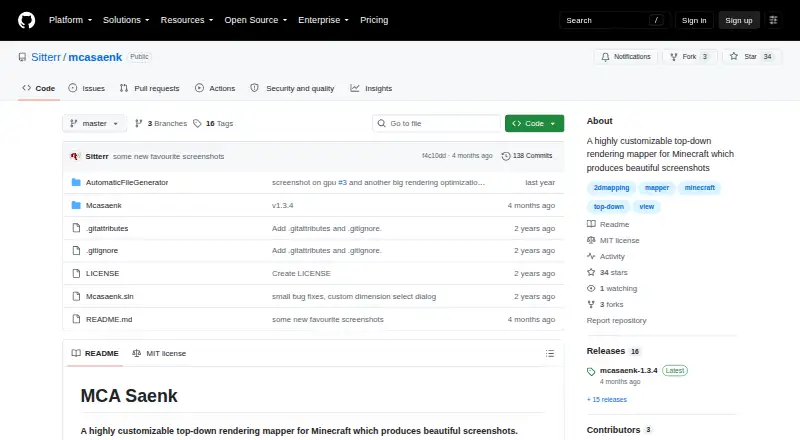
What MCA Saenk is
MCA Saenk is a Windows mapper for creating top-down Minecraft renders and screenshots. Its shading can show blocks from different angles, and calibrated settings can reproduce the look of Minecraft’s in-game maps. It includes default, Java map, Bedrock map, and betaplus colormaps, with options to build styles from resource packs and mods. Semi-transparent blocks and filtering are supported, and the tool can read custom blocks, biomes, and dimensions from mods and datapacks. More than 30 settings cover contrast, lighting, shading, biome blending, and water translucency; many adjustments update dynamically with hardware acceleration. A capture window can be dragged and scaled before taking a screenshot, which can also be exported as an in-game map. MCA Saenk supports official Java Edition releases from 1.2.1 through 26.2 and aims to support Fabric and Forge worlds. Its OpenGL renderer requires OpenGL 4.0 and can be up to 20 times faster than the prior renderer; if unavailable, it falls back to legacy rendering. The software is free, and the project links an MIT license.
Who it suits
It suits Minecraft Java players who want to render or capture maps, including those using custom resource packs, mods, or datapacks. It is available for Windows.
What it does well
- More than 30 rendering and map settings
- Four built-in colormap styles
- Exports captures as in-game maps
- Reads custom content from mods and datapacks
- Free, with an MIT license linked
What to know first
- Windows only
- OpenGL renderer requires OpenGL 4.0
- Framework-dependent download requires .NET 8
Limits
The free plan has no usage limits stated. The framework-dependent download requires .NET 8, and OpenGL rendering requires OpenGL 4.0 before the tool falls back to legacy rendering.
Plans
| Plan | Billed and limits | Price |
|---|---|---|
| MCA Saenk | No paid plans or usage limits stated | Free |
As github.com lists them, read 9 Oct 2026. The maker's own page has the final word.
Getting started
- Open the project website on GitHub.
- Choose the Windows universal download or the framework-dependent download.
- Install .NET 8 first if using the framework-dependent version.
- Use the capture interface to drag and scale the screenshot window.
- Adjust rendering settings and colormap, then capture and optionally export the image as an in-game map.
Verdict
MCA Saenk offers detailed control over Minecraft map renders, with support for in-game-style maps and custom content. Windows users should check the OpenGL requirement for the faster renderer and the .NET requirement for the framework-dependent download.
Questions
How much does MCA Saenk cost?
It is free, listed as free. No paid plans or usage limits are stated.
Which platform does it support?
MCA Saenk is available for Windows. The project offers universal and framework-dependent Windows downloads; the latter requires .NET 8.
Which Minecraft versions does it support?
It supports official Java Edition releases from 1.2.1 through 26.2. It aims to support modded Fabric and Forge worlds.
Can it create in-game maps?
Yes. Users can frame a screenshot with the virtual capture window and export it as an in-game Minecraft map.
Is MCA Saenk open source?
The repository links an MIT license.
Who publishes MCA Saenk?
The repository is published under the GitHub account Sitterr.
Facts from MCA Saenk's own pages
- 3D shadows
- It can render pixel-perfect 3D shadows from different angles. · github.com, 9 Oct 2026
- Colormaps
- It includes four built-in colormap styles and lets users create styles based on resource packs and mods. · github.com, 9 Oct 2026
- Customization
- The project describes more than 30 settings, including contrast, lighting, shading, colormaps, biome blending and water translucency. · github.com, 9 Oct 2026
- Download
- The README offers universal and framework-dependent Windows downloads; the framework-dependent version requires .NET 8. · github.com, 9 Oct 2026
- Filtering
- It supports semi-transparent blocks and provides a filtering system. · github.com, 9 Oct 2026
- License
- The repository includes an MIT License. · github.com, 9 Oct 2026
- Maker
- The repository is published under the GitHub account Sitterr. · github.com, 9 Oct 2026
- Map style
- It can reproduce Minecraft’s in-game map rendering when its settings are calibrated. · github.com, 9 Oct 2026
- Minecraft compatibility
- It supports official Java Edition releases from 1.2.1 through 26.2 and aims to support modded Fabric and Forge worlds. · github.com, 8 Oct 2026
- Minecraft versions
- It supports official Java Edition releases from 1.2.1 through 26.2 and aims to support modded worlds using Fabric and Forge. · github.com, 9 Oct 2026
- Modded-world limits
- The README notes efforts to extract custom blocks and biomes and dimensions for modded worlds, with the latter two listed for versions 1.16 and later. · github.com, 8 Oct 2026
- Mods and datapacks
- It can identify custom blocks, biomes and dimensions defined in mods and datapacks. · github.com, 9 Oct 2026
- Purpose
- MCA Saenk is a customizable top-down rendering mapper for Minecraft that produces screenshots. · github.com, 9 Oct 2026
- Rendering performance
- The release notes say the OpenGL renderer can be up to 20 times faster than the previous renderer and requires OpenGL 4.0, with automatic fallback to legacy rendering when unavailable. · github.com, 9 Oct 2026
- Screenshot capture
- Its capture interface lets users drag and scale a virtual screenshot window, and screenshots can be exported as in-game Minecraft maps. · github.com, 8 Oct 2026
- Screenshot export
- Users can adjust a virtual screenshot window before capture and export screenshots as in-game Minecraft maps. · github.com, 9 Oct 2026
Where MCA Saenk stands on Freedom251
- Minecraft World Map Viewers#11 of 22