Freedom251 › Minecraft World Map Viewers
mcmap
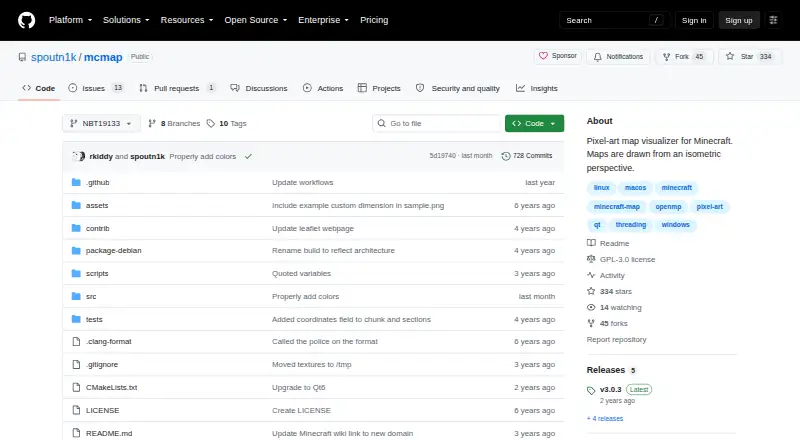
What mcmap is
mcmap is free, open-source software that turns Minecraft save files into isometric pixel-art maps. It reads saves from the standard folders on Linux, macOS, and Windows, and writes PNG images by default. Maps can be divided into square image tiles, limited to a circle or coordinate-defined area, and rendered for a selected dimension. Options cover direction, shading, lighting, water, and beacons; a JSON color file can customize block colors and rendering types. mcmap processes terrain in batches using all computer threads. Rendering an entire map in one go may need 10+ GB of RAM, and a fragment-size option lets users manage batch size. The program is used from a terminal or PowerShell, with an experimental GUI available for Windows. The v3.0.0 release specifies Minecraft 1.13+ support. The project is distributed under GPL-3.0 and offers precompiled binaries and source code. Its README notes that merged batches can leave visible lines in oceans; changing fragment size or water settings may help.
Who it suits
It suits Minecraft players who want image maps of their save files and are comfortable using a terminal or PowerShell. Windows users can also try its experimental GUI.
What it does well
- Reads saves on Linux, macOS, and Windows.
- Exports PNG maps and square image tiles.
- Offers area, dimension, lighting, and shading controls.
- JSON files allow custom block colors and rendering types.
- Precompiled binaries and source code are available.
What to know first
- Whole-map rendering may require 10+ GB of RAM.
- The GUI is experimental and available for Windows.
- Merged batches can leave visible lines in oceans.
- Terminal or PowerShell use is documented.
Limits
Rendering a whole map at once may require 10+ GB of RAM. Merging render batches can produce visible lines in oceans; changing fragment size or water rendering settings may help.
Plans
| Plan | Billed and limits | Price |
|---|---|---|
| Free | GPL-3.0 licensed software · precompiled binaries and source code | Free |
As github.com lists them, read 8 Oct 2026. The maker's own page has the final word.
Getting started
- Open the mcmap repository website.
- Choose a precompiled binary or source code; the project uses CMake and depends on zlib, PNG, fmt, and spdlog.
- Run it from a terminal or PowerShell on Linux, macOS, or Windows; Windows users can try the experimental GUI.
- Use a save file from the standard Minecraft saves folder and select the render area, dimension, and visual options.
- Adjust fragment size for batch rendering, then save the default PNG or split the map into square tiles.
mcmap is a free, open-source renderer that turns Minecraft save files into isometric pixel-art maps. It suits players, server administrators, and map makers who want downloadable image files and detailed control over how a world is drawn. Its command-line workflow and potentially high memory use make it less suitable for people seeking an instant browser viewer.
Overview
mcmap reads saves from the standard Minecraft folders on Linux, macOS, and Windows and produces a PNG image by default. It can divide a render into square image tiles, a practical option when one very large file is awkward to open or share. The software is GPL-3.0 licensed, includes precompiled binaries as well as source code, and works offline.
The project supports newer Minecraft versions, with the 3.0.0 release specifying Minecraft 1.13 and later. It creates two-dimensional dimension maps rather than an interactive in-game scene, so its main value is producing a visual record or presentation image from an existing save.
Key features
Rendering can be circular or bounded by coordinates, and users can choose the dimension, map direction, shading, lighting, water treatment, and beacon visibility. These controls make it possible to focus on a base, region, or dimension and produce a deliberate visual style instead of accepting a single preset.
A JSON color file lets users replace block colors and alter rendering types. That is useful for custom cartography, themed maps, or projects that need a consistent palette. The renderer uses all available computer threads and processes terrain in batches, which can accelerate substantial jobs on multicore machines.
Memory planning matters. The README warns that rendering an entire map in one operation may require more than 10 GB of RAM; a fragment-size setting lets users work in smaller batches. Merging those batches can leave visible lines across oceans. Changing the fragment size or water-rendering settings is the documented remedy, but it means coastal output may need iteration before it is presentable.
Usage is primarily through a terminal or PowerShell window. Windows has an experimental GUI, but users on every platform should be comfortable with command-line parameters for the complete feature set. Building from source requires CMake plus zlib, PNG, fmt, and spdlog libraries.
Pricing
Free — free. GPL-3.0-licensed software with precompiled binaries and source code. There is no trial because the program is free, and there are no paid tiers, seat charges, renewal terms, or usage quotas. This is the right plan for anyone able to run a desktop renderer and manage the resulting files; it offers no hosted service or paid support package.
Platforms
mcmap runs on Linux, macOS, and Windows. The standard workflow is terminal-based on all three systems, with an experimental Windows GUI. Because rendering is local, saves remain available for offline viewing and no upload-based workflow is required.
Who it's for
Choose mcmap if you own Minecraft saves and want controllable, printable, or shareable isometric images, especially when custom colors, dimensions, coordinate bounds, or tiled output matter. It is also a sensible fit for technically inclined users who can tune fragment sizes and rendering options around their hardware.
Look elsewhere if you need a polished browser interface, collaborative sharing, or a viewer that avoids local memory planning. The command-line-first design and the possibility of 10-plus-GB renders are meaningful barriers for casual users and modest computers.
Pros and cons
Pros
- Extensive render control: area shape, dimensions, direction, lighting, shading, water, and beacon switches support purpose-built maps.
- Custom palettes: JSON color and rendering definitions allow a distinctive cartographic style.
- Flexible output: PNG export and square tiling accommodate both standalone images and large-map workflows.
- Local and free: GPL-3.0 licensing, offline operation, and binaries for three desktop platforms avoid subscriptions and upload limits.
Cons
- Heavy large-world requirements: whole-map rendering may need more than 10 GB of RAM.
- Ocean artifacts: batch merging can produce visible lines, requiring fragment or water-setting changes.
- Technical setup: the full experience is command-line based, and source builds require several libraries.
- Limited GUI coverage: the available Windows interface is experimental rather than the primary cross-platform workflow.
Alternatives
Minecraft World Map Viewers is the broader list to consult when you want to compare this category. BedrockMap is a better fit for mobile or web access and offers a free hosted tier with one world upload, a 1500x1500-block render area, two renders per day, three zoom levels, and public links. The Explorer's Friend suits users seeking a free MIT-licensed server-side map mod or plugin with web, API, and self-hosted platforms.
Bedrock Viz is the alternative when your worlds are Minecraft Bedrock Edition worlds. Mapcrafter is another free GPL-licensed renderer if you work with Anvil worlds and Minecraft 1.6 resource packs. Tectonicus is a free desktop renderer for readers considering that established project. mcview offers a GPLv3 option across iOS, macOS, and Windows. Pl3xMap is a free MIT-licensed, Modrinth-distributed choice for API, self-hosted, and web deployments. uNmINeD is a free-for-personal-use option for users who prefer that project.
Verdict
mcmap is a strong choice for technically comfortable Minecraft players and map creators who need free, offline isometric PNGs with unusually deep rendering controls and custom palettes. Choose it for local, configurable output and tiled handling of large saves; look elsewhere for a browser-first experience, simpler setup, or reliable performance without substantial memory and artifact management.
Verdict
mcmap provides configurable isometric images from Minecraft saves, with controls for render area and appearance. Large maps can demand substantial memory, and ocean artifacts may require changing render settings.
Questions
How much does mcmap cost?
The listed Free plan costs nothing. It is GPL-3.0 licensed software, with precompiled binaries and source code.
Which operating systems does mcmap support?
It is listed for Linux, macOS, and Windows. Its README describes terminal or PowerShell use on those platforms and an experimental GUI for Windows.
What Minecraft versions does it support?
The v3.0.0 release specifies support for Minecraft 1.13 and later.
What does mcmap produce?
Its default output is a PNG image. It can also split a map into square image tiles.
Is mcmap open source?
Yes. It is distributed under the GPL-3.0 license.
Who makes mcmap?
The GitHub profile identifies the account as Jean-Baptiste Skutnik and lists Paris, France.
Facts from mcmap's own pages
- Build requirements
- The project uses CMake and depends on zlib, PNG, fmt, and spdlog libraries. · github.com, 8 Oct 2026
- Compatibility
- The project README says it is compatible with newer Minecraft versions, and the v3.0.0 release specifies Minecraft 1.13+ support. · github.com, 8 Oct 2026
- Custom colors
- Users can customize block colors and rendering types with a JSON color file. · github.com, 8 Oct 2026
- Input
- It reads Minecraft save files from the standard saves folders on Linux, macOS, and Windows. · github.com, 8 Oct 2026
- Known rendering issue
- The README notes that merging render batches can create visible lines in oceans and suggests changing fragment size or water rendering settings. · github.com, 8 Oct 2026
- Large maps
- The README says rendering a whole map at once may require 10+ GB of RAM and provides a fragment-size option to manage rendering batches. · github.com, 8 Oct 2026
- License
- The repository is distributed under the GPL-3.0 license. · github.com, 8 Oct 2026
- Maker
- The GitHub profile identifies the account as Jean-Baptiste Skutnik and lists Paris, France. · github.com, 8 Oct 2026
- Output
- The default output is a PNG image, and an option can split the map into square image tiles. · github.com, 8 Oct 2026
- Platform use
- The README says the program is used through a terminal or PowerShell on Linux, macOS, or Windows, with an experimental GUI available for Windows. · github.com, 8 Oct 2026
- Purpose
- mcmap creates isometric renders of Minecraft save files as pixel-art maps. · github.com, 8 Oct 2026
- Rendering options
- Options include circular or coordinate-bounded renders, dimension selection, shading, lighting, water and beacon toggles, and map direction. · github.com, 8 Oct 2026
- Support channel
- The latest release notes invite users to use repository discussions to request changes and report bugs or incompatibilities. · github.com, 8 Oct 2026
- Threading
- The renderer uses all computer threads to render terrain in batches. · github.com, 8 Oct 2026
Where mcmap stands on Freedom251
- Minecraft World Map Viewers#7 of 22