Freedom251 › Video Conferencing Software

TeamLink
by TeamLink
What TeamLink is
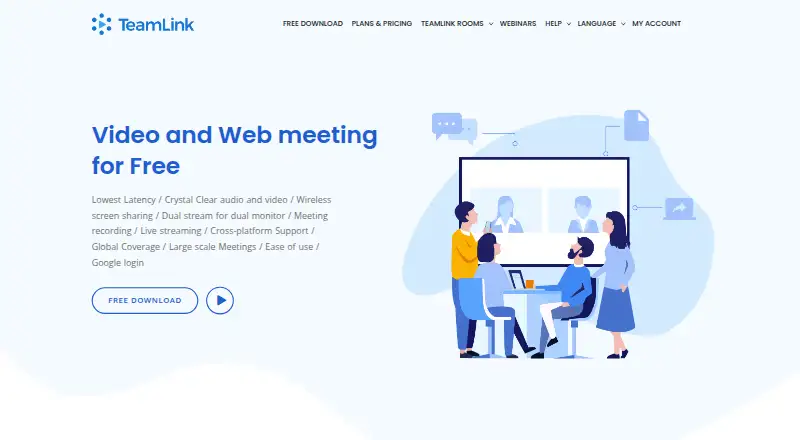
TeamLink is a video conferencing system for businesses and organizations, available through web, desktop, and mobile platforms. Meetings support screen sharing, recording, and breakout rooms, and the listed maximum participant capacity is 300. The Free plan includes one meeting room for up to 20 participants, with meetings limited to 45 minutes. Professional costs $30 a month and provides up to 30 rooms, up to 40 participants, and unlimited meeting duration. Organizations can ask about the Custom plan, which includes professional training, an expandable room count, a hosted server, and support for tens of thousands of simultaneous terminals. Downloads are offered for Windows, Mac, Linux, Android, and iOS; the listed software supports only 64-bit systems. First-time subscribers can try ad-free plans for seven days, while free users may see short ads before or after meetings. TeamLink is headquartered in Las Vegas, Nevada, United States.
Who it suits
TeamLink suits businesses and organizations needing video meetings with screen sharing, recording, and breakout rooms. The Custom plan is aimed at organizations seeking expanded room capacity, a hosted server, or support for very large numbers of terminals.
What it does well
- Supports screen sharing, recording, and breakout rooms.
- Free plan includes one room and 20 participants.
- Professional allows unlimited meeting duration.
- Available on web, desktop, and mobile platforms.
What to know first
- Free meetings are limited to 45 minutes.
- Professional supports up to 40 participants.
- Listed downloads support only 64-bit systems.
- Free users may see short ads.
Limits
The Free plan allows one meeting room, up to 20 participants, and meetings of up to 45 minutes. Professional costs $30 a month and allows up to 30 rooms and 40 participants, with unlimited meeting duration.
Plans
| Plan | Billed and limits | Price |
|---|---|---|
| Professional | Per Month · Up to 30 meeting rooms · up to 40 participants · unlimited meeting duration | $30 a month |
| Free | Per Month · 1 meeting room · up to 20 participants · meetings up to 45 minutes | Free |
| Custom | Contact sales at [email protected] · Professional features · expandable room count · supports thousands of participants · hosted server | On request |
As teamlink.co lists them, read 4 Oct 2026. The maker's own page has the final word.
Getting started
- Visit the TeamLink website.
- Choose the web version or download an app for Windows, Mac, Linux, Android, or iOS.
- Select the Free plan or Professional plan; contact [email protected] about Custom service.
- First-time subscribers can try ad-free plans for 7 days.
TeamLink is a video-conferencing service for businesses and organizations, with web, desktop, and mobile access. It suits teams that need recording, screen sharing, and breakout rooms, provided the free plan’s 20-person and 45-minute limits fit their meetings.
Overview
TeamLink brings HD video, recording, screen sharing, and breakout rooms together for organizational meetings. Its plan structure makes the main trade-off clear: the free tier is restricted to short, small meetings, while Professional increases room and participant capacity and removes the time cap. Custom is aimed at organizations needing a hosted server, training, and much larger meeting capacity.
Key features
- Recording, screen sharing, and breakout rooms: These cover useful meeting tasks, from presenting material to capturing a session and dividing attendees into smaller discussions.
- Capacity and duration: Free provides one room for up to 20 participants and meetings up to 45 minutes. Professional allows up to 30 rooms and 40 participants, with unlimited duration. That makes Professional better suited to recurring or longer sessions, though it still caps standard meetings at 40 participants.
- Custom deployment: Custom includes a hosted server, professional training, expandable room count, and support for tens of thousands of simultaneous terminals. That scale is relevant to large organizations, but requires an inquiry rather than a published price.
- Ads and trial: Free users may see short ads before or after meetings. First-time subscribers can try ad-free plans for seven days, which offers a way to assess a paid option before committing.
Pricing
| Plan | Price | What it includes |
|---|---|---|
| Free | free | One meeting room, up to 20 participants, and meetings up to 45 minutes. |
| Professional | $30 a month | Up to 30 meeting rooms, up to 40 participants, and unlimited meeting duration, with HD video. |
| Custom | Custom pricing | Professional features, training, expandable room count, support for tens of thousands of simultaneous terminals, and a hosted server. |
Free is a sensible starting point for small, brief meetings, but its single room and time limit can become constraints for regular use; short ads may also interrupt the experience. Professional is the step up for teams that need more rooms or meetings longer than 45 minutes, though the 40-person ceiling remains. First-time subscribers can try ad-free plans for seven days. Custom suits organizations seeking larger-scale capacity and hosted service; contact [email protected] to inquire.
Platforms
TeamLink supports web, Windows, macOS, Linux, iOS, and Android. Desktop downloads are offered for Windows, Mac, and Linux, while mobile downloads cover Android and iOS. The listed software supports only 64-bit systems, which rules it out for users relying on 32-bit hardware or operating systems.
Who it's for
TeamLink is best suited to businesses and organizations holding routine meetings that fit within its participant limits, especially those that value recording, screen sharing, or breakout rooms. Small teams can use Free for short sessions; teams with longer meetings or several concurrent room needs should consider Professional. Organizations needing support for thousands of simultaneous participants or a hosted server should ask about Custom. It is a weaker fit when a free plan needs to support larger groups or longer sessions.
Pros and cons
- Pros: Recording, screen sharing, and breakout rooms cover several core meeting needs; Professional offers unlimited meeting duration and up to 30 rooms; Custom provides hosted service and substantially greater scale.
- Cons: Free is limited to one room, 20 participants, and 45 minutes; free users may encounter short ads; Professional still tops out at 40 participants; Custom pricing requires an inquiry.
Alternatives
For a broader comparison, see Video Conferencing Software. Consider Microsoft Teams if its free plan’s 100 participants and 60-minute group meetings are a better match than TeamLink’s 20 participants and 45 minutes. Choose VSee if its provider-based plans better suit your needs. Dialpad Meetings is another freemium option to compare. Jitsi Meet is a free alternative. Tencent Meeting & VooV Meeting may suit readers looking for a free plan with up to 300 participants and unlimited group-meeting time under a limited-time offer. TrueConf is another freemium option. Webex App offers a free plan for up to 100 attendees and meetings up to 40 minutes. Zoho Meeting offers a free plan for 100 participants and 60-minute meetings.
Verdict
TeamLink is a good fit for organizations that want core meeting tools and can work within 20 people and 45 minutes on Free, or justify Professional’s $30 a month for longer meetings and more rooms. Its strongest case is the combination of practical meeting features with a clear path to larger hosted deployments. Look elsewhere if you need a generous free meeting cap or Professional capacity above 40 participants.
Verdict
TeamLink offers a limited free tier and a Professional option at $30 a month, plus a Custom plan by inquiry. The free tier's meeting-length cap and participant limit are important to consider.
Questions
Is TeamLink free?
Yes. The Free plan costs 0.00 USD and includes one room, up to 20 participants, and meetings up to 45 minutes.
How much does Professional cost?
Professional costs $30 a month. It supports up to 30 rooms, up to 40 participants, and unlimited meeting duration.
What does Custom service include?
It includes Professional features, training, an expandable room count, support for tens of thousands of simultaneous terminals, and a hosted server. Contact [email protected] about the plan.
Which platforms does TeamLink support?
TeamLink is available on the web, Windows, macOS, Linux, iOS, and Android. Listed downloads support 64-bit systems.
Does TeamLink offer a free trial?
First-time subscribers can try ad-free plans for 7 days. Free users may see short ads before or after meetings.
Who makes TeamLink?
TeamLink is made by TeamLink, headquartered in Las Vegas, Nevada, United States.
Facts from TeamLink's own pages
- 64-bit support
- The download page notes that the listed software supports only 64-bit systems. · teamlink.co, 4 Oct 2026
- Breakout rooms
- Yes · teamlink.co, 20 Sept 2026
- Custom service
- The Custom plan includes professional training, expandable room count, support for thousands of participants, and a hosted server. · teamlink.co, 4 Oct 2026
- Desktop platforms
- The download page offers versions for Windows, Mac, and Linux. · teamlink.co, 4 Oct 2026
- Enterprise audience
- TeamLink describes its video meeting capabilities as serving the needs of businesses and organizations, with custom services available on request. · teamlink.co, 4 Oct 2026
- Free plan
- Yes · teamlink.co, 20 Sept 2026
- Free tier limits
- The free plan includes one meeting room, up to 20 participants, and meetings up to 45 minutes. · teamlink.co, 4 Oct 2026
- Headquarters
- Las Vegas, Nevada, United States · teamlink.co, 28 Sept 2026
- Max participants
- 300 · teamlink.co, 20 Sept 2026
- Mobile platforms
- The download page offers versions for Android and iOS. · teamlink.co, 4 Oct 2026
- Supported platforms
- web,Windows,macOS,Linux,iOS,Android · teamlink.co, 20 Sept 2026
- Product
- TeamLink is a mobile HD video conferencing system for businesses and organizations. · teamlink.co, 4 Oct 2026
- Professional tier
- The Professional plan supports HD video, up to 30 rooms, up to 40 participants, and unlimited meeting duration. · teamlink.co, 4 Oct 2026
- Meeting recording
- Yes · teamlink.co, 20 Sept 2026
- Screen sharing
- Yes · teamlink.co, 20 Sept 2026
- Support contact
- The pricing page directs custom-plan inquiries to [email protected]. · teamlink.co, 4 Oct 2026
- Trial and ads
- The meeting app says first-time subscribers can try ad-free plans for 7 days and that free users may see short ads before or after meetings. · meet.teamlink.co, 4 Oct 2026
Where TeamLink stands on Freedom251
- Video Conferencing Software#19 of 43
- Video conferencing apps#21 of 46