Freedom251 › Business Phone Systems
Microsoft Teams
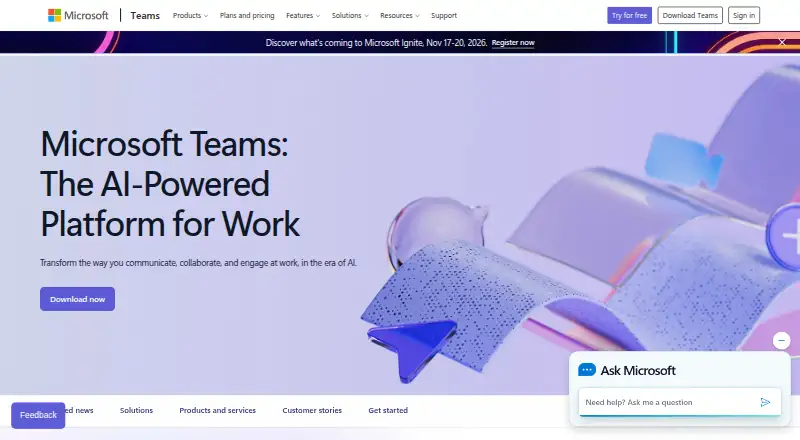
What Microsoft Teams is
Microsoft Teams brings chat, channels, calls, meetings, and screen sharing together, with guest access and unlimited message history. People can join meetings as guests without a Teams account, and free users can sign in with an email address or phone number without a subscription. The free plan allows up to 100 participants in group meetings lasting up to 60 minutes; one-to-one calls have no time limit. Teams is available on Android, iOS, Linux, macOS, Windows, and the web. It integrates with Microsoft 365, SharePoint, OneDrive, Outlook, Exchange, Planner, Forms, Power BI, OneNote, Power Apps, Power Automate, and LinkedIn, and lists more than 250 integrated business apps. Business plans can include encryption for meetings, chats, calls, and files, along with meeting recordings, transcripts, and anytime phone and web support. Teams Essentials is listed at $4 a year, billed at $4.00 user/month, paid yearly. Microsoft 365 Business Basic is listed at $7 a year, billed at $7.00 user/month, paid yearly.
Who it suits
Teams suits individuals or organizations that need chat, calls, meetings, channels, and screen sharing across desktop, mobile, or web. Its free plan supports basic group meetings, while business plans list additional features such as recordings and support.
What it does well
- Free use requires no subscription.
- Guests can join meetings without a Teams account.
- Free one-to-one calls have no time limit.
- Runs on web, Windows, macOS, Linux, iOS, and Android.
- Integrates with Microsoft 365 and more than 250 business apps.
What to know first
- Free group meetings last up to 60 minutes.
- Free group meetings allow up to 100 participants.
- Business plan prices are billed yearly.
Limits
The free plan allows up to 100 participants, 5 GB of cloud storage, and group meetings and calls lasting up to 60 minutes. Essentials is listed at $4 a year, billed $4.00 user/month paid yearly, and includes 10 GB per user and meetings up to 30 hours. Business Basic is listed at $7 a year, billed $7.00 user/month paid yearly, and includes 1 TB per user and meetings up to 30 hours.
Plans
| Plan | Billed and limits | Price |
|---|---|---|
| Microsoft Teams Free | 100 participants · 60-minute group meetings · 5 GB cloud storage | Free |
| Microsoft Teams Essentials | $4.00 user/month, paid yearly · 1–300 employees · 10 GB cloud storage per user · 300 meeting participants · 30-hour meetings | $4 |
| Microsoft 365 Business Basic | $7.00 user/month, paid yearly · 1–300 employees · 1 TB cloud storage per user · 300 meeting participants · 30-hour meetings | $7 |
| Microsoft 365 Business Standard with Copilot | $23.50 user/month, paid yearly · 1–300 employees · 1 TB cloud storage per user · 300 meeting participants · 30-hour meetings | $23.50 |
| Microsoft Teams Phone Standard | Cloud-based phone system · Voice and video calls · PSTN connectivity options · Call transfers across devices · 99.999% uptime SLA | On request |
| Microsoft Teams Phone Standard | Cloud-based phone system · Voice and video calls · PSTN connectivity options · Call transfers across devices · 99.999% uptime SLA | On request |
| Teams Phone with pay-as-you-go calling | Teams Phone Standard included · Pay-as-you-go calling · Microsoft phone number · Metered outbound calling minutes | On request |
| Teams Phone with pay-as-you-go calling | Teams Phone Standard included · Pay-as-you-go calling · Microsoft phone number · Metered outbound calling minutes | On request |
The first 8 of 17 plans, as microsoft.com lists them, read 27 Sept 2026. The maker's own page has the final word. Every plan
Getting started
- Open the Microsoft Teams website.
- Sign in with an email address or phone number for free use.
- Use Teams on the web or choose an available Windows, macOS, Linux, iOS, or Android platform.
- Start with the free plan, or review the listed business plans and their free trial option.
Microsoft Teams combines workplace chat, calls, meetings, and collaboration tools for individuals and organizations. It is most compelling for teams that already rely on Microsoft 365 and need conversations alongside business apps. Its free tier is useful for shorter group sessions; longer meetings and larger groups call for a business plan.
Overview
Channels, guest access, and unlimited message history give teams a persistent place to organize conversations. People can join meetings as guests without a Teams account, and a free account needs no subscription: users can sign in with an email address or phone number. That lowers the barrier to bringing occasional participants into a conversation.
The free plan supports screen sharing, group meetings and group calls up to 60 minutes, and one-to-one calls with no time limit. The one-hour cap is a clear constraint for workshops or extended discussions, but the unlimited one-to-one call duration makes the free option more flexible for individual conversations.
Key features
Business plans raise meeting capacity to 300 participants and duration to 30 hours. They can include recordings and transcripts, and include data encryption for meetings, chats, calls, and files. For organizations that need longer sessions, larger meetings, or those security and support features, that is a substantial step up from the free tier. Business plans also include anytime phone and web support.
Teams connects with Microsoft 365, SharePoint, OneDrive, Outlook, Exchange, Planner, Forms, Power BI, OneNote, Power Apps, Power Automate, and LinkedIn, and supports more than 250 integrated business apps. That breadth is useful when staff already work across Microsoft services; it is less of a selling point for teams without that environment. Teams also supports real-time translation and interpretation for meetings.
Cloud storage varies sharply by plan: 5 GB on Free, 10 GB per user on Essentials, and 1 TB per user on Business Basic and Business Standard with Copilot. Teams supports up to 25,000 members overall, while the small-business plans are for 1–300 employees and Enterprise Teams is presented for organizations of more than 300 people.
Pricing
Microsoft Teams is freemium. The free plan costs nothing, requires no subscription, and supports 100 participants, 60-minute group meetings, and 5 GB of cloud storage. It suits individuals and smaller groups that can work within those meeting and storage limits.
Microsoft Teams Essentials costs $4 a year (billed $4.00 user/month, paid yearly). Its annual subscription auto-renews; it covers 1–300 employees, with 10 GB of storage per user, 300 meeting participants, and meetings up to 30 hours. It is the lower-cost route to longer meetings and a larger participant cap, but provides far less storage per user than the other listed business plans.
Microsoft 365 Business Basic costs $7 a year (billed $7.00 user/month, paid yearly), on an annual subscription that auto-renews. It covers 1–300 employees and includes 1 TB per user, 300 meeting participants, and 30-hour meetings. That storage increase makes it a stronger fit for teams with substantial file needs than Essentials.
Microsoft 365 Business Standard with Copilot costs $23.50 a year (billed $23.50 user/month, paid yearly). It also covers 1–300 employees and includes 1 TB per user, 300 meeting participants, and 30-hour meetings. The stated meeting and storage limits match Business Basic, so those details alone do not establish a reason to pay more.
The listed business plans offer a free trial option and trial terms. For phone service, Microsoft Teams Phone Standard has custom pricing and includes a cloud-based phone system, voice and video calls, PSTN connectivity options, call transfers across devices, and a 99.999% uptime SLA. Teams Phone with pay-as-you-go calling includes Phone Standard, a Microsoft phone number, and metered outbound minutes. Teams Phone with Calling Plan includes 3,000 domestic minutes in the US, UK, and Canada, or 1,200 domestic minutes in other listed regions. These calling options have custom pricing, so buyers should weigh their calling needs before choosing one.
Platforms
Teams supports web, Windows, macOS, Linux, iOS, and Android, with desktop and mobile apps. That broad coverage makes it a practical option for organizations whose members use different operating systems.
Who it's for
Teams is a strong fit for Microsoft-centered workplaces that want chat, meetings, file storage, and integrations in one service, especially when they need guest access or long business meetings. The free plan also suits groups with modest meeting needs. It is a weaker match for teams that regularly need group sessions longer than an hour but do not want a paid plan, or for businesses that would not use its Microsoft integration breadth.
Pros and cons
- Pros: Unlimited message history, channels, and guest access support ongoing team conversations without excluding outside meeting participants.
- Pros: Free one-to-one calls have no time limit, and free group meetings and calls include screen sharing for up to 60 minutes.
- Pros: Business plans extend meetings to 30 hours and 300 participants, with storage up to 1 TB per user on the higher-storage plans.
- Cons: The free plan caps group meetings and calls at 60 minutes and storage at 5 GB, which may not suit longer sessions or file-heavy use.
- Cons: Essentials includes only 10 GB per user, well below the 1 TB on Business Basic and Business Standard with Copilot.
- Cons: The listed annual subscriptions auto-renew, and the phone plans have custom pricing rather than a stated price.
Alternatives
For a phone-system-focused comparison, Business Phone Systems may help narrow the field; for team messaging, consider Team chat apps. Teams' broad meetings and Microsoft 365 integrations make it a stronger fit when those are central, while Unified Communications Software and Video Conferencing Software are category lists for buyers prioritizing those needs. Teams supports encryption for meetings, chats, calls, and files in business plans; buyers comparing that focus can browse Secure Video Conferencing Software. For broader collaboration needs, see Team Collaboration Software.
3CX has a free plan for 10 users and four simultaneous calls, while FreePBX, Zadarma, VitalPBX, PortSIP PBX, Freshcaller, OnSIP, and CallHippo are alternatives to compare.
Verdict
Choose Microsoft Teams if your workplace needs persistent team messaging, guest meetings, and close ties to Microsoft 365, or if its business meeting limits suit your organization. Look elsewhere if the free one-hour group-meeting cap is too restrictive and you do not need the Microsoft-centered toolkit that makes Teams most compelling.
Verdict
Teams covers messaging, calls, and meetings across platforms, with a free plan and business options that list expanded meeting and support features. Check the free meeting duration and participant limit against your group’s needs.
Questions
Is Microsoft Teams free?
Yes. Microsoft Teams Free is listed as free, with no subscription needed.
What is included in the free plan?
It allows 100 participants, group meetings up to 60 minutes, and 5 GB of cloud storage. Free one-to-one calls have no time limit.
Which devices and platforms does Teams support?
Teams is available on web, Windows, macOS, Linux, iOS, and Android.
What do the listed paid plans cost?
Essentials is listed at $4 a year, billed $4.00 user/month paid yearly. Business Basic is $7 a year, billed $7.00 user/month paid yearly; Business Standard with Copilot is $23.50 a year, billed $23.50 user/month paid yearly.
Can guests join Teams meetings without an account?
Yes. People can join meetings as guests without a Teams account.
Which services does Teams integrate with?
Listed integrations include Microsoft 365, SharePoint, OneDrive, Outlook, Exchange, Planner, Forms, Power BI, OneNote, Power Apps, Power Automate, and LinkedIn.
Facts from Microsoft Teams's own pages
- Business user limit
- Small-business plans support up to 300 users or people. · microsoft.com, 27 Sept 2026
- Channels
- Yes · microsoft.com, 21 Sept 2026
- Cloud storage
- Business plans include 1 TB per user, while Teams Essentials includes 10 GB per user. · microsoft.com, 27 Sept 2026
- Company recognition
- Microsoft says it was named a Gartner UCaaS Leader for the eighth consecutive year in 2026. · microsoft.com, 27 Sept 2026
- Enterprise size
- Enterprise Teams is presented for more than 300 people. · microsoft.com, 27 Sept 2026
- Founded
- 1975 · microsoft.com, 23 Sept 2026
- Free account requirement
- Users can sign in with an email address or phone number; no subscription is needed. · microsoft.com, 27 Sept 2026
- Free group calls
- Free group calls last up to 60 minutes. · microsoft.com, 27 Sept 2026
- Free meeting limit
- Free meetings last up to 60 minutes. · microsoft.com, 27 Sept 2026
- Free one-to-one calls
- One-to-one calls have no time limit. · microsoft.com, 27 Sept 2026
- Free plan
- Yes · microsoft.com, 21 Sept 2026
- Guest access
- Yes · microsoft.com, 21 Sept 2026
- Guest meeting access
- People can join meetings without a Teams account as guests. · microsoft.com, 27 Sept 2026
- Headquarters
- Redmond, Washington, United States · microsoft.com, 23 Sept 2026
- Integrated business apps
- Teams has over 250 integrated business apps. · microsoft.com, 27 Sept 2026
- Integrations
- Microsoft 365,SharePoint,OneDrive,Outlook,Exchange,Planner,Forms,Power BI,OneNote,Power Apps,Power Automate,LinkedIn · microsoft.com, 21 Sept 2026
- Maximum members
- 25000 · microsoft.com, 21 Sept 2026
- Meeting recordings
- Business plans can include meeting recordings and transcripts. · microsoft.com, 27 Sept 2026
- Real-time translation
- Teams supports real-time translation and interpretation for meetings. · microsoft.com, 27 Sept 2026
- Message history
- unlimited · microsoft.com, 21 Sept 2026
- Supported platforms
- web,Windows,macOS,Linux,iOS,Android · microsoft.com, 21 Sept 2026
- Screen sharing
- Teams supports screen sharing in free use and business plans. · microsoft.com, 27 Sept 2026
- Security encryption
- Meetings, chats, calls, and files have data encryption in listed business plans. · microsoft.com, 27 Sept 2026
- Support channels
- Listed business plans include anytime phone and web support. · microsoft.com, 27 Sept 2026
Where Microsoft Teams stands on Freedom251
- Business Phone Systems#2 of 167
- Team chat apps#3 of 63
- Video conferencing apps#3 of 46
- Unified Communications as a Service#2 of 27
- Cloud PBX Software#3 of 27
- Virtual Town Hall Software#4 of 35
- Unified Communications Software#4 of 28
- Cloud Communication Platform#5 of 30
- Shift Scheduling#4 of 24
- UCaaS Platforms#4 of 19
- Remote Work Software#6 of 26
- Video Conferencing Software#13 of 43
- Visionos App#5 of 16
- Web and Video Conferencing - Enterprise Software#7 of 22
- Google Workspace Communication Tools#9 of 26
- Web Conferencing Software#8 of 22
- Business Instant Messaging - Enterprise Software#8 of 21
- Instant Messaging Software#12 of 30
- Remote Working software#9 of 22
- Business Instant Messaging - Midmarket Software#9 of 22
- Secure Video Conferencing Software#12 of 28
- Team Communication Software#10 of 23
- Web and Video Conferencing - Midmarket Software#11 of 23
- Team Collaboration Software#13 of 25