Freedom251 › Customer-to-Customer (C2C) Community Marketing Software

Taggbox
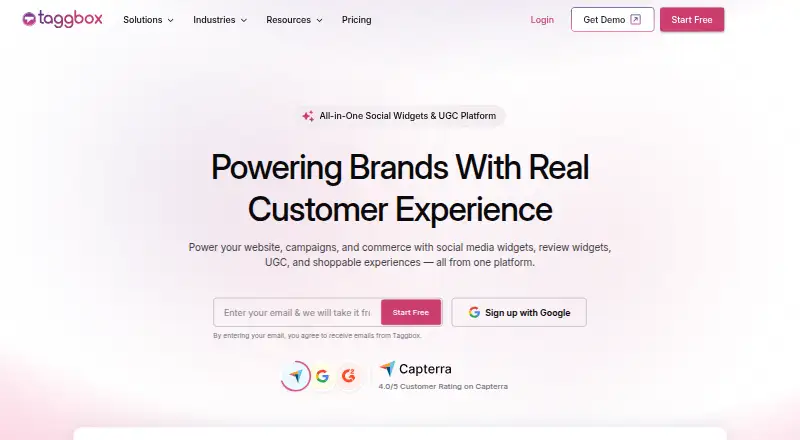
What Taggbox is
Taggbox collects social feeds and customer reviews for display in website widgets and on digital screens. Its dashboard manages widgets for social posts, reviews, and shoppable galleries. The listed sources include Instagram, Google Reviews, LinkedIn, TikTok, YouTube, Yelp, Airbnb, Amazon, and RSS, along with direct uploads. Posts can be approved manually or filtered with AI moderation. Widget controls cover layouts, colors, fonts, banners, card styles, and CTA buttons without coding. For shoppable galleries, users can tag products in content, connect a product catalog, and add product CTAs. Analytics track impressions, clicks, CTR, visitors, top-performing widgets, and audience sentiment. Widgets can be placed on services including Shopify, WordPress, Wix, Squarespace, and HTML sites. A REST API supports retrieving gallery details and posts, creating posts programmatically, and building custom integrations. The free plan costs nothing and includes one feed and 500 monthly views. Paid plans start at $19 a month, billed monthly. A 14-day trial does not require card details.
Who it suits
Taggbox suits teams that want to show social content or reviews on websites and digital displays. Shoppable galleries and product calls to action also suit businesses presenting products through social content.
What it does well
- Lists 25+ social and review sources.
- Widgets can be customized without coding.
- AI moderation and manual approval are available.
- Analytics track clicks, views, and audience sentiment.
- 14-day trial requires no card details.
What to know first
- Free plan is limited to one feed.
- Free plan allows 500 views per month.
- Free plan updates every four days.
- Starter costs $19 a month.
Limits
The free plan includes one feed, 500 views per month, 500 posts, and updates every four days. It uses manual moderation. The Starter plan, the lowest priced paid option, costs $19 a month and includes two feeds, 10K views per month, 5,000 posts, and updates every two hours.
Plans
| Plan | Billed and limits | Price |
|---|---|---|
| Free | Free forever · 1 feed · 300 views/month · 100 posts · manual updates once per day · Instagram and Facebook Pages · Google, Facebook, Yelp and Amazon reviews · basic customization · unlimited website embeds · basic analytics · Taggbox branding | Free |
| Starter | Billed monthly; cancel anytime · 2 feeds · 10,000 views/month · 5,000 posts · updates every 2 hours · 15+ social platforms · moderation and Auto Pilot · review collection forms/QR · AI Review Writer · 20 scheduled social posts · 1 collaborator · email support | $19 a month |
| Growth | Billed $348 yearly; page also shows $39 crossed-out monthly price · 4 feeds · 50,000 views/month · 30,000 posts · updates every 30 minutes · shoppable feeds · product tagging · hotspots · Shopon Bio · 2 collaborators · 50 scheduled social posts · Google Merchant Center sync · live-chat priority support | $29 a month |
| Advanced | Billed $948 yearly; page also shows $99 crossed-out monthly price · 10 feeds · 1 million views/month · 100,000 posts · updates every 15 minutes · AI moderation · sentiment analysis and recommendation score · AI summarizer · 150 scheduled social posts · 4 collaborators · dedicated account manager · chat and call support | $79 a month |
| Enterprise & Agency | Custom plan · Custom feeds and views · real-time updates · UGC rights management · API access · localization · security assessment and DPA · white label · dedicated support | On request |
As taggbox.com lists them, read 20 Oct 2026. The maker's own page has the final word.
Getting started
- Open https://taggbox.com/ and choose a plan or start the free trial.
- Create a widget and select social or review sources, or add content directly.
- Set moderation and adjust the widget layout and styling in the dashboard.
- For a shoppable gallery, connect a product catalog and tag products in content.
- Add the widget to a supported website builder or HTML site.
Taggbox is a tool for turning social posts and customer reviews into website widgets and digital displays. It suits marketing and commerce teams that want to curate customer content, manage its presentation, and connect posts to products. It is a stronger fit for those needs than for businesses looking primarily for creator sourcing or video production.
Overview
Taggbox brings social feeds, reviews, and direct uploads into widgets managed from one dashboard. Teams can publish these displays on websites or use Social Walls for event screens and digital signage. That range makes it useful when customer content needs to appear in several places; the feed and view caps on lower plans make it less suitable for high-traffic sites that need frequent updates on a small budget.
Key features
Sources, moderation, and design
The widget page lists more than 25 social and review sources, including Instagram, Google Reviews, LinkedIn, TikTok, YouTube, Yelp, Airbnb, Amazon, and RSS, alongside direct uploads. Teams can approve posts manually or use AI moderation and filtering to remove unwanted content. Layouts, colors, fonts, banners, card styles, and CTA buttons can be changed without coding, giving marketing teams presentation control without requiring a custom front end.
Shoppable content and analytics
Users can tag products in social posts and reviews, connect a product catalog, and add product CTAs to shoppable galleries. That makes Taggbox more relevant to online stores than a display-only tool, though shoppable widgets are included in the Growth plan rather than the two lower tiers. Analytics track impressions, clicks, click-through rate, visitors, top-performing widgets, and audience sentiment, helping teams assess which displays attract attention.
Publishing, integrations, and API
Widgets can be added to Shopify, WordPress, Wix, Squarespace, Weebly, Elementor, Blogger, Webflow, and HTML sites. Taggbox also describes a Zapier integration connecting it with more than 5,000 web applications, including Buffer, Hootsuite, and Salesforce. Its REST API supports retrieving gallery information and posts, creating posts programmatically, and building custom integrations, which is useful for teams with development resources and workflows beyond standard embeds.
Taggbox describes its enterprise software as providing secure data aggregation and says it maintains GDPR and ADA compliance. Its customer success team is available 24/7; plan-specific support includes email on Starter, live chat on Growth, and chat and call support on Advanced.
Pricing
Taggbox has a free plan, paid monthly plans, and a 14-day free-trial session that does not require card details. The free plan is a useful way to try a single feed, but its 500 monthly views, 500-post cap, and updates every four days constrain it for active or high-traffic displays. It also relies on manual moderation.
| Plan | Price | What it includes |
|---|---|---|
| FREE | free (billed Billed Monthly) | 1 feed, 500 views/mo, 10+ platforms, updates every 4 days, manual moderation, 500 posts |
| STARTER | $19 a month (billed Billed Monthly) | 2 feeds, 10K views/mo, 15+ platforms, updates every 2 hours, 5,000 posts, email support |
| GROWTH | $39 a month (billed Billed Monthly) | 4 feeds, 50K views/mo, shoppable widget, updates every 30 minutes, automatic moderation, 30,000 posts, live chat |
| ADVANCED | $99 a month (billed Billed Monthly) | 10 feeds, 1M views/mo, 2 Twitter feeds, 2 TikTok feeds, updates every 15 minutes, AI moderation, 1,00,000 posts*, chat and call support |
Starter is the practical step up for a site that has outgrown the free view limit: it doubles the feed count and adds more frequent refreshes, but still lacks shoppable widgets and automatic moderation. Growth is the clearest fit for stores that want product-linked galleries and automated moderation. Advanced raises the monthly view ceiling substantially and adds faster updates and AI moderation, making it the plan for larger-scale publishing needs. The plan prices are monthly; no seat limits are stated.
Platforms
Taggbox is offered on web and through an API. Its widgets integrate with a broad range of website builders and commerce platforms, while the REST API supports custom integration work.
Who it's for
Taggbox fits brands, retailers, and marketing teams that want to place social content, customer reviews, or shoppable galleries on websites and screens, with moderation and performance measurement in the same workflow. It is less suited to buyers seeking a dedicated creator marketplace or a service centered on producing video ads.
Pros and cons
- Pros: More than 25 social and review sources, plus direct uploads, support varied customer-content campaigns.
- Pros: Manual approval, automated moderation options, and no-code widget controls combine content oversight with display customization.
- Pros: Product tagging, catalog connections, and product CTAs make the Growth plan useful for commerce-focused galleries.
- Cons: The free plan's one-feed, 500-view monthly cap, and four-day refresh schedule limit its usefulness for busy sites.
- Cons: Shoppable widgets and automatic moderation require Growth or higher, so Starter does not cover those needs despite its higher feed and view limits.
Alternatives
For a broader set of options, compare UGC Platforms, Social Commerce Software, and Social Media Feed Software.
- JoinBrands is worth considering when the priority is a creator platform with Android, iOS, and web access, rather than Taggbox's website and display widgets.
- Billo may fit buyers focused on creator video ads, with pay-per-video content and AI script and mashup credits on its free plan.
- Catch+Release suits teams seeking a content-licensing workflow: its platform access is free, with payment for content licensing rather than a subscription.
- EmbedSocial is another web and API option for collecting and displaying social content, with a free plan that includes one source and 500 monthly views.
- Yotpo Reviews is the alternative to consider when review collection is the focus; its free plan is tied to a monthly order and outgoing-email allowance.
- EnTribe offers free services for teams considering a free UGC service instead.
- Match is an option for teams pursuing creator projects through a marketplace or private projects.
- Flowbox is an alternative to consider for a paid UGC platform with custom subscription pricing.
Verdict
Choose Taggbox if you need a managed way to publish social posts and reviews across websites or digital displays, especially when product-linked galleries and performance analytics matter. Its combination of sources, moderation, widget controls, and commerce features is the main reason to choose it. Look elsewhere if your priority is creator sourcing or video production, or if you need generous free usage: the free plan's view ceiling and slow refresh cycle are restrictive.
Verdict
Taggbox combines social and review content, moderation, widget customization, and analytics. Its free plan has a single-feed and view limit, while paid tiers raise usage limits and add features such as shoppable widgets.
Questions
Is Taggbox free?
Yes. The FREE plan costs nothing and includes one feed, 500 views per month, 10+ platforms, 500 posts, manual moderation, and updates every four days.
How much do paid plans cost?
Starter is $19 a month, Growth is $39 a month, and Advanced is $99 a month. Each is billed monthly.
Does Taggbox offer a free trial?
Yes. The trial lasts 14 days and does not require card details.
Where can I add Taggbox widgets?
The listed website integrations include Shopify, WordPress, Wix, Squarespace, Weebly, Elementor, Blogger, Webflow, and HTML sites.
What can the REST API do?
It can retrieve gallery information and posts, create posts programmatically, and support custom integrations.
What moderation options are available?
The free plan includes manual moderation. Growth includes automatic moderation, while Advanced includes AI moderation.
Facts from Taggbox's own pages
- Analytics
- Taggbox analytics track impressions, clicks, CTR, visitors, top-performing widgets, and audience sentiment. · taggbox.com, 2 Oct 2026
- API
- Taggbox provides a REST API for retrieving gallery information and posts, creating posts programmatically, and building custom integrations. · taggbox.com, 2 Oct 2026
- API authentication
- API requests use a user_key query parameter, and the documentation advises server-side storage and rotation if the key is compromised. · taggbox.com, 20 Oct 2026
- API format
- The official API is offered in JSON and XML formats for custom UGC and social-feed experiences. · taggbox.com, 20 Oct 2026
- App launch date
- The Shopify App Store lists Taggbox as launched on June 14, 2021. · apps.shopify.com, 20 Oct 2026
- Company founded
- LinkedIn lists Taggbox as founded in 2016. · linkedin.com, 20 Oct 2026
- Company headquarters
- LinkedIn lists headquarters in Covina, California, United States. · linkedin.com, 20 Oct 2026
- Company legal name
- Crunchbase identifies the legal entity as Social Scape Tech LLP, also known as Tagbox. · crunchbase.com, 20 Oct 2026
- Company size
- LinkedIn places Taggbox in the 51–200 employee range. · linkedin.com, 20 Oct 2026
- Content sources
- The widget page lists 25+ social and review sources, including Instagram, Google Reviews, LinkedIn, TikTok, YouTube, Yelp, Airbnb, Amazon, and RSS, plus direct uploads. · taggbox.com, 2 Oct 2026
- Customization
- Widgets offer layouts and controls for colors, fonts, banners, card styles, and CTA buttons without coding. · taggbox.com, 2 Oct 2026
- Display features
- Display pages describe calendar, weather, maps, clocks, videos and reviews as embeddable interactive elements, plus audience and sentiment analytics. · taggbox.com, 20 Oct 2026
- Documentation depth
- The help center lists 99 getting-started articles, 15 customization articles, 34 integration articles, 2 rights-management articles and API/general sections. · taggbox.com, 20 Oct 2026
- Founded
- 2016 · taggbox.com, 28 Sept 2026
- Integrations
- Taggbox lists integrations for Shopify, WordPress, Squarespace, Wix, Weebly, Elementor, Blogger, Webflow, BigCommerce and HTML sites. · taggbox.com, 20 Oct 2026
- Limit: customer service and billing
- Software Advice includes a reviewer complaint about poor communication, double charging and continued charges after requesting help. · softwareadvice.com, 20 Oct 2026
- Limit: interface complexity
- G2 reviewers say the many customization settings can make the interface confusing for first-time users and suggest simplifying the UX. · g2.com, 20 Oct 2026
- Limit: performance and offboarding
- A Trustpilot reviewer said the widget reduced website page speed and reported unclear account closure, data deletion and post-cancellation fee disputes. · trustpilot.com, 20 Oct 2026
- Limit: Shopify app workflow
- A Shopify reviewer reported aggressive information requests, upgrade pressure, feeds failing to load reliably and tedious manual content selection without batch selection. · apps.shopify.com, 20 Oct 2026
- Moderation
- The service supports manual moderation and AI-powered filtering for unwanted, duplicate or inappropriate content. · taggbox.com, 20 Oct 2026
- Partner integrations
- Taggbox describes a Zapier integration that connects it with more than 5,000 web applications, including Buffer, Hootsuite, and Salesforce. · taggbox.com, 2 Oct 2026
- Praise: customization
- Software Advice reviewers praise attractive themes, layouts and customization for social walls and website embeds. · softwareadvice.com, 20 Oct 2026
- Praise: ease of use
- G2 reviewers repeatedly describe setup and embedding as easy, including Instagram and Google review widgets that require little or no developer help. · g2.com, 20 Oct 2026
- Praise: support
- Trustpilot and Software Advice reviewers frequently praise responsive, helpful customer-success or support staff. · trustpilot.com, 20 Oct 2026
Where Taggbox stands on Freedom251
- Customer-to-Customer (C2C) Community Marketing Software#3 of 20
- UGC Platforms#6 of 29
- User-Generated Content Platforms#3 of 13
- Content Curation Tools#6 of 19
- Social Commerce Software#11 of 26
- Social Media Feed Software#12 of 25