Freedom251 › Email Signature Management Software
Symprex Email Signature Manager
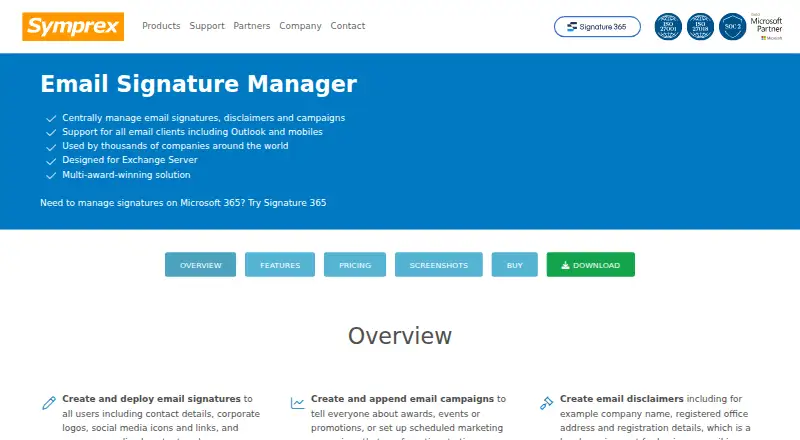
What Symprex Email Signature Manager is
Symprex Email Signature Manager gives administrators a central way to manage email signatures, disclaimers, and campaigns for Exchange Server. They can assign content to users or groups by department or location, and merge contact details from Active Directory or another data source. Signatures can include logos, social media graphics, employee photos, and personalized content. A visual template designer and a syntax-highlighted HTML source editor support signature creation, while scheduled campaigns can be used for awards, events, promotions, or marketing.
The product supports Outlook desktop and web clients. Symprex says signatures work with any email client on any device, including mobile devices, and continue working for remote users and when users are offline. Listed compatibility includes Exchange Server 2013, 2016, and 2019, along with Outlook 2016, 2019, 2021, and 2024 on Windows and Mac. Version 11.0.2 runs in evaluation mode for 30 days without a valid license key. The one-off 25-user license costs $395, paid once and includes one year of maintenance for upgrades and technical support. The license covers the purchased version and point updates; maintenance renewal is optional, while newer chargeable versions or additional users require purchase. A migration wizard can move signatures, images, and settings to Microsoft 365.
Who it suits
Email Signature Manager suits organizations using Exchange Server that want administrators to manage signatures, disclaimers, and scheduled campaigns across users or groups. It also fits teams that need signatures to continue working for remote or offline users, or that may move signature settings to Microsoft 365.
What it does well
- Assigns signatures, disclaimers, and campaigns by user, group, department, or location.
- Merges contact information from Active Directory or another data source.
- Provides visual design and syntax-highlighted HTML editing.
- Supports Outlook desktop and web clients.
- Signatures continue working for remote and offline users.
- Includes a 30-day evaluation mode.
What to know first
- There is no free plan.
- The listed 25-user license costs $395, paid once.
- Additional users and newer chargeable versions require purchase.
- The evaluation mode lasts 30 days without a valid license key.
Limits
The evaluation mode lasts 30 days without a valid license key. The 25-user one-off license covers 25 individual domain users, the purchased version and point updates, and one year of maintenance; additional users and newer chargeable versions require purchase.
Plans
| Plan | Billed and limits | Price |
|---|---|---|
| Email Signature Manager 150-user license | One-off license; includes 1 year maintenance for upgrades and technical support. · 150 users · licenses individual domain users | $1,055, paid once |
| Email Signature Manager 200-user license | One-off license; includes 1 year maintenance for upgrades and technical support. · 200 users · licenses individual domain users | $1,225, paid once |
| Email Signature Manager 250-user license | One-off license; includes 1 year maintenance for upgrades and technical support. · 250 users · licenses individual domain users | $1,395, paid once |
| Email Signature Manager 300-user license | One-off license; includes 1 year maintenance for upgrades and technical support. · 300 users · licenses individual domain users | $1,515, paid once |
| Email Signature Manager 350-user license | One-off license; includes 1 year maintenance for upgrades and technical support. · 350 users · licenses individual domain users | $1,635, paid once |
| Email Signature Manager 400-user license | One-off license; includes 1 year maintenance for upgrades and technical support. · 400 users · licenses individual domain users | $1,755, paid once |
| Email Signature Manager 450-user license | One-off license; includes 1 year maintenance for upgrades and technical support. · 450 users · licenses individual domain users | $1,875, paid once |
| Email Signature Manager 25-user license | One-off license; includes 1 year maintenance for upgrades and technical support. · 25 users · licenses individual domain users | $395, paid once |
The first 8 of 10 plans, as symprex.com lists them, read 9 Oct 2026. The maker's own page has the final word. Every plan
Getting started
- Open the Email Signature Manager product page.
- Start the 30-day evaluation mode, or select a one-off license sized for your users.
- Install or deploy Email Signature Manager for your Exchange Server environment.
- Create signature content with the visual template designer or HTML source editor.
- Assign signatures, disclaimers, or campaigns to users and groups.
- Use the Signature 365 Migration Wizard if moving signatures, images, and settings to Microsoft 365.
Verdict
Choose Email Signature Manager if your organization needs central control of Exchange Server signatures and campaign content across users or groups. Its one-off license includes one year of maintenance, but organizations that need more users or a newer chargeable version should account for additional purchases.
Questions
How much does Email Signature Manager cost?
The 25-user license costs $395, paid once. Other listed one-off options are 625.00 USD for 50 users, 855.00 USD for 100, 1055.00 USD for 150, 1225.00 USD for 200, 1395.00 USD for 250, 1515.00 USD for 300, 1635.00 USD for 350, 1755.00 USD for 400, and 1875.00 USD for 450 users.
Is there a free plan or trial?
There is no free plan. Version 11.0.2 runs in evaluation mode for 30 days without a valid license key.
Which Exchange Server and Outlook versions are compatible?
Listed compatibility includes Exchange Server 2013, 2016, and 2019, and Outlook 2016, 2019, 2021, and 2024 on Windows and Mac.
Can it work with mobile devices and remote users?
Symprex says the product works with any email client on any device, including mobile devices. Signatures continue working for remote users and when users are offline.
What does the one-off license include?
It covers the purchased version and point updates. The listed user licenses include one year of maintenance for upgrades and technical support; maintenance renewal is optional.
Can it migrate signature settings to Microsoft 365?
The Signature 365 Migration Wizard can migrate signatures, images, and settings if a customer moves to Microsoft 365.
Facts from Symprex Email Signature Manager's own pages
- Assignment
- Administrators can assign signatures, disclaimers, and campaigns to groups and users, including by department or location. · symprex.com, 9 Oct 2026
- Branding
- It supports logos, social media graphics, employee photos, and personalized signature content. · symprex.com, 9 Oct 2026
- Campaigns
- Users can create scheduled signature campaigns for awards, events, promotions, or marketing. · symprex.com, 9 Oct 2026
- Client compatibility
- It supports Outlook desktop and web clients and says it works with any email client on any device, including mobile devices. · symprex.com, 9 Oct 2026
- Company history
- Symprex says it was founded over 20 years ago to build software for Microsoft Office and Exchange. · symprex.com, 9 Oct 2026
- Current release
- The download page lists version 11.0.2, released September 1, 2026, and requires a version 11.0 license key to register. · symprex.com, 9 Oct 2026
- Directory data
- The feature page says contact information can be merged from Active Directory or another data source. · symprex.com, 9 Oct 2026
- Editor
- A visual template designer and syntax-highlighted HTML source editor are included. · symprex.com, 9 Oct 2026
- Maintenance
- The one-off license covers the purchased version and point updates; maintenance renewal is optional, and upgrades to a newer chargeable version or additional users require purchase. · symprex.com, 9 Oct 2026
- Migration
- The overview says its Signature 365 Migration Wizard can migrate signatures, images, and settings if a customer moves to Microsoft 365. · symprex.com, 9 Oct 2026
- Purpose
- Email Signature Manager centrally manages email signatures, disclaimers, and campaigns for Exchange Server. · symprex.com, 9 Oct 2026
- Remote use
- The feature page says signatures continue working for remote users and when users are offline. · symprex.com, 9 Oct 2026
- Support
- The maker says technical support is available subject to active maintenance; support requests normally receive a reply within four hours during its stated support hours of 8am to 12am GMT. · symprex.com, 9 Oct 2026
- Supported versions
- The listed compatibility includes Exchange Server 2013, 2016, and 2019, plus Outlook 2016, 2019, 2021, and 2024 on Windows and Mac. · symprex.com, 9 Oct 2026
- Trial
- Version 11.0.2 runs in evaluation mode for 30 days without a valid license key. · symprex.com, 9 Oct 2026
Where Symprex Email Signature Manager stands on Freedom251
- Email Signature Management Software#29 of 41
- Email Signature Software#22 of 29