Freedom251 › 3D Home Design Software
Sweet Home 3D
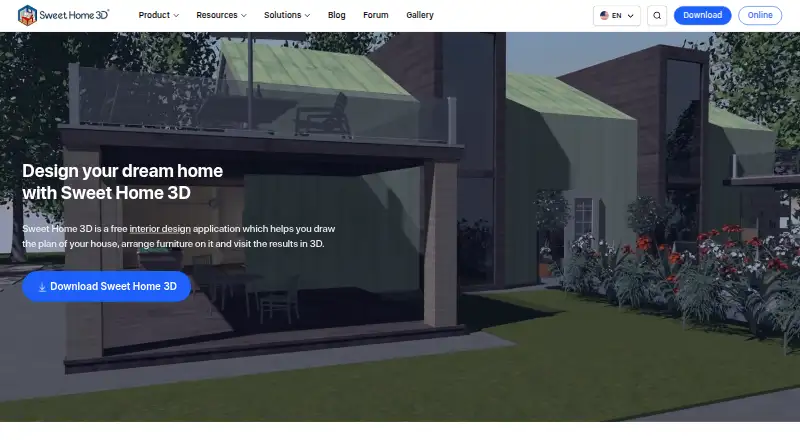
What Sweet Home 3D is
Sweet Home 3D is an interior design application for drawing home plans and viewing them in 3D. Its 2D tools let users lay out straight, curved, or sloping walls with dimensions, then annotate plans with room areas, measurement lines, text, arrows, and a compass rose. A live 3D view shows the design from above or as a virtual visitor while the plan is being created. Users can render images and videos with adjustable lighting and sunlight settings based on time and location. The application imports blueprints, models, and textures, and exports designs as PDFs, images, videos, or 3D files. Free desktop and online editions are listed as free; the Microsoft Store Monthly Premium subscription is $9.99 a month and includes a 7-day free trial. Free desktop catalogs are smaller. The browser version runs without installation, but saving a design requires free registration. The application is available on desktop, web, and mobile platforms.
Who it suits
It suits people planning home interiors, as well as architects, interior designers, furniture businesses, real estate users, and event planners. Its school offering is aimed at teaching design and architecture through 2D and 3D projects.
What it does well
- Live 3D view during 2D planning
- Exports PDFs, images, videos, and 3D files
- Imports blueprints, models, and textures
- Free plan and 7-day premium trial
- Extensions can add design capabilities
What to know first
- Free desktop editions have smaller catalogs
- Browser saving requires free registration
- Premium subscription renews automatically unless turned off
- GPL limits proprietary derivatives by other developers
Limits
Free desktop editions include smaller furniture and texture catalogs; one Windows bundle has 100 furniture items and 26 textures. Microsoft Store Monthly Premium costs $9.99 a month and renews automatically unless turned off at least 24 hours before the period ends; its 7-day free trial is listed with the plan.
Plans
| Plan | Billed and limits | Price |
|---|---|---|
| Free desktop / online version | Windows, macOS, Linux desktop · online browser version · online saving requires free registration · smaller free catalogs | Free |
| Yearly premium | auto-renewing yearly subscription · premium features | $49.99 a year |
| Microsoft Store Monthly Premium | Monthly Premium subscription; renews automatically unless turned off at least 24 hours before period ends; price may vary by country · +1600 furniture items · +400 textures · 7-day free trial · limited features available free | $9.99 a month |
| Monthly Premium | auto-renewing monthly subscription · unlimited access to app features · more than 1,600 furniture items · more than 400 textures · 7-day trial | $9.99 a month |
As sweethome3d.com lists them, read 14 Oct 2026. The maker's own page has the final word.
Getting started
- Visit the Sweet Home 3D website.
- Choose a desktop download for Windows, macOS, or Linux, or open the browser version.
- Register for free if you want to save a design in the online version.
- Use the free desktop or online version, or select Microsoft Store Monthly Premium.
- Use the 7-day free trial included with Microsoft Store Monthly Premium if you choose that plan.
Overview
Sweet Home 3D is a home-planning and interior design application for people who want to turn measured layouts into a viewable 3D space. It suits homeowners, students and design professionals who need both annotated plans and visual presentations. Its combination of precise 2D drawing, live 3D viewing and broad export options makes it a capable general-purpose choice, though catalog size and licensing deserve attention.
Key features
Measured plans and live views
Draw straight, round or sloping walls with precise dimensions, then add room areas, dimension lines, text, arrows and a compass rose. Those annotations make the 2D plan more useful for communicating a layout, rather than merely sketching one. A live 3D view updates alongside the plan and offers aerial and virtual visitor perspectives, helping users inspect both the overall arrangement and the space at eye level.
Rendering, catalogs and extensions
Sweet Home 3D can produce photorealistic images and videos with customizable lights and sunlight keyed to time of day and geographic location. That is useful for presenting a design under different lighting conditions, while video export adds a more guided way to show a space. It imports blueprints, 3D models and textures, and prints or exports PDFs, bitmap or vector images, videos and standard-format 3D files.
Catalog size varies by edition: the maker advertises more than 10,000 models and 400 textures in the full version, while free desktop bundles have smaller catalogs; the Windows bundle includes 100 furniture items and 26 textures. Java plug-ins can add capabilities, with extensions for tasks such as roofs, staircases, terrain and HTML5 views. These options broaden the application, but buyers choosing a free edition should check whether its included catalog is adequate for their project.
Browser and learning resources
The Online Manager runs in a WebGL-compatible browser without installation, but users must register for free to save a design. Documentation, a user guide, video tutorials, FAQs, a forum and contact links provide several routes to help. The school offering targets design and architecture projects on Windows, macOS and Linux.
Pricing
| Plan | Price | What it includes |
|---|---|---|
| Free desktop / online version | free | Desktop downloads for Windows, macOS and Linux; online use requires free registration to save designs; downloadable editions have smaller furniture and texture catalogs. |
| Microsoft Store Monthly Premium | $9.99 a month | More than 1,600 furniture items, more than 400 textures and a 7-day free trial; limited features are available free. |
The free edition is the sensible starting point for personal projects, classroom use or commercial work that fits the GPL and does not require a larger catalog. The Microsoft Store subscription is aimed at users who want its larger catalog and are comfortable with recurring billing. It renews automatically unless turned off at least 24 hours before the period ends, and the price may vary by country.
The free application is distributed under the GNU General Public License, which the maker says permits personal and commercial use under that license. The same license constrains developers: those who do not own Sweet Home 3D copyrights cannot make proprietary programs derived from or incorporating it. Developers seeking that kind of use are directed to ask about other licenses.
Platforms
Sweet Home 3D spans Android, iOS, Linux, macOS, web and Windows, with extension support also listed. Desktop downloads cover Windows, macOS and Linux; the online version is browser-based and requires registration to save designs. Mobile viewing is supported, while the listed school offering is for desktop systems.
Who it's for
Homeowners can use it to draw and inspect a proposed layout; architects, interior designers, furniture retailers and manufacturers, real estate professionals and event planners are among the professional audiences described by its maker. Its school offering is suited to teaching design and architecture concepts through 2D and 3D projects. It is less suitable for a developer whose goal is a proprietary product derived from or incorporating the GPL application without an alternate license.
Pros and cons
- Pros: Precise dimensions and plan annotations make layouts more communicative than unmeasured sketches.
- Pros: Live 3D views, photorealistic rendering and video export support both inspection and presentation.
- Pros: Imports and exports cover blueprints, models, textures, PDFs, images, video and standard 3D files.
- Cons: Free desktop bundles have smaller catalogs, which may limit furniture and material choices.
- Cons: Saving in the browser requires free registration, and the premium subscription renews automatically unless canceled in time.
- Cons: The GPL licensing constraint rules out proprietary derivatives for developers who do not own the copyrights, absent another license.
Alternatives
Coohom is a better fit for users who prioritize a 3,000+ furniture catalog and 10 monthly renders in a free plan, with three shareable links; its free plan excludes 360° panoramas and photo-to-3D conversion. Live Home 3D is another freemium option for users comparing home-design software across iPhone, iPad, Vision, Android, macOS and Windows.
Planner 5D may suit users who want floor-plan upload and conversion to a 3D project, a full premium furniture catalog and standard renders in its Premium plan at $59.99 a year. RoomSketcher is worth considering for users who want to begin with two credits, one free AI floor-plan conversion, 2D and 3D floor plans, snapshots and AI Render.
HomeByMe is an option for users who value a free Starter plan with two projects, five Full HD images, unlimited 2D/3D screenshots and a 90,000+ product catalog. Homestyler may be preferable when a large free library matters: its Basic plan includes unlimited 1K rendering and more than 100,000 free 3D models and materials, while 4K renders are purchased separately.
Kuula is a separate freemium option for readers considering a service with a free Basic plan capped at 300 posts and 100 uploads per month. Matterport is another alternative, with a free plan for one active space and two users, plus limited camera support.
For a broader shortlist, compare 3D Visualization Software, 3D Home Design Software and Floor Plan Software.
Verdict
Sweet Home 3D is a strong choice for people who need dimensioned plans, a synchronized 3D view and flexible ways to present or export a design without an upfront desktop cost. Its principal trade-offs are smaller free catalogs and the GPL constraint on proprietary derivatives. Choose it for measured home planning and visualization; look elsewhere if a larger ready-made catalog is essential or your software business needs a proprietary derivative.
Verdict
Sweet Home 3D combines measured 2D layouts, live 3D viewing, rendering, and multiple export formats. Check catalog size and the applicable license before choosing an edition or building a derivative product.
Questions
Is Sweet Home 3D free?
Yes. The free desktop and online version costs nothing. The free application is distributed under the GNU General Public License, which permits personal and commercial use.
What does Microsoft Store Monthly Premium cost?
It costs $9.99 a month and includes a 7-day free trial. It adds 1,600 furniture items and 400 textures; the price may vary by country.
Which platforms are available?
Platforms listed are Android, iOS, Linux, macOS, web, Windows, and extension. The education offering is available for Windows, macOS, and Linux.
Can I use Sweet Home 3D in a browser?
Yes. Sweet Home 3D Online Manager runs in a WebGL-compatible browser without installation. Free registration is required to save a design.
Is Sweet Home 3D open source?
The free application is distributed under the GNU General Public License. The maker says the GPL restricts developers who do not own its copyrights from making proprietary programs derived from or incorporating it.
What support is available?
The maker provides documentation, a user guide, video tutorials, FAQs, a forum, and contact links through its site.
Facts from Sweet Home 3D's own pages
- 2D and 3D views
- The editor shows a plan in 2D while also offering aerial and walk-through 3D viewpoints. · sweethome3d.com, 14 Oct 2026
- 2D planning
- Users can draw straight, round, or sloping walls with precise dimensions and annotate plans with room areas, dimension lines, text, arrows, and a compass rose. · sweethome3d.com, 30 Sept 2026
- Browser demo
- Sweet Home 3D Online Manager runs in a WebGL-compatible browser without installation, and users must register for free to save a design. · sweethome3d.com, 30 Sept 2026
- Catalogs
- The maker advertises a full version with over 10,000 3D models and 400 textures; free desktop bundles have smaller catalogs, including 100 furniture items and 26 textures for Windows. · sweethome3d.com, 30 Sept 2026
- Catalog size
- The store editions include more than 10,000 furniture models and 400 textures, while the free SourceForge edition has a smaller bundled catalog. · sweethome3d.com, 14 Oct 2026
- Company headquarters
- Crunchbase places SPACE MUSHROOMS S.R.L. in Milan, Lombardy, Italy. · crunchbase.com, 14 Oct 2026
- Company legal name
- Crunchbase lists the maker as SPACE MUSHROOMS S.R.L., an active private for-profit company. · crunchbase.com, 14 Oct 2026
- Company size
- Crunchbase reports 11–50 employees, while the Sweet Home 3D LinkedIn page reports 2–10 employees. · crunchbase.com, 14 Oct 2026
- Current version
- The official site identifies version 7.5 and gives May 5, 2025 as its latest site update date. · sweethome3d.com, 14 Oct 2026
- Documentation
- Official resources include a detailed user guide, FAQ, plug-in developer guide, JavaScript API docs, tutorials and a forum. · sweethome3d.com, 14 Oct 2026
- Doors and windows
- Dragging doors or windows into walls makes the software calculate the required wall openings automatically. · sweethome3d.com, 14 Oct 2026
- Education
- The school offering is presented for teaching design and architecture concepts through hands-on 2D and 3D projects, and is available for Windows, macOS, and Linux. · sweethome3d.com, 30 Sept 2026
- Extensions
- Java plug-ins can add features, and the maker lists extensions for tasks such as generating roofs, staircases, terrain, and HTML5 views. · sweethome3d.com, 30 Sept 2026
- Founded
- 2021 · sweethome3d.com, 28 Sept 2026
- Furniture catalog
- The application provides a searchable, category-based furniture catalog that can be extended. · sweethome3d.com, 14 Oct 2026
- Headquarters
- Milan, Italy · sweethome3d.com, 28 Sept 2026
- Import and export
- The software imports blueprints, 3D models and textures and exports PDFs, bitmap or vector images, videos and standard 3D files. · sweethome3d.com, 14 Oct 2026
- Integrations
- The documented integration mechanisms are imported models and textures, standard file exports, Java plug-ins and derived applications. · sweethome3d.com, 14 Oct 2026
- JavaScript API
- Sweet Home 3D JS has a separately published JavaScript API and viewer documentation. · sweethome3d.com, 14 Oct 2026
- License
- The free application, library editors and Sweet Home 3D JS are released under GNU GPL version 2 or any later version. · sweethome3d.com, 14 Oct 2026
- License constraint
- The maker says the GPL prevents developers who do not own Sweet Home 3D copyrights from making proprietary programs derived from or incorporating it, and directs interested users to ask about other licenses. · sweethome3d.com, 30 Sept 2026
- Limit: learning curve
- Capterra reviewers say learning all features can take time and that the interface may feel unintuitive to non-designers. · getapp.com, 14 Oct 2026
- Limit: mobile monetization
- Google Play reviewers complain that the mobile edition puts basic changes behind subscriptions and that some users experienced blank or unusable screens. · play.google.com, 14 Oct 2026
- Limit: rendering
- Reviewers describe rendering as less capable or slower than more advanced 3D programs, with some reporting crashes during video rendering. · trustpilot.com, 14 Oct 2026
Where Sweet Home 3D stands on Freedom251
- 3D Home Design Software#1 of 39
- Floor Plan Software#1 of 25
- Kitchen design software#1 of 23
- Interior Design Software#1 of 19
- 3D Visualization Software#3 of 51