
RoomSketcher
What RoomSketcher is
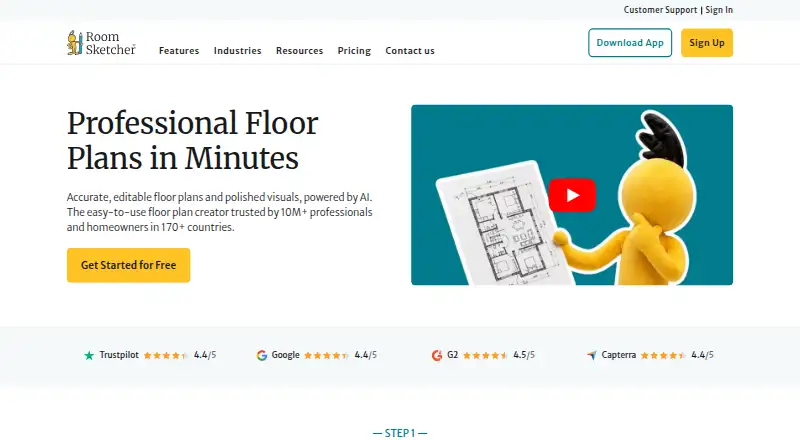
RoomSketcher is floor plan and home design software for creating layouts, furnishing and decorating rooms, and visualizing designs in 3D. AI Convert takes a JPG, PNG or PDF floor plan and maps walls, doors and windows into an editable project in under five seconds. FloorCapture uses an iPhone or iPad with LiDAR to turn a property scan into an editable plan. Outputs include 2D and 3D floor plans, AI renders, Live 3D walkthroughs and 360 views. Projects are stored in the cloud and accessible across devices; the app can also work offline and sync when online again. It is available on Windows, Mac, iPad and Android tablets. Phones use the web portal and cannot draw or edit floor plans in the app. Credits are used for projects, 3D floor plans, 3D photos, 360 views, AI Convert, FloorCapture and ordered plans. A free plan includes two starting credits and one free AI floor plan conversion. Pro costs $12/user/mo with annual billing, or $24 per month with monthly billing. A professional ordering service can return completed 2D and 3D plans by the next business day.
Who it suits
RoomSketcher suits real estate professionals, designers, contractors and homeowners who need to create or visualize floor plans. Its tablet and LiDAR features may suit users capturing or editing plans on supported devices.
What it does well
- Converts JPG, PNG or PDF plans into editable projects.
- FloorCapture uses iPhone or iPad LiDAR.
- Creates 2D plans, 3D views and 360 views.
- Projects sync across devices after offline work.
- Free plan includes two credits and one free AI conversion.
What to know first
- Phones cannot draw or edit floor plans in the app.
- FloorCapture requires an iPhone or iPad with LiDAR.
- Pro is $12/user/mo with annual billing.
- Credits are used for projects and several features.
Limits
The free plan starts with two credits and includes one free AI floor plan conversion. Pro costs $12/user/mo with annual billing and includes five credits each month; credits are used for projects, outputs, capture features, and ordered floor plans.
Plans
| Plan | Billed and limits | Price |
|---|---|---|
| Free | No credit card required · 2 starting Credits · 1 free AI conversion · 2D/3D floor plans · 3D Snapshots · AI Render | Free |
| Pro (annual) | $144 per year; renews annually · 5 monthly Credits · complete furniture library · 3D floor plans/photos · 360 Views · branding · measurements · scale printing | $12 a month |
| Pro (annual billing) | Billed as $144 per year; renews annually · 5 credits every month · complete furniture library · 3D floor plans · 3D photos · 360 views · branding · print to scale · measurements and total area | $12 a month |
| Pro (monthly billing) | Billed as $24 per month; cancel anytime · 5 credits every month · complete furniture library · 3D floor plans · 3D photos · 360 views · branding · print to scale · measurements and total area | $24 a month |
| Pro (monthly) | $24 per month; cancel anytime · 5 monthly Credits · complete furniture library · 3D floor plans/photos · 360 Views · branding · measurements · scale printing | $24 a month |
| Team (annual) | $420 per year; renews annually · 5 users · 20 monthly Credits · customer manager · onboarding/training · larger archive · collaboration | $35 a month |
| Team (annual billing) | Billed as $420 per year; renews annually · 5 users included · 20 credits every month · dedicated customer manager · 1:1 onboarding and training · larger project archive · project collaboration | $35 a month |
| Team (monthly billing) | Billed as $70 per month; cancel anytime · 5 users included · 20 credits every month · dedicated customer manager · 1:1 onboarding and training · larger project archive · project collaboration | $70 a month |
The first 8 of 10 plans, as roomsketcher.com lists them, read 19 Oct 2026. The maker's own page has the final word. Every plan
Getting started
- Open the RoomSketcher website and choose the free plan or a paid plan.
- Use the app on Windows, Mac, iPad, or an Android tablet, or use the web portal on a phone.
- Start with the free plan's two credits and one AI floor plan conversion, or add credits anytime.
- Import a JPG, PNG, or PDF floor plan with AI Convert, or use FloorCapture with LiDAR on an iPhone or iPad.
- Create floor plans and choose from the available 2D, 3D, render, walkthrough, and 360 outputs.
Overview
RoomSketcher brings floor-plan creation, room furnishing and 3D presentation into one home-design tool. It is best suited to homeowners and property or design professionals who need to make and present layouts; the range of output formats is a strong draw, but credit use and the inability to edit plans on phones may rule it out for some workflows.
Founded in 2007 and based in Lysaker, Norway, RoomSketcher says it serves more than 10 million users across more than 170 countries. Its audience includes homeowners, design enthusiasts, real estate professionals, agents, resellers, designers and contractors.
Key features
AI Convert turns an existing JPG, PNG or PDF floor plan into an editable project by mapping its walls, doors and windows in under five seconds. That makes it a useful starting point when a plan already exists. For capturing a property on site, FloorCapture uses LiDAR on an iPhone or iPad to create an editable floor plan.
Once a layout is ready, users can furnish and decorate rooms, then create 2D and 3D floor plans, 3D photos, AI renders, 360 views and Live 3D walkthroughs. The variety supports both planning and presentation, though credits apply to projects and many outputs and capture options: projects, 3D floor plans, 3D photos, 360 views, AI Convert, FloorCapture and ordered floor plans. Frequent use can therefore make the monthly credit allowance a practical constraint.
Cloud-stored projects are accessible across devices, and the app can work offline before syncing when it reconnects. Customers who would rather outsource plan production can upload a sketch or blueprint and receive completed 2D and 3D floor plans by the next business day.
The service offers chat, email support with a stated 1–2 business-day response time, webinars and a Help Center. Business users can also get 1:1 training. Mspecs and Vitec integrations support ordering, delivery, editing and downloading floor plans; API integration is an Enterprise feature. RoomSketcher says it uses physical, electronic and procedural safeguards, encrypts transaction information over industry-standard connections and limits access to authorized personnel with a legitimate need to know.
Pricing
The Free plan costs nothing and includes two starter credits, one free AI floor plan conversion, 2D and 3D floor plans, 3D snapshots, AI Render and the option to add credits. It is a way to try the core workflow, but the initial credit supply and single conversion make it a limited choice for ongoing production.
Pro is aimed at individual users who need more presentation options. Both billing choices include five credits every month, the complete furniture library, 3D floor plans, 3D photos, 360 views, branding, print-to-scale output, measurements and total area. Pro (annual billing) is $12 a month, billed as $144 per year and renewing annually. Pro (monthly billing) is $24 a month, billed as $24 per month and cancellable anytime. The annual option costs less per month but commits the buyer to yearly renewal; either option still has a five-credit monthly allowance.
Team adds collaboration and support for a group: five users, 20 credits every month, a dedicated customer manager, 1:1 onboarding and training, a larger project archive and project collaboration. Team (annual billing) is $35 a month, billed as $420 per year and renewing annually. Team (monthly billing) is $70 a month, billed as $70 per month and cancellable anytime. The larger allowance and included seats make it the more relevant tier for shared work, while the annual price carries the same renewal trade-off.
Enterprise has custom pricing and includes unlimited users, unlimited customer profiles, API integration, custom branding setup and priority support with a custom SLA. It is for organizations that need those account-level capabilities rather than a fixed-seat plan.
Platforms
RoomSketcher supports Android, iOS, macOS, web and Windows. Its app is available on Windows, Mac, iPad and Android tablets, but phones use the web portal and cannot draw or edit floor plans in the app. That distinction matters for field work: an iPhone or iPad can support LiDAR FloorCapture, but phone-based plan editing is not part of the app workflow.
Who it's for
RoomSketcher is a strong fit for homeowners, interior design enthusiasts and property professionals who need to build layouts and communicate them through more than a flat plan. Real estate agents, resellers, designers and contractors can also benefit from its presentation formats, ordering service and collaboration options. It is less suitable for users who need to edit plans on a phone or expect high-volume use to fit within a small credit allowance.
Pros and cons
- Pros: Several presentation formats, including AI renders, Live 3D walkthroughs and 360 views, let users take a design beyond a basic floor plan.
- Pros: AI Convert and LiDAR FloorCapture offer distinct ways to turn an existing plan or an on-site scan into an editable project.
- Pros: Offline work with later cloud sync is useful when a project takes place away from a reliable connection.
- Cons: Credits cover projects as well as capture and output options, so the included five monthly Pro credits may limit users who rely on these functions often.
- Cons: Phones cannot draw or edit floor plans in the app, making a tablet or computer necessary for that work.
- Cons: Monthly billing costs more than annual billing for both Pro and Team; choosing the lower monthly rate means accepting annual renewal.
Alternatives
For a different focus, consider CMS IntelliCAD, ProfiCAD, OpenPlan3D, Floorplanner, NASJI, magicplan, nanoCAD or AutoCAD.
Choose CMS IntelliCAD if DWG, DXF or DWF viewing on Android or Windows is the priority: its free ETOOLBOX CAD Viewer covers 2D and 3D viewing. ProfiCAD is an option for someone who wants to try a full version free for 30 days without a credit card, or use its free Home license.
OpenPlan3D is worth considering if open-source software is important; its editor is available under the MIT License. Floorplanner may suit users who want a free account with up to five projects, three floors and three designs per project, accepting SD exports with a watermark.
NASJI is another freemium option. magicplan may suit project-based work where plans start at 10 new projects per month and include unlimited users. For Windows drafting, compare nanoCAD; for a paid CAD alternative with Android, iOS, Mac, web and Windows platforms, consider AutoCAD.
Readers comparing the broader categories can also browse 2D CAD Software, AI Floor Plan Generators, 3D Home Design Software, Floor Plan Software and 3D Visualization Software.
Verdict
RoomSketcher is a solid choice for homeowners and property or design professionals who need editable plans and a broad set of ways to present them. Its strongest reason to choose it is the combination of plan creation, capture and 3D visualization in one workflow. Look elsewhere if phone-based editing is essential, or if recurring credit use and annual billing do not suit the way you work.
Verdict
RoomSketcher combines plan creation, room design and multiple 3D presentation formats, with separate capture and conversion options. Check the phone editing limitation, credit use and billing term when deciding which plan and device setup fit your work.
Questions
Is there a free plan?
Yes. The free plan costs nothing and includes two starting credits, one free AI floor plan conversion, 2D and 3D floor plans, 3D snapshots, and AI Render.
How much does Pro cost?
Pro with annual billing costs $12 a month, billed as $144 per year and renewed annually. Pro with monthly billing costs $24 a month and can be canceled anytime.
Which devices can edit floor plans?
The app is available on Windows, Mac, iPad, and Android tablets. Phones use the web portal and cannot draw or edit floor plans in the app.
Can I work offline?
Yes. The app works offline, and projects sync when the device is online again. Projects are stored in the cloud and can be accessed across devices.
What does Team include?
Team includes five users, 20 credits each month, a larger project archive, project collaboration, a dedicated customer manager, and 1:1 onboarding and training. Annual billing is $35 a month billed as $420 per year; monthly billing is $70 a month.
Does RoomSketcher offer API integration?
Yes. API integration is listed as an Enterprise plan feature. Enterprise pricing is custom.
Facts from RoomSketcher's own pages
- 2D and 3D plans
- The app creates measured 2D plans and one-click 3D versions for design and presentation. · roomsketcher.com, 19 Oct 2026
- 360 Views
- Users can generate shareable, embeddable panoramic 360-degree views of designs. · roomsketcher.com, 19 Oct 2026
- AI Convert
- AI Convert accepts PDF, JPG or PNG plans and turns supported blueprints into editable projects in seconds. · roomsketcher.com, 19 Oct 2026
- AI Convert limit
- AI Convert is intended for clear 2D plans and does not support room photos, hand-drawn sketches, 3D renderings or elevation drawings. · help.roomsketcher.com, 19 Oct 2026
- AI Render
- AI Render creates photorealistic images from snapshots, 3D Photos, 3D Floor Plans or Live 3D and supports styles, prompts and reference images. · roomsketcher.com, 19 Oct 2026
- API availability
- API integration is listed as an Enterprise plan feature. · roomsketcher.com, 1 Oct 2026
- API licensing
- Commercial terms grant partners a non-exclusive, revocable, royalty-bearing, time-limited license to use the API and documentation for an agreed website integration. · roomsketcher.com, 19 Oct 2026
- Cloud and offline
- Projects are stored in the cloud, can be accessed across devices, and the app works offline before syncing when online again. · roomsketcher.com, 1 Oct 2026
- Company history
- RoomSketcher says it was founded in 2007 as a spin-off from underwater 3D-visualization technology originally used for the oil industry. · roomsketcher.com, 19 Oct 2026
- Company size
- LinkedIn lists RoomSketcher as privately held with 11–50 employees, headquartered in Lysaker, Akershus and founded in 2007. · linkedin.com, 19 Oct 2026
- Creation methods
- Plans can be drawn from scratch, traced from a blueprint, ordered from RoomSketcher, converted with AI or captured with iOS LiDAR. · roomsketcher.com, 19 Oct 2026
- Credits
- Credits are used for projects, 3D floor plans, 3D photos, 360 views, AI Convert, FloorCapture, and ordered floor plans. · roomsketcher.com, 1 Oct 2026
- Data handling
- The privacy policy says RoomSketcher uses FastSpring for payments, service providers for operations and may disclose information for legal requirements or corporate transactions. · roomsketcher.com, 19 Oct 2026
- Developer documentation
- The API terms refer to partner documentation and require the partner to perform its own development; no public SDK is identified on the cited pages. · roomsketcher.com, 19 Oct 2026
- FloorCapture
- FloorCapture uses an iPhone or iPad with LiDAR to capture a property and turn the scan into an editable floor plan. · roomsketcher.com, 1 Oct 2026
- Founded
- 2007 · roomsketcher.com, 23 Sept 2026
- Furniture library
- The product library contains thousands of furniture, fixtures, appliances, materials and outdoor items, with the full catalog reserved for Pro and Team. · roomsketcher.com, 19 Oct 2026
- Headquarters
- Lysaker, Norway · roomsketcher.com, 23 Sept 2026
- Integrations
- The product sheet describes integration with a customer's order system, while the current Enterprise plan advertises API integration. · wpmedia.roomsketcher.com, 19 Oct 2026
- Legal entity and address
- The company identifies the legal entity as RoomSketcher AS at Lysaker Torg 12, 1366 Lysaker, Norway. · roomsketcher.com, 19 Oct 2026
- Licence
- RoomSketcher is proprietary commercial software; its commercial terms grant limited contractual rights rather than an open-source licence. · roomsketcher.com, 19 Oct 2026
- Limit: credits and paywalls
- Review summaries and individual reviews complain that credits, premium outputs and paywalls add costs after subscription fees. · getapp.com, 19 Oct 2026
- Limit: library and customization
- Reviewers request more furniture, materials, exterior objects, grouping, copy/paste and advanced customization than the current library provides. · apps.apple.com, 19 Oct 2026
- Limit: mobile and AI workflow
- Some Trustpilot reviewers criticize the requirement to install an app for drawing and report failed or inaccurate AI imports and tracing results. · trustpilot.com, 19 Oct 2026
Where RoomSketcher stands on Freedom251
- 2D CAD Software#10 of 41
- Architectural CAD Software#7 of 22
- 3D Home Design Software#16 of 39
- Kitchen design software#10 of 23
- AI Floor Plan Generators#18 of 40
- Interior Design Software#9 of 19
- 3D Visualization Software#25 of 51
- Floor Plan Software#14 of 25
- Bathroom design software#9 of 14